Custom Date Reminder: Now for Custom Objects, Opportunities and Companies
Custom Date Reminders Now Enhanced
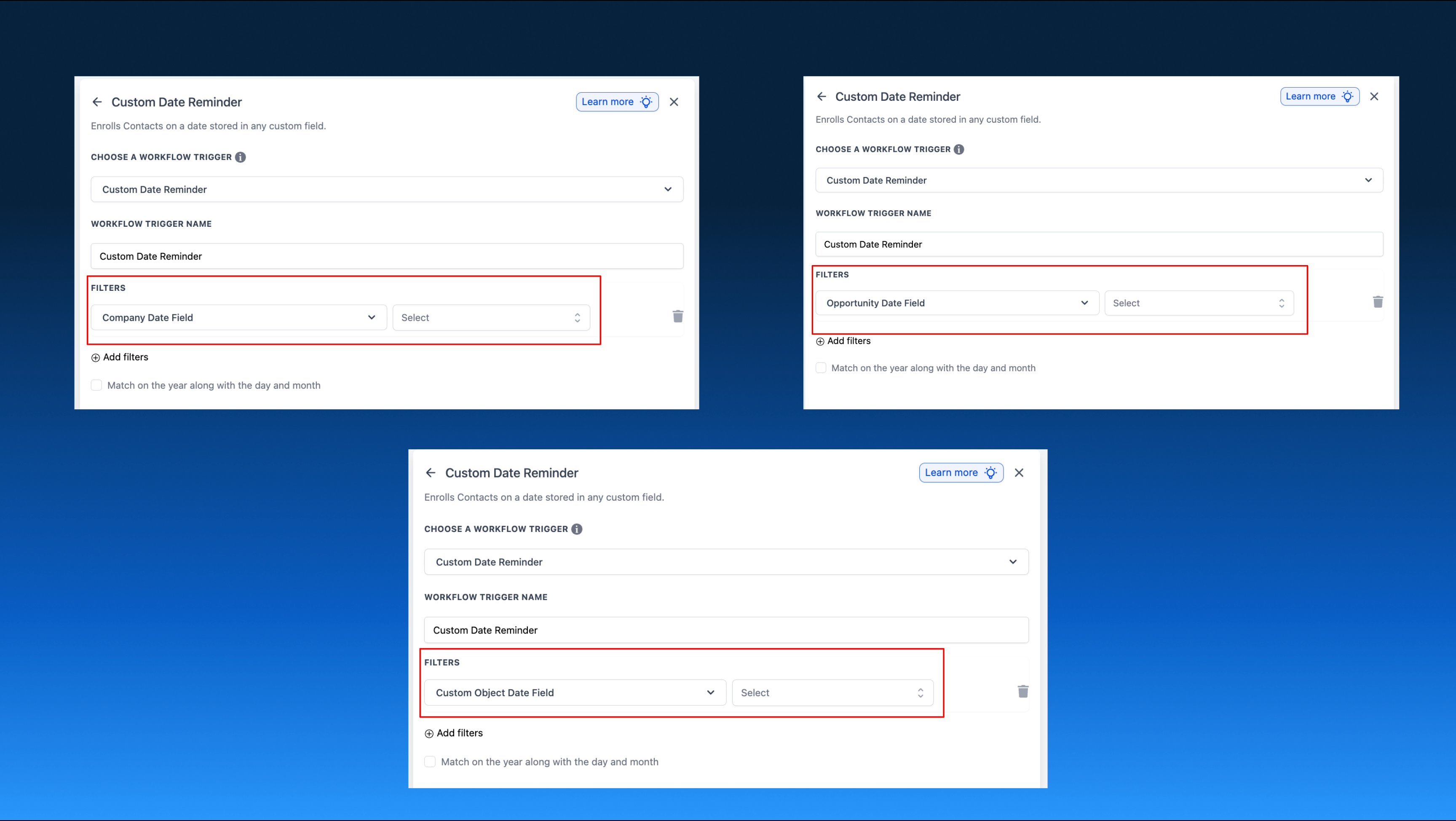
Custom date reminders now function with date fields across various record types, not limited to Contact custom date fields in contact-based workflows. With this update, you can utilise Opportunity date fields in contact-based workflows, Custom Object date fields in custom object-based workflows, and Company date fields in company-based workflows.
Custom date reminder triggers can now assess date fields based on the supported object within the workflow. In contact-based workflows, this includes Opportunity date fields. In custom object-based and company-based workflows, the trigger reads date fields from the same object that the workflow is centred around, initiating the workflow when the reminder timing aligns.
- Create or open a workflow for Contacts, Custom Objects, or Companies.
- Select a custom date reminder trigger and identify the supported date field for that workflow type.
- Determine the timing for when the workflow should be executed—before, on, or after that date.
Previously, custom date reminders were restricted to Contact date fields within contact-based workflows, which limited certain applications. This update removes that limitation, allowing you to automate date-driven follow-ups across broader sections of your CRM without requiring workarounds.
- You can initiate a contact-based workflow using an Opportunity close date to remind the contact before a renewal discussion.
- You can trigger a custom object-based workflow from a custom object expiry date to send an internal reminder when that record requires attention.
- The following field types are now supported: Opportunity date fields in contact-based workflows, Custom Object date fields in custom object-based workflows, and Company date fields in company-based workflows.