Creating Draft Documents using Workflows | Clixio Changelog
You can now generate contracts as drafts using the Send Documents & Contracts action in Workflows, ensuring only the designated person reviews and sends them.
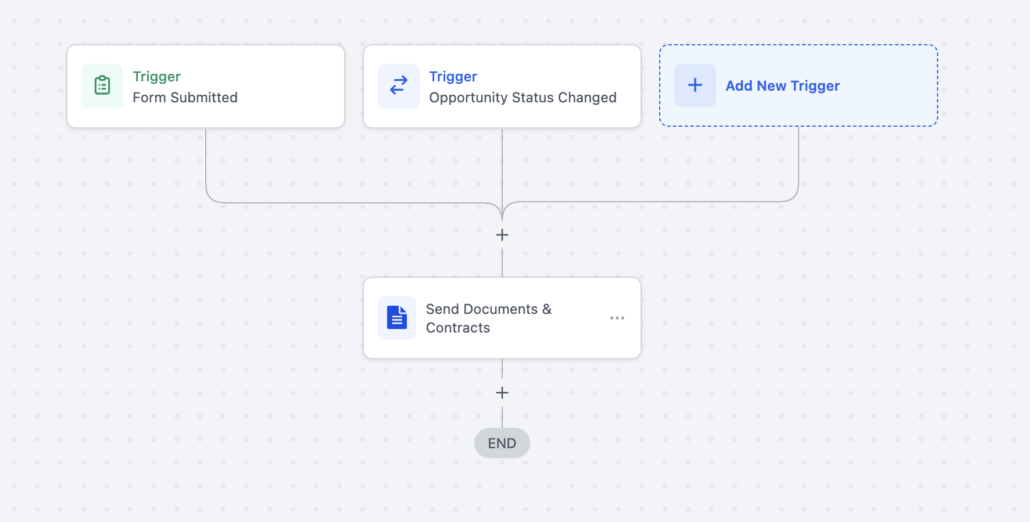
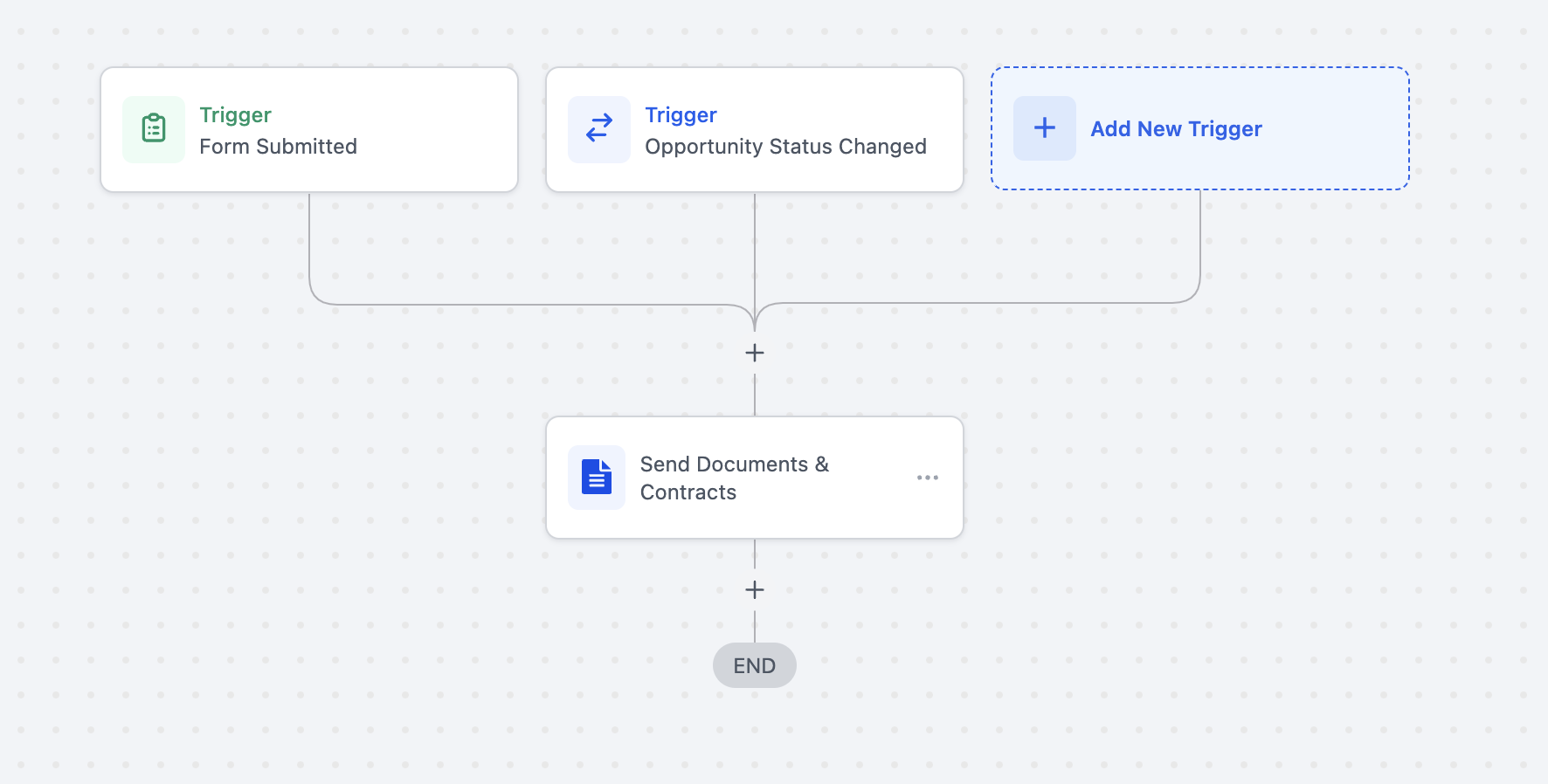
Create/Edit a Workflow: Add a trigger (e.g., new deal stage).
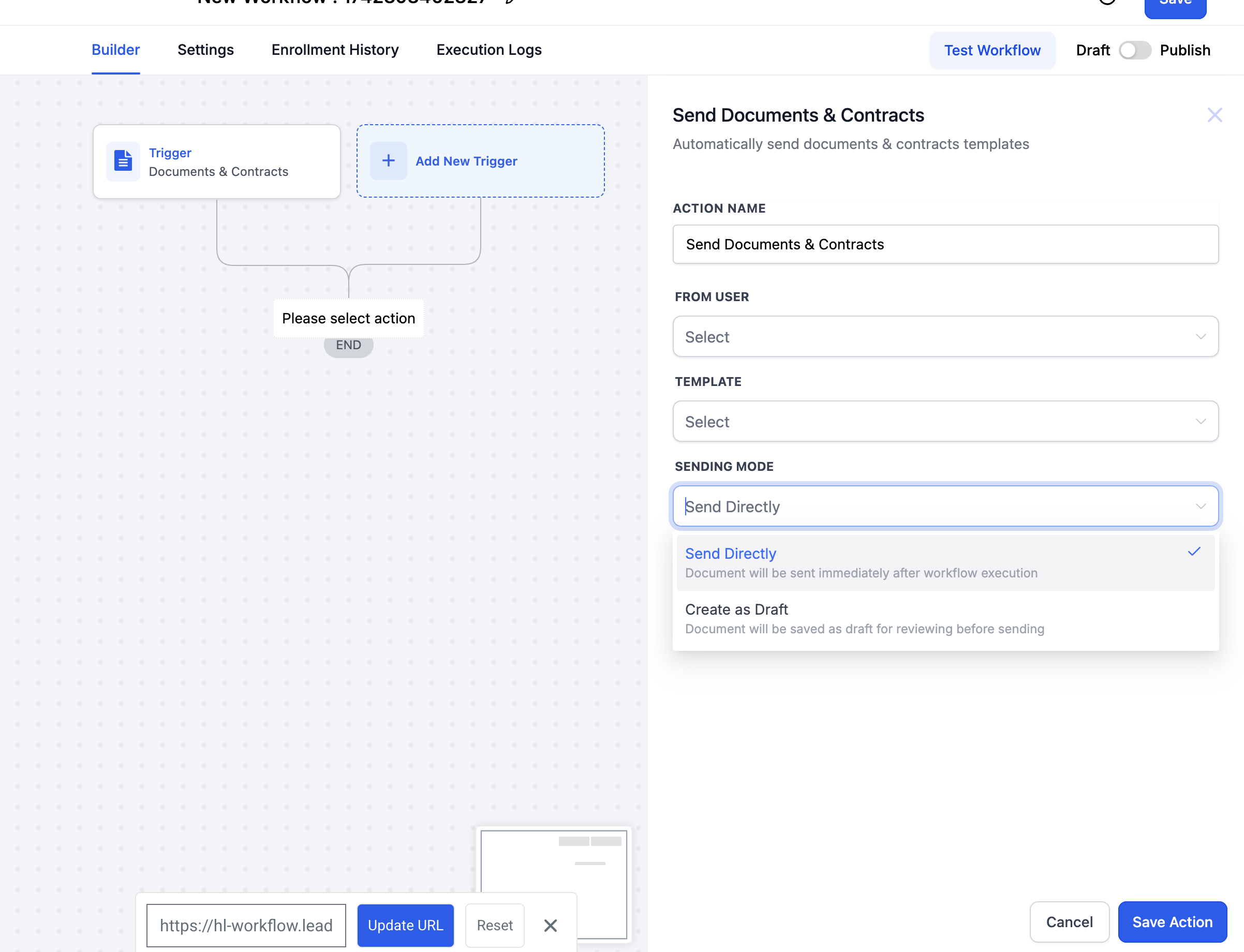
Add “Send Documents & Contracts”: Select your contract template and set Sending Mode to “Create as Draft.”
Publish: Whenever the trigger fires, a draft contract is auto-created.
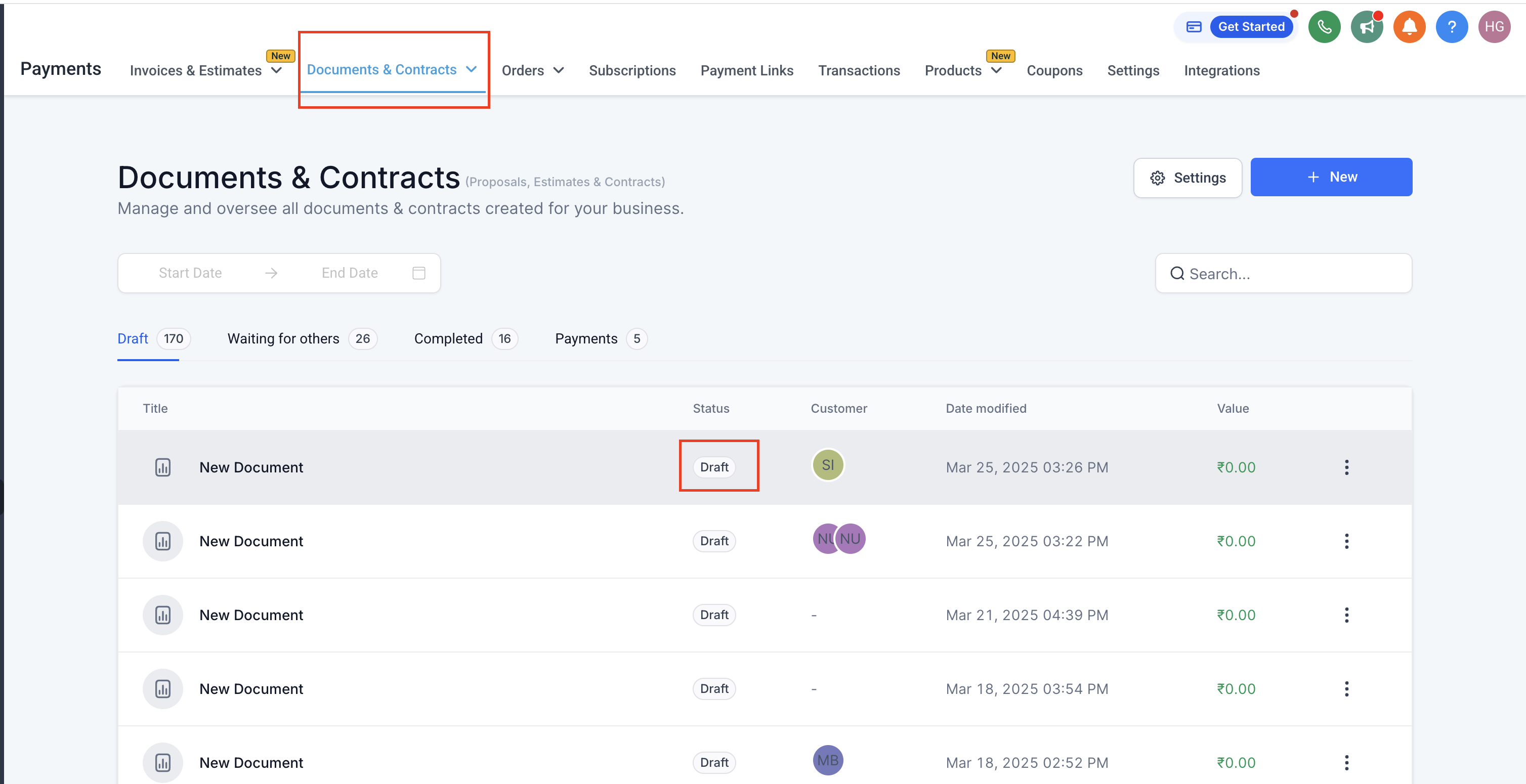
Review & Send: The responsible person or team finalises the draft from Documents & Contracts.
To centralise contract reviews and prevent accidental sends.
This feature ensures high-quality, consistent documents while keeping the final sending step in the right hands.
https://clixio.io/wp-content/uploads/2025/03/a7ea51b24fd95fe3fa0b661af07d817b.png8981772Clixio.iohttps://clixio.io/wp-content/uploads/2023/08/clixio-logo-dark.pngClixio.io2025-03-26 21:12:002025-03-26 21:12:00Creating Draft Documents using Workflows