
Company Smart lists | Clixio Changelog
Managing companies has never been more flexible.
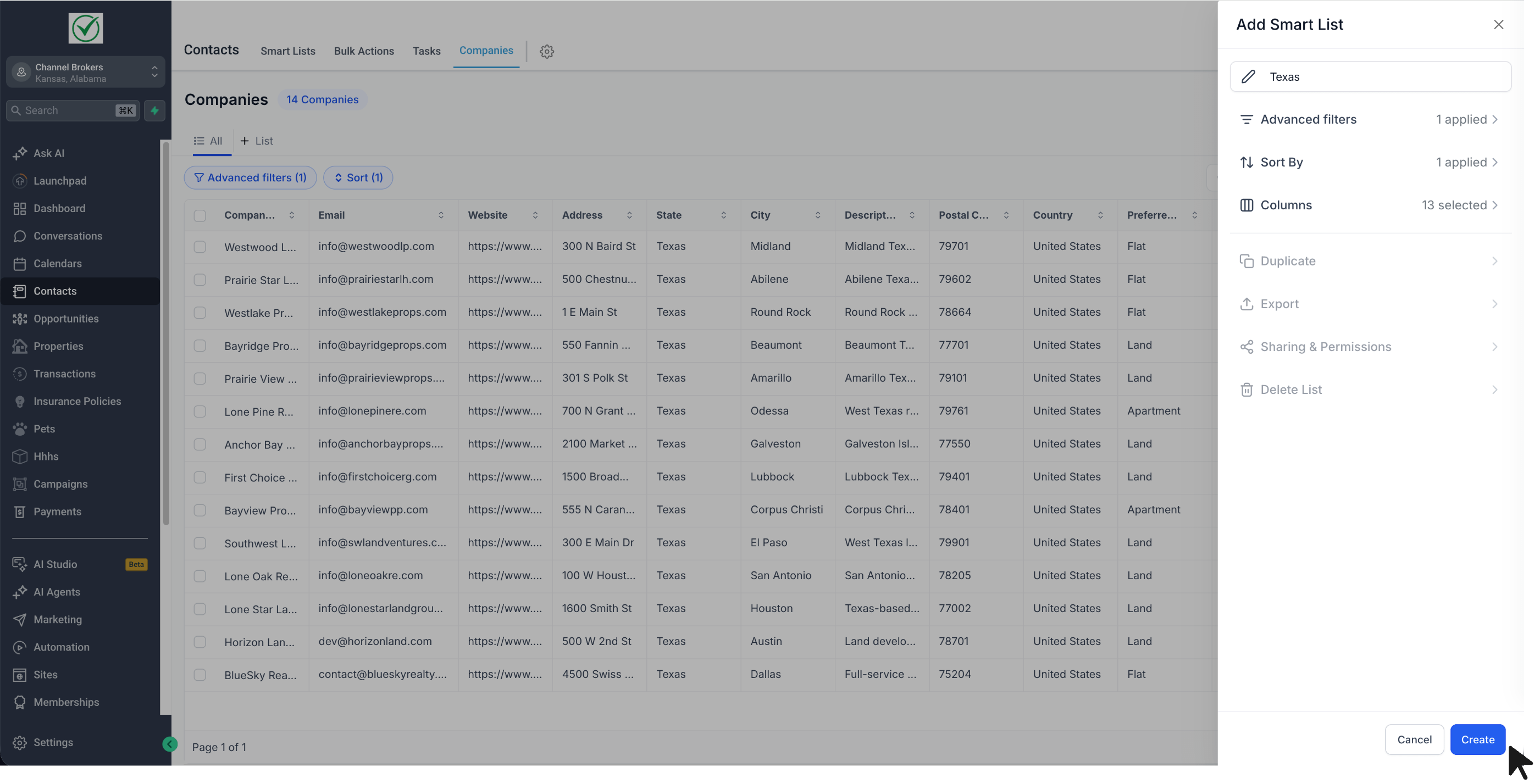
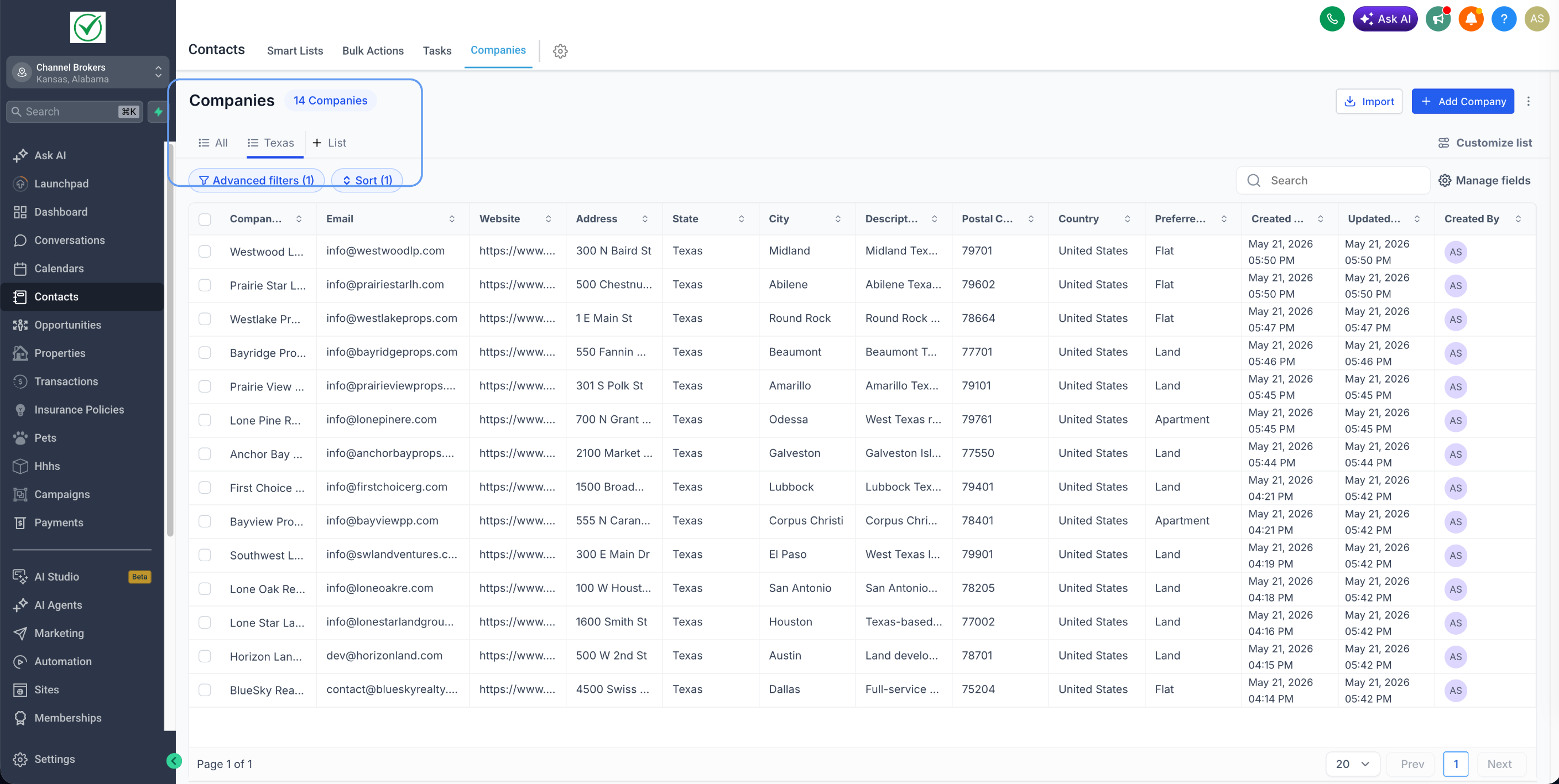
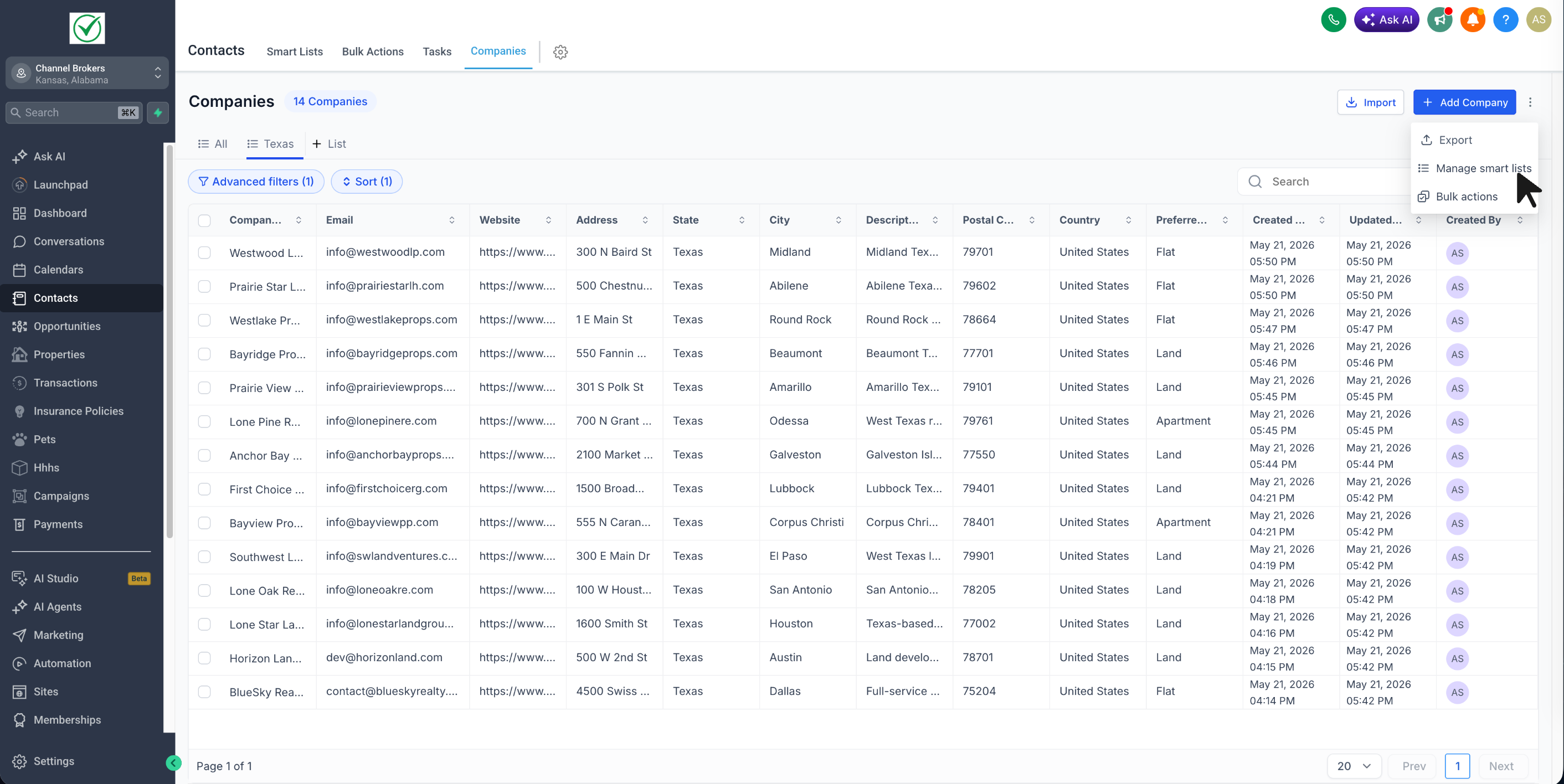
You can now create **Company Smart Lists** to save a customised company view with your preferred filters, sorting, and visible fields. This allows you to reuse that list anytime without needing to set it up again.
- Added **Company Smart Lists** within Companies
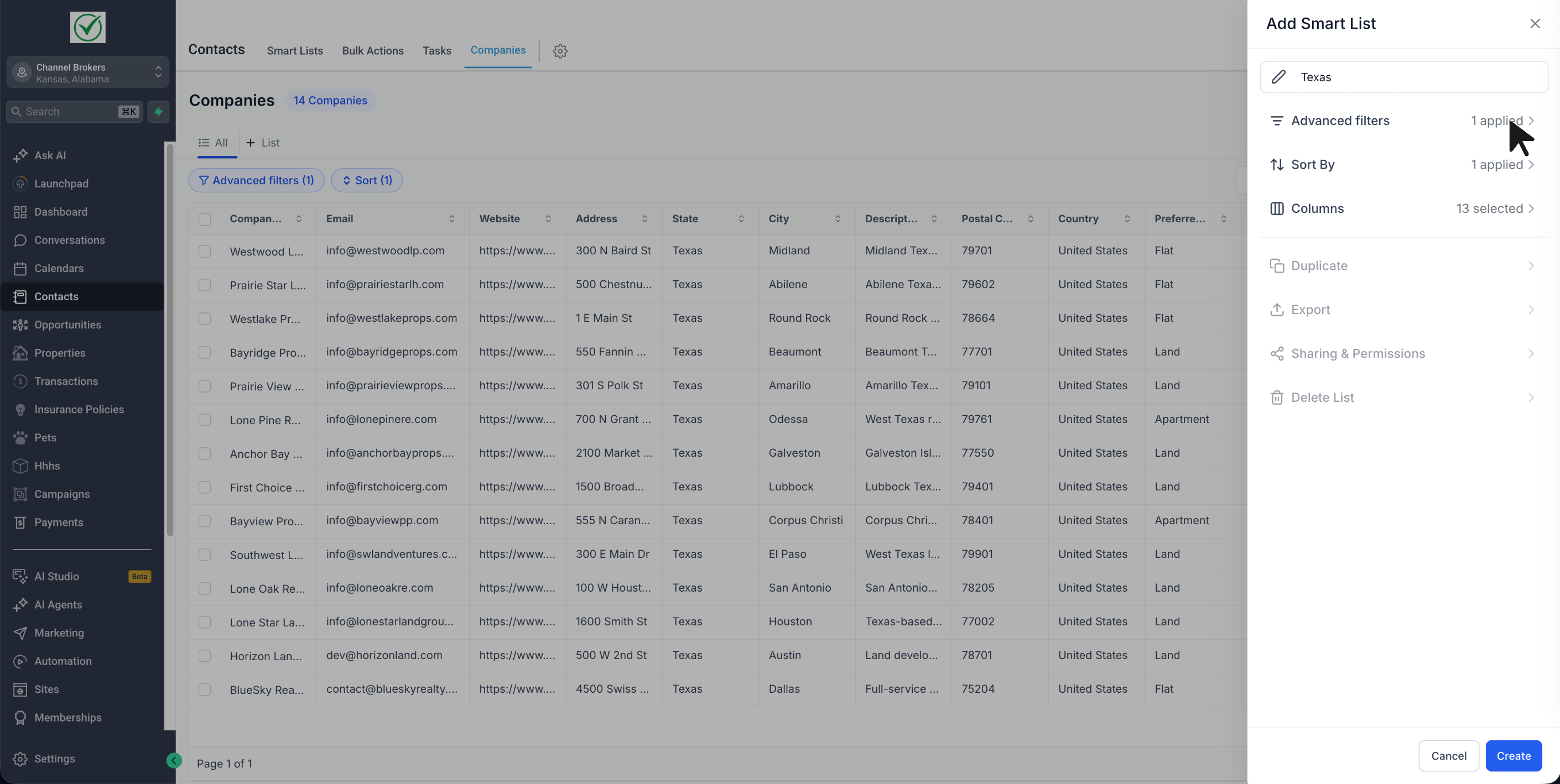
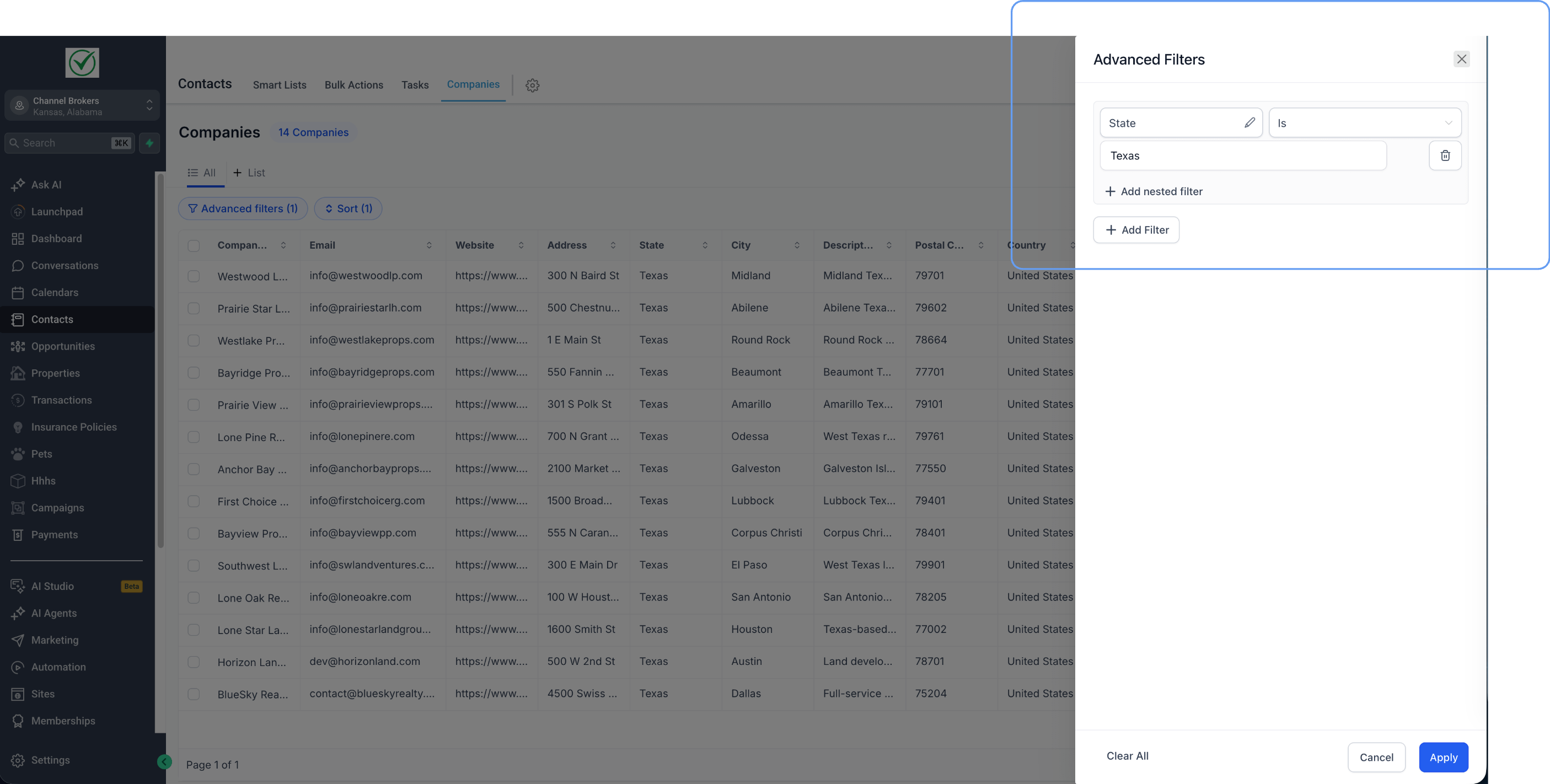
- Save your preferred advanced filters, sort order, and visible fields
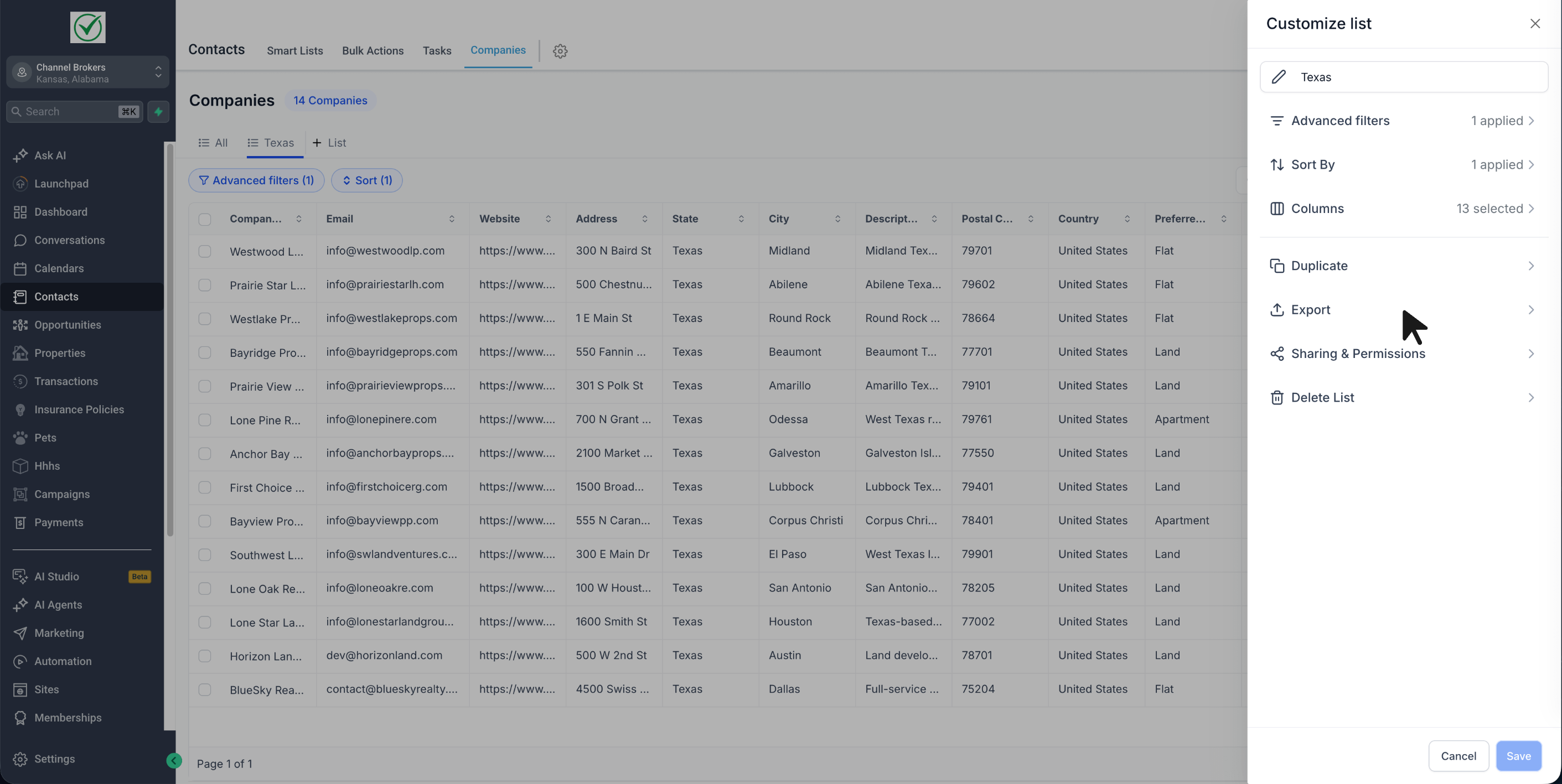
- Duplicate an existing Smart List to quickly create another version
- Export Smart List results to CSV
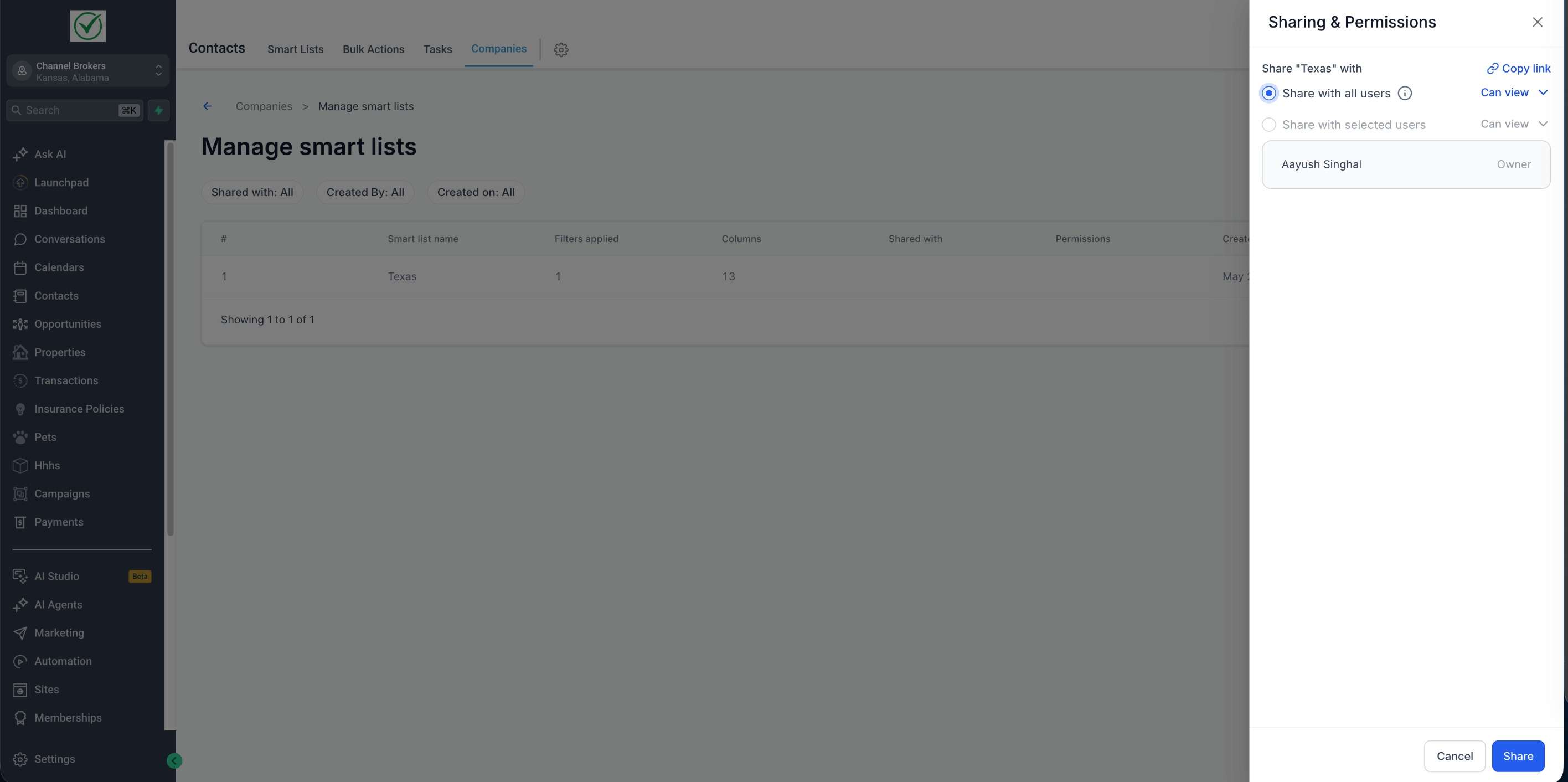
- Share Smart Lists with all users or selected users
- Provide shared users with either view access or edit access
- Copy and share a direct link to a Smart List
- Save updates back to the same Smart List or as a new one
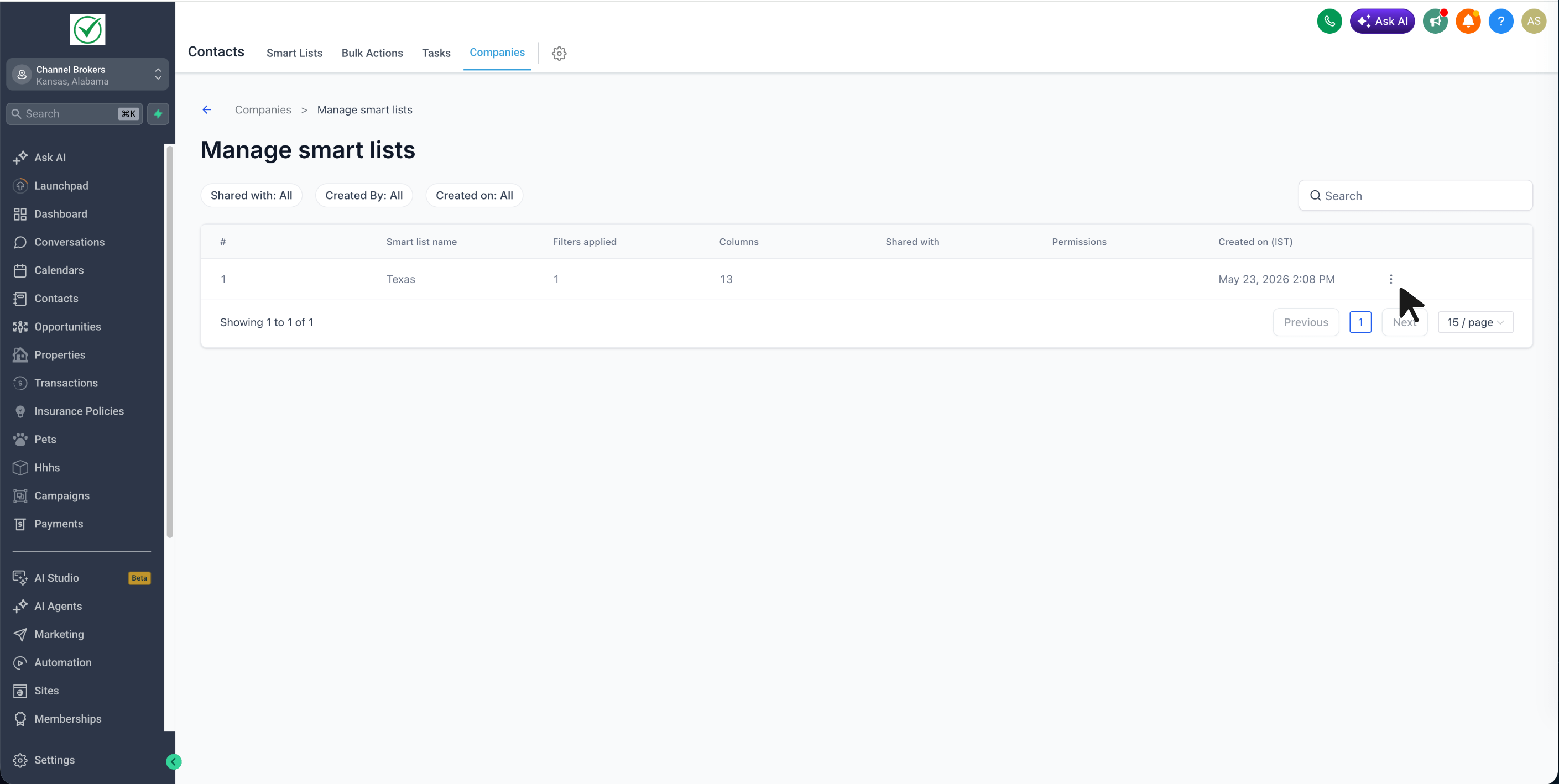
- Manage the Smart Lists page to review all Smart Lists in one place
- Enable Company Smart Lists from **Sub-account Labs**
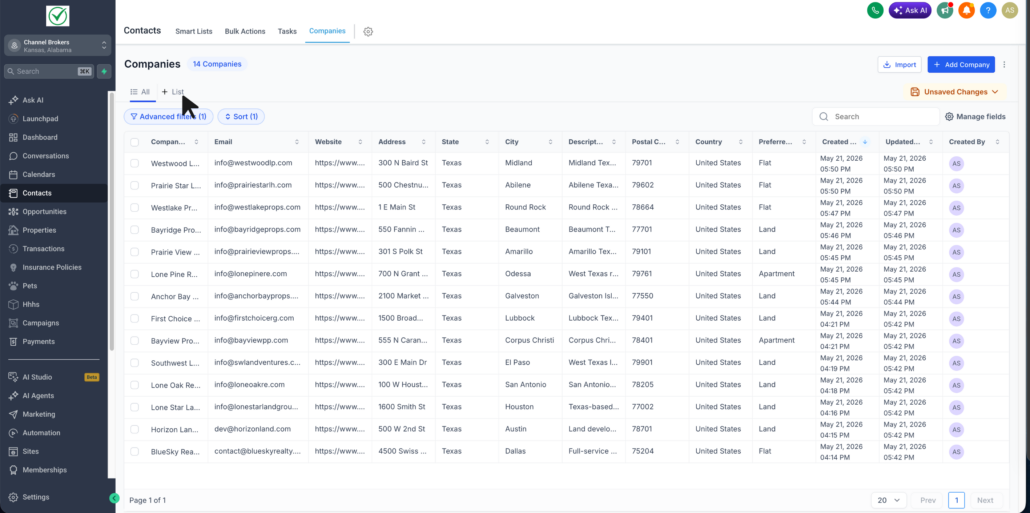
- Navigate to **Contacts → Companies**
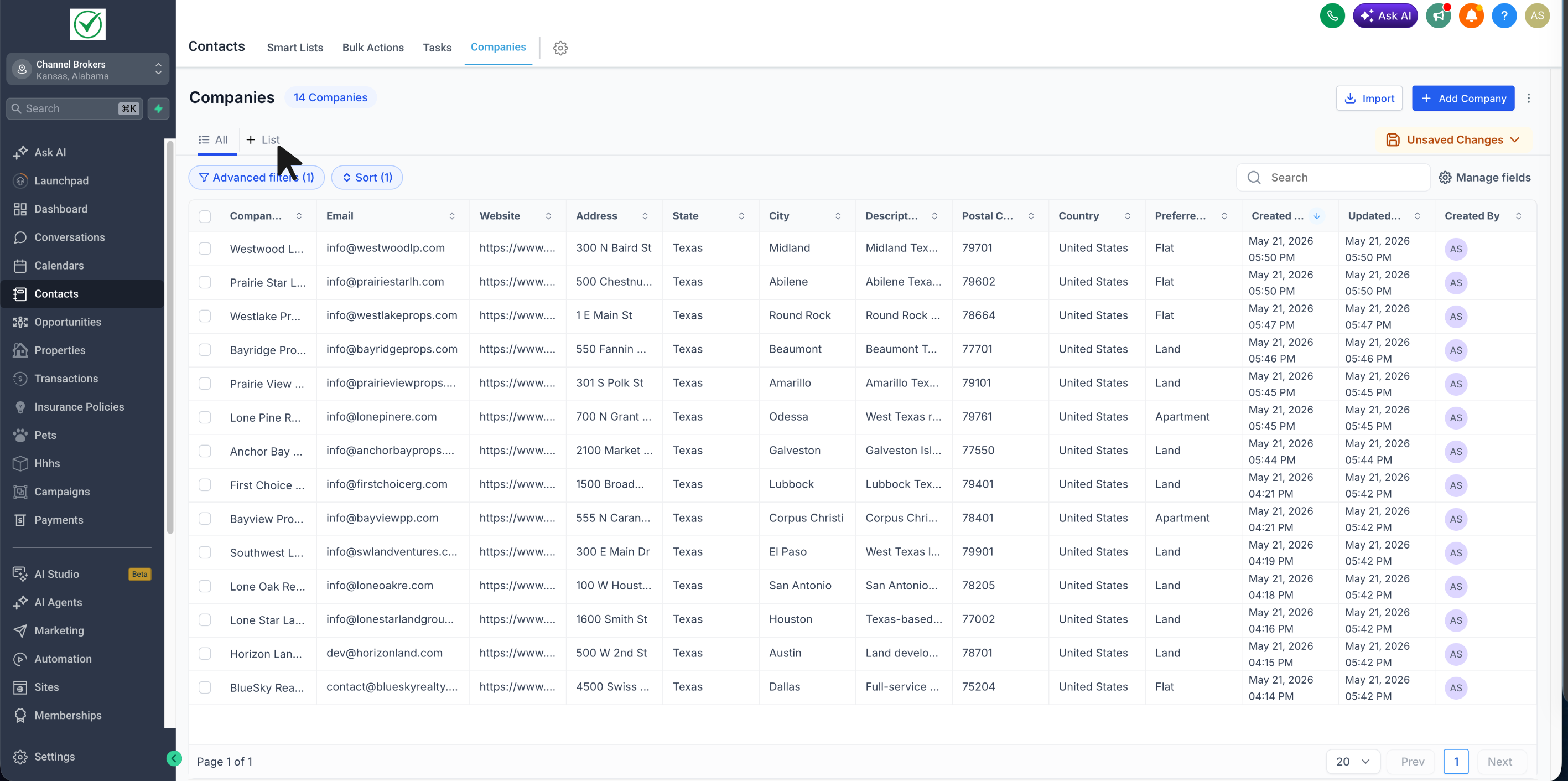
- Click on **+ List**
- Apply your desired filters, sorting, and fields
- Name the Smart List and save it
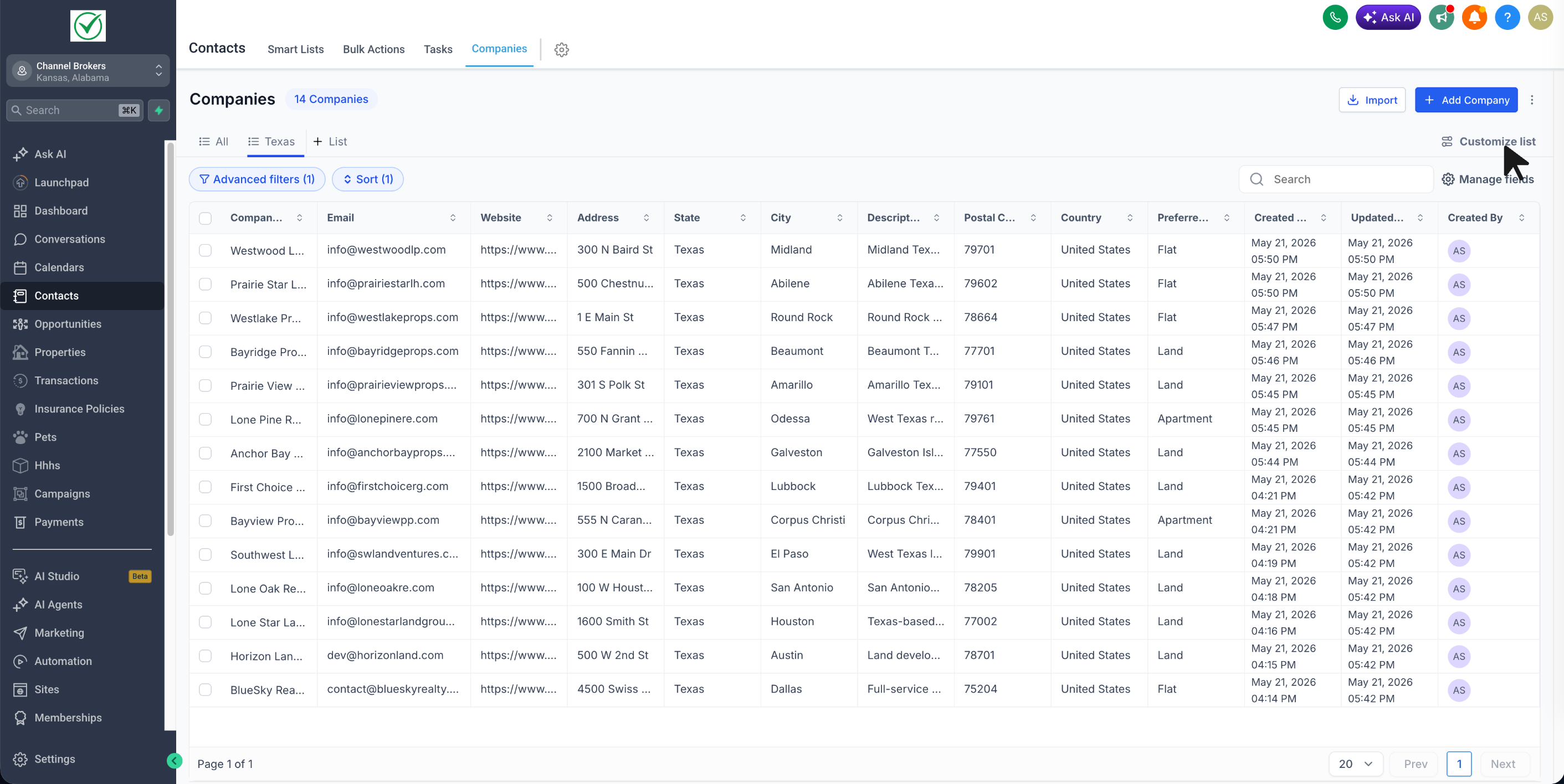
- Reopen it anytime to continue editing, sharing, exporting, or duplicating
- Open **Customise List** to manage options such as Duplicate, Export, Sharing & Permissions, and Delete List
- Reduces repetitive setup for teams working with Companies
- Makes it easier to return to the exact lists you use most frequently
- Helps standardise account lists across users
- Simplifies sharing important filtered lists
- This feature is currently available in **Sub-account Labs**
- Users with edit access can also change sharing permissions