
• Shopping Cart Shopping Cart
    0Shopping Cart
Clixio
  • Features
  • Pricing
  • FAQ
  • Blog
  • Log in
  • Free Trial
  • Menu Menu

Advanced Builder UX Upgrades: Stats Mode, Sticky Notes, Workflow Comments & Quick Actions

October 15, 2025/in What's New?

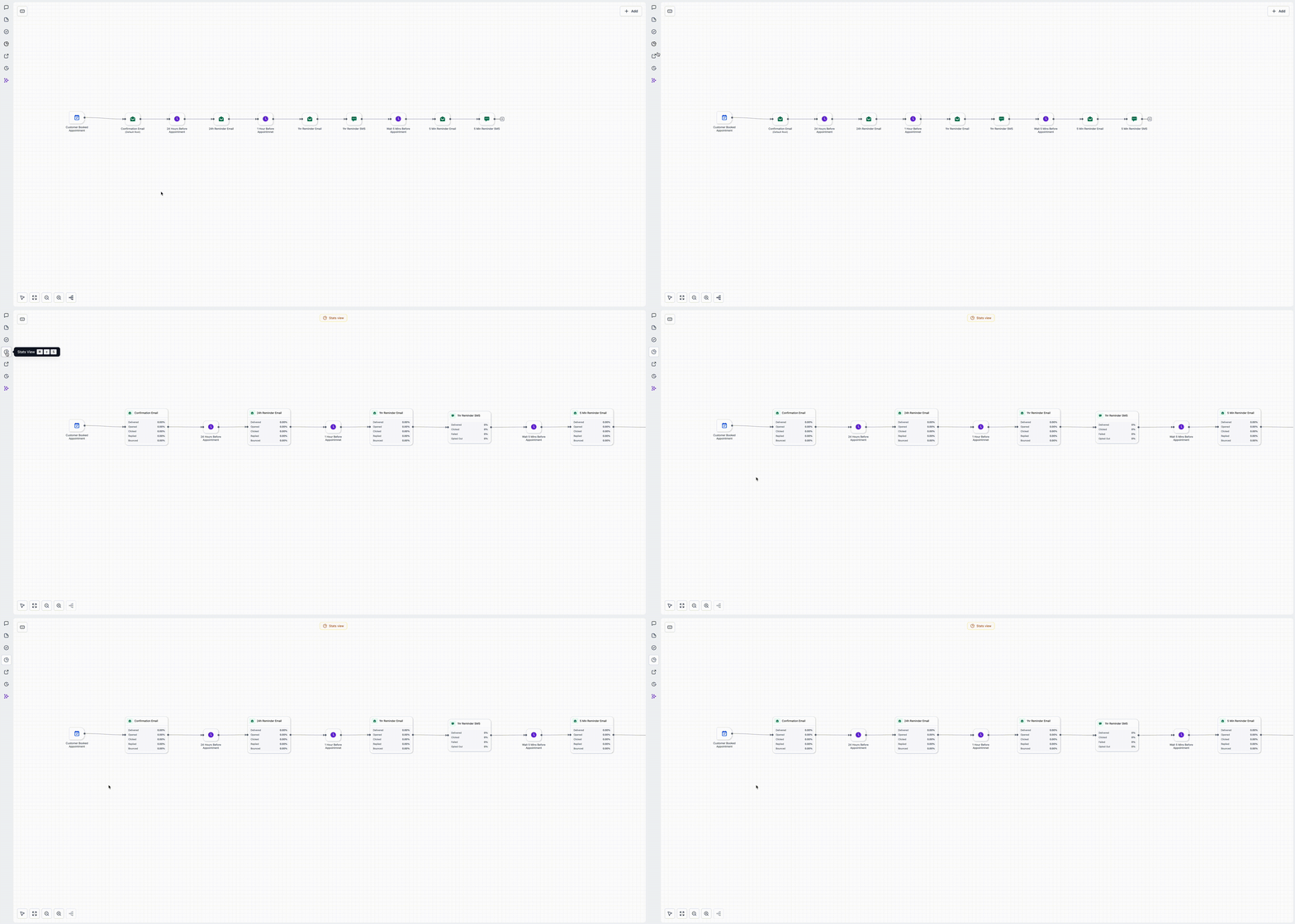
Gain a quick overview of your workflow’s performance with a streamlined user interface. It’s perfect for quick checks during build reviews or post-publication audits.

Access all your workflow statistics in a refreshed interface.
Kapture 2025-10-14 at 17
  • Open your workflow.
  • Switch to the Stats section in the sidebar to view the updated layout.
  • Review the metrics, then return to the Builder to make adjustments.

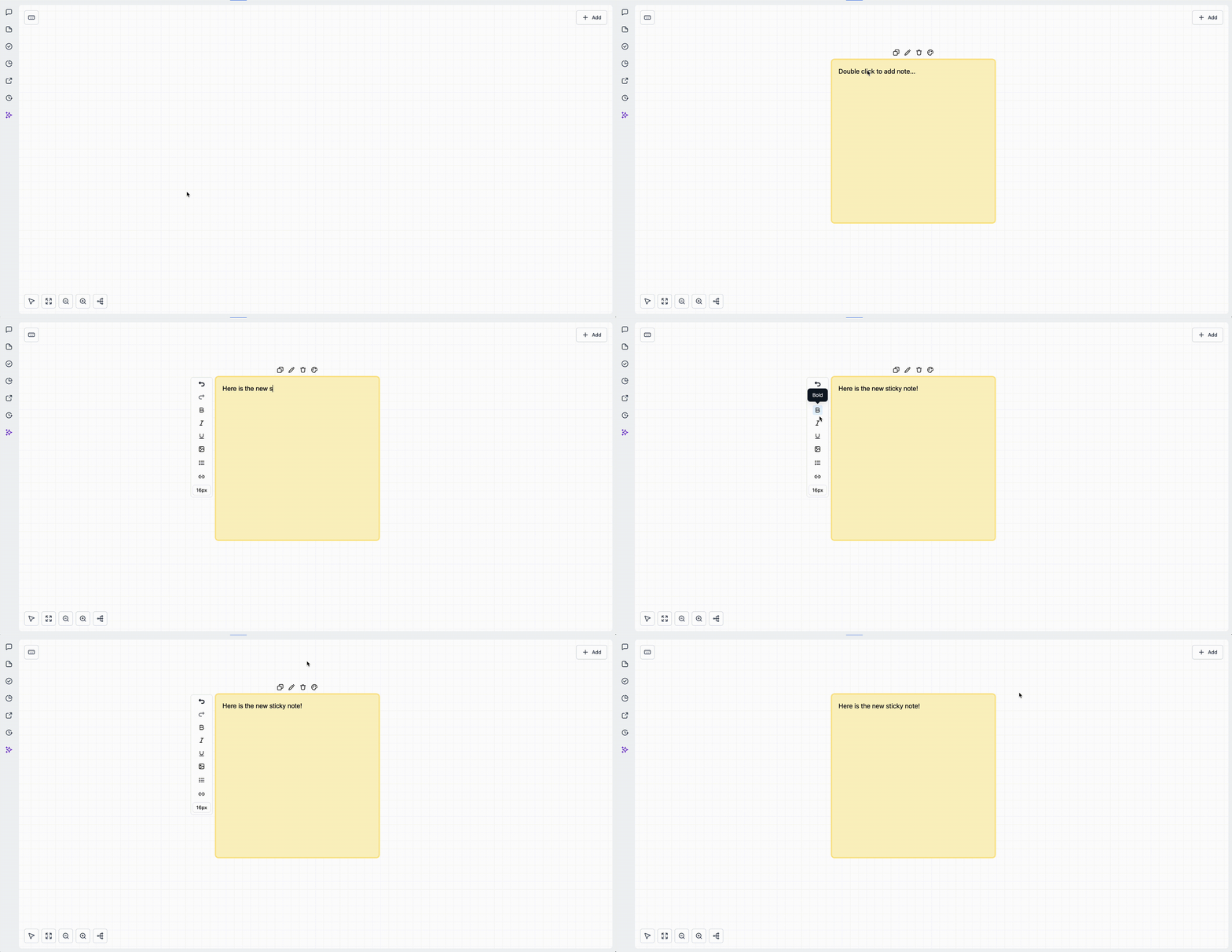
Sticky notes now support images/logos, colours, and richer formatting—ideal for collaboration and hand-offs.

  • **Workflow Branding:** Add a logo or icon to the canvas.
  • **Colour Coding:** Highlight branches by purpose or priority.
  • **Information Handover:** Include setup notes, caveats, or testing pointers.
Kapture 2025-10-14 at 17
  • Click the Sticky Note option from the left toolbar.
  • Choose a colour, add text, and optionally embed an image or link.
  • Resize or reposition to label branches or sections.

**Workflow Comments (Action-Level Notes + Notes Sidebar)**

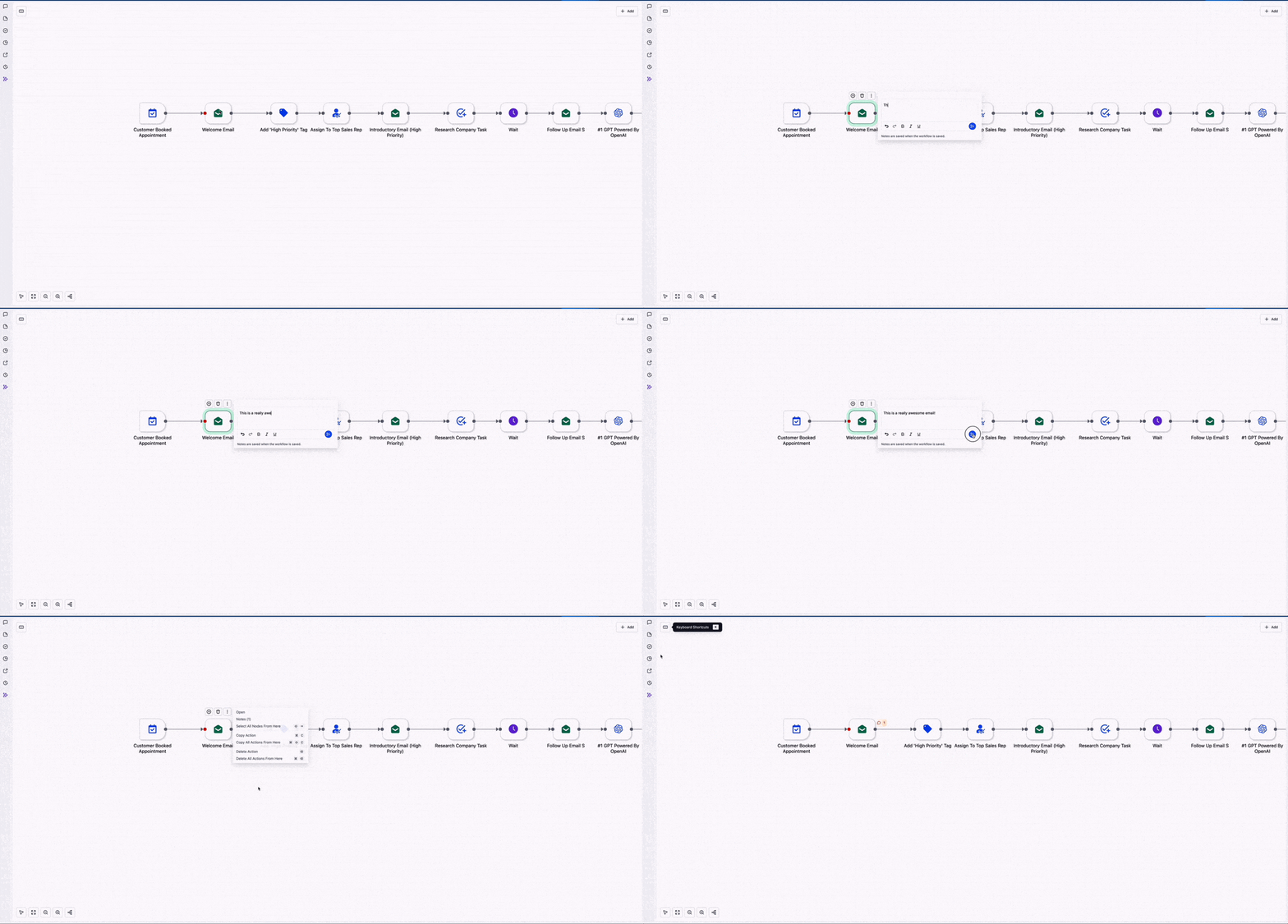
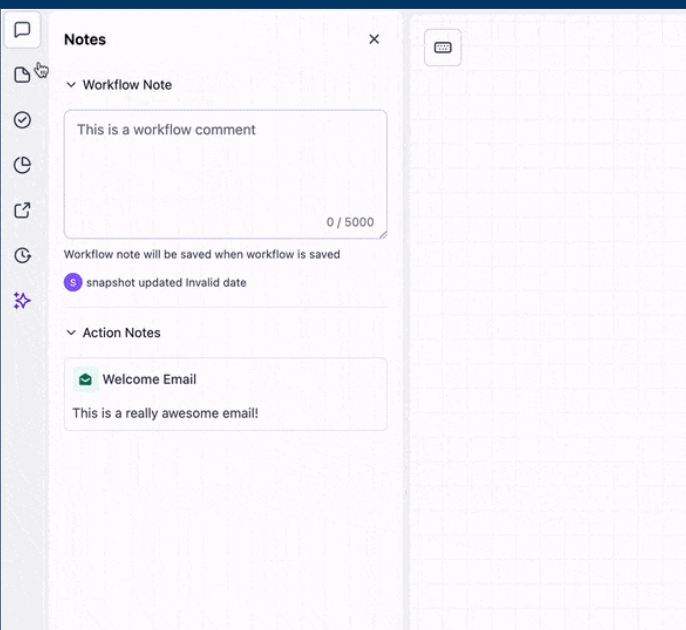
Attach comments to specific actions so collaborators can see the relevant context. Review everything conveniently in the Notes sidebar.
Kapture 2025-10-14 at 17
image
  • Select an action, then add a comment.
  • Open the Notes sidebar to browse all comments within the workflow.
  • Resolve or update as you make revisions.

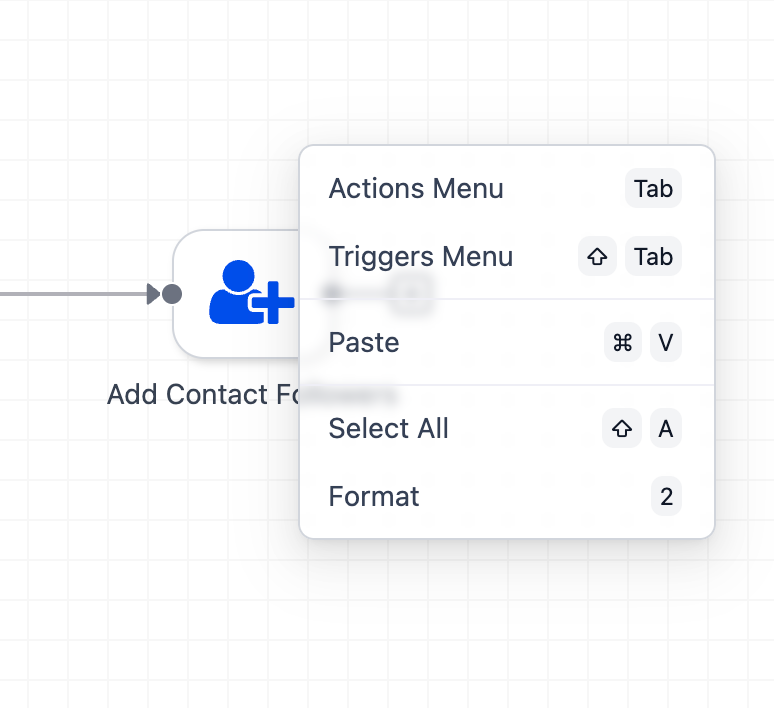
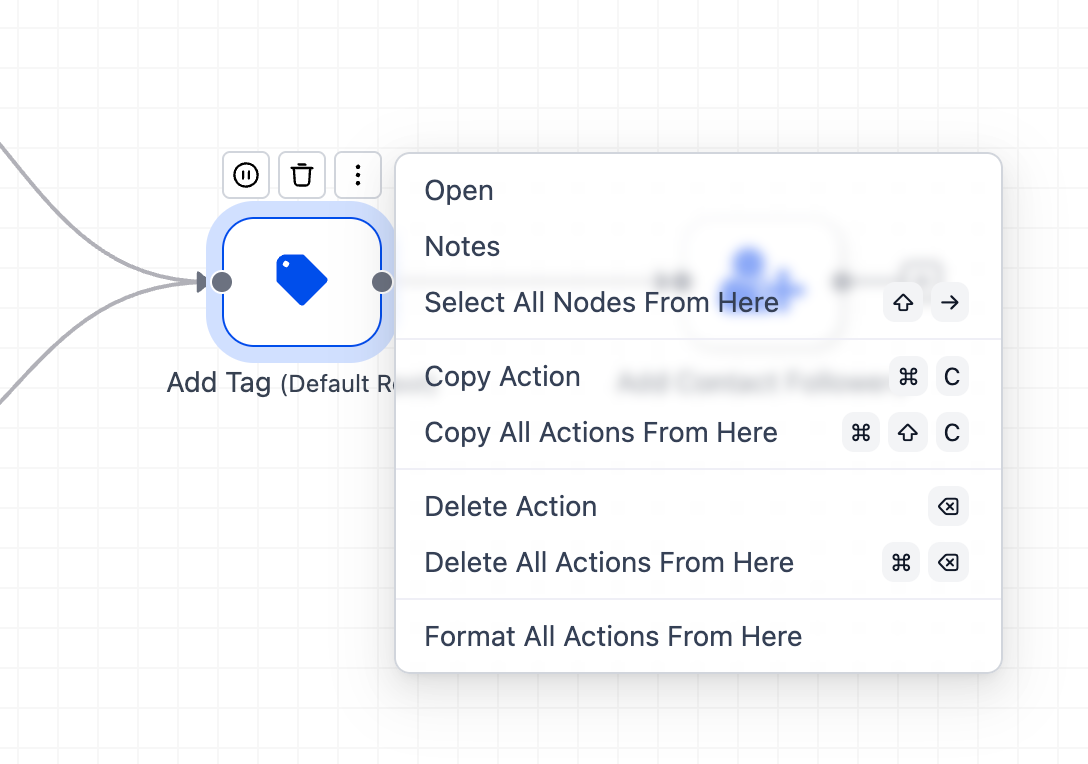
**Right-Click Quick Actions (Glassmorphism UI)**

Right-click anywhere on the canvas or on an action to open a sleek menu for common edits—fewer clicks for a smoother workflow.
image
image
  • Right-click the canvas or a node to reveal available options.
  • Combine with keyboard shortcuts for maximum efficiency.
https://clixio.io/wp-content/uploads/2023/08/clixio-logo-dark.png 0 0 Clixio.io https://clixio.io/wp-content/uploads/2023/08/clixio-logo-dark.png Clixio.io2025-10-15 20:12:002025-10-15 20:12:00Advanced Builder UX Upgrades: Stats Mode, Sticky Notes, Workflow Comments & Quick Actions

RSS Latest Feature Updates

  • Store Deletion Behavior Update | Clixio Changelog April 23, 2026
  • Terms & Conditions Consent at Store Checkout April 23, 2026
  • Social Planner: Community now in Comment Management April 23, 2026
  • Opportunity Smart Lists | Clixio Changelog April 22, 2026
  • WhatsApp Calling (Closed Beta) | Clixio Changelog April 22, 2026
  • Printful Auto Shipping Profile & Live Rates at Checkout April 22, 2026
  • AI Pages — Customization & Content Enhancements April 21, 2026
  • Delete Schema Markup Feature | Clixio Changelog April 21, 2026
  • Custom Date Reminder: Now for Custom Objects, Opportunities and Companies April 21, 2026
  • Conversation AI – Services Calendar V2 Enhancements April 21, 2026
Book a demo
See Clixio working
for your business, live.

30 minute call with our team. Personalised to your industry, no hard sell.

Book your free demo
14 day free trial · Cancel anytime
Clixio - Marketing and sales automation

Marketing & sales automation built for Australian service businesses. One platform, one flat rate, genuinely easy to use.

Product
Features Pricing How it works Latest updates
Company
Blog FAQ Get support Account transfers
Legal
Privacy Policy Terms & Conditions
© Clixio. All rights reserved. Made with ♡ in Australia.
Scroll to top Scroll to top Scroll to top