• Shopping Cart Shopping Cart
    0Shopping Cart
Clixio
  • Features
  • Pricing
  • FAQ
  • Blog
  • Log in
  • Free Trial
  • Menu Menu

Account Dashboard: Custom Metrics | Clixio Changelog

August 11, 2025/in What's New?

Build the KPIs that Matter
Custom Metrics allow you to combine numbers from various data sources, perform calculations, and place the results directly into dashboards and reports.

  • Create Custom KPIs by merging metrics from multiple sources (e.g., contacts, opportunities).

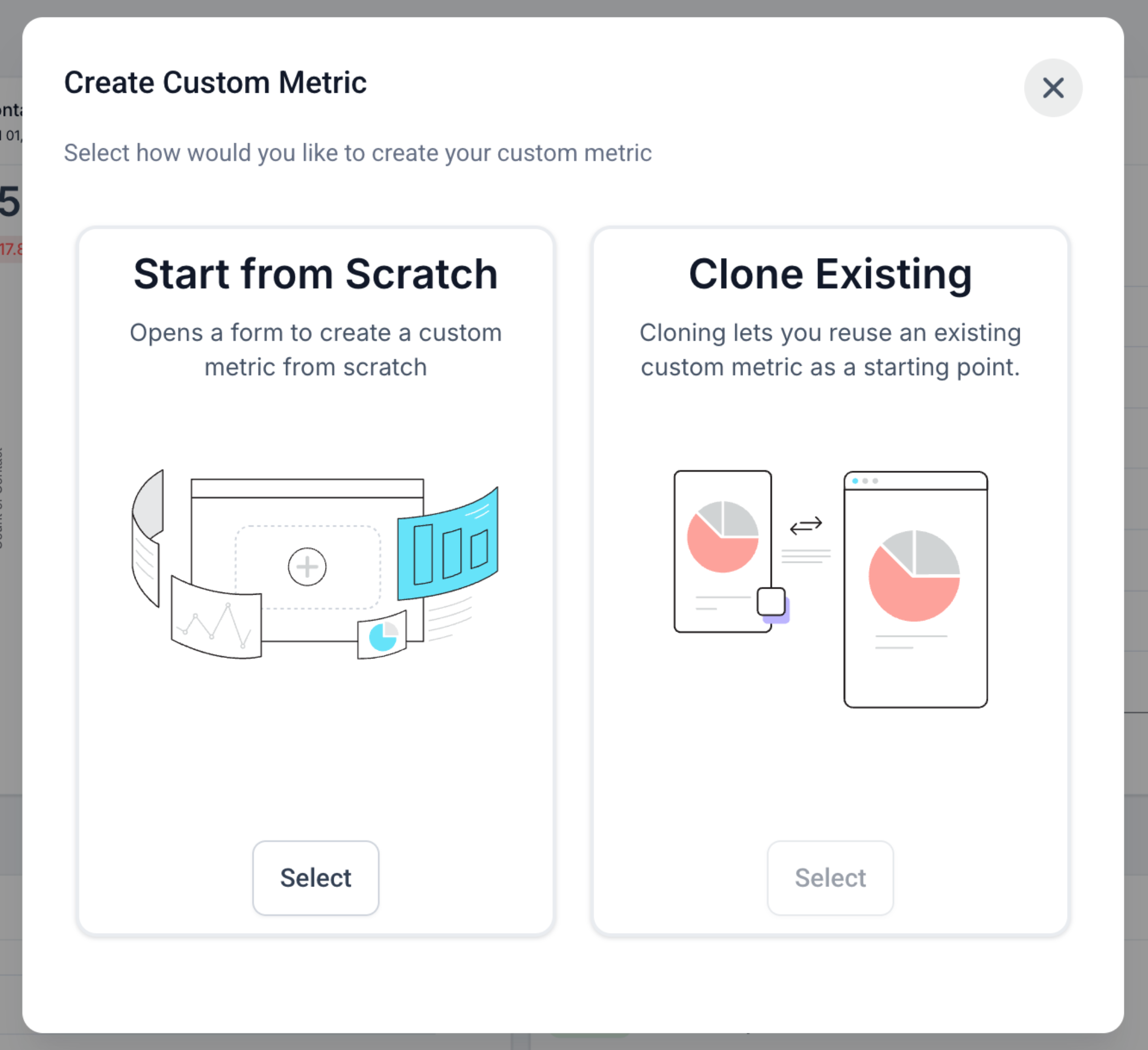
  • Two Ways to Start: Build from scratch or clone an existing metric.

  • Smart Formula Editor with live validation, operators, and numeric constants.

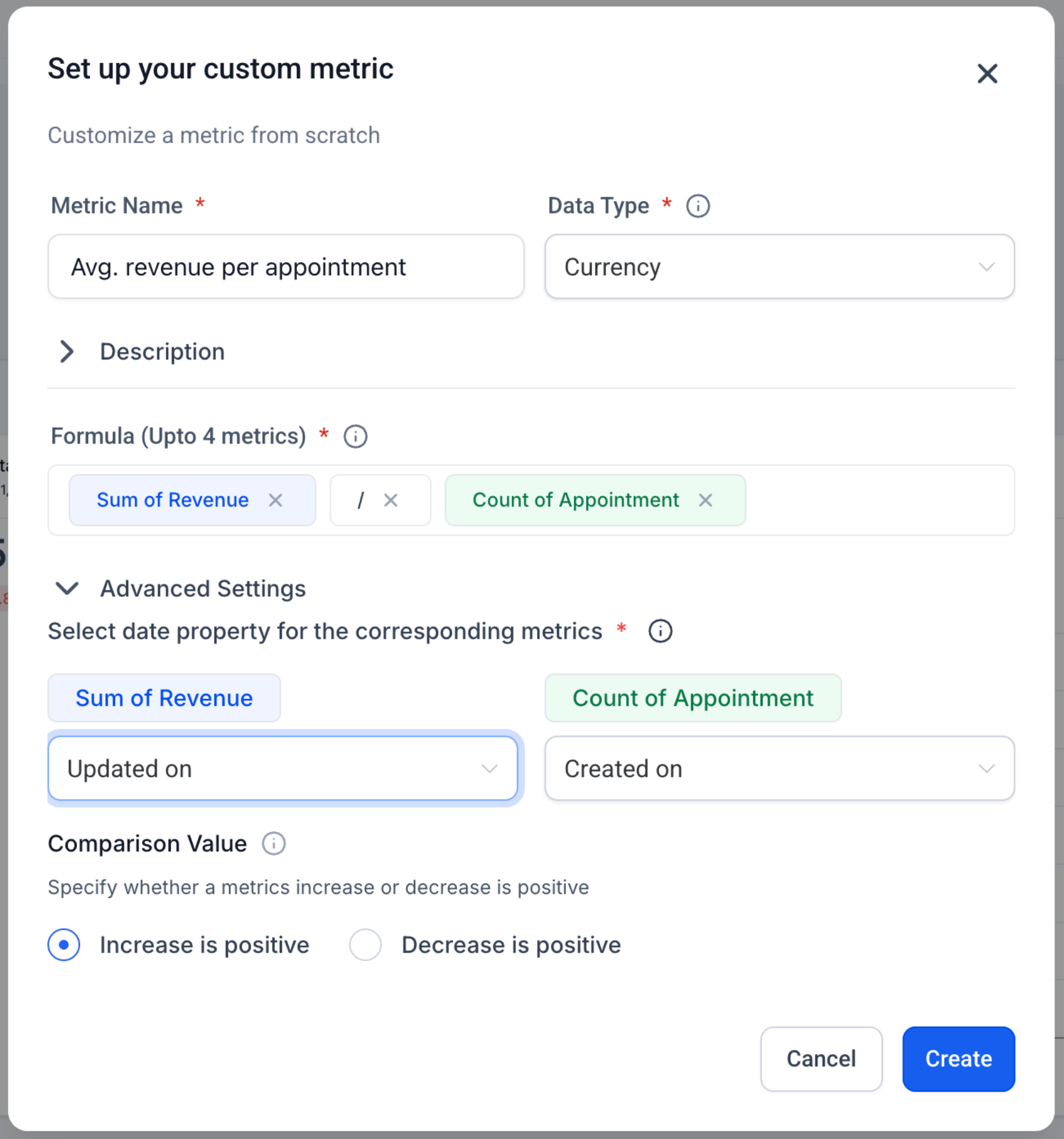
  • Display Types: Integer, Float, Currency, or Percentage.

  • Trend Direction Control: Mark increases as positive or negative for that metric.

  • Works Everywhere: Add as a widget to Dashboards and Custom Reports; Snapshots are supported.

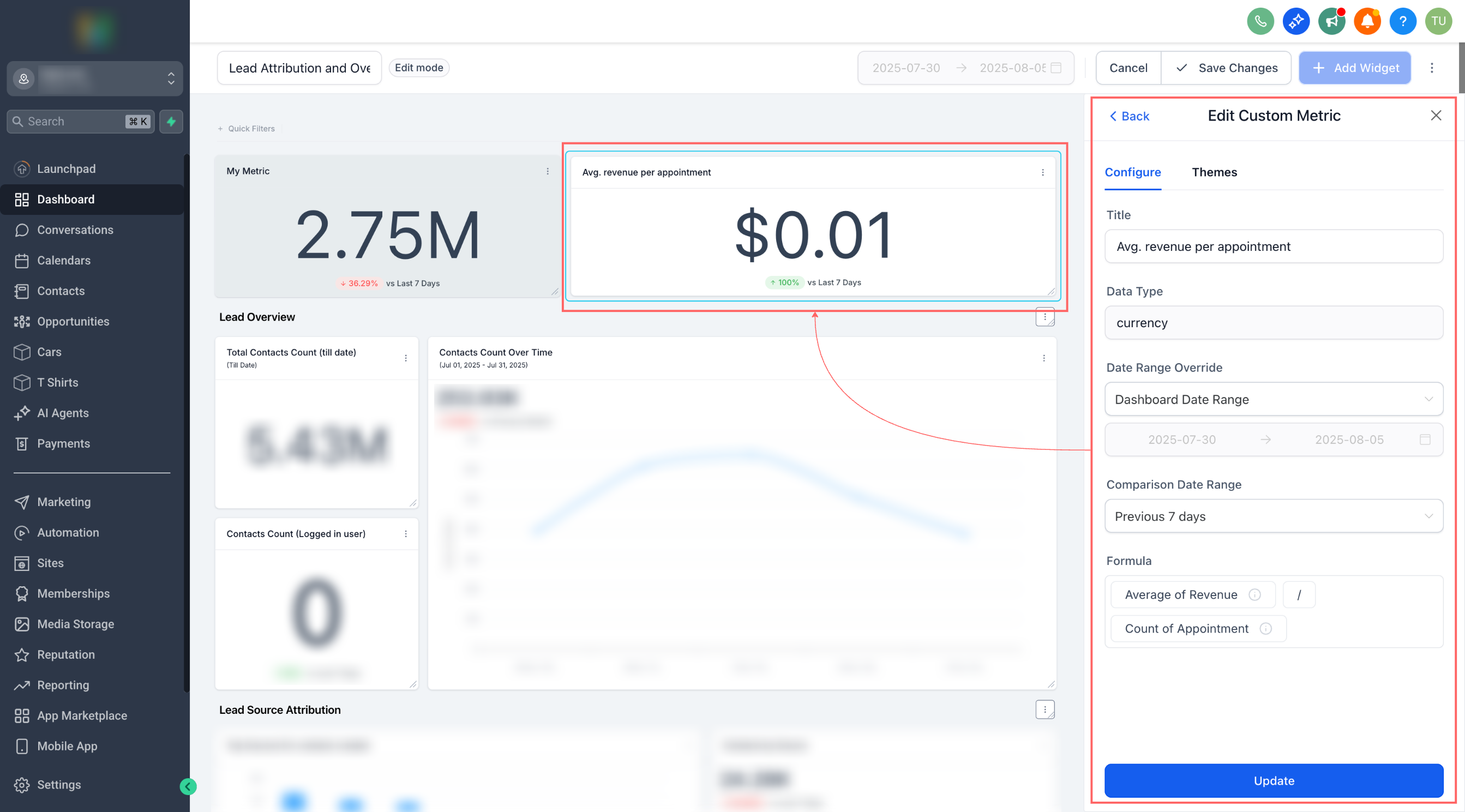
  • Chart Options: Rename, theme, and (optional) compare to the previous period before saving.

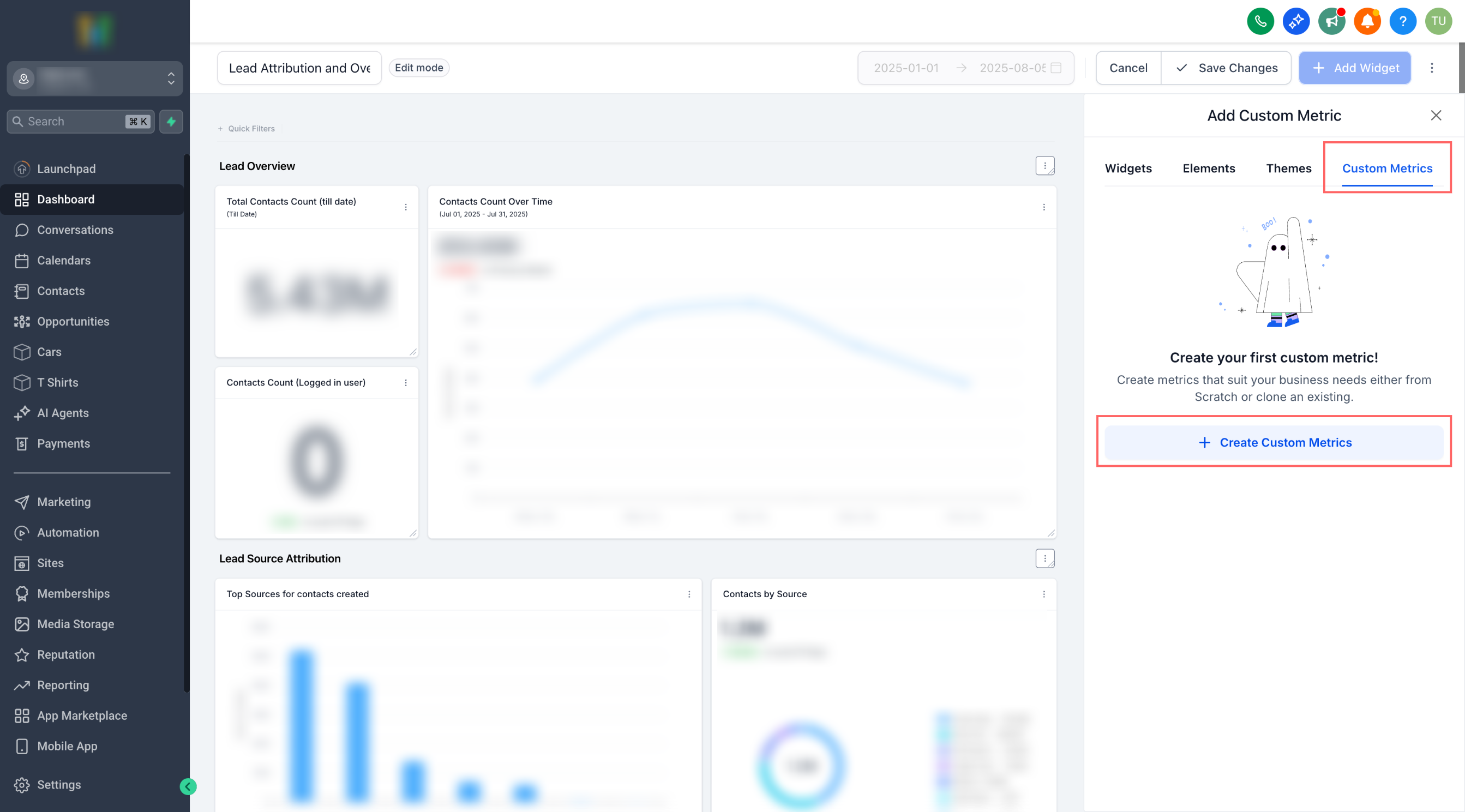
  1. Go to a Dashboard (or Custom Report) → Edit → Add widget → Custom metric tab.
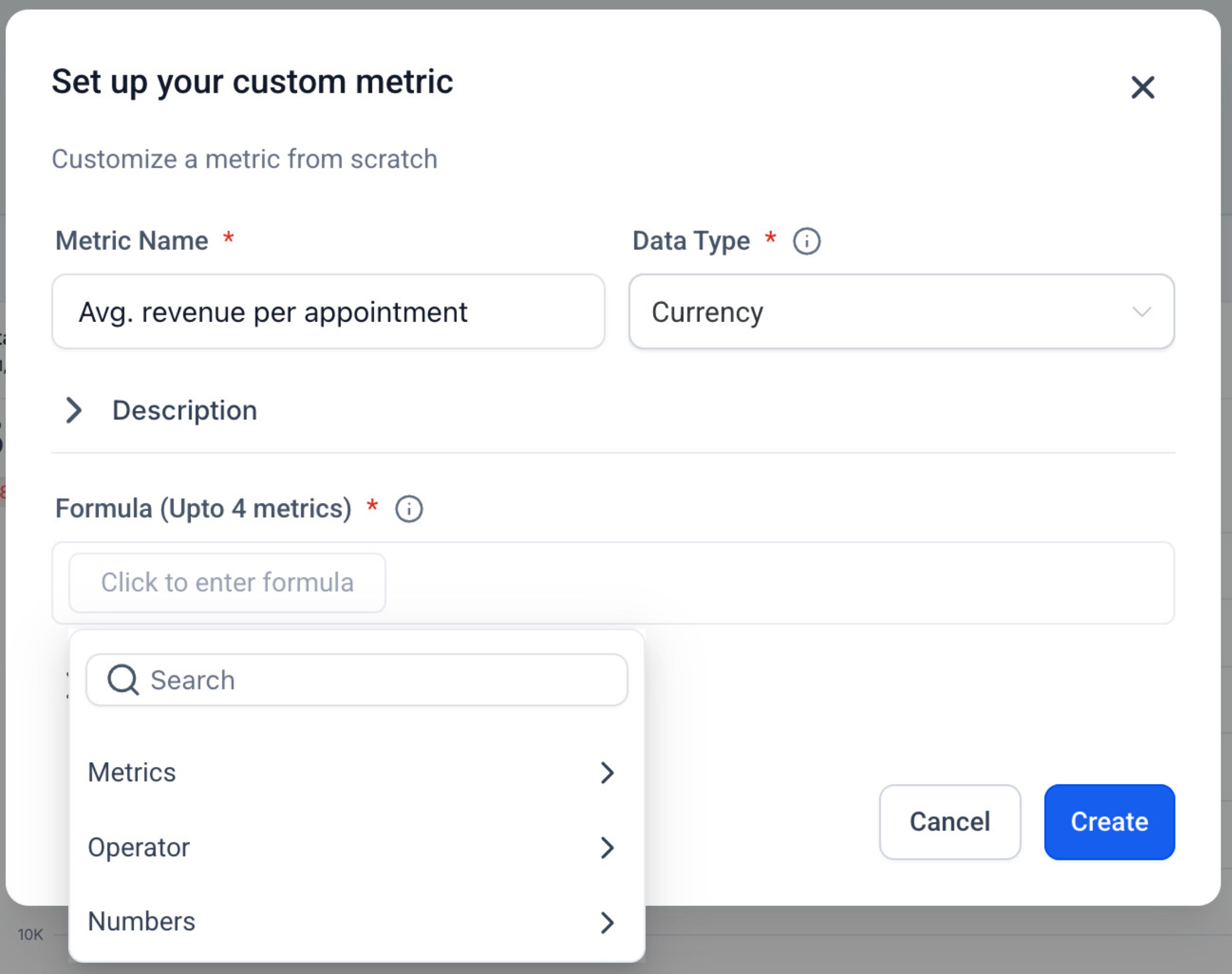
  2. Click Create Custom Metric → choose From scratch or Clone.
  3. Fill in Name, Data Type, Description, and Trend Direction.
  4. In Formula, type to insert metrics (select data source + metric), and add operators and numbers.
  5. Create → select your new metric as a widget → configure chart → Save.

No more piecing together spreadsheets just to answer the question, “Are we growing efficiently?” Custom Metrics consolidate cross-tool signals into a single KPI, enabling teams to align on the precise definitions that drive the business.

Metric-Level Filters & Properties in the Formula: For example, Count of contacts (WHERE Tag = “VIP”) / Count of contacts (WHERE Source = “Ads”).
image
image
image
image
image

https://clixio.io/wp-content/uploads/2023/08/clixio-logo-dark.png 0 0 Clixio.io https://clixio.io/wp-content/uploads/2023/08/clixio-logo-dark.png Clixio.io2025-08-11 22:18:002025-08-11 22:18:00Account Dashboard: Custom Metrics | Clixio Changelog

RSS feed: Latest Feature Updates Latest Feature Updates

  • Transfer calls to Mobile, Web, phone and SIP of a user – no personal phone number required 📞 September 7, 2026
  • Working Hours for Conversation AI Agents September 7, 2026
  • AI Image Generation Action in Workflows September 7, 2026
  • AI Analyze Image: New Workflow Action September 7, 2026
  • Improved: Dynamic Value Chips with Improved error segmentation September 4, 2026
  • 📞 More Reliable Missed Call Text Back with Smarter Number Selection September 4, 2026
  • 🔐 Client Portal: “User login” Workflow Trigger Now Supports the New Client Portal Experience September 3, 2026
  • 📢 Carrier Fee Pricing Update – Effective October 1, 2026 September 3, 2026
  • Privacy Policy + T&C URLs on Toll-Free Verification September 2, 2026
  • Workflow Builder: Pick an Email Sender Domain for Each Workflow! August 28, 2026
Book a demo
See Clixio working
for your business, live.

30 minute call with our team. Personalised to your industry, no hard sell.

Book your free demo
14 day free trial · Cancel anytime
Clixio - Marketing and sales automation

Marketing & sales automation built for Australian service businesses. One platform, one flat rate, genuinely easy to use.

Product
Features Pricing How it works Latest updates
Company
Blog FAQ Get support Account transfers
Legal
Privacy Policy Terms & Conditions
© Clixio. All rights reserved. Made with ♡ in Australia.
Scroll to top Scroll to top Scroll to top