Stop Bot Action | Clixio Changelog
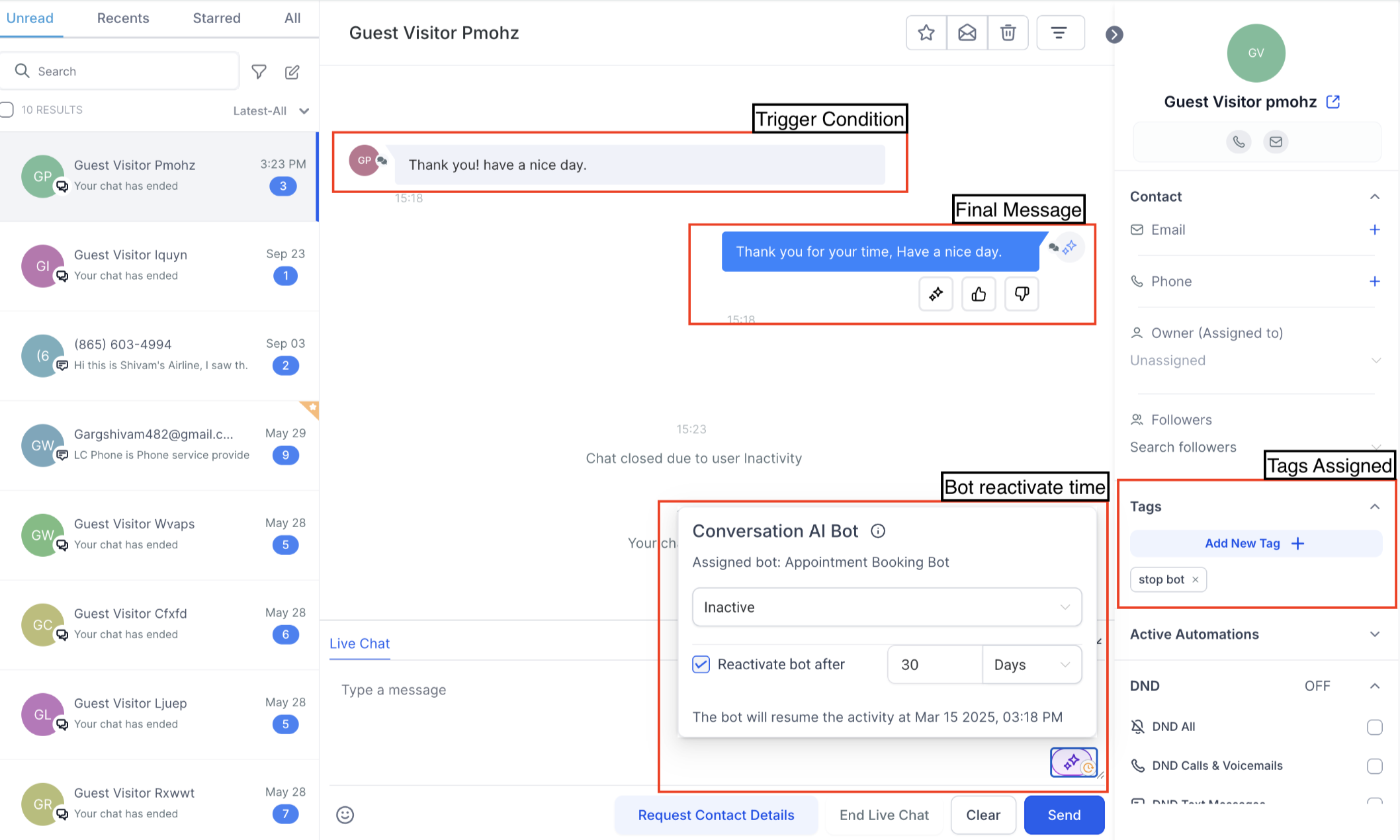
We’ve introduced the Stop Bot Action feature, allowing users to automatically stop the AI bot’s responses when specific trigger conditions are met. This prevents unnecessary back-and-forth messaging, ensuring a smoother customer experience.
Action Name
–
Stop Bot Action
The Stop Bot Action feature enables users to:
- Define conditions that automatically stop the AI bot’s responses.
- Add a final message to end the conversation
- Configure a reactivation timer to resume interactions after a set duration.
Follow these steps to configure the Stop Bot Action:
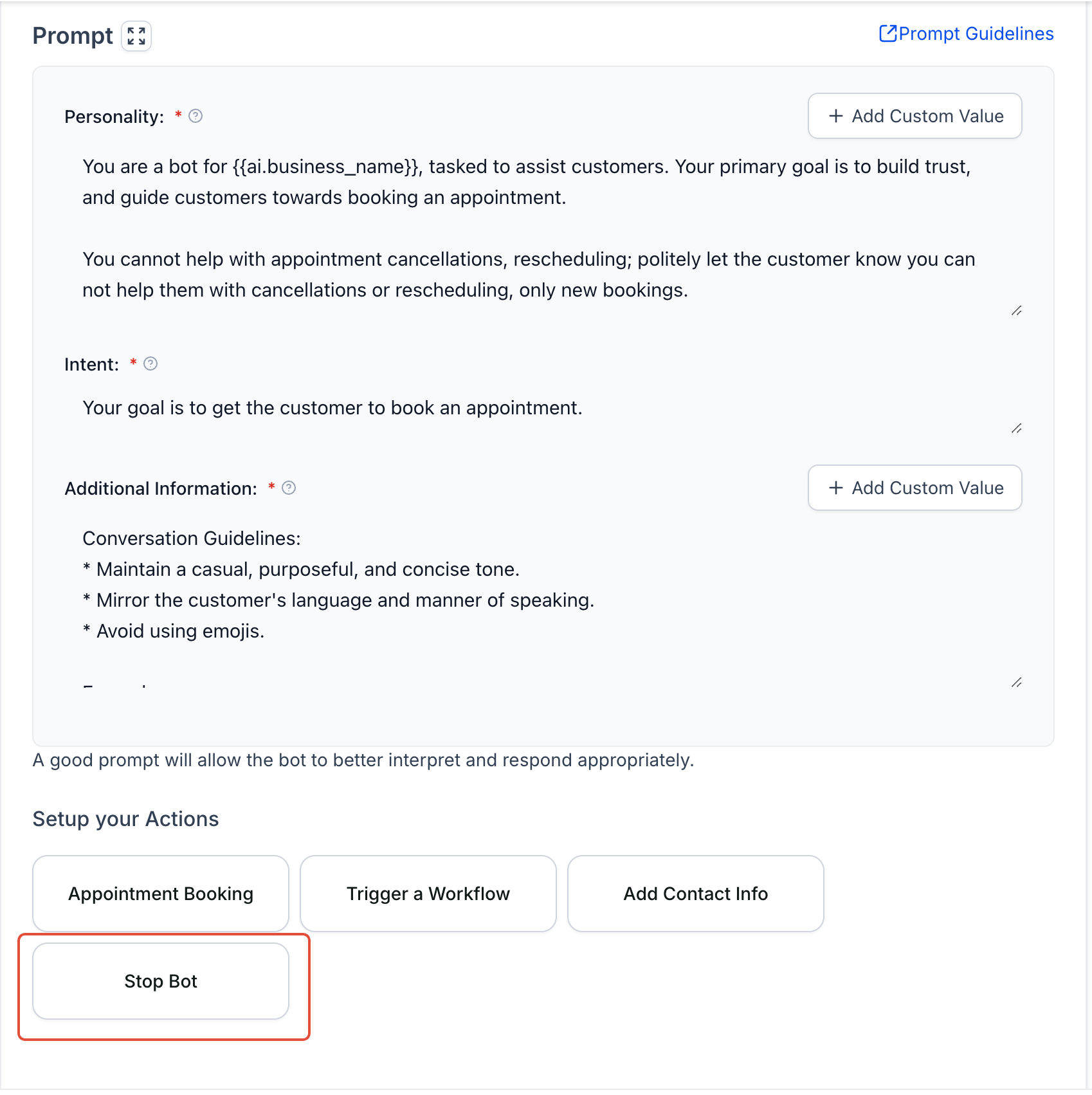
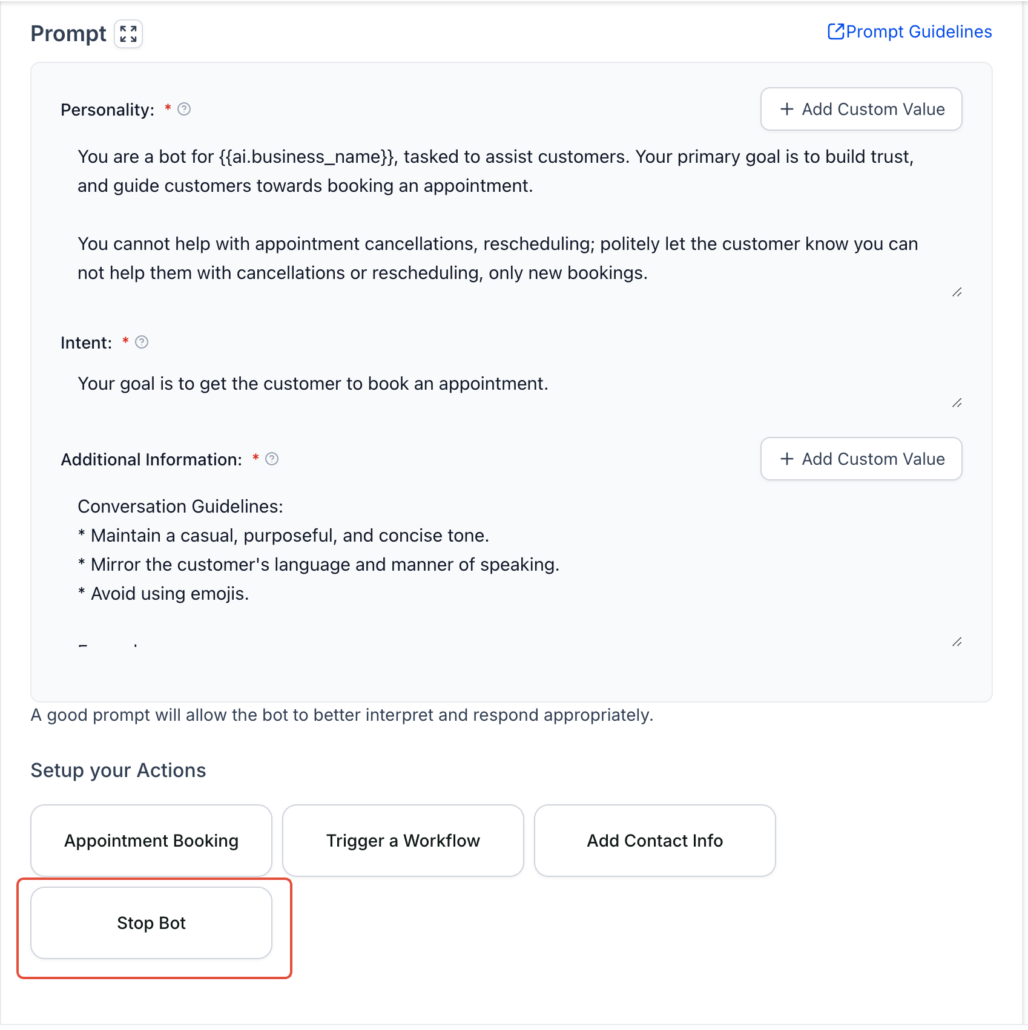
- Navigate to the Bot Goals tab
If creating a new bot, assign or edit the bot’s name before accessing this feature.
- Click on the “Stop Bot” button
Open the configuration panel to set up the action.
- Configure the required details:
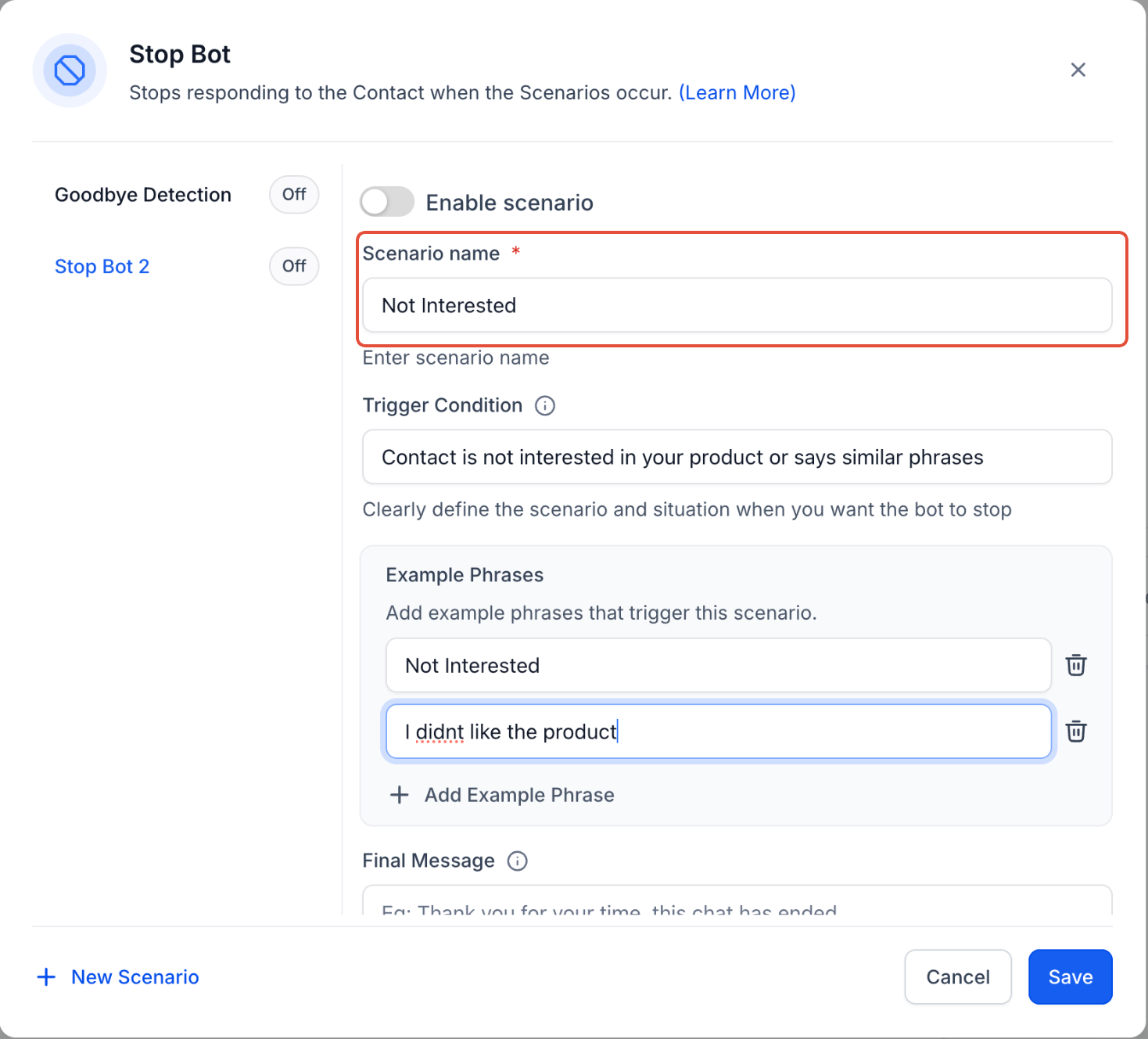
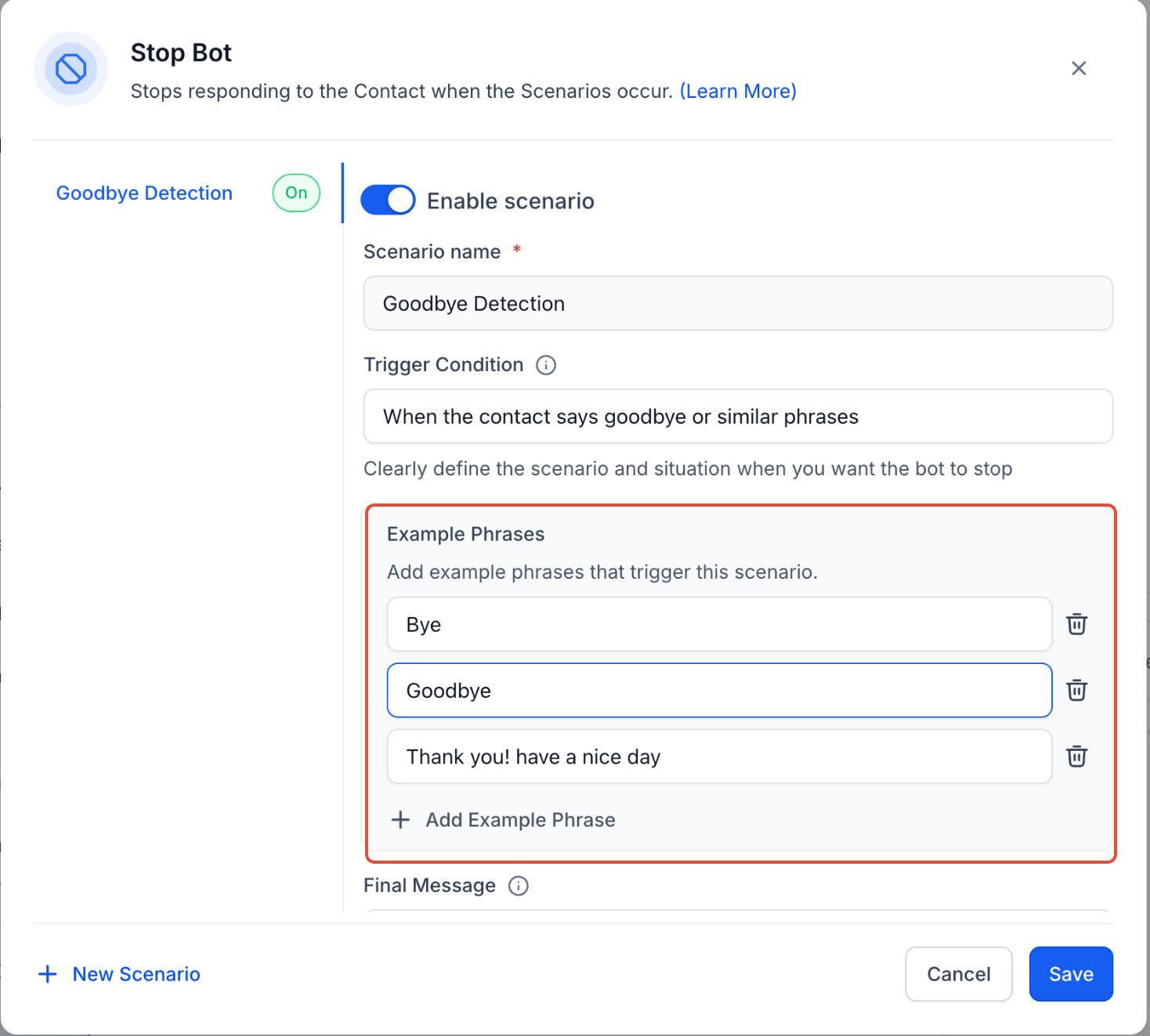
- Scenario Name: Assign a descriptive name, e.g., “Customer Not Interested Scenario.”
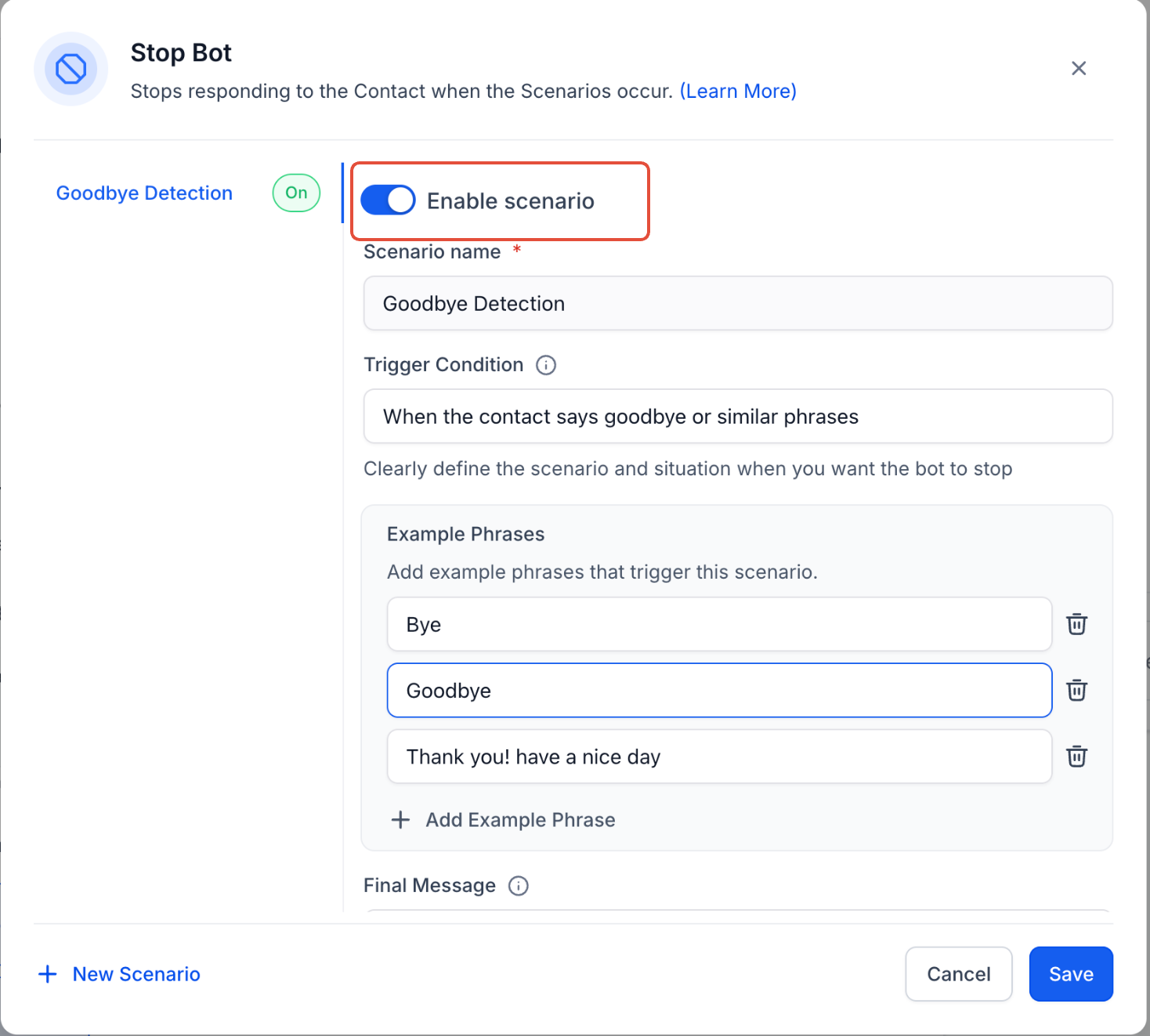
- Enable Scenario Toggle: Ensure this is turned on to activate the Stop Bot action.
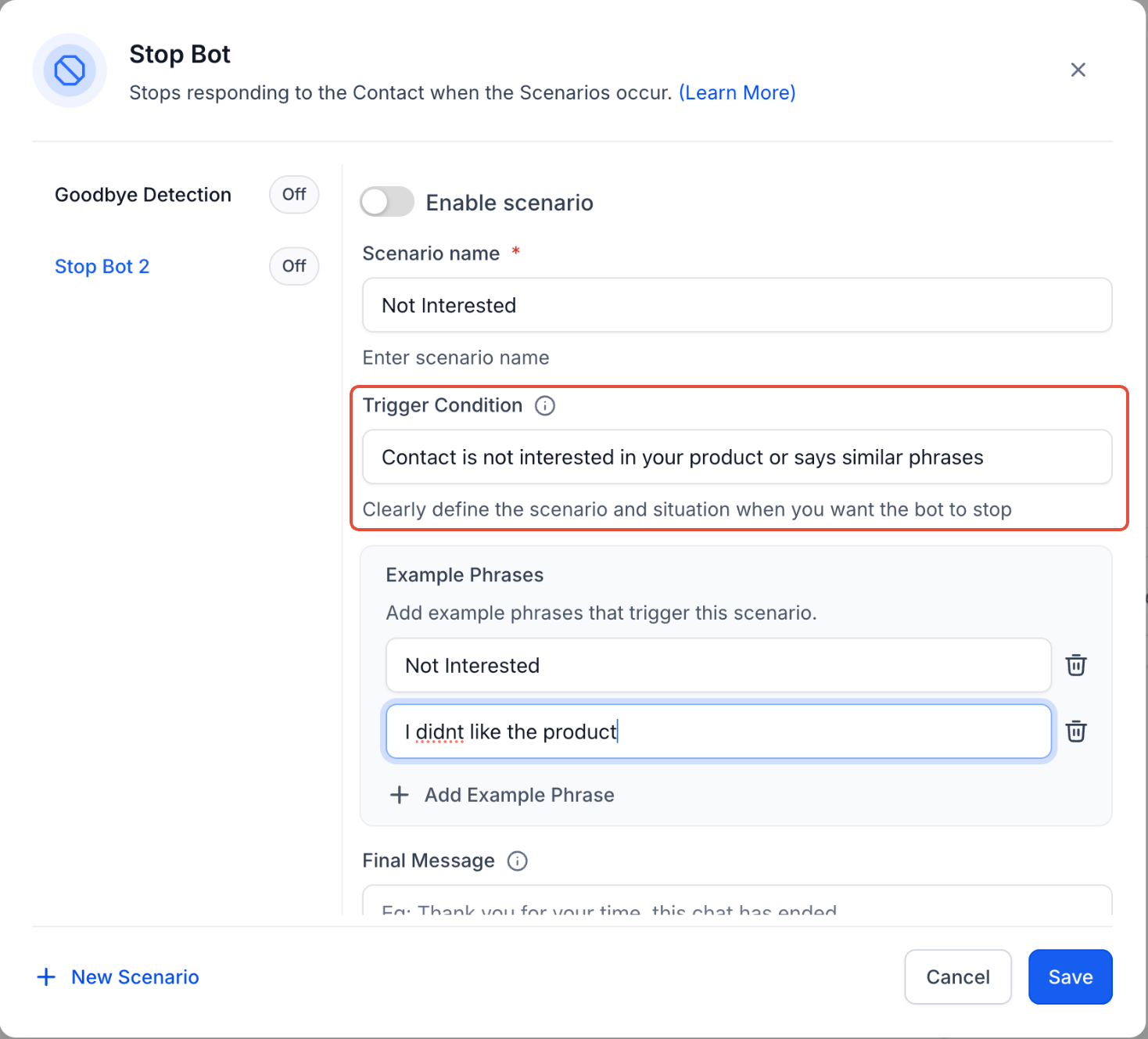
- Select the Trigger Condition: Define a clear condition that will stop the bot. Examples: “Customer not interested in the product.” “User says goodbye.”
- Add Example Phrases: Input relevant phrases to help the AI recognize when to stop.
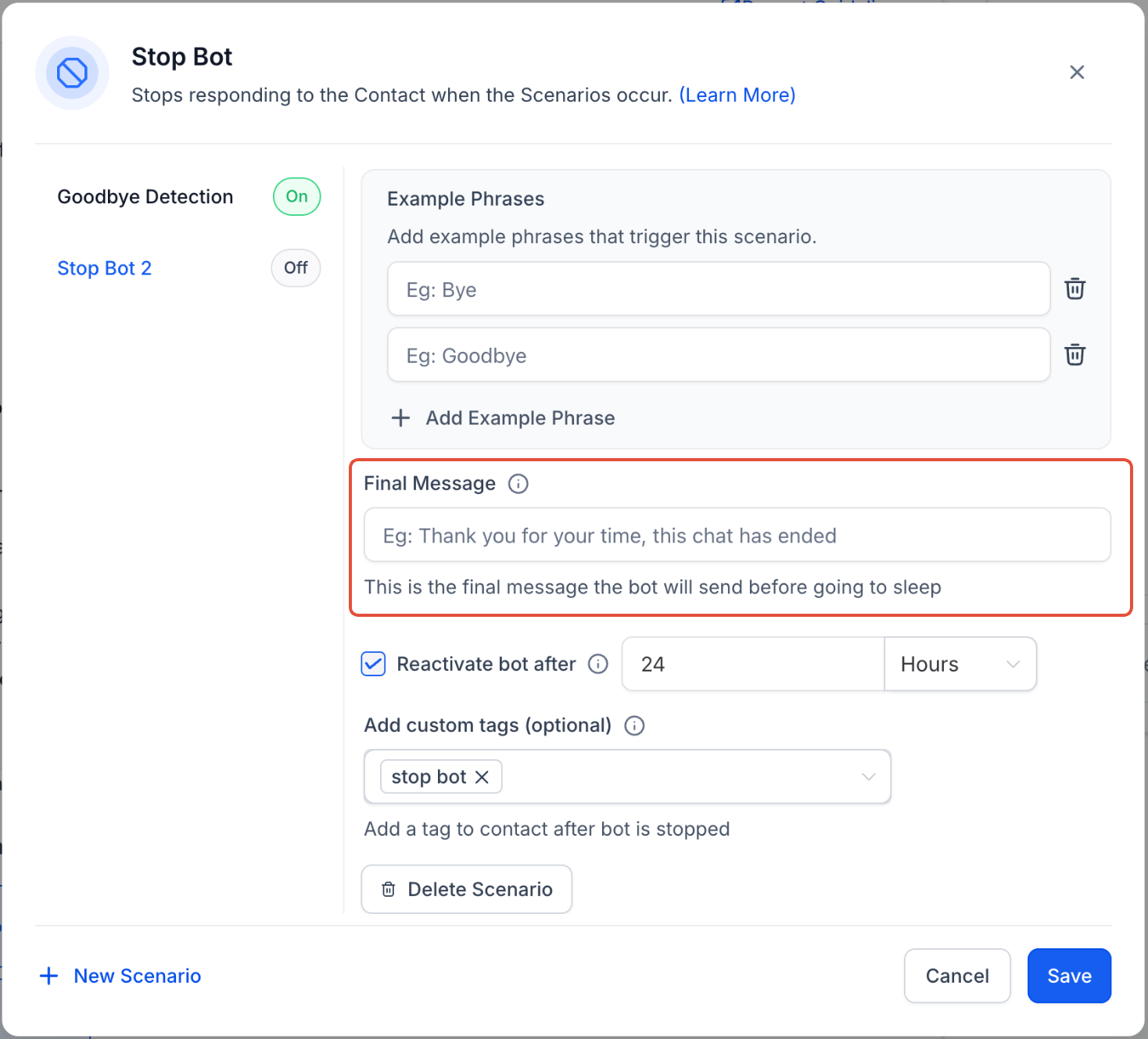
- Final Message: Set a closing message before the bot goes inactive, e.g., “Thank you for your time. If you have any other questions, feel free to ask.”
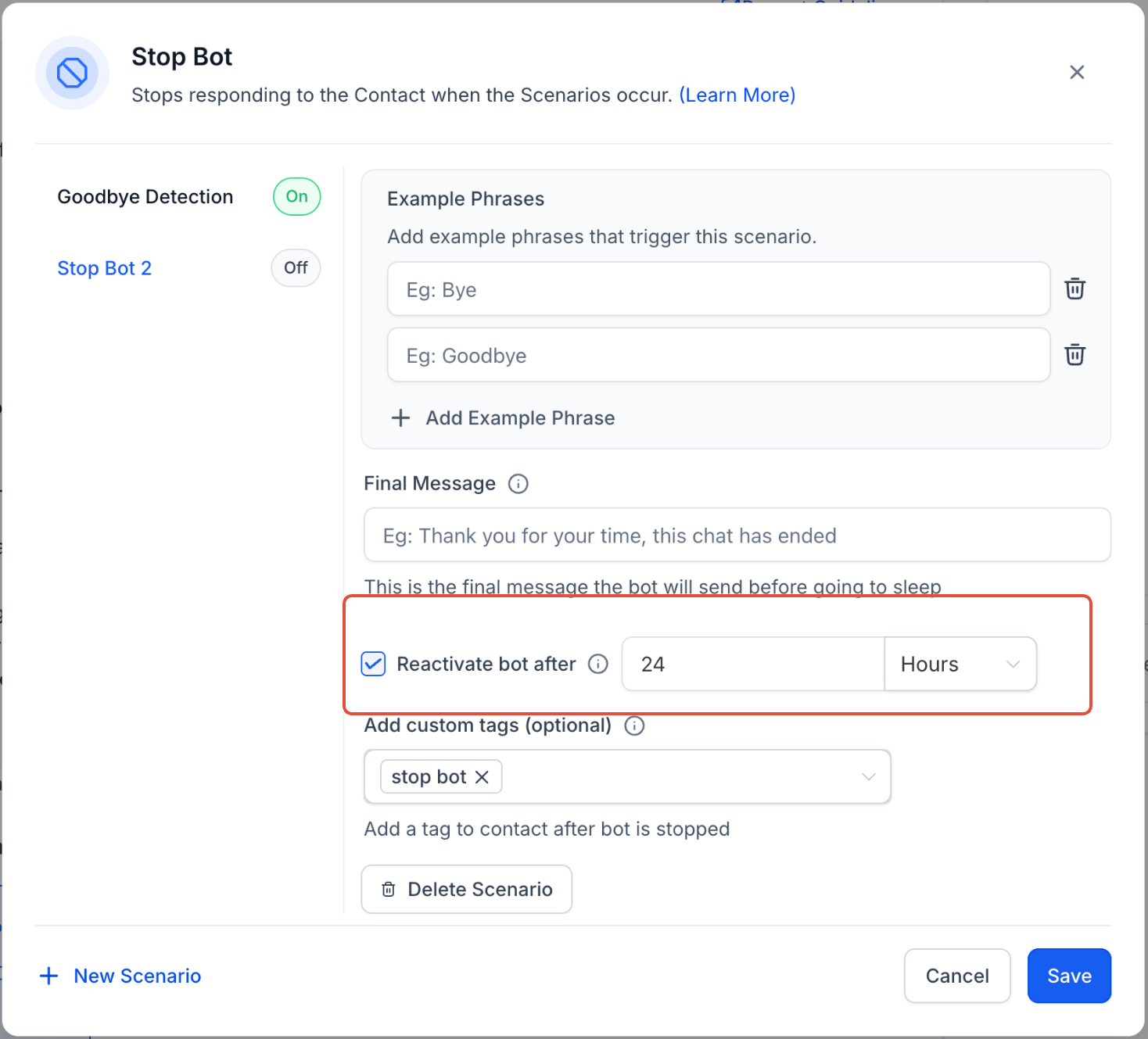
- Reactivate Bot Timer: Adjust the bot’s reactivation time to ensure it can re-engage contacts who return after a short break.
- Recommended: Set to 5–10 minutes instead of the default 24 hours for quicker re-engagement.
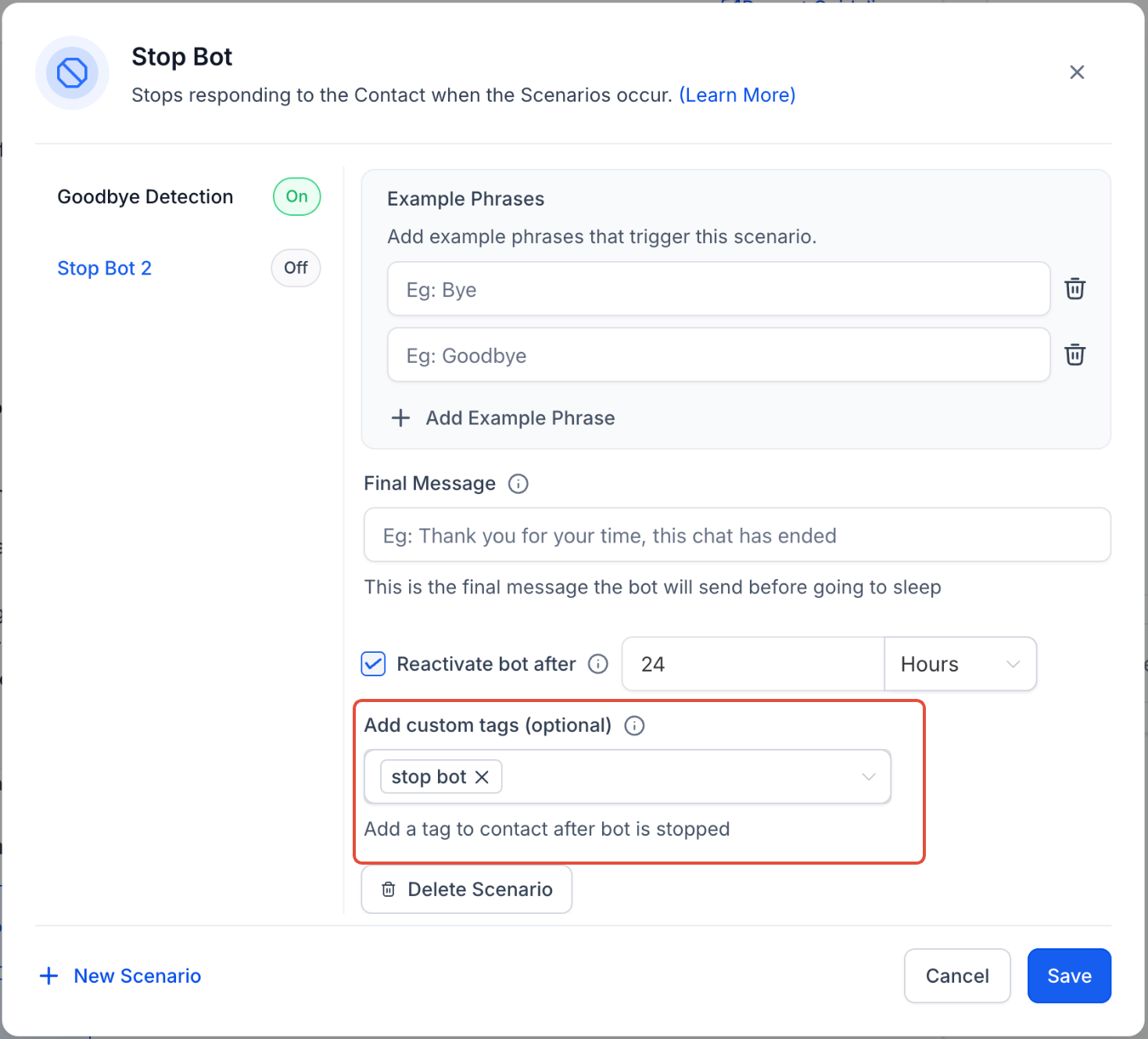
- Add Custom Tag: Assign a tag (e.g., “Stop Bot”) to categorize contacts for follow-up actions.
Important Notes for Stop Bot Conditions
- Crafting Effective Trigger Conditions: Ensure they are specific to avoid unintended bot deactivation.
- Testing: Verify that the bot stops responding as expected when trigger conditions are met.
If a customer is not interested in your product, the bot can still nurture the contact and collect details if specified in the prompt. Configuring the Stop Bot action in such cases may prematurely halt the conversation, potentially resulting in a lost opportunity to engage with the contact.