Payments Tab & Booking UI Enhancements for Rentals
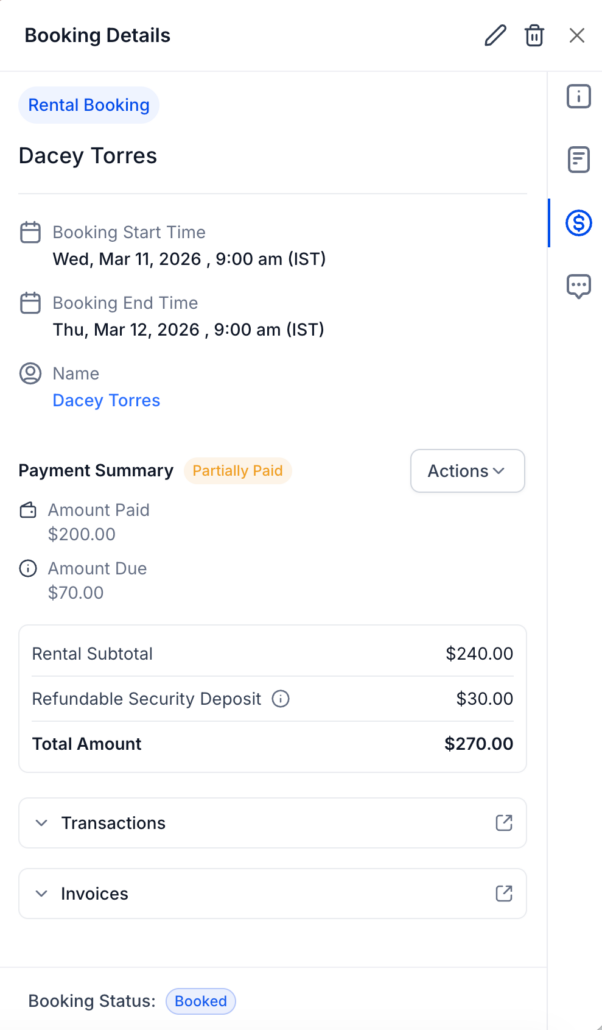
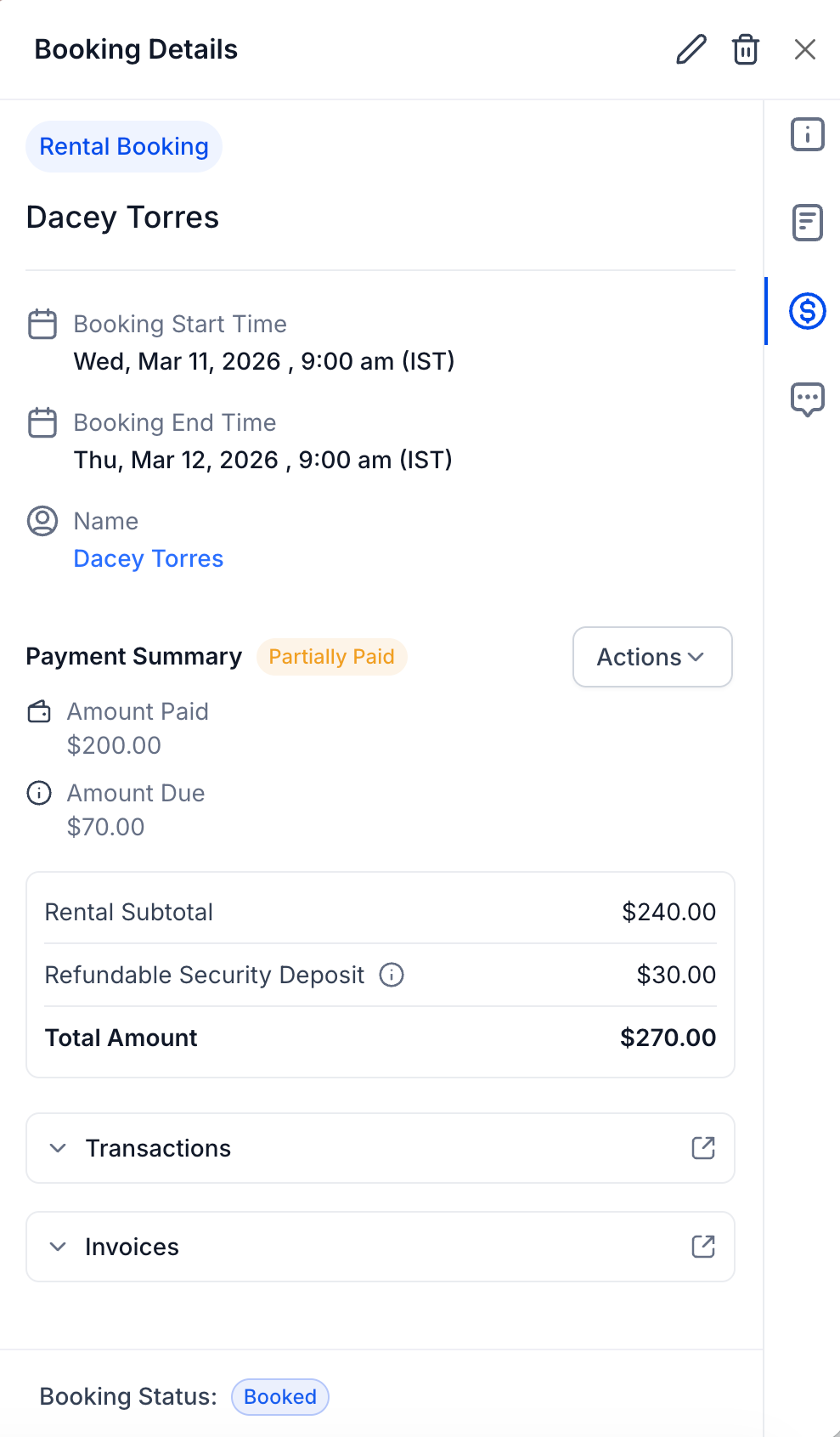
Payments Tab inside the Rental Booking View Modal
, along with thoughtful
enhancements
to the
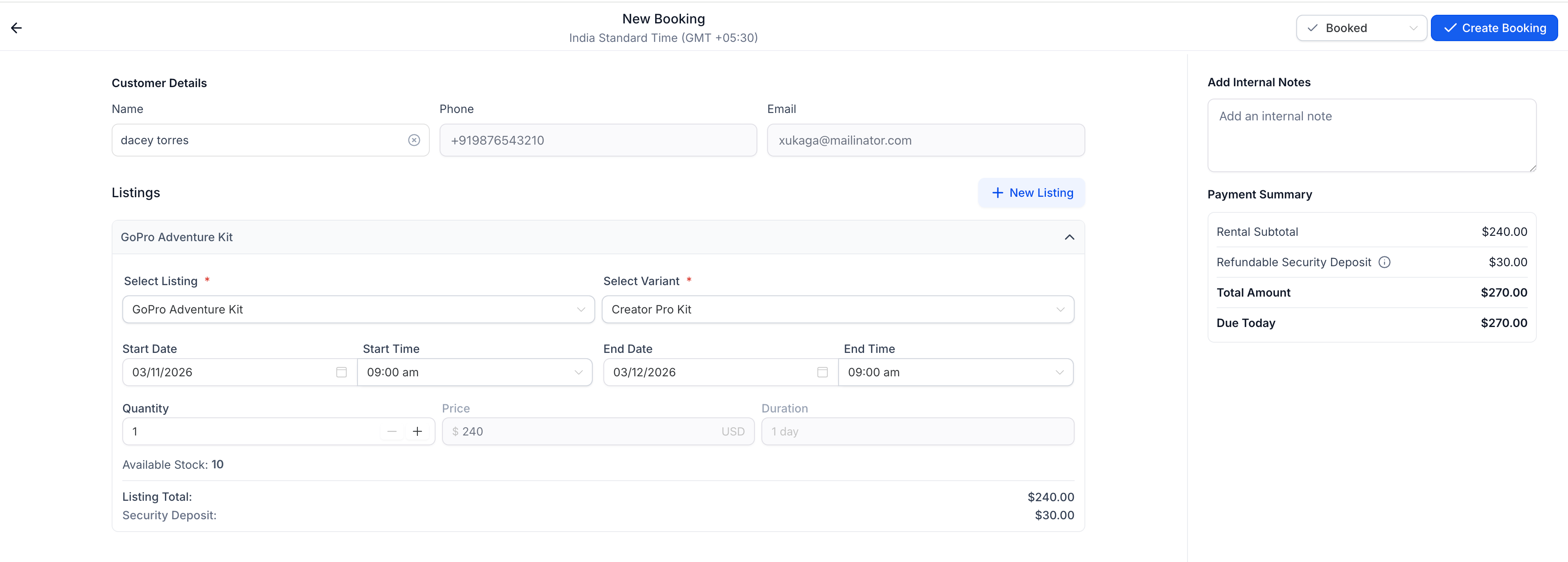
Create and Edit Booking
experience.
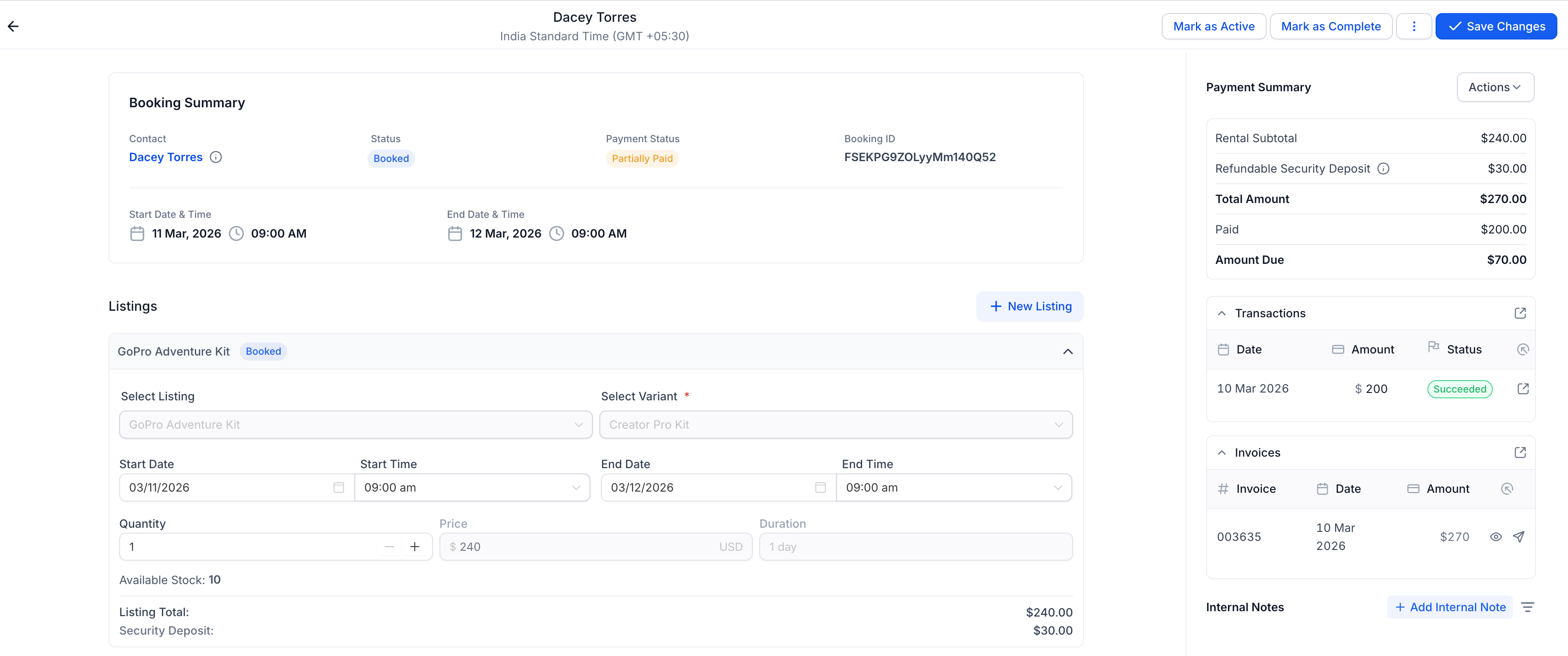
The Payments Tab provides a complete, centralised view of all payment-related activity for each rental booking, while the updated booking flow enhances clarity and usability when managing bookings.
💳 Payments Tab in Rental Booking
You can now manage payments directly within the booking view.
With the new Payments Tab, you can:
- View the total amount, paid amount, remaining balance, and payment breakdown
- Review all transactions linked to the booking
- Access related invoices
- Collect outstanding payments directly from the booking
- Handle or manage security deposits (when enabled)
This creates a dedicated space for managing all financial actions without mixing them with operational booking details.
🧾 Improved Payment Summary & Invoice Generation
create
and
edit
modal
has been refined to:
- Present rental charges, deposits (when enabled), totals, and balances more clearly
- Emphasise key financial values
- Dynamically reflect booking edits (date changes, quantity updates, listing additions, etc.)
invoices
behave
when bookings are updated
.
the same invoice is updated
automatically to reflect the latest changes.
This ensures:
Note: A booking still cannot be modified in a way that reduces the total below the amount already paid.
Cleaner Booking Layout & Better Note Accessibility
We’ve also improved the overall booking experience:
- A sleeker, more scannable Booking Summary section
- More accessible Internal Notes for smoother team collaboration
These refinements make reviewing and updating bookings quicker and more intuitive.
- Open any Rental Booking
- Go to the
Payments Tab
inside the booking view
- Review transactions, invoices, and balances
- Use available actions to collect payments or manage deposits as needed
- Click on the Edit icon to edit the booking
- Manage payment activity without leaving the booking view
- Collect outstanding balances in fewer clicks
- Handle security deposits more seamlessly
- Reduce confusion during booking edits