Workflow – Copy Actions between Workflows
Copy Workflow Steps… Anywhere!
One of the most requested features is HERE, and it’s going to save you HOURS…!!!
Workflow building has just received a turbo boost! You could already copy workflow actions within the same workflow, but now you can copy steps from one workflow to another in mere seconds—no more rebuilding, just copy-and-paste magic.
- Copy Workflow Actions Across Workflows
- Copy any single action or an entire block of actions from one workflow.
- Paste them directly into another workflow in seconds—even if it’s in a different tab.
- Works for all workflows within the same sub-account.
- Copied actions remain in the clipboard for 15 minutes, allowing you to paste in multiple workflows at once.
- Instructions for Copying and Pasting
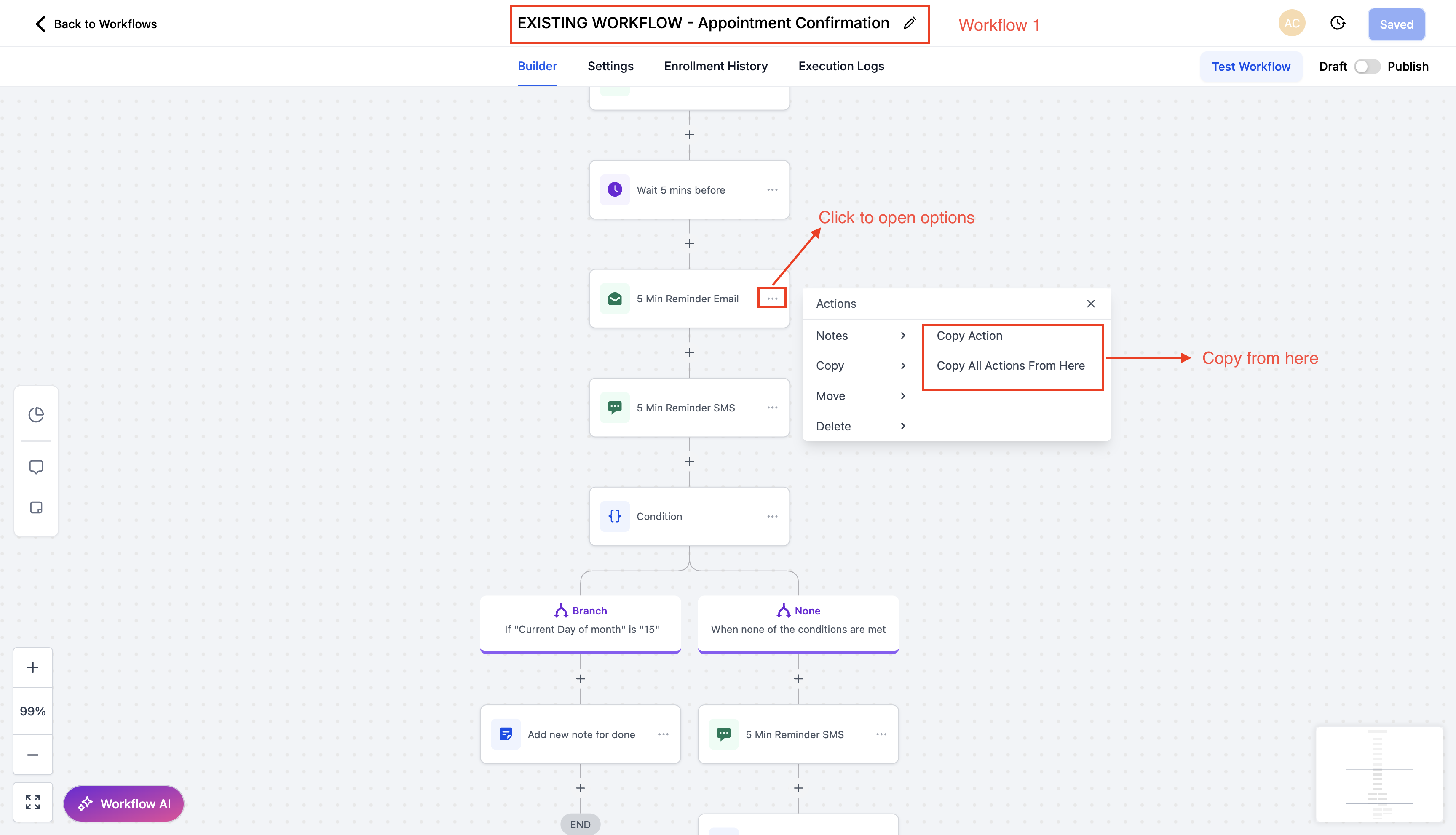
- Open any workflow and click the three-dot menu on an action.
- Select “Copy Action” or “Copy All Actions From Here”.
- Navigate to your target workflow (whether in a different tab or the same one—it’s your choice).
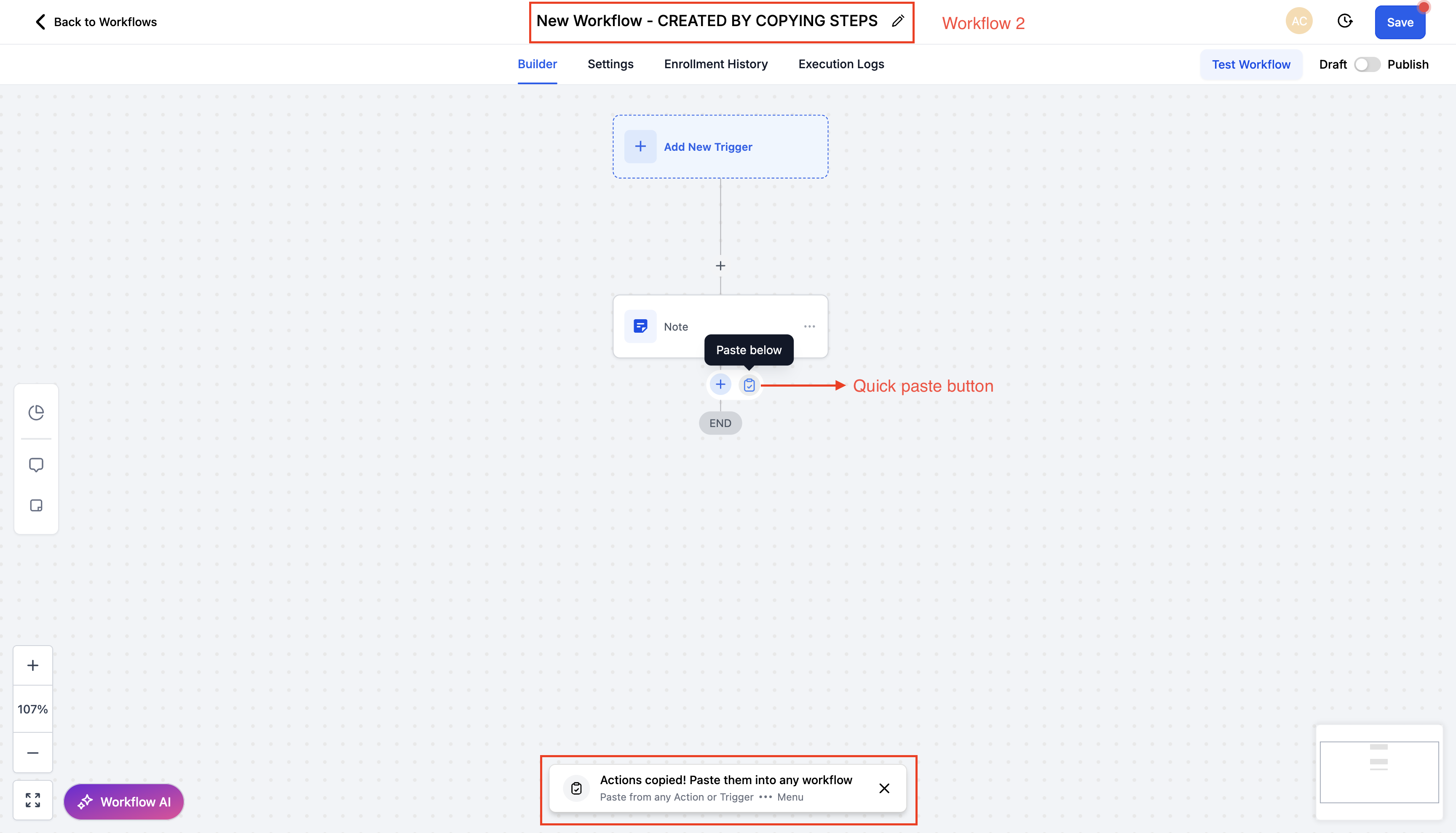
- Look for the Quick Paste button next to the “+” button that adds new actions.
- Alternatively, choose “Paste Below” from the three-dot menu of any action.
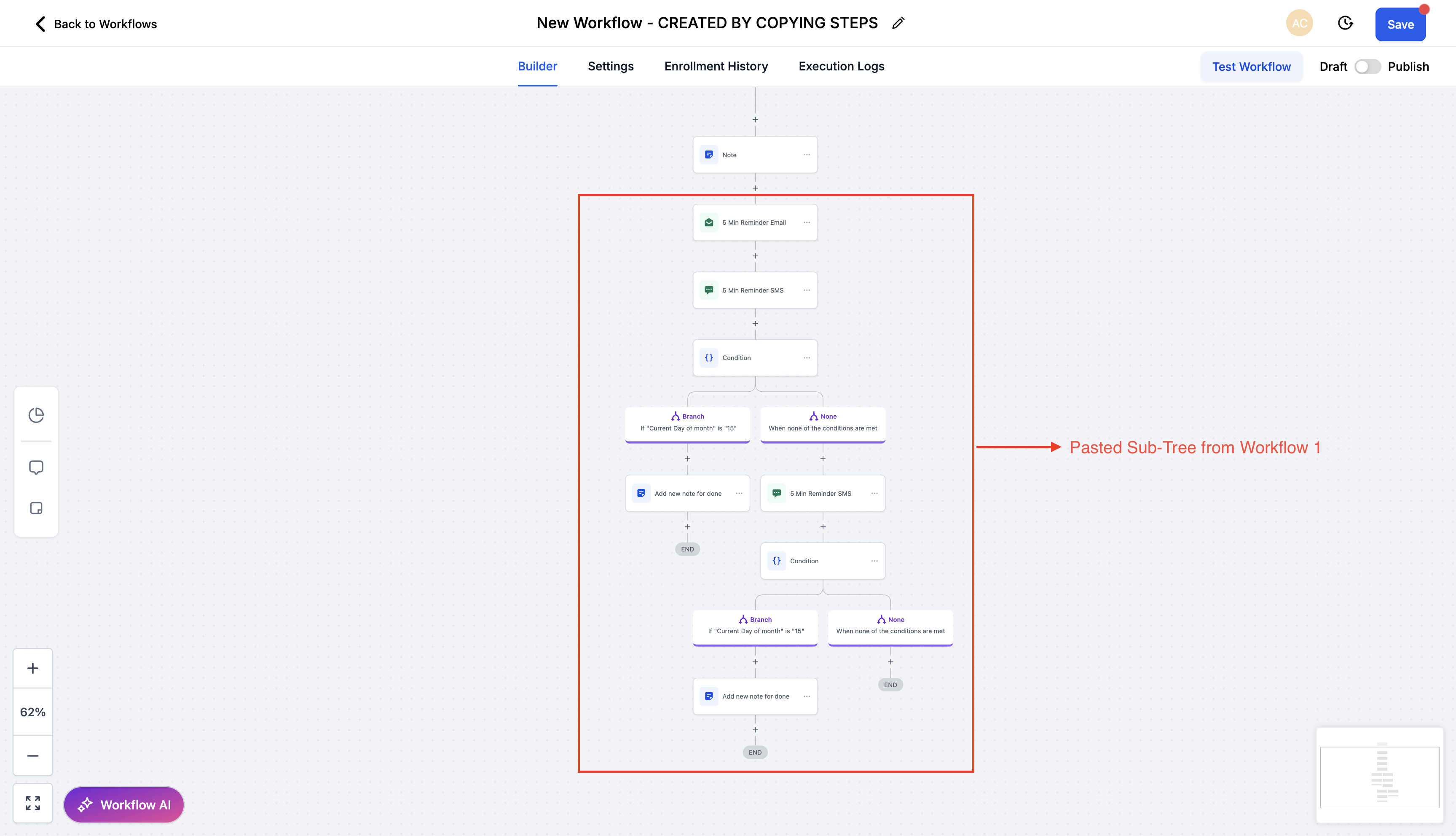
- Validate the pasted actions before saving the workflow.
- Sit back and admire your newly cloned brilliance.