
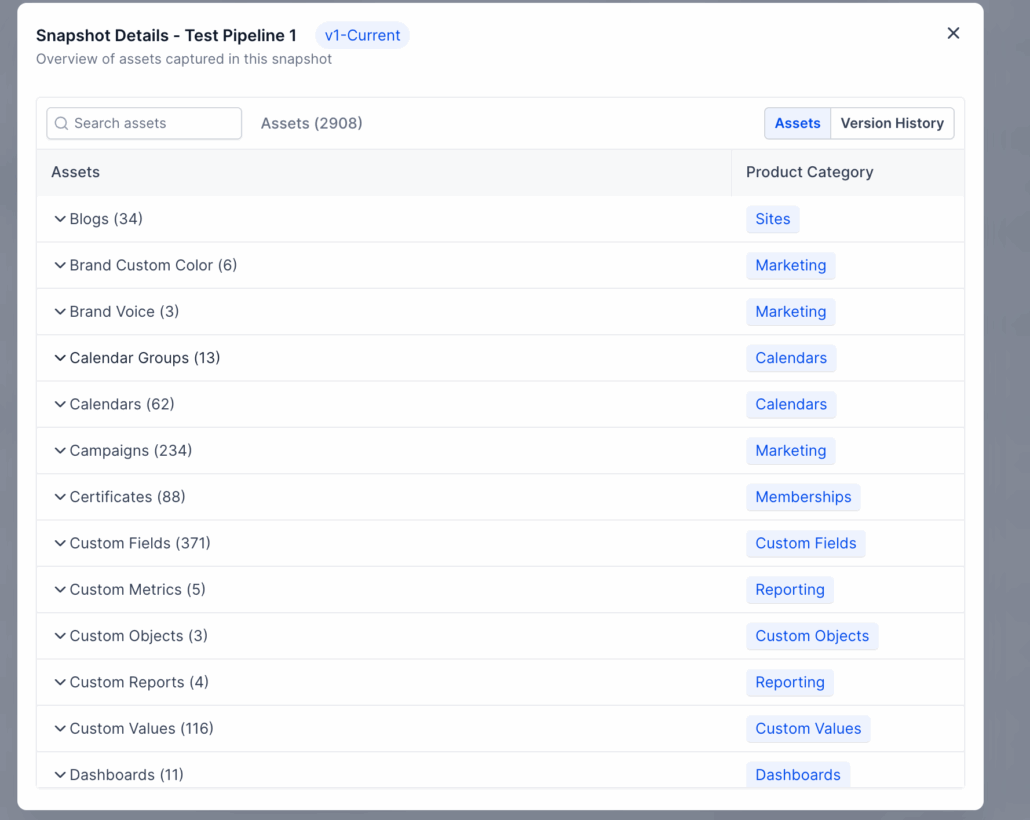
Version Management System for Snapshots
We’ve introduced **Snapshot Version Management** to make tracking and managing your Snapshots effortless.
Go to Settings → Labs → Toggle on “Snapshots – Revamped UI & Version Management System”.
**Version History:**
See all past versions of each Snapshot directly in the Snapshot details modal.
**Update Summaries:**
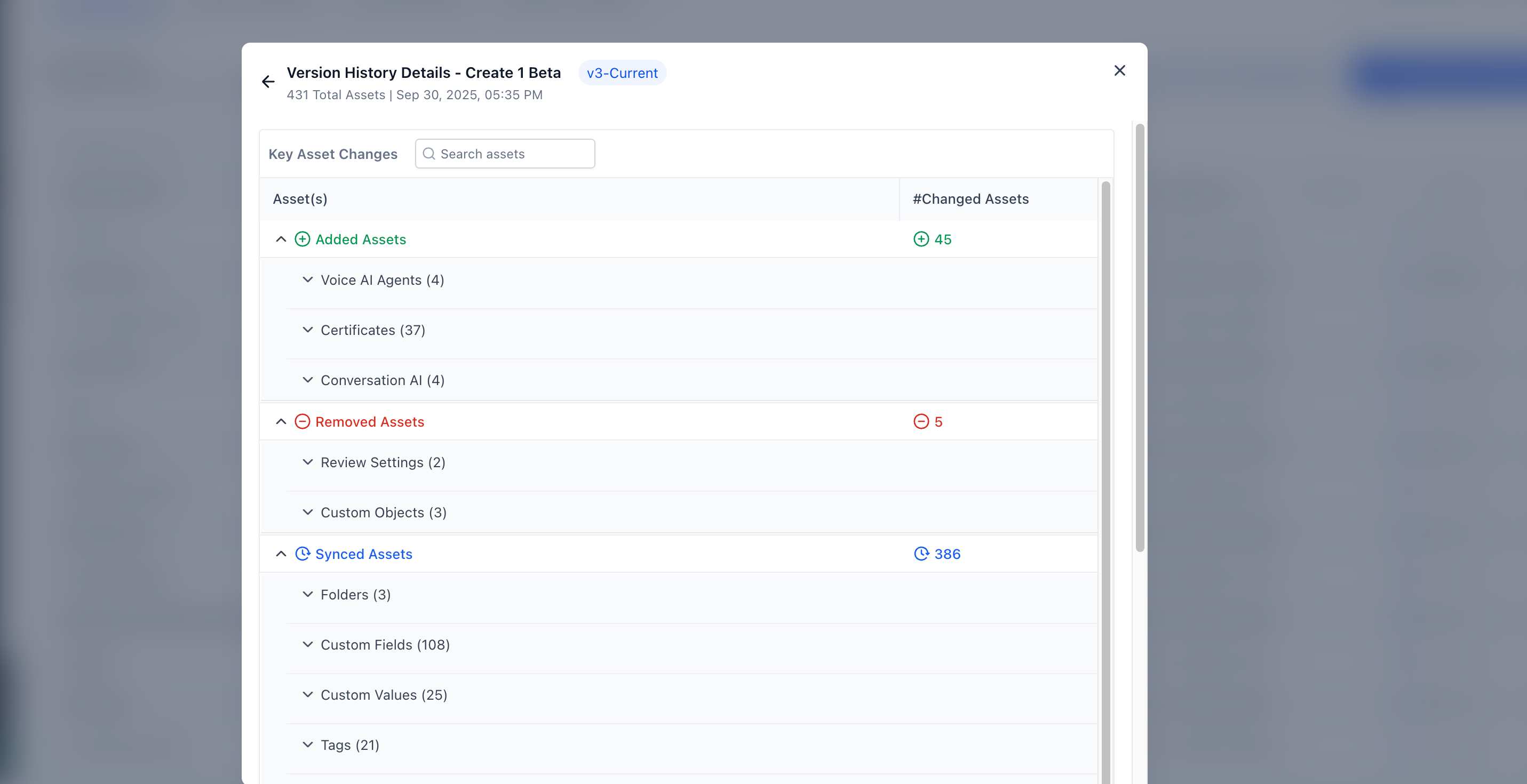
Quickly view what was added, removed, or synced in each version when you performed Snapshot Refresh.
**Version References Everywhere:**
Check the version associated with My Snapshots, Imported Snapshots, and Shared Snapshots — ensuring you always know exactly what’s been shared or imported.
- Save time by instantly reviewing version history.
- Eliminate the need to maintain offline Excel sheets for Snapshot changes.
- Debug faster by knowing precisely what was shared or imported at any point.
- Open My Snapshots and click on any Snapshot to view details.
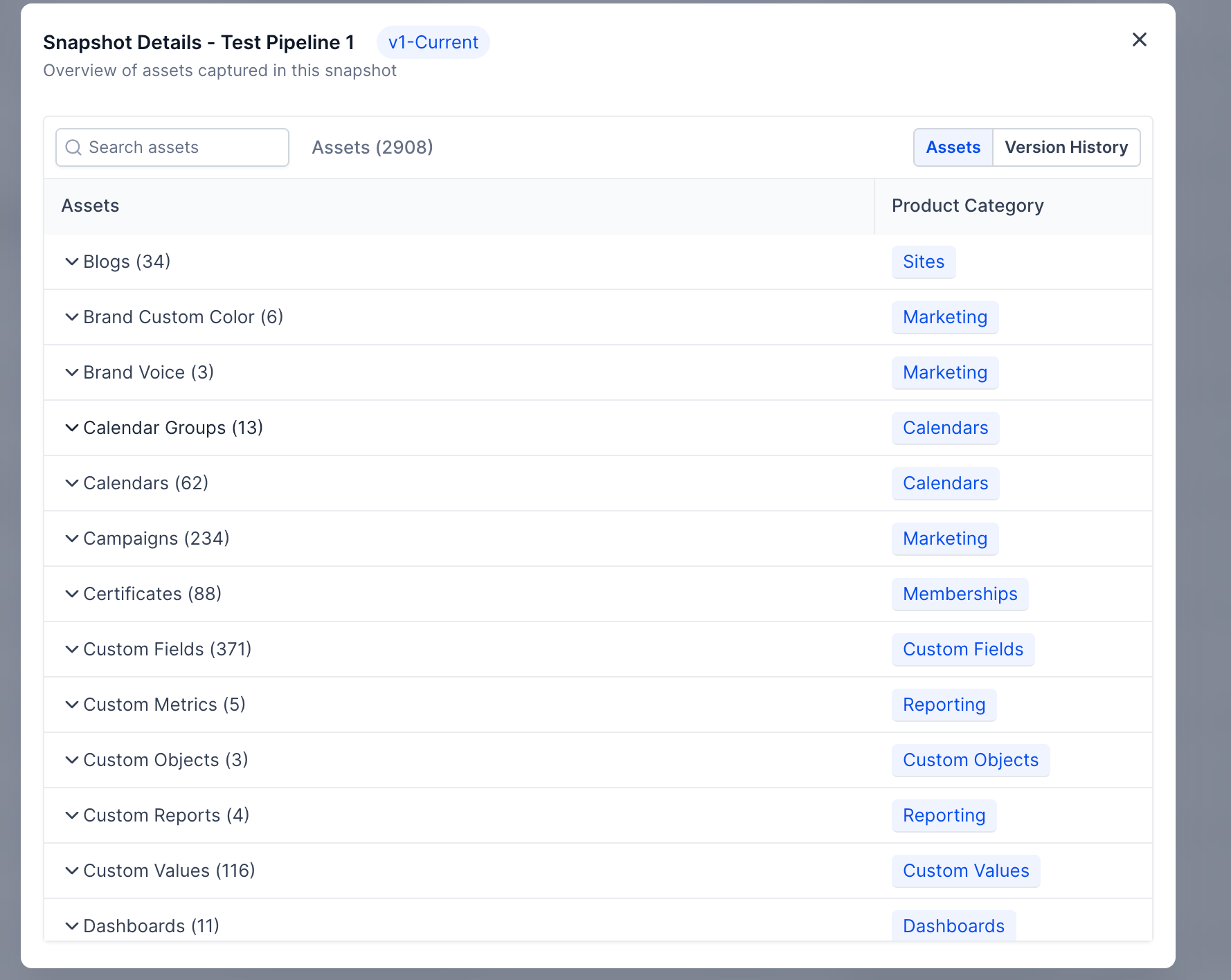
- Use the tabs to switch between Asset View and Version History.
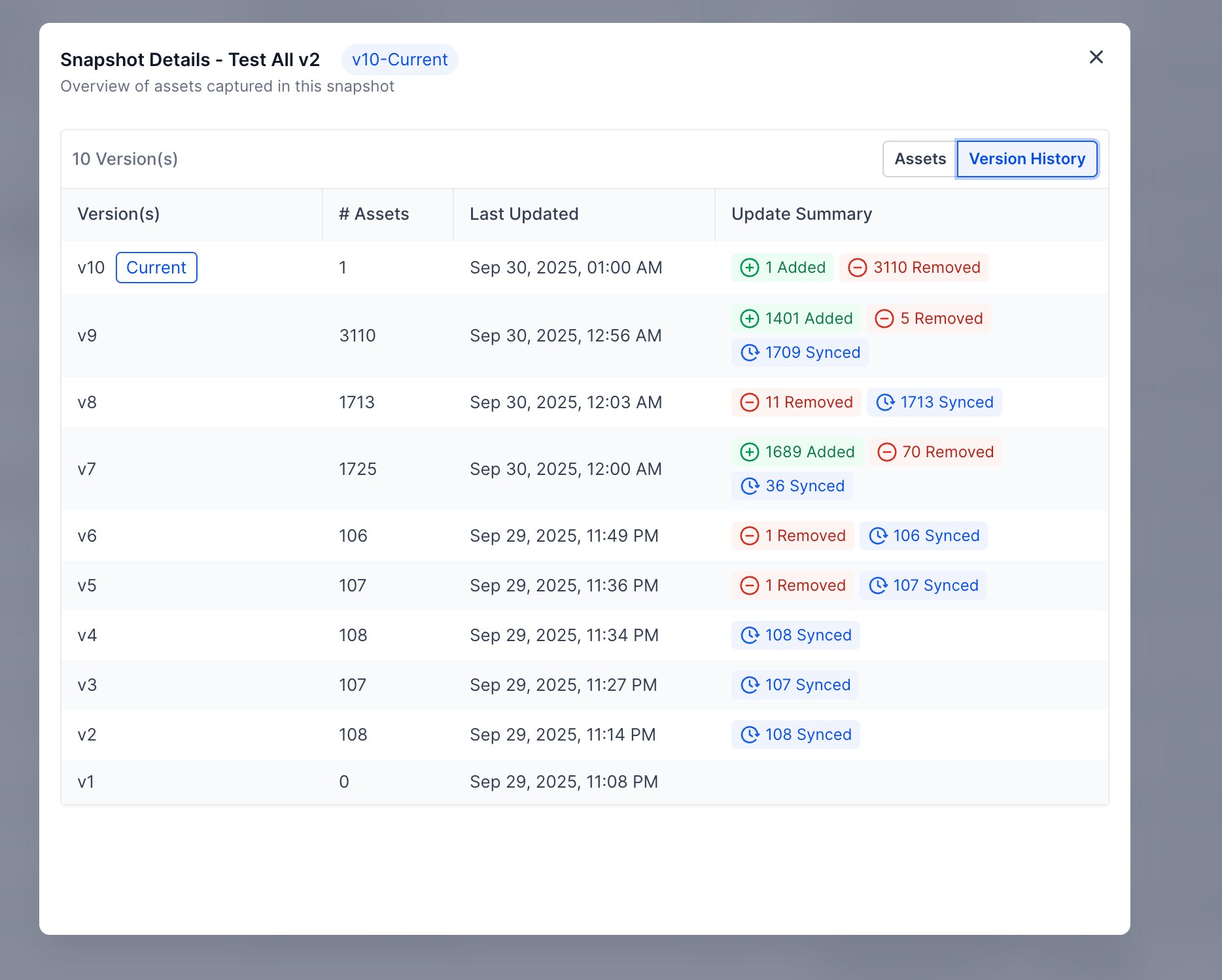
- In Version History, click any version row to see a detailed breakdown.
Soon, you’ll be able to switch a Snapshot to an older version.