
Users can now Decline Documents: Documents & Contracts
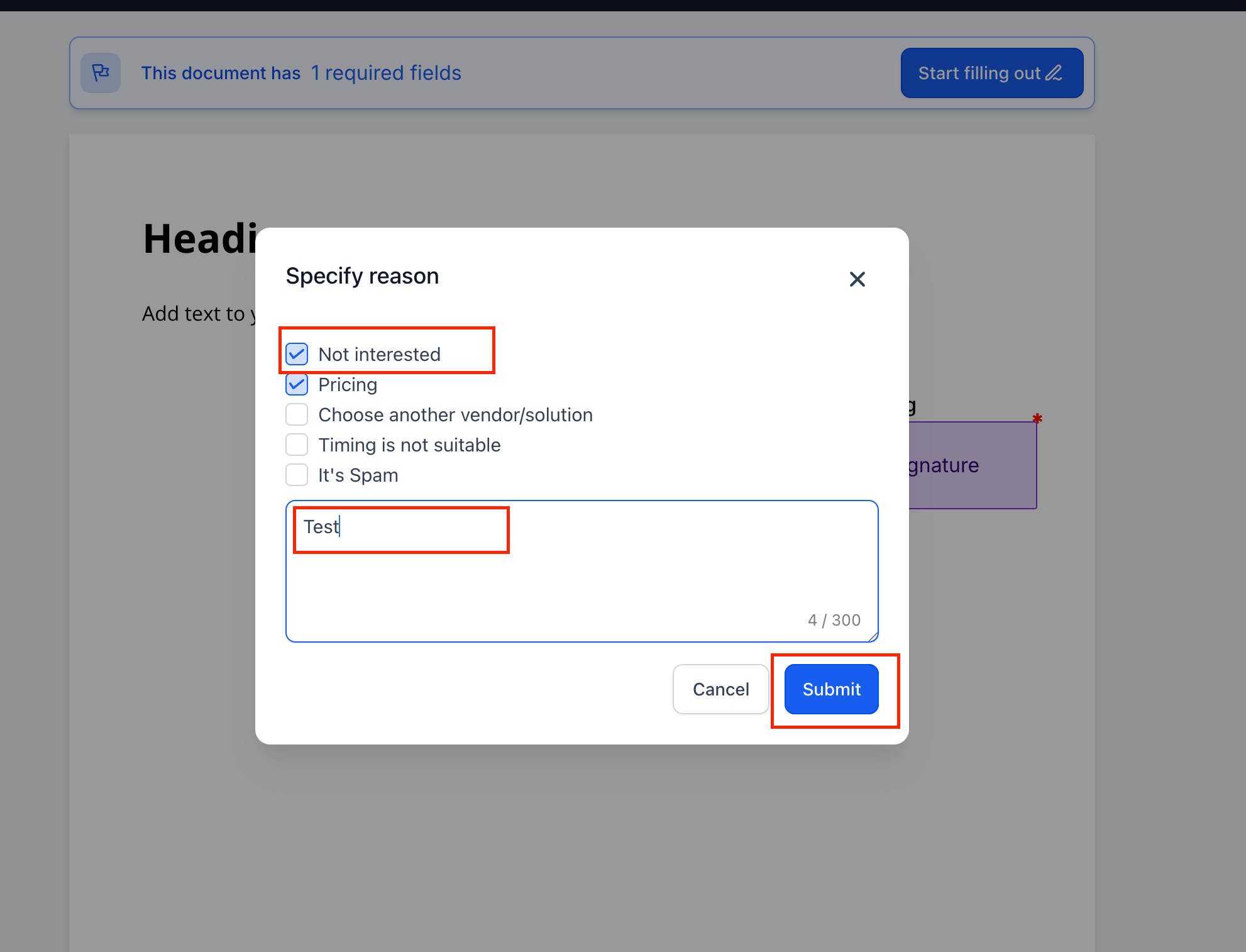
- Recipients can now decline a document, select reasons, or add notes.
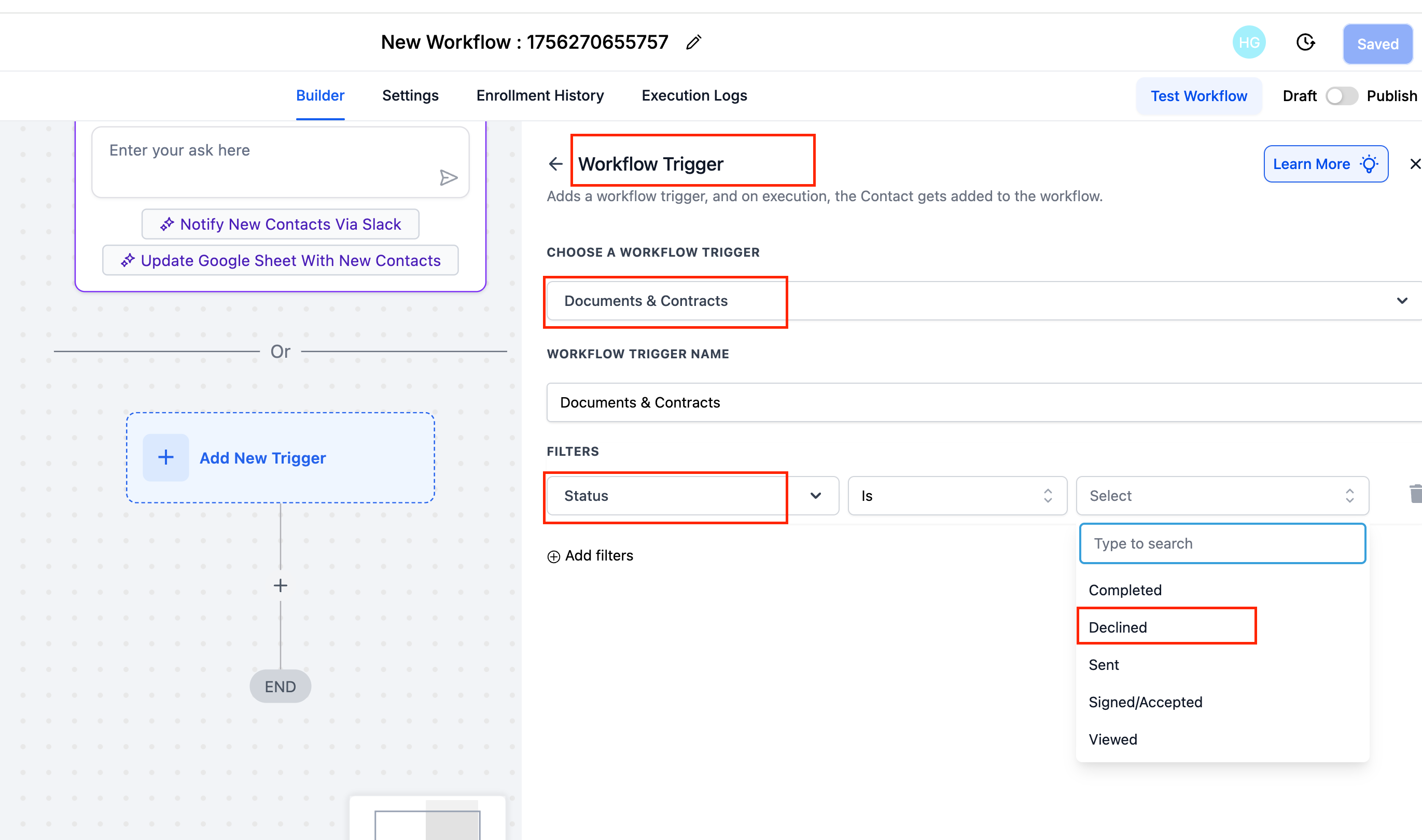
- Declined is now a status in Documents & Contracts workflows.
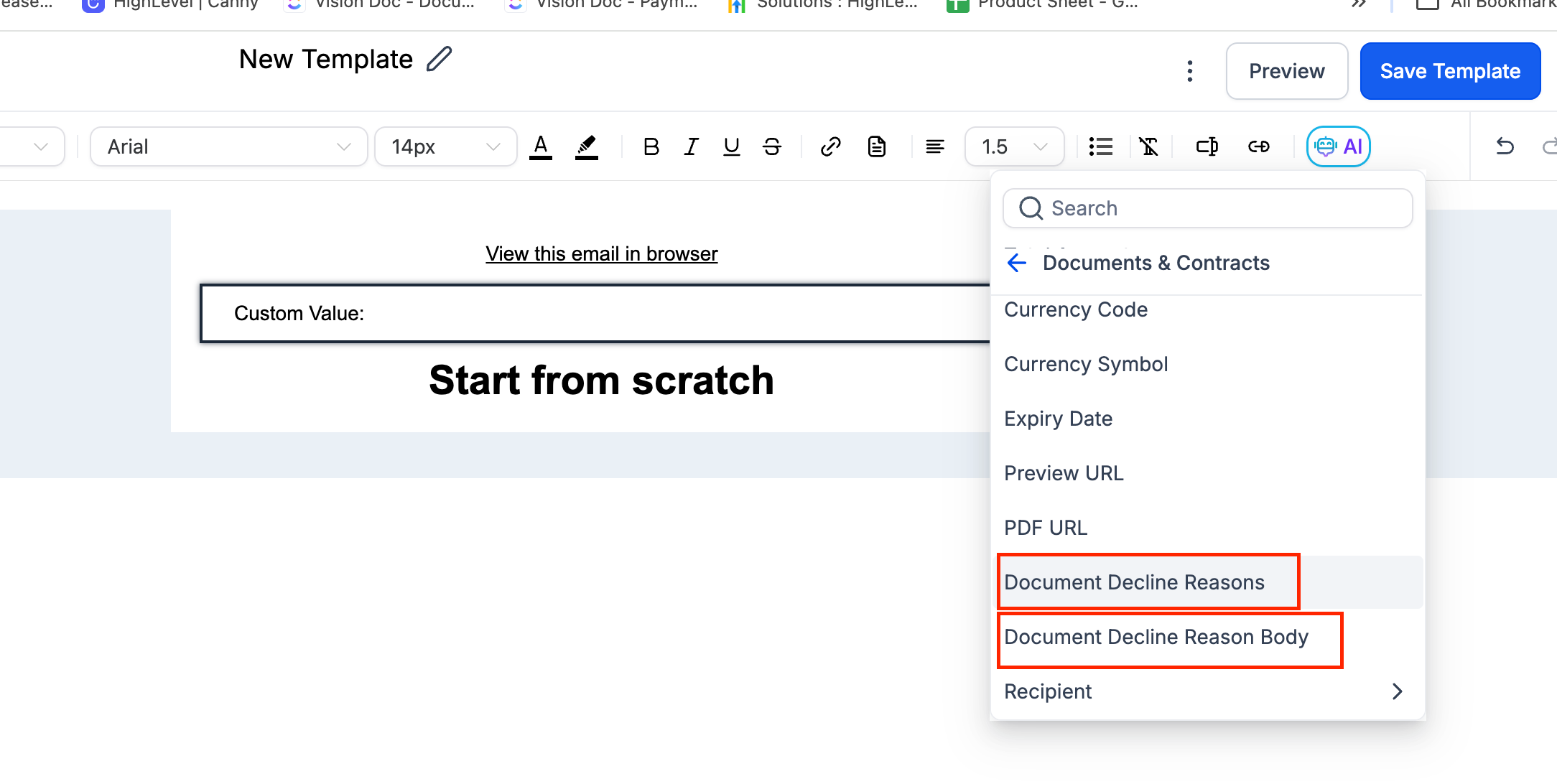
- Email Builder supports new custom values: Decline Reasons & Reason Body.
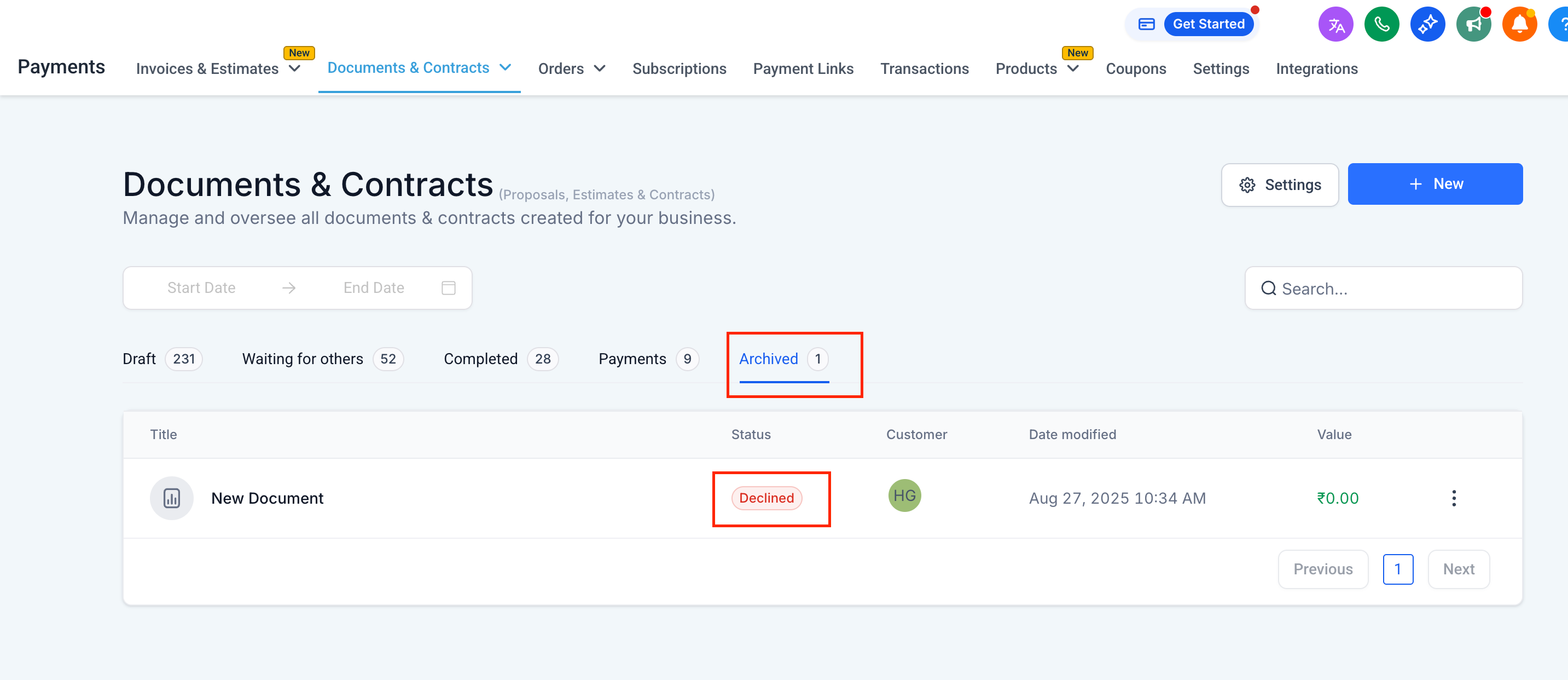
- Declined documents move to Archived and can no longer be signed.
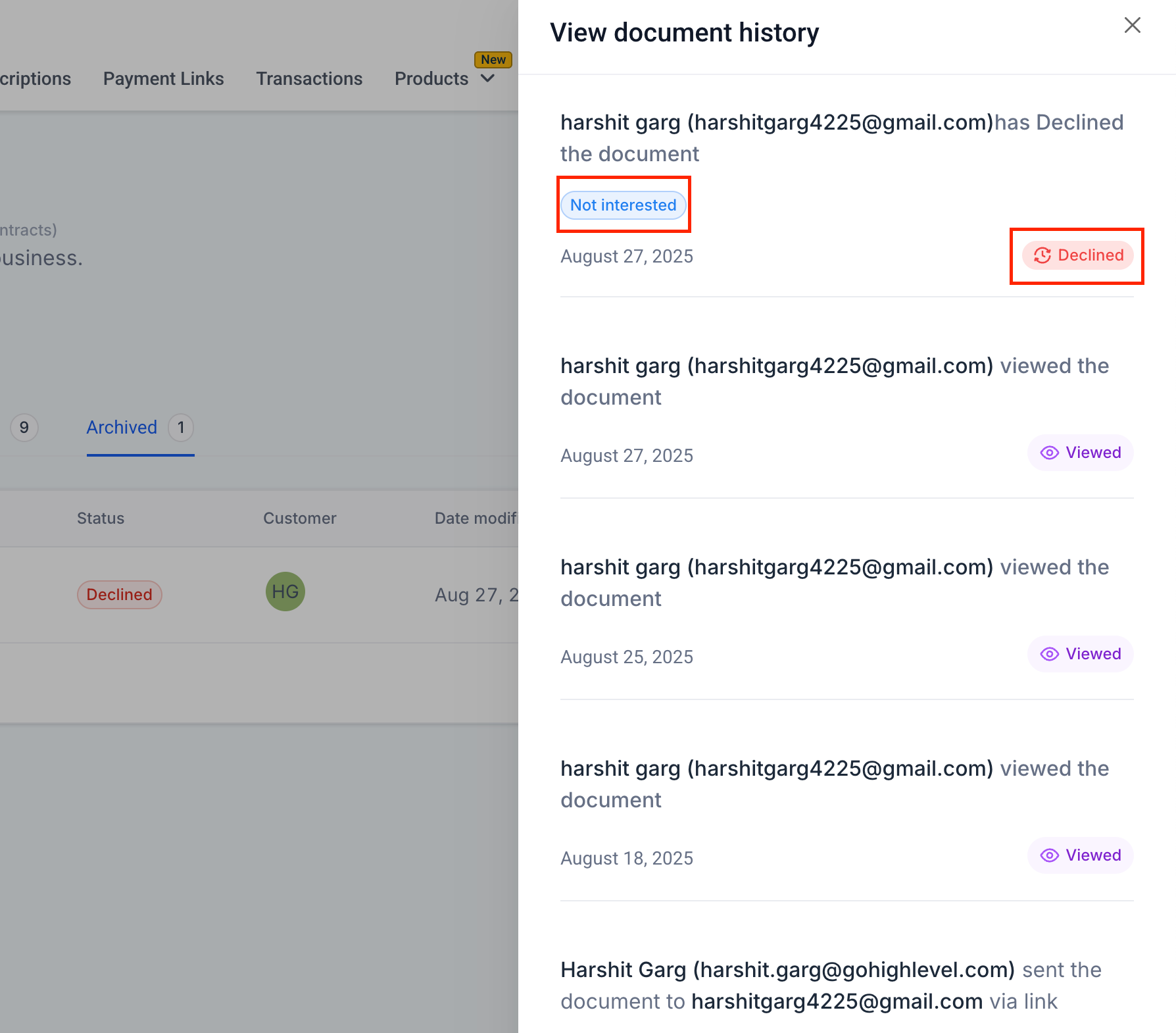
- Full decline history (who, when, why) is visible in the dashboard.
Automations:
In Workflows, add a trigger → Documents & Contracts → Status → Declined to set up follow-ups, notifications, or tasks.
Email Templates:
Insert custom values Document Decline Reasons (provides comma-separated reasons) and Document Decline Reasons Body (offers detailed feedback entered by the user in a free text box) to send personalised decline response emails.
Recipient Flow:
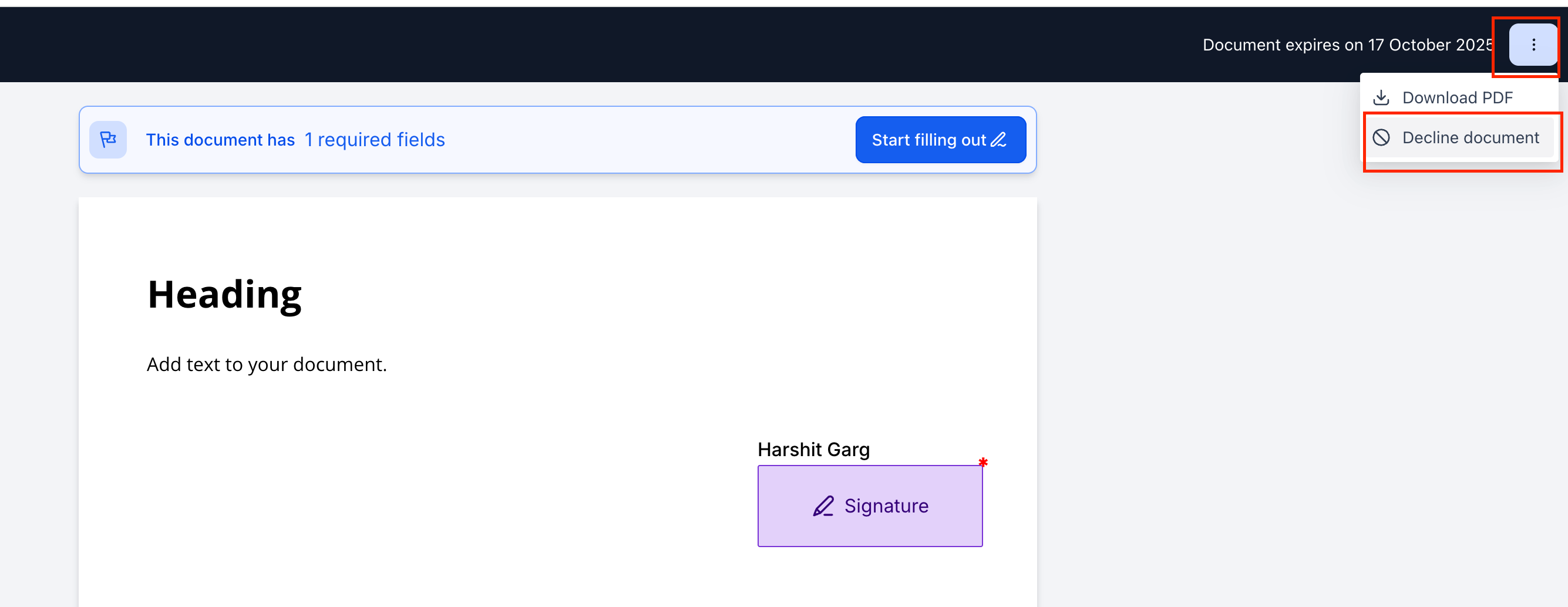
Clients can click the top-right menu in the document → Decline Document, choose reasons or add notes → Submit.
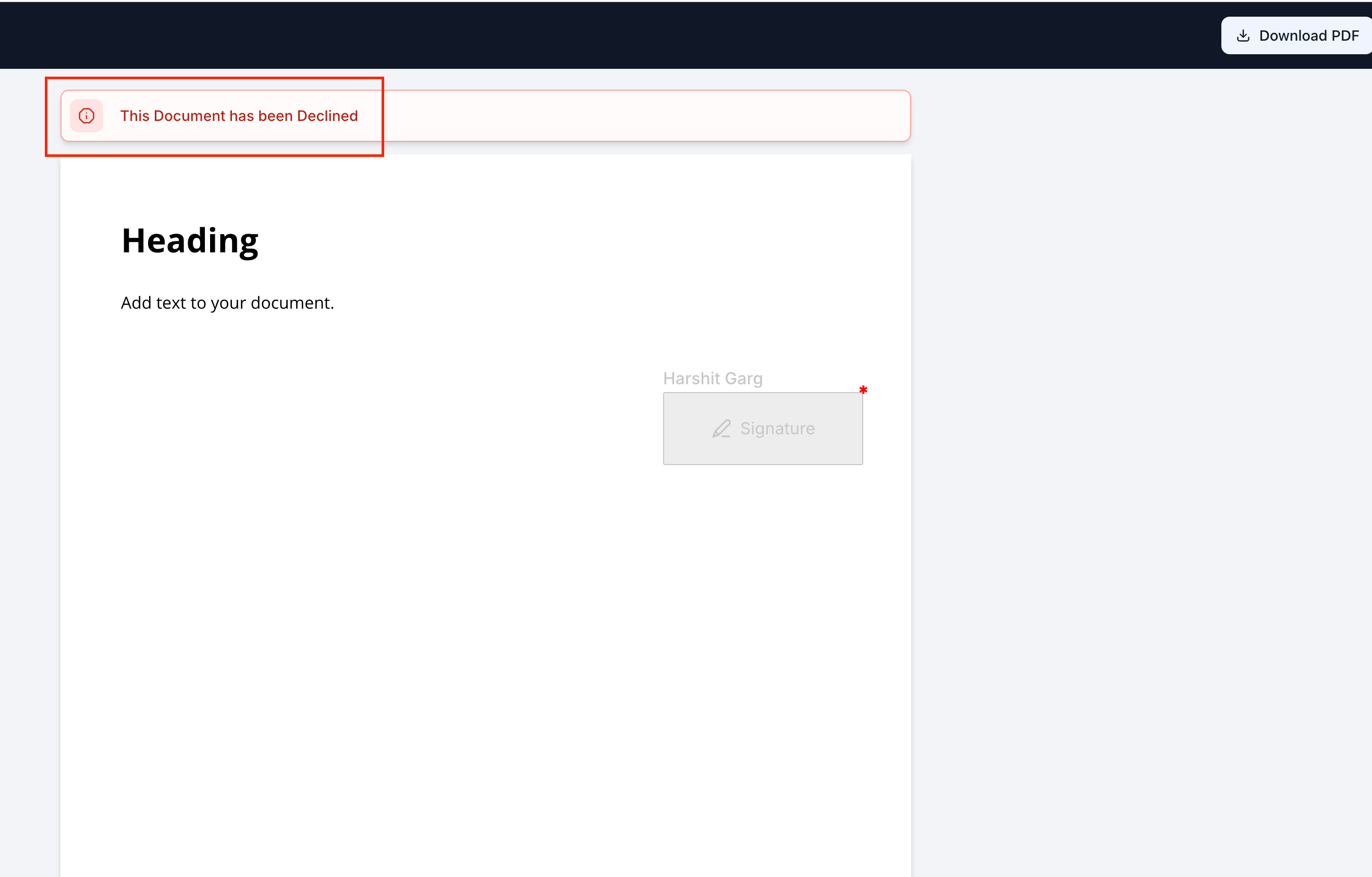
Tracking:
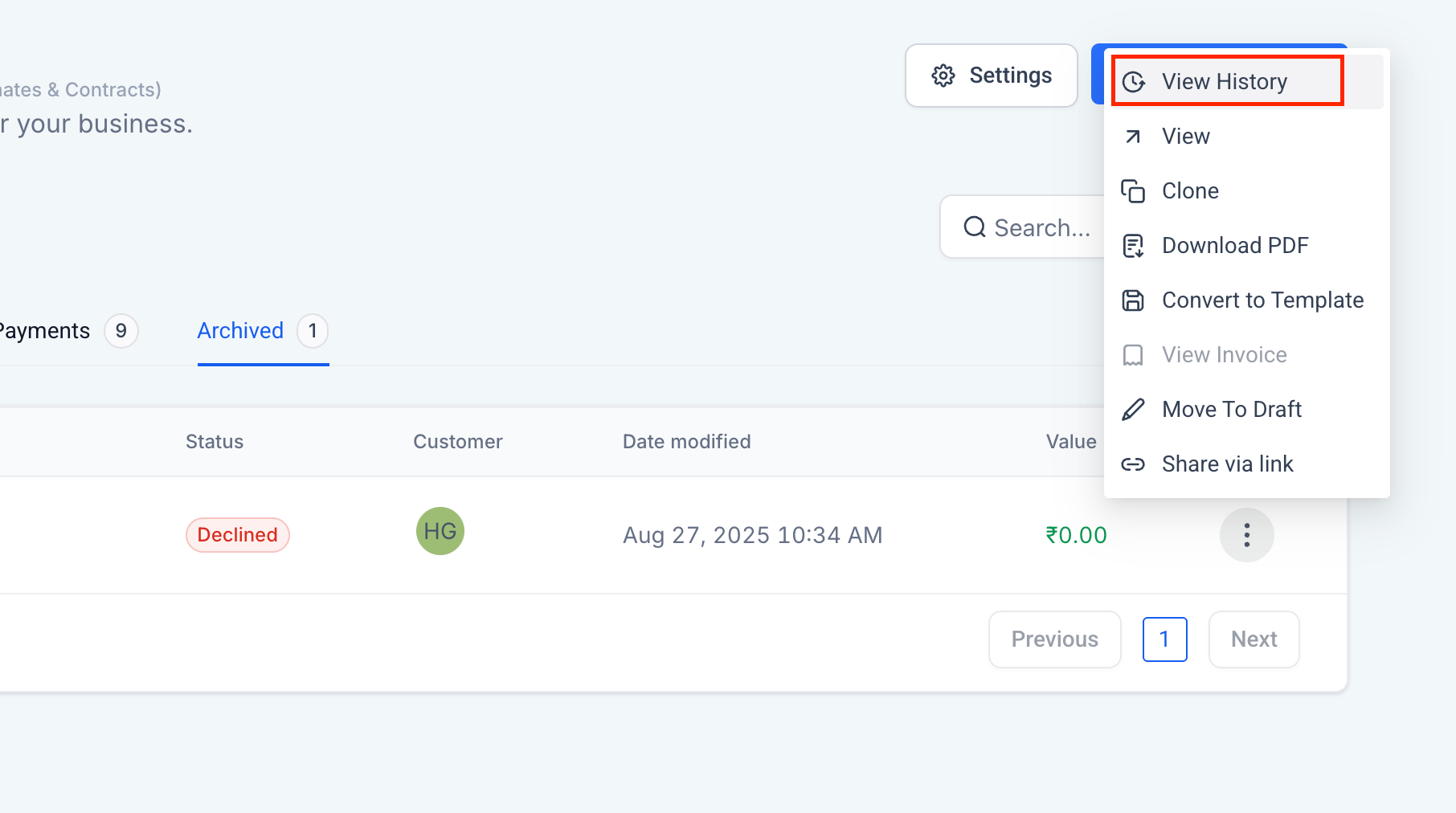
Go to Documents & Contracts → Archived to see all declined documents. Open View History for detailed feedback (reason, timestamp, recipient).
- This feature enables you to collect clear client feedback, enhance follow-ups, and power automations when deals do not go through.