Store Setup Wizard for Ecommerce Stores
We’re excited to announce the launch of the Store Setup Wizard—a brand-new onboarding experience designed to guide users step-by-step through launching their Ecommerce store on Clixio. Whether you’re just starting out or setting up a new store, this wizard streamlines the process and ensures you don’t miss any critical steps.
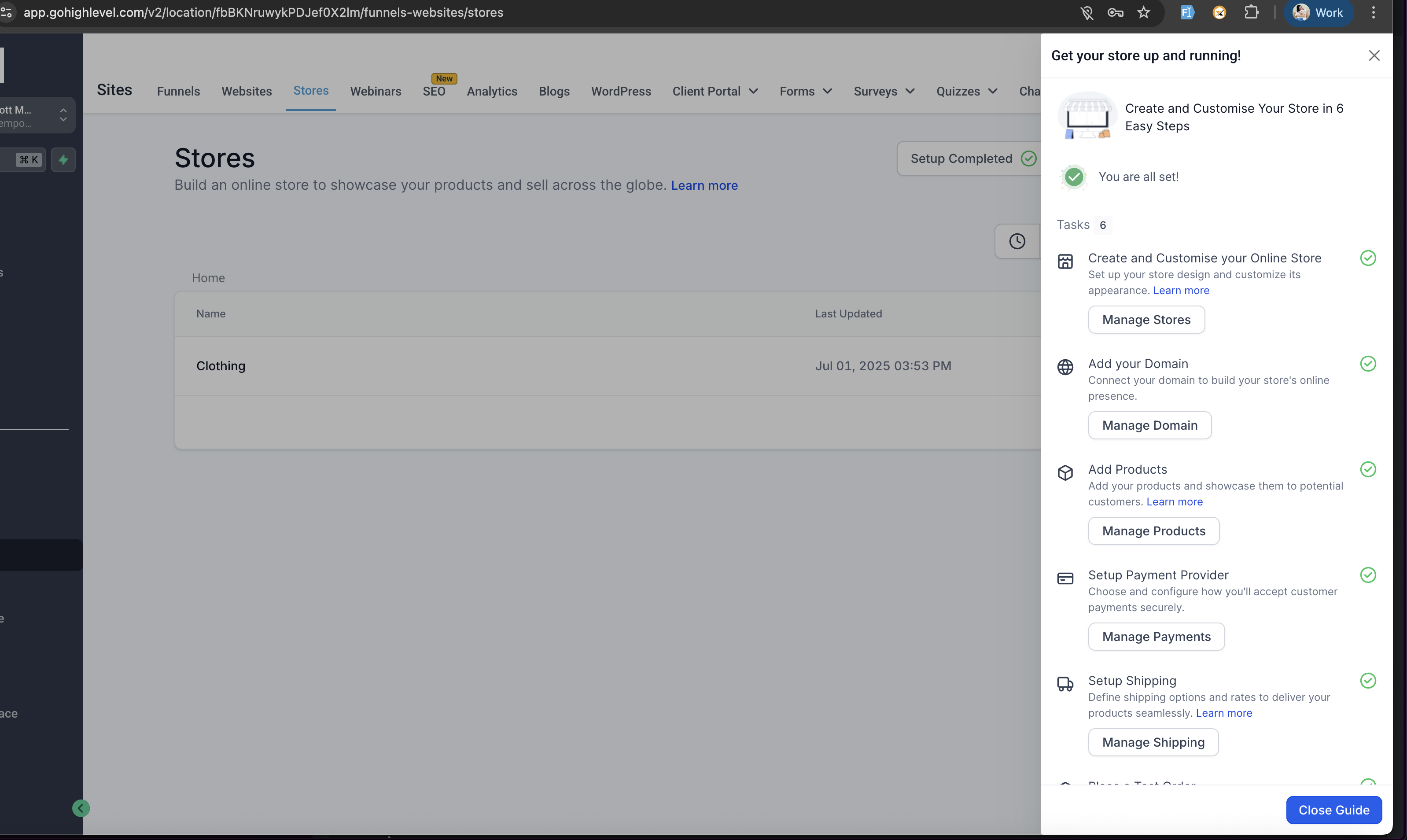
The wizard guides users through six essential setup steps, complete with progress tracking, helpful documents, and direct links:
- Create & Customise Store
- Set Up Payment Provider
- Add Your Domain (per store)
- Add Products
- Set Up Shipping (marked complete only after configuring rates)
- Place a Test Order
- Navigate to
Sites > Stores
.
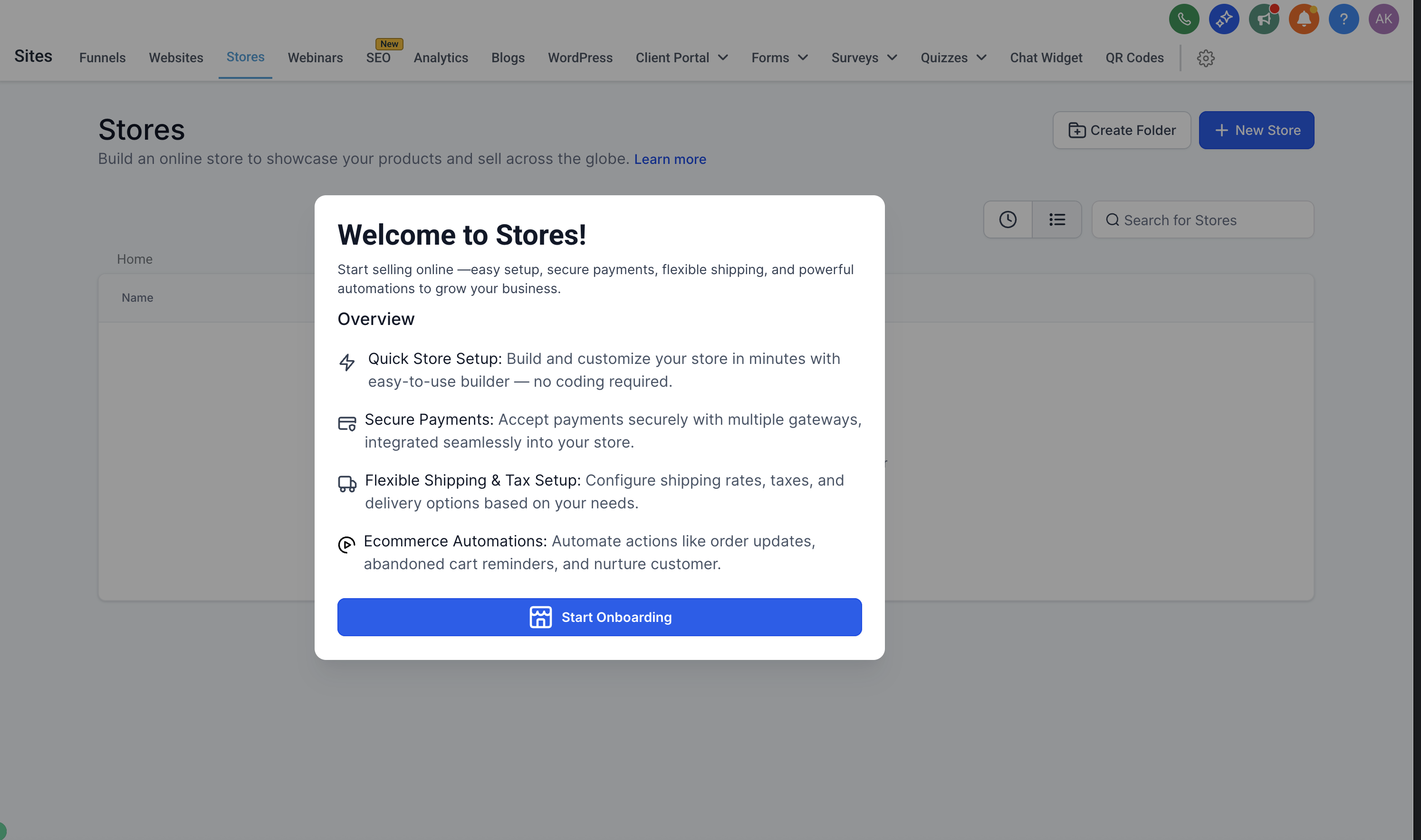
- If you’re a new user or haven’t set up a store, you’ll see a welcome modal. Click “Start Onboarding”.
- Complete each step in the setup wizard using the
guidance, CTAs, and documents provided
.
- As you finish each step, your progress is tracked. You can skip and return to steps at any time.
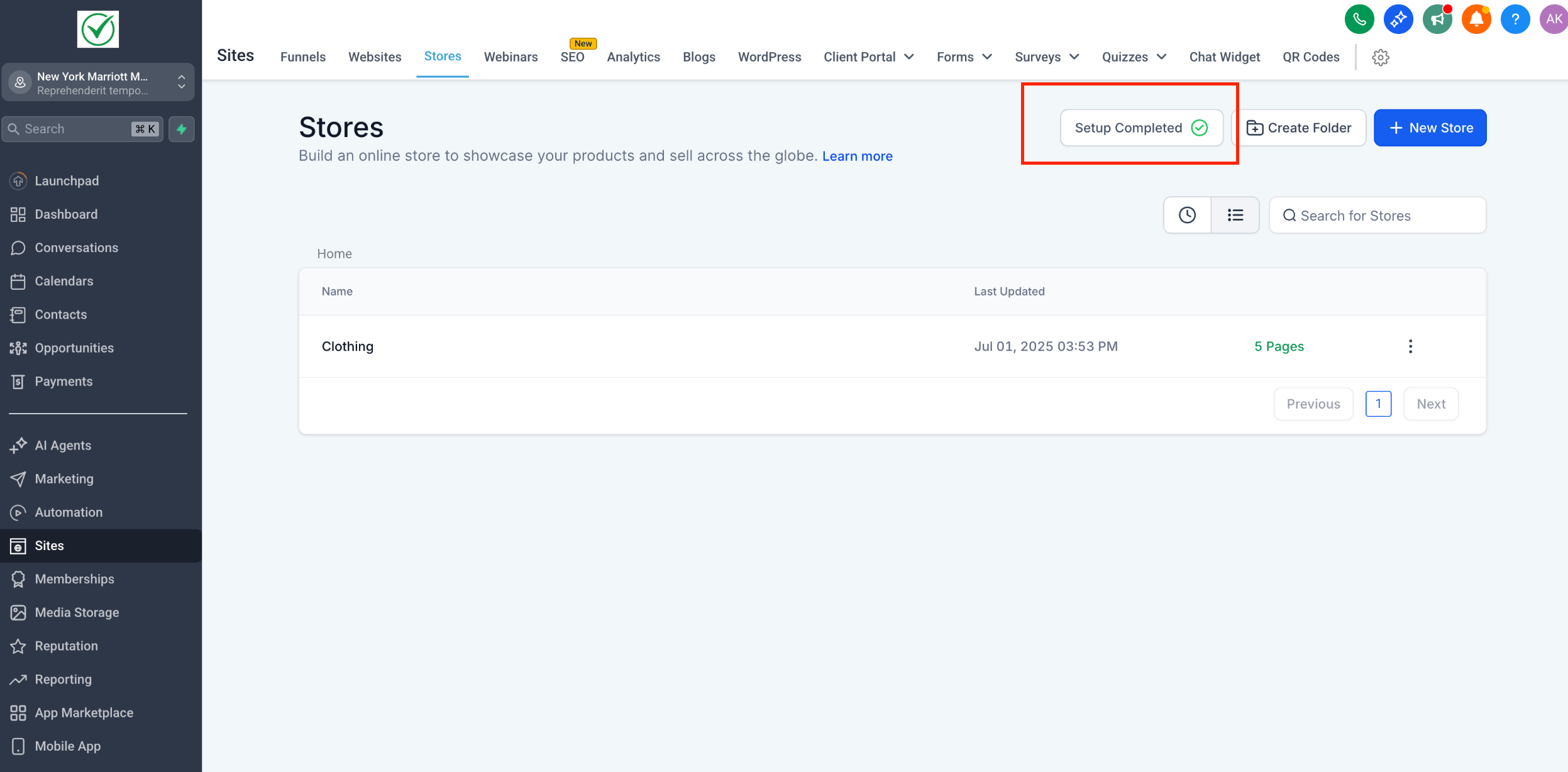
- Once all steps are checked, you’ll receive a “
Setup Completed
” CTA—your store is ready to go live!
Additional Notes / Edge Cases:
-
First-Time User Modal: The onboarding modal appears only once for new users or users who haven’t completed store setup. It disappears once setup is complete.
-
Shipping Setup: The Shipping step is only marked complete when at least one shipping rate is configured.
-
Step Completion: Once a step is marked as completed in the wizard, it remains checked—even if the user later undoes that step.
-
Flexible Step Order: Users can complete setup steps in any sequence or skip and revisit them later.
-
Store Setup Completion CTA: After all setup steps are completed, the “Setup Completed” CTA will display for 3 days before disappearing automatically.
First Time Onboarding Modal:
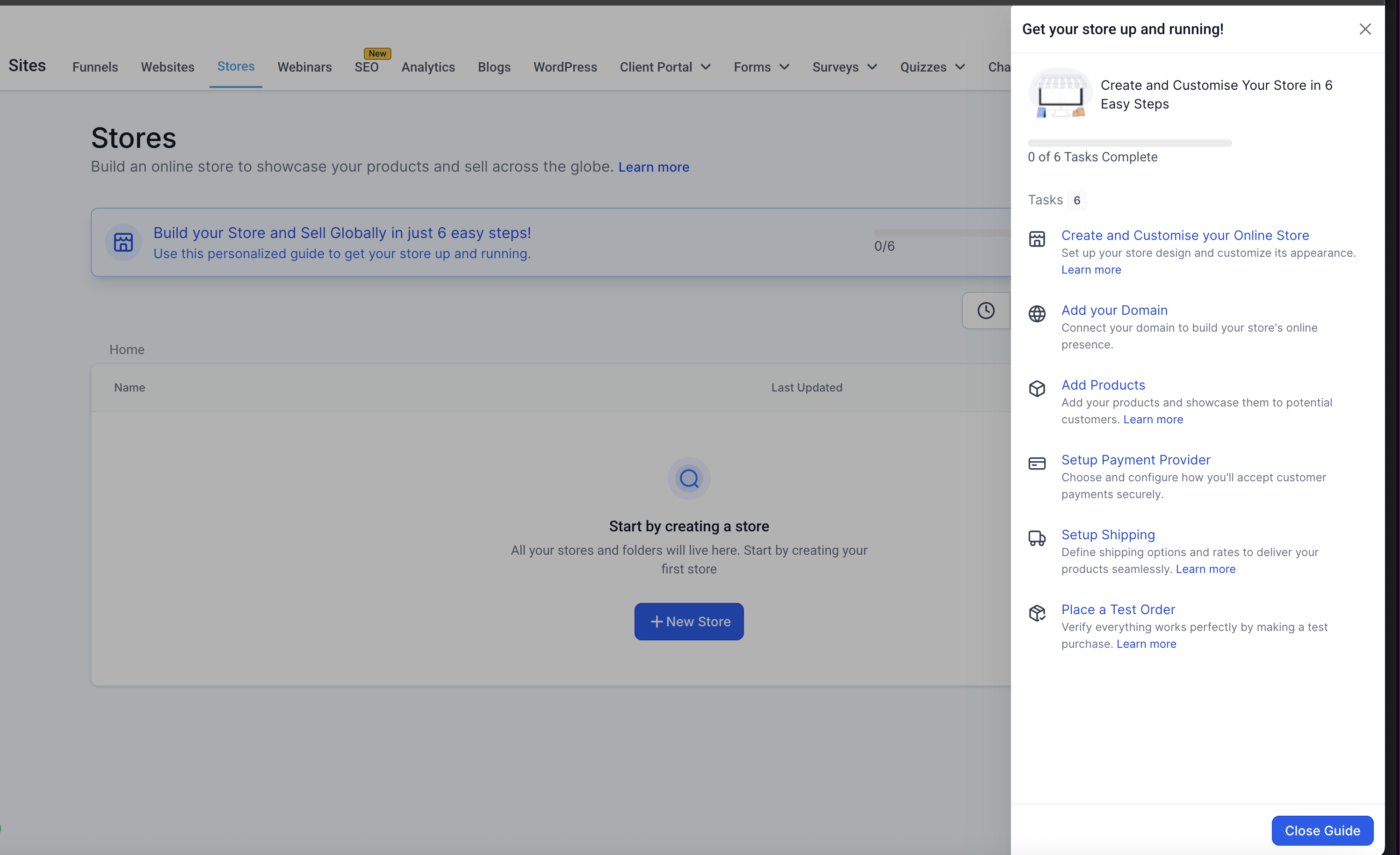
Steps Completion Reflected in Setup Wizard: