
Social Planner: Advanced CSV for Best-in-Class Bulk Scheduling🔥
What’s New: Advanced CSV for Bulk Scheduling in Social Planner
We’re excited to introduce a transformative enhancement to Social Planner — the Advanced CSV for bulk posting is now live!
This powerful upgrade enables users to bulk schedule content across various platforms — including Stories, Reels, Shorts, Google Business Profile, TikTok, Pinterest, and more — with unparalleled flexibility and ease.
Loaded with advanced features such as watermark support, media optimisation, tags, categories, and first-time comments, this functionality redefines the possibilities of social scheduling.
🙋♀️ Wave goodbye to limitations — and welcome the most comprehensive CSV importer available in the market.
Key Highlights: Why We’re Best-in-Class
-
Fully Configurable Advanced CSV – Utilise a robust, well-documented XLSX template to enter platform-specific settings — including post type, media details, and scheduling data.
-
Watermark Support – Automatically brand your visuals across platforms using the built-in watermark fields.
-
Smart Media Optimisation – Enhance performance with auto-optimised images and video settings tailored for each platform.
-
Tag & Category Assignment – Easily categorise and label posts to simplify reporting and automation triggers.
Pinterest Default Board Settings – Select your default Pinterest board directly within the CSV — no manual post-editing required.
-
Performance Upgrades – Experience faster workflows and smoother imports with enhanced processing speed and error handling.
-
Flexible Date-Time Parsing – Supports a wide variety of CSV date-time formats to minimise import errors. Accepted formats include: YYYY-MM-DD HH:mm, YYYY-MM-DD HH:mm:ss, YYYY/MM/DD HH:mm:ss, YYYY/MM/DD HH:mm, MM/DD/YYYY H:mm:ss, MM-DD-YYYY H:mm:ss, MM/DD/YYYY H:mm, MM-DD-YYYY H:mm
-
Dual Format Upload – Accepts uploads in both .xlsx and .csv formats, eliminating any friction during import.
How to Use Advanced CSV in Social Planner
- Navigate to Marketing > Social Planner
- Add your social accounts from the Settings (gear icon)
- Click New Post > CSV Upload
- Choose your upload type:
- Basic CSV: Supports post content, date, media, OG link
- Advanced CSV: Unlocks full capabilities, including: platform-specific post types (Post, Story, Reel, Shorts), watermark, tags, categories, follow-up comment, Google Business Profile (post types, call-to-action, events, offers), YouTube (title, privacy, video type), TikTok, Pinterest board selection, and more
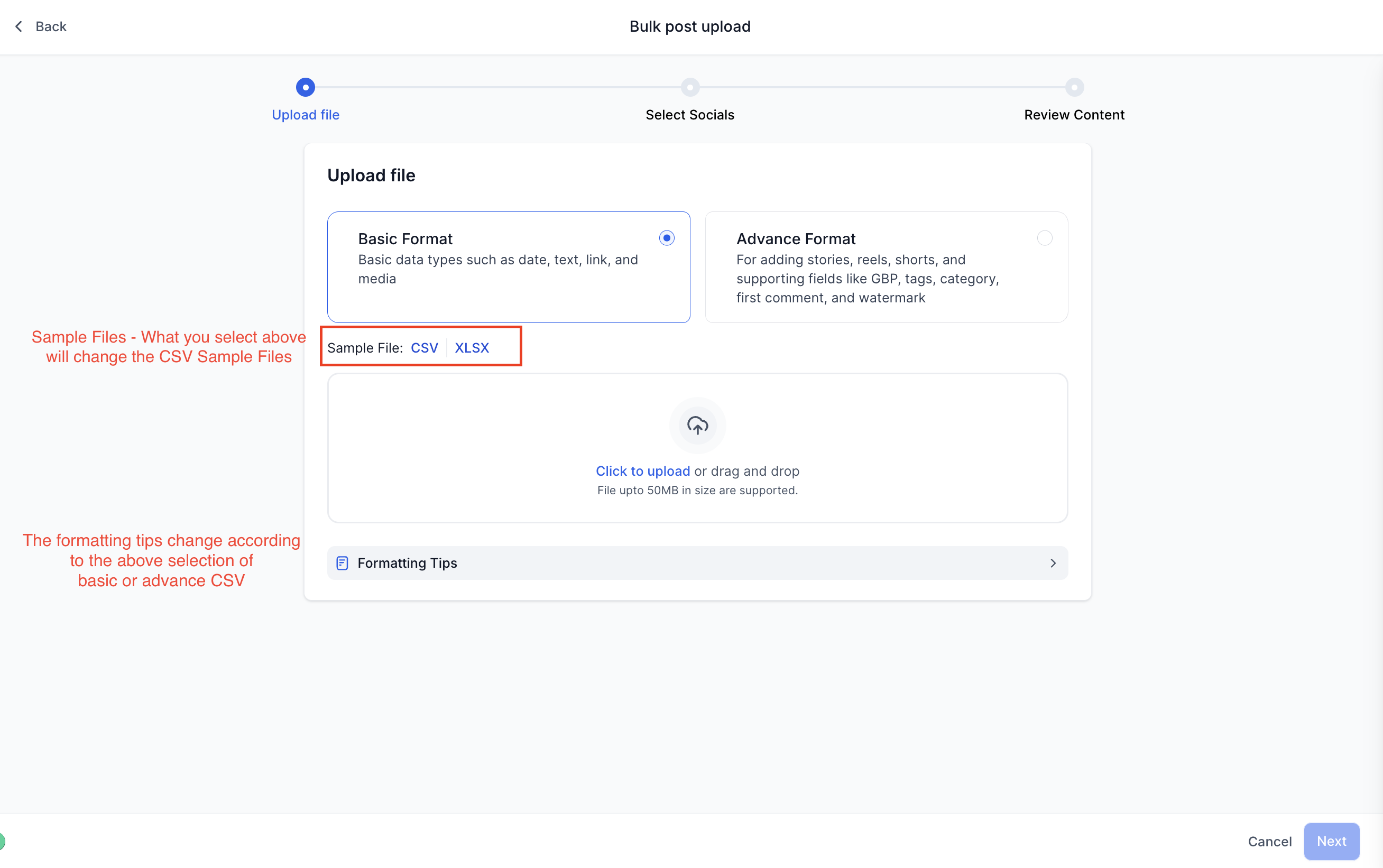
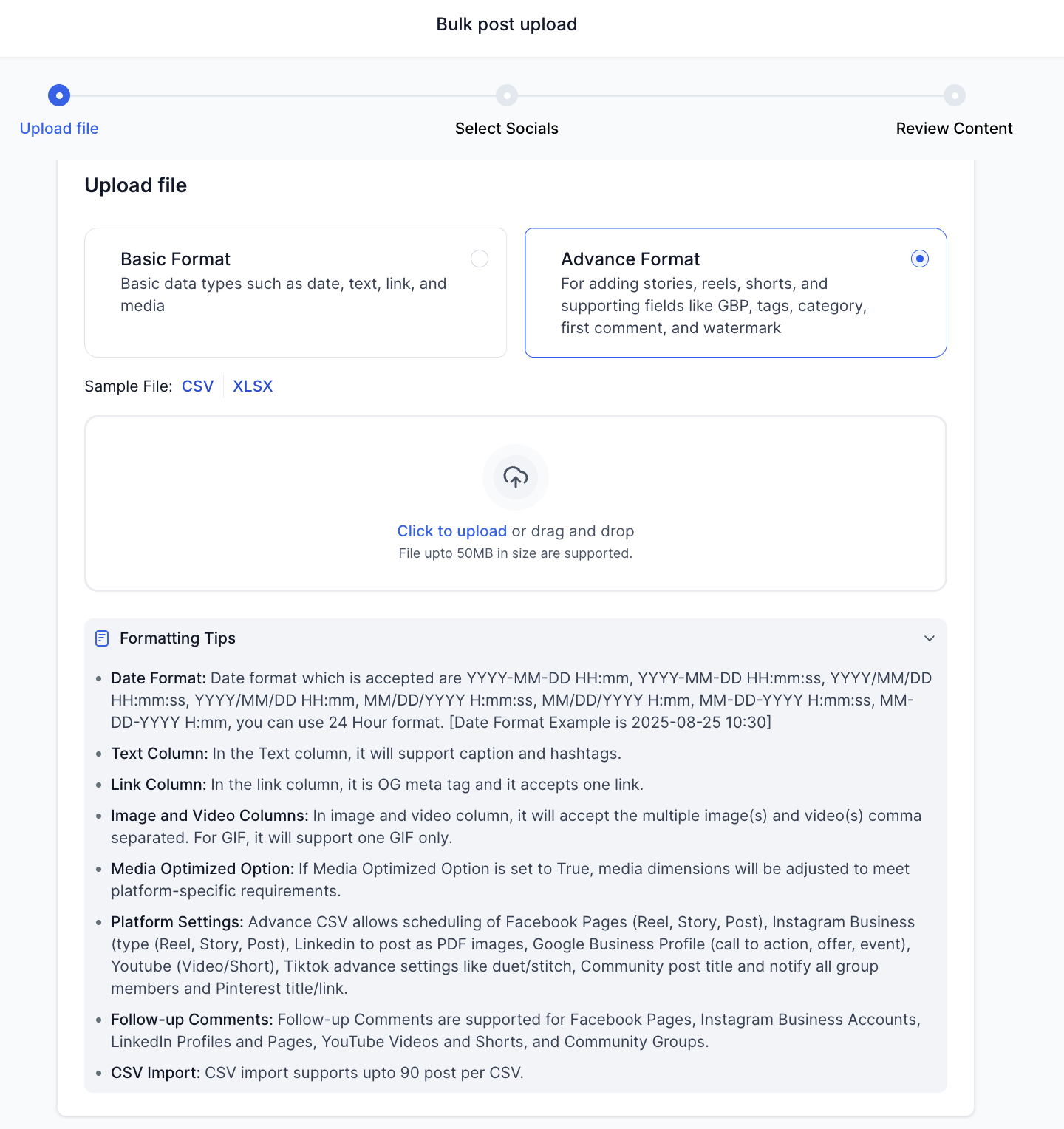
- After uploading, select the socials and configure approval settings
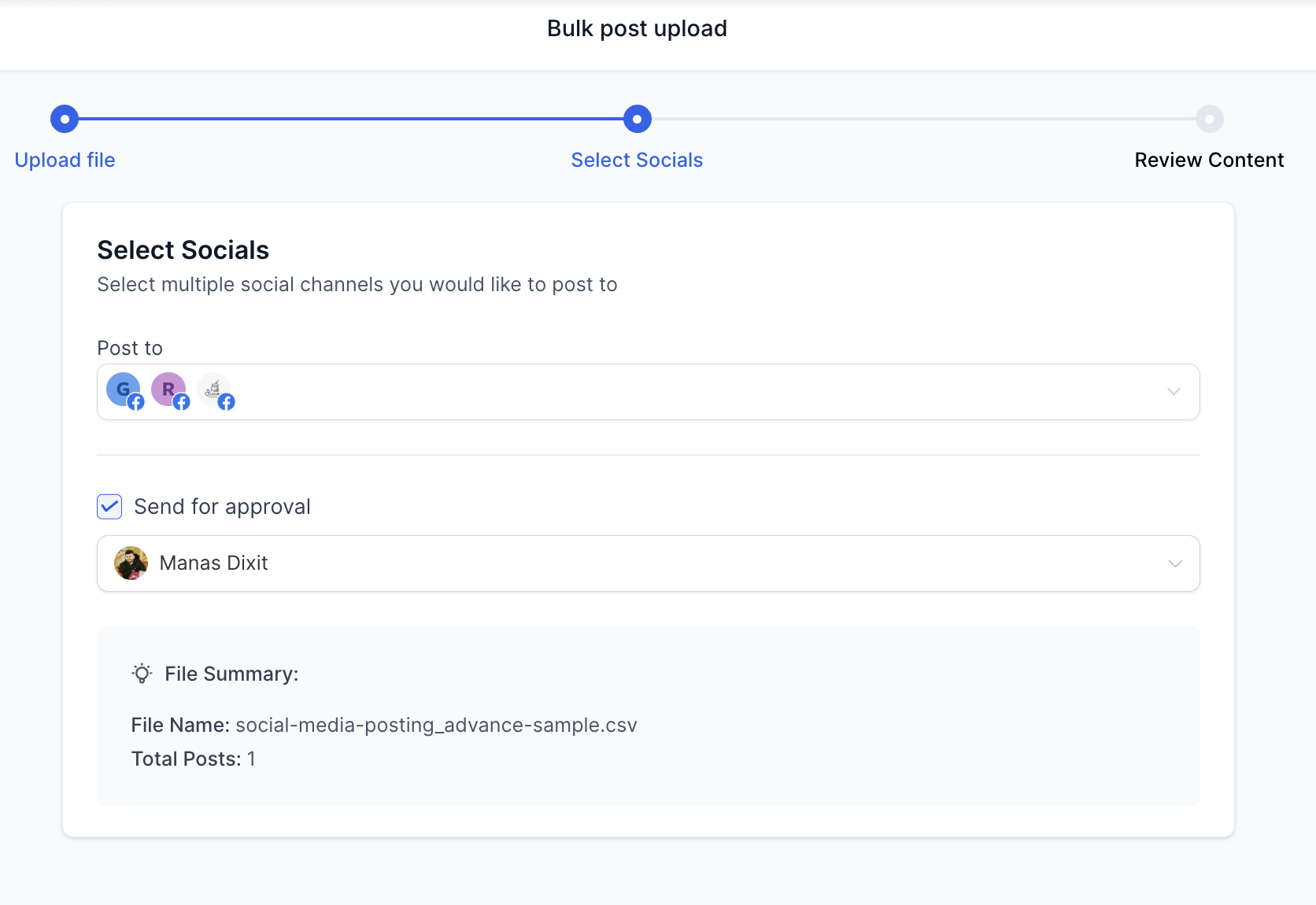
- Review and correct any flagged errors before import
- Click Import to schedule all approved posts directly into the calendar queue
😇 Pro Tip: Leverage this upgrade to optimise large-scale campaign planning across channels — faster, smarter, and with greater control than ever before.
🗒️ Note: When importing a CSV from a snapshot or template, tags and categories will not transfer to a new location.
🤩 Help Article –