Snapshot Workflow Email Action – Enhanced Flow
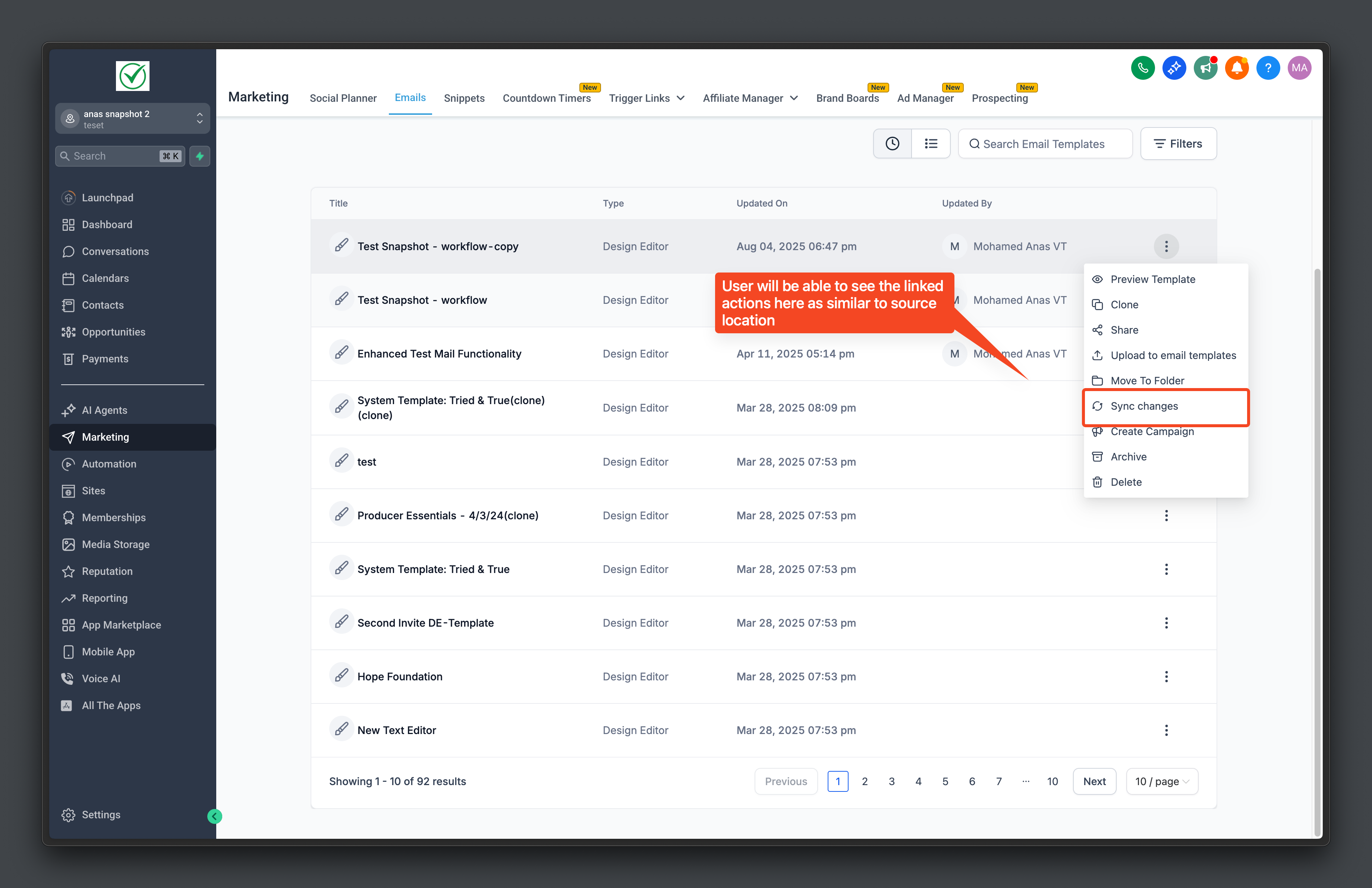
Template management just got simpler! Only original templates and workflows are now displayed in the target location, with email actions managed automatically in the background.
The template list in the target location now showcases only original templates and workflows, removing the clutter caused by email action templates. While these email action templates are still imported and mapped in the background, they remain hidden from users. This enhancement streamlines the template management process and improves the syncing of workflows and templates.
-
Clean Interface: The target location now shows only original templates and workflows.
-
Reduced Clutter: Only core templates and workflows are visible, making navigation easier.
-
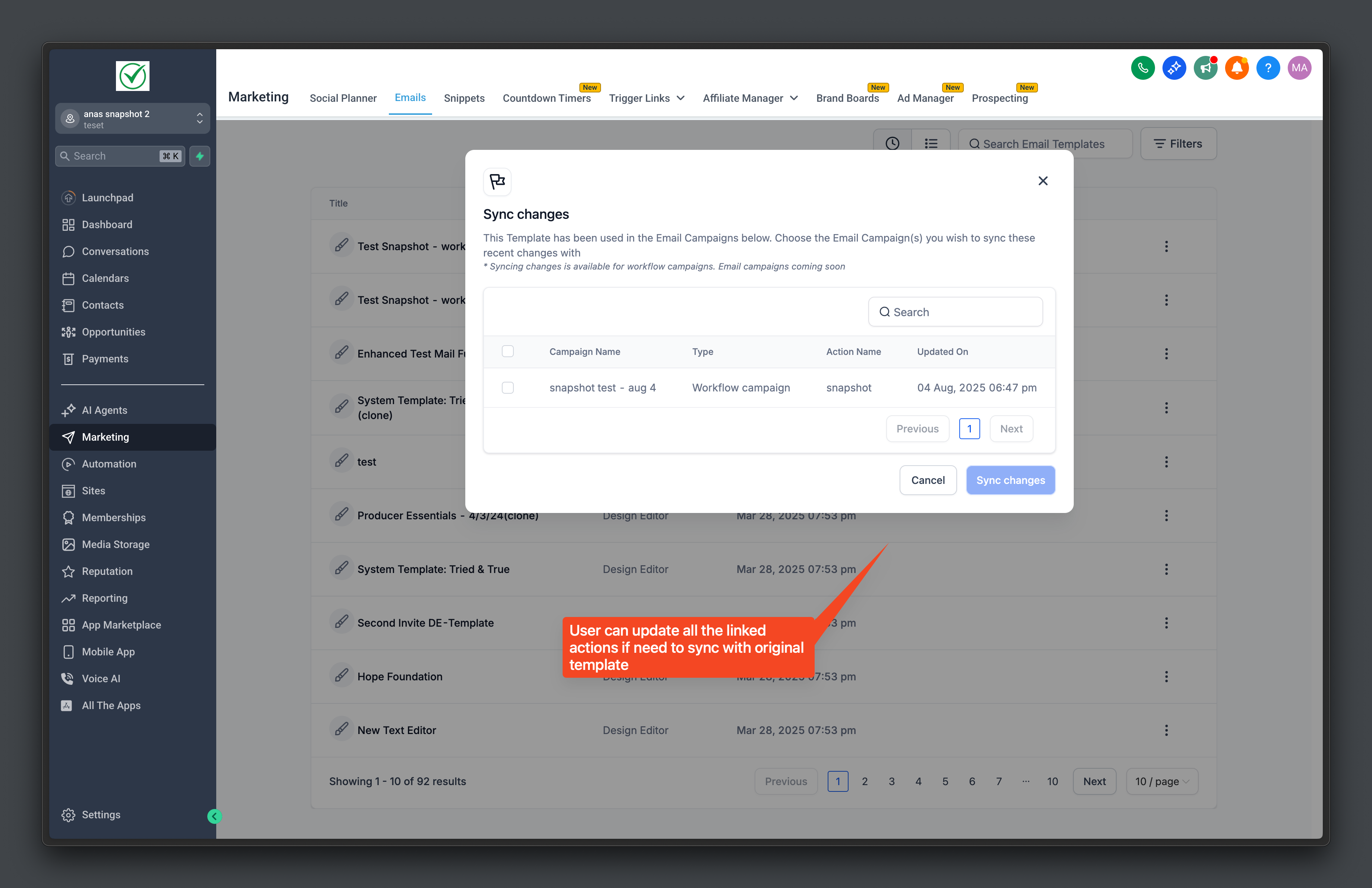
Reliable Syncing: Email action templates are automatically mapped and synced with workflows.
-
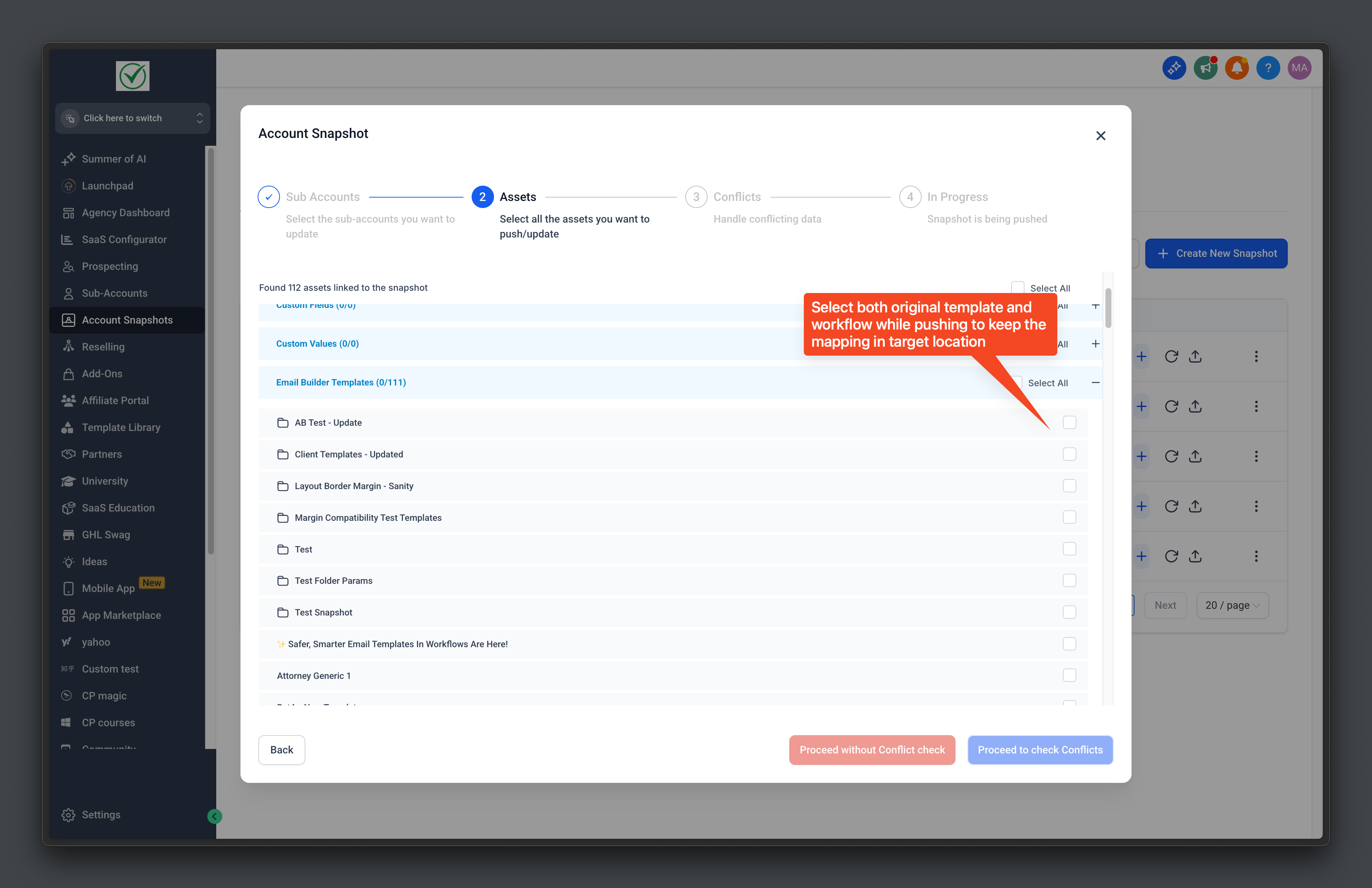
Take a Snapshot: From the source location, select the workflows and templates to snapshot.
-
View in Target Location: In the target location, only original templates and workflows will be displayed in the template list.
-
Automatic Background Management: Email action templates are automatically imported and mapped to the selected workflows, requiring no additional user action.
To ensure expected behaviour, existing workflows and email actions must be deleted and re-pushed after a snapshot refresh with the snapshot to apply the latest changes.