
Snapshot Asset Viewer | Clixio Changelog
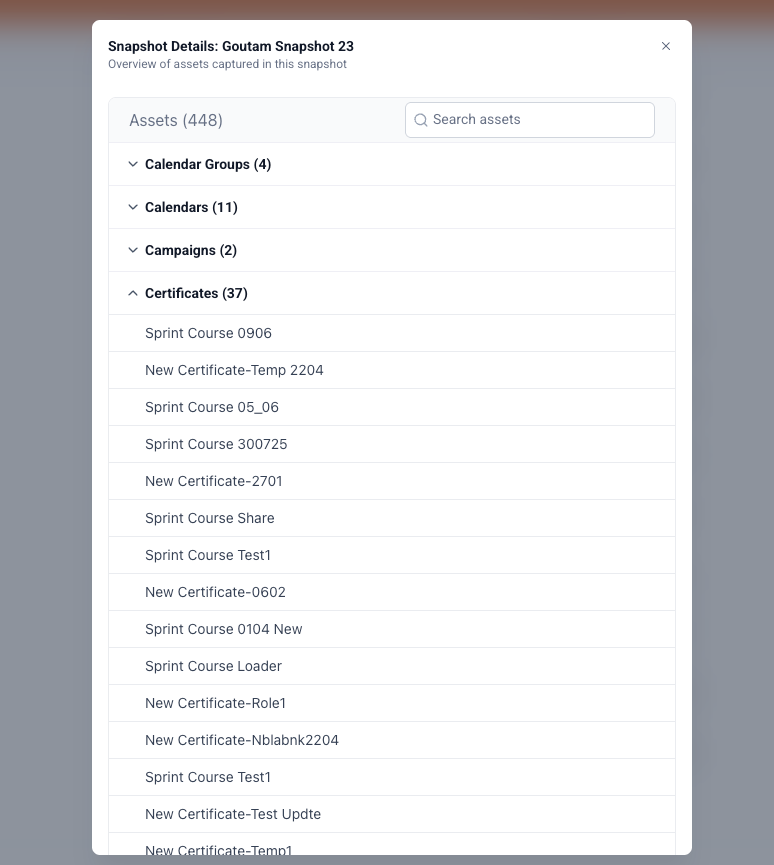
You can now view the contents of any snapshot directly from the Account Snapshots page—there’s no need to import it first!
Asset Viewer:
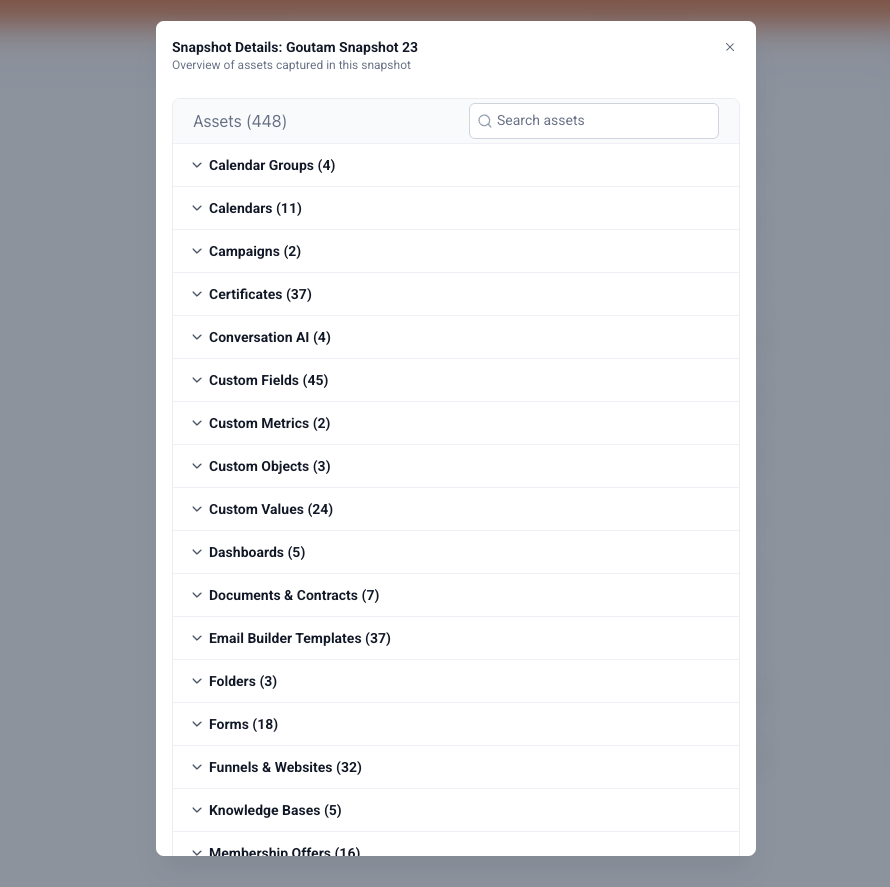
Clicking on a snapshot now opens a detailed list of all the assets it contains.
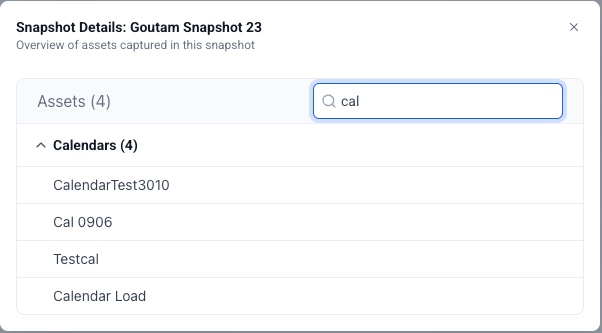
Search Within Snapshot:
Use the built-in search bar to instantly find specific assets inside the snapshot.
Better Visibility:
You can know exactly what’s inside a snapshot at a glance—no more guesswork.
Faster Workflow:
Quickly locate the assets you’re looking for without endless scrolling.
- Navigate to the Account Snapshots page.
- Open the My Snapshots, Shared Snapshots, or Imported Snapshots tab.
- Click any snapshot to open the viewer and browse its assets.
- Use the search bar to filter through the asset list.