Recurring Webinar Settings | Clixio Changelog
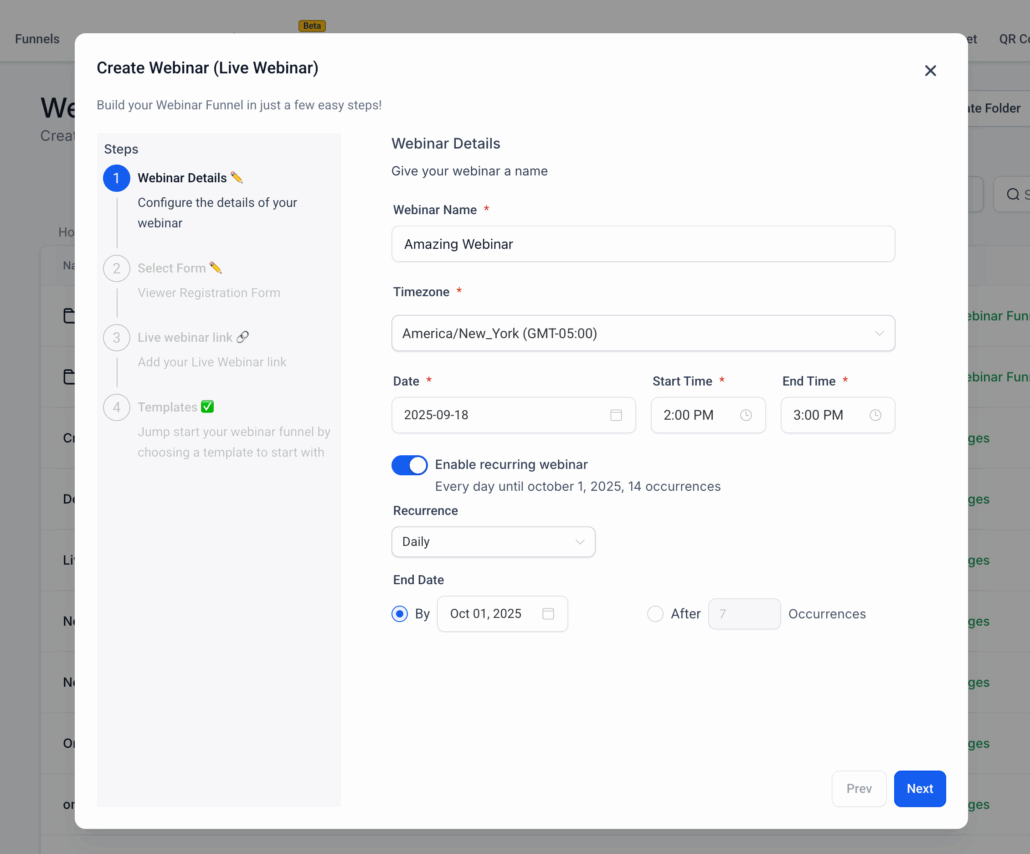
We are thrilled to introduce Recurring Webinar Settings, an innovative new feature that allows hosts to schedule and manage webinars on a recurring basis. Rather than manually duplicating sessions, hosts can now establish flexible recurrence patterns—daily, weekly, monthly, or custom—with clear visibility across the platform. This enhancement makes it simpler to organise regular events and maintain audience engagement.
Key Features:
- Transform any webinar into a recurring series directly from the webinar settings.
- Flexible Recurrence Patterns:
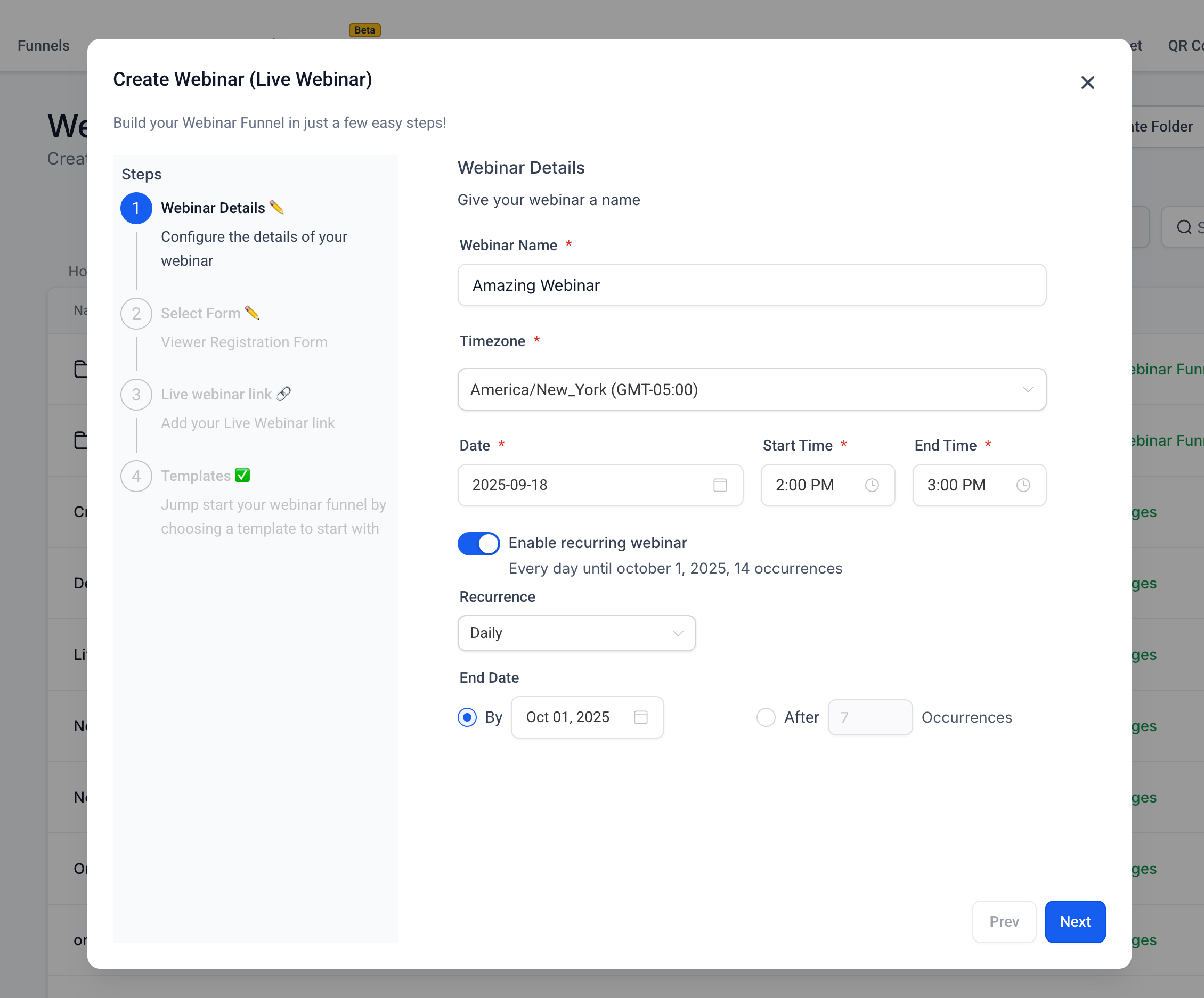
- Daily: Repeat every X days.
- Weekly: Repeat every X weeks on selected weekdays.
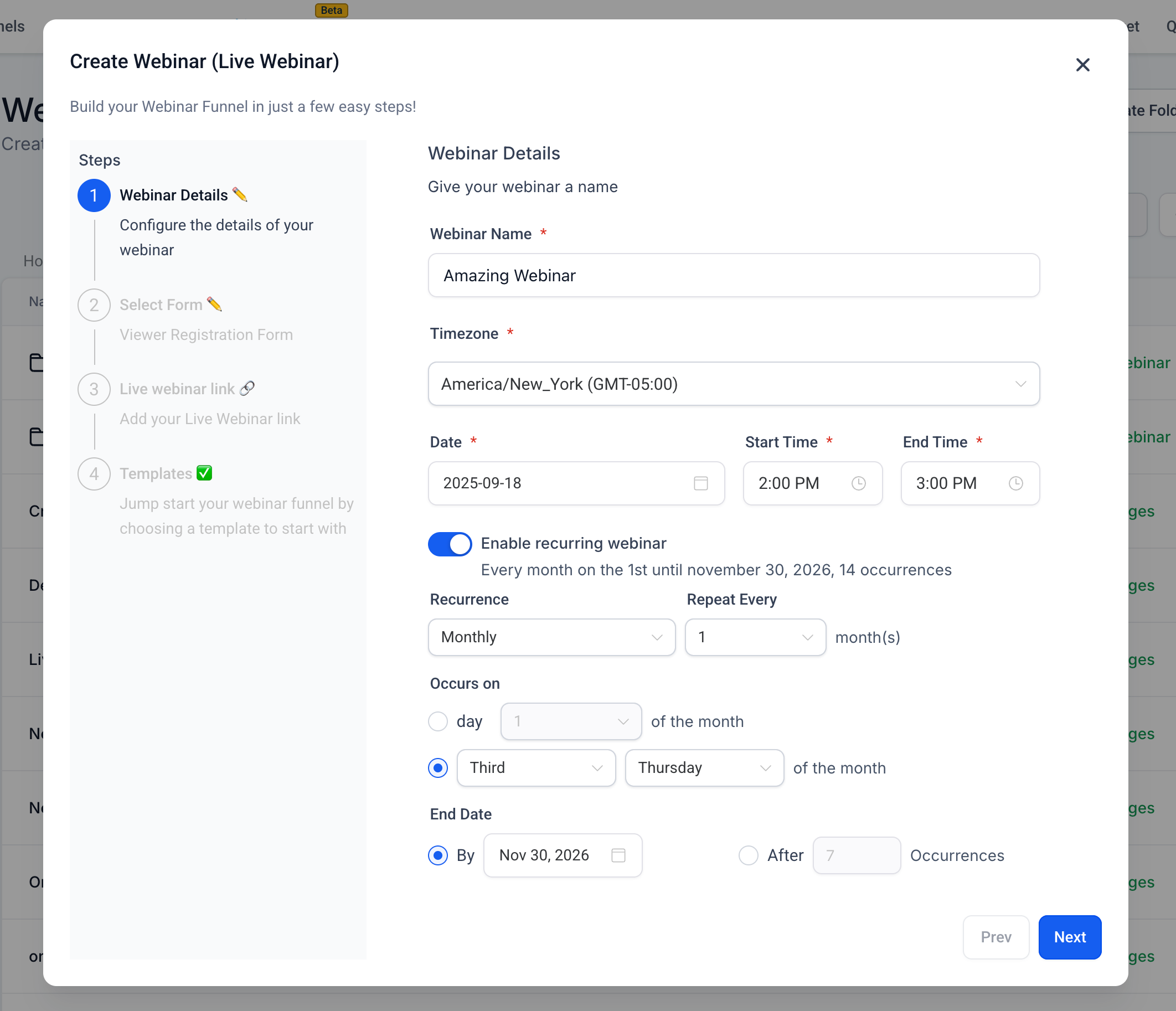
- Monthly: Repeat on a specific day or ordinal weekday (e.g., “3rd Friday”).
- Custom: End after N sessions or on a specific date.
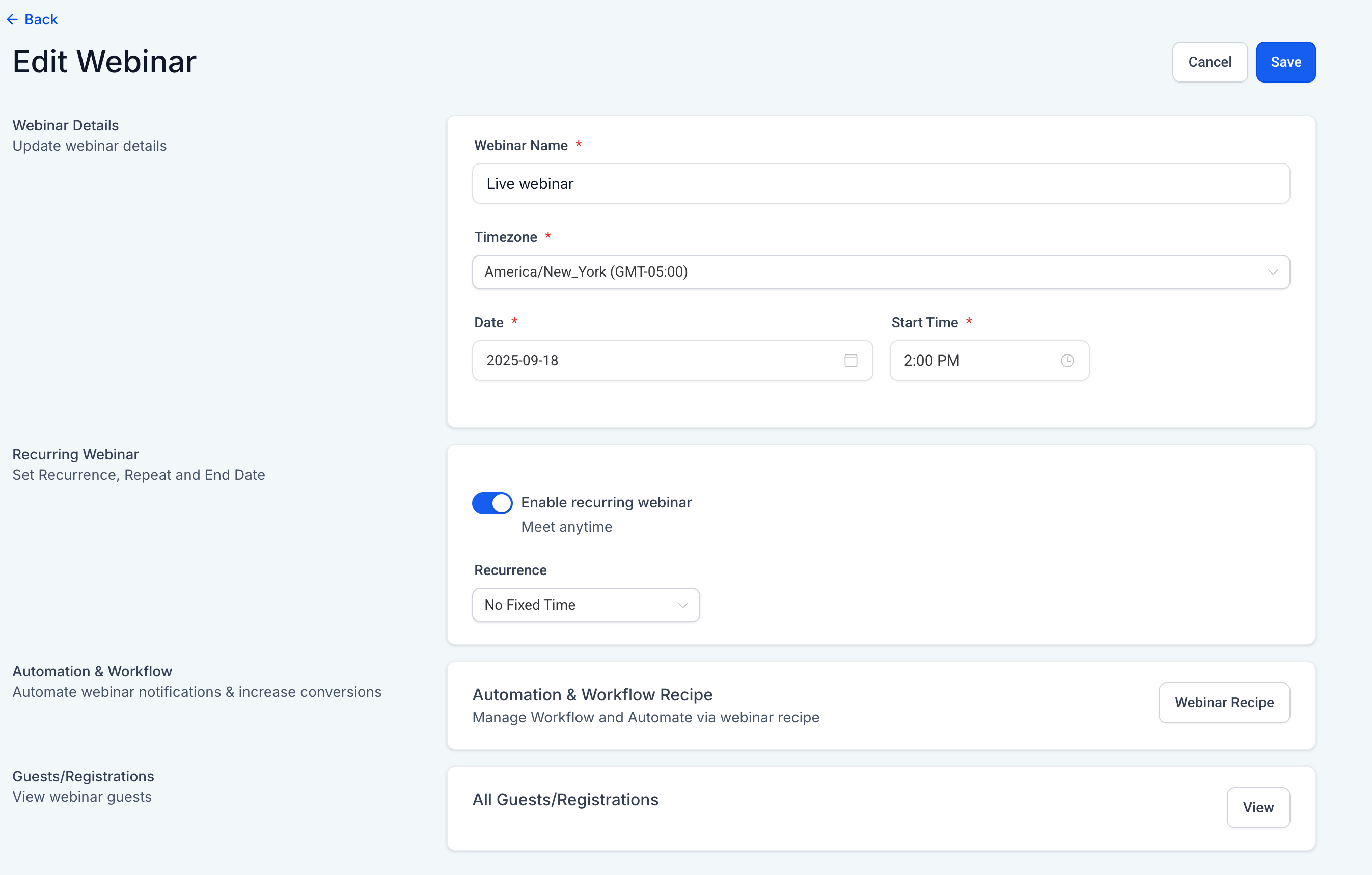
- No Fixed Time: Evergreen option for anytime availability.
Audience Engagement:
- A single broadcast page automatically updates for the next upcoming session.
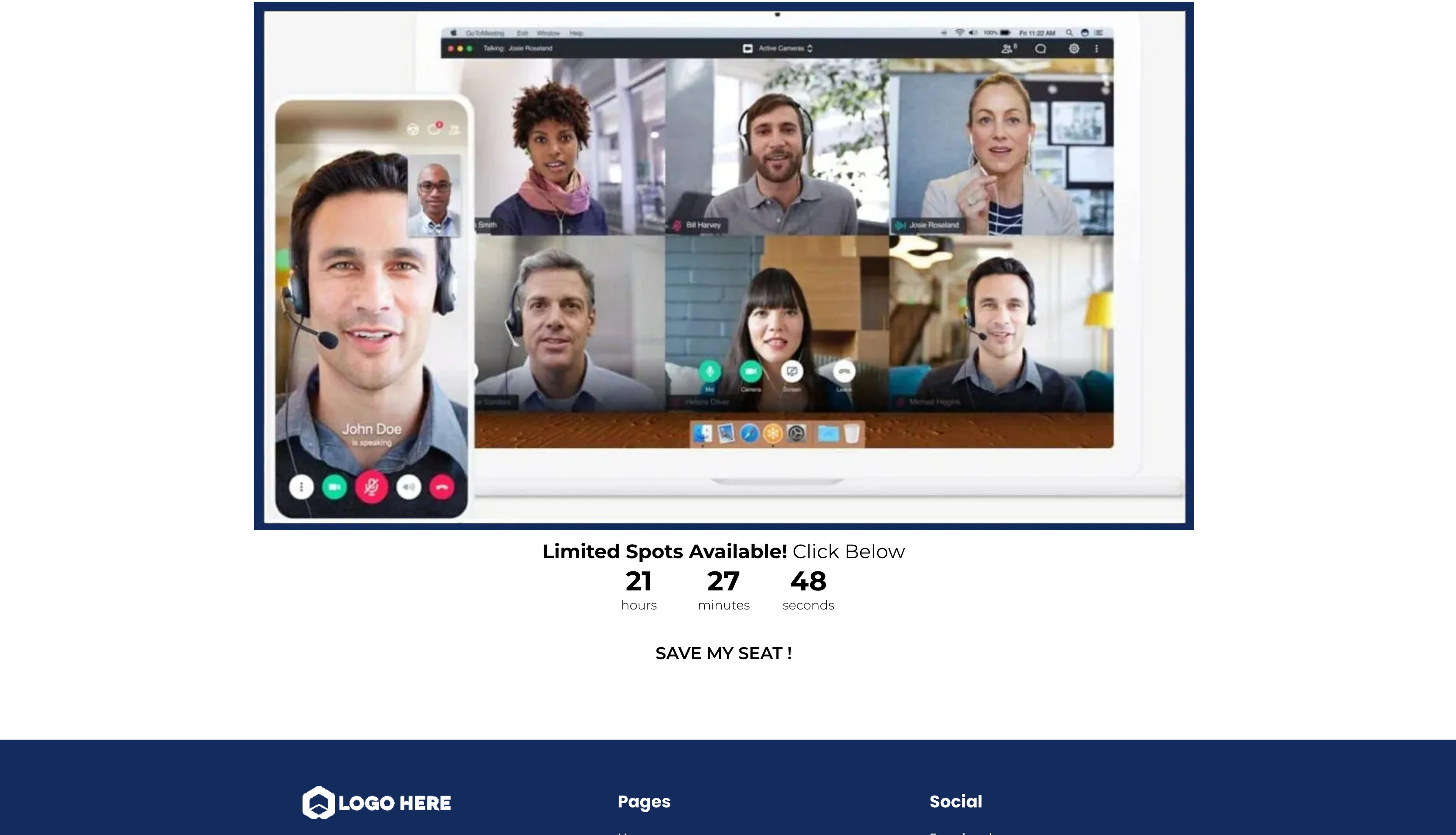
- Before a session, attendees will see a countdown.
- Between sessions, attendees will see a “next session” message.
How to Set It Up:
- Go to Webinars in your account.
- Click Create Webinar (or edit an existing one).
- In the scheduling options, select Recurring.
- Choose your frequency (daily, weekly, or monthly).
- Save, and you’re done.
Benefits of Recurring Webinars:
- Save Time: Set it up once—no need for manual duplication of webinars.
- Boost Engagement: Consistent schedules keep audiences returning.
- Look Professional: Clear, recurring schedules decrease confusion and enhance trust.