
Quizzes Section and Score Tier Control
The Quiz Results page has received a substantial upgrade, enhancing section management for a smoother, smarter, and more flexible experience! These improvements are designed to provide you with greater control over quiz structure and scoring.
1. 📌 Section Visibility Panel:
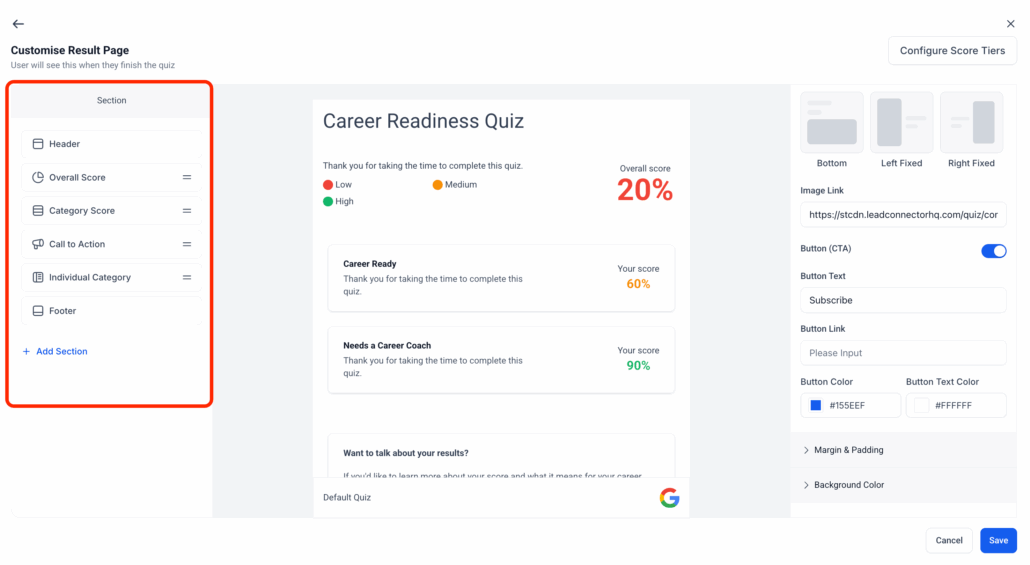
- A new left-side panel in the Quiz Builder now displays all quiz sections for quick visibility and navigation.
2. 🔀 Reorder Sections with Ease:
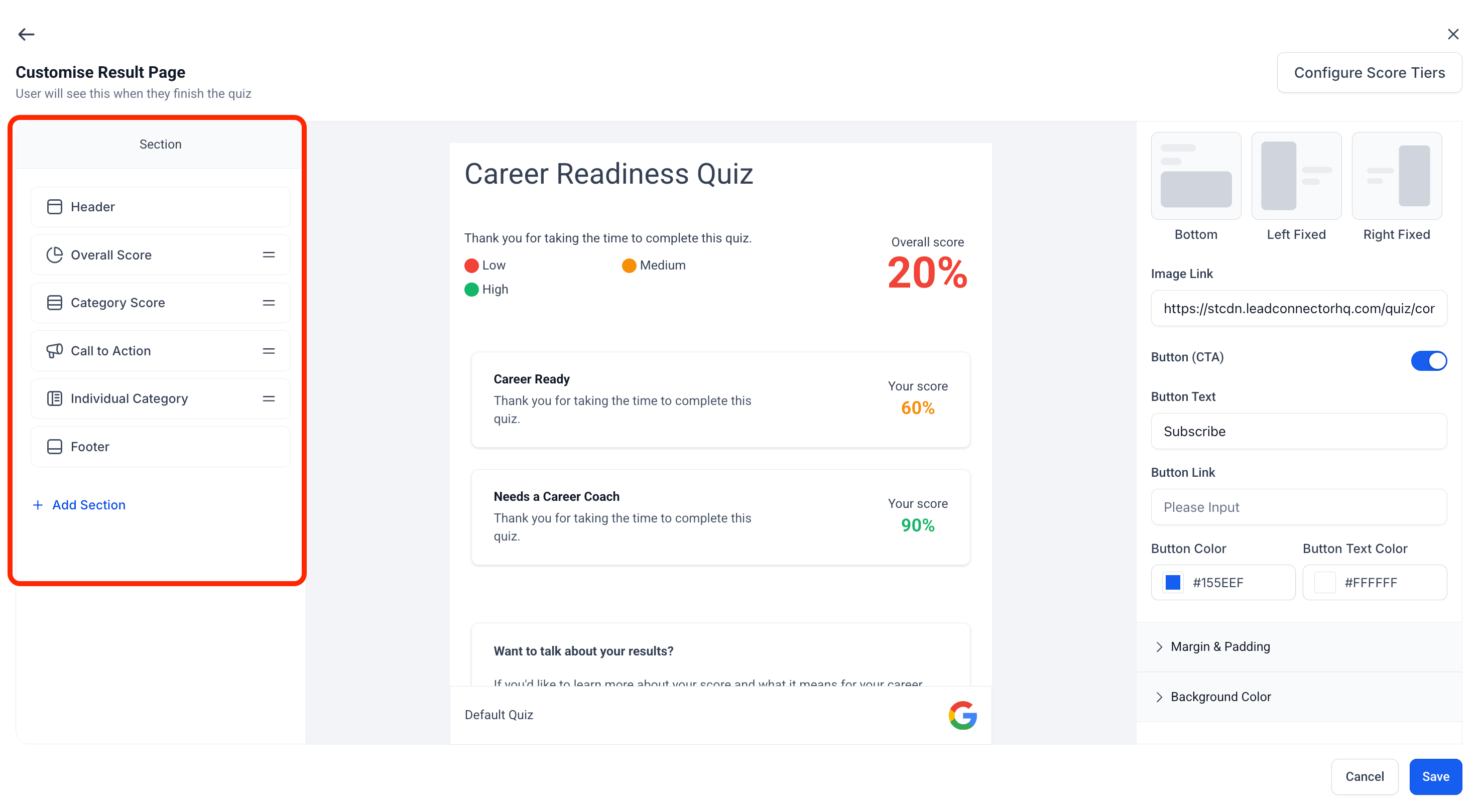
- Drag and drop sections to restructure your quiz on the fly—say goodbye to rigid order constraints!
3. 🧩 Add Sections with Templates:
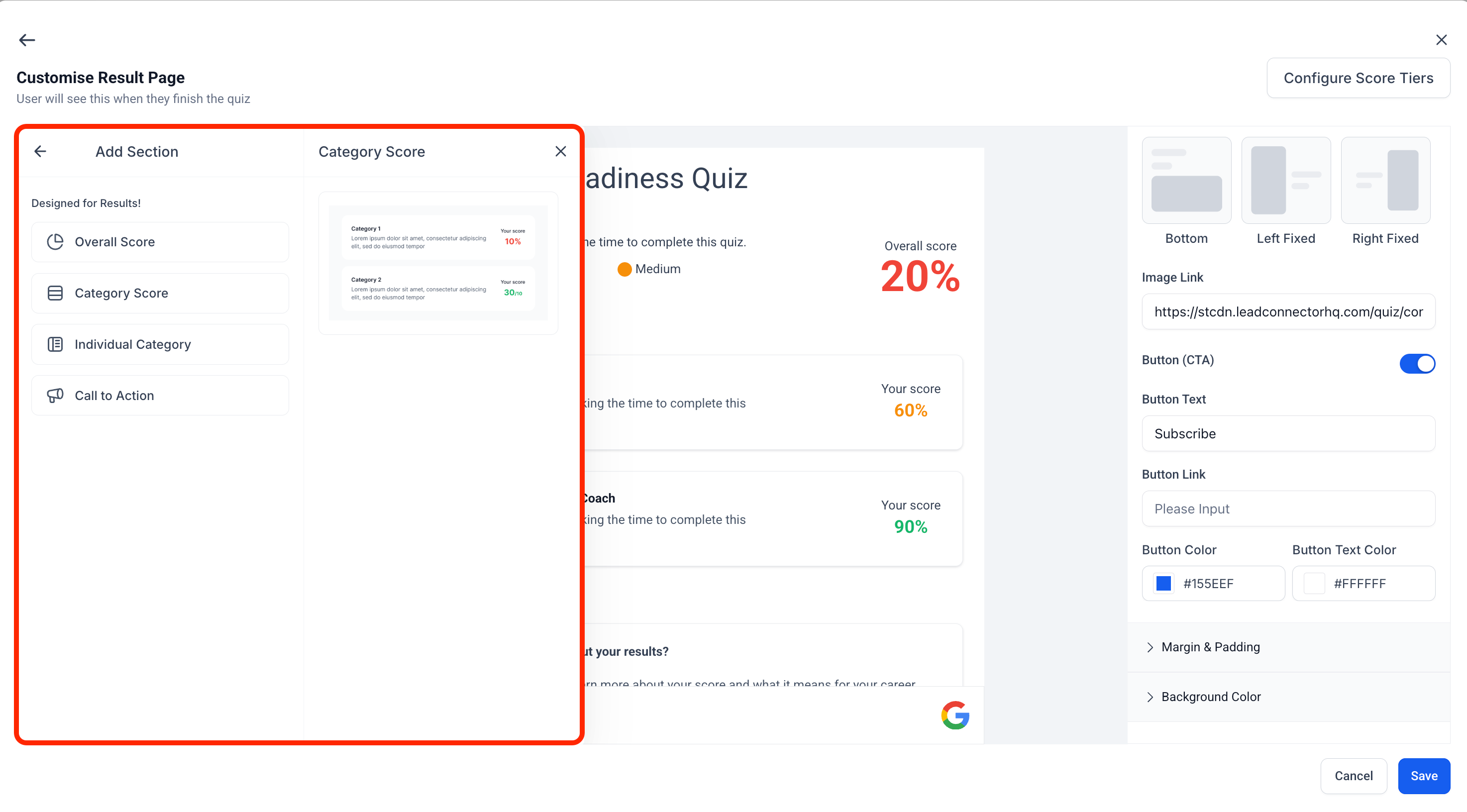
- Add new sections using pre-built templates to expedite quiz creation while ensuring consistent formatting.
4. 👻 Hide or Delete Sections:
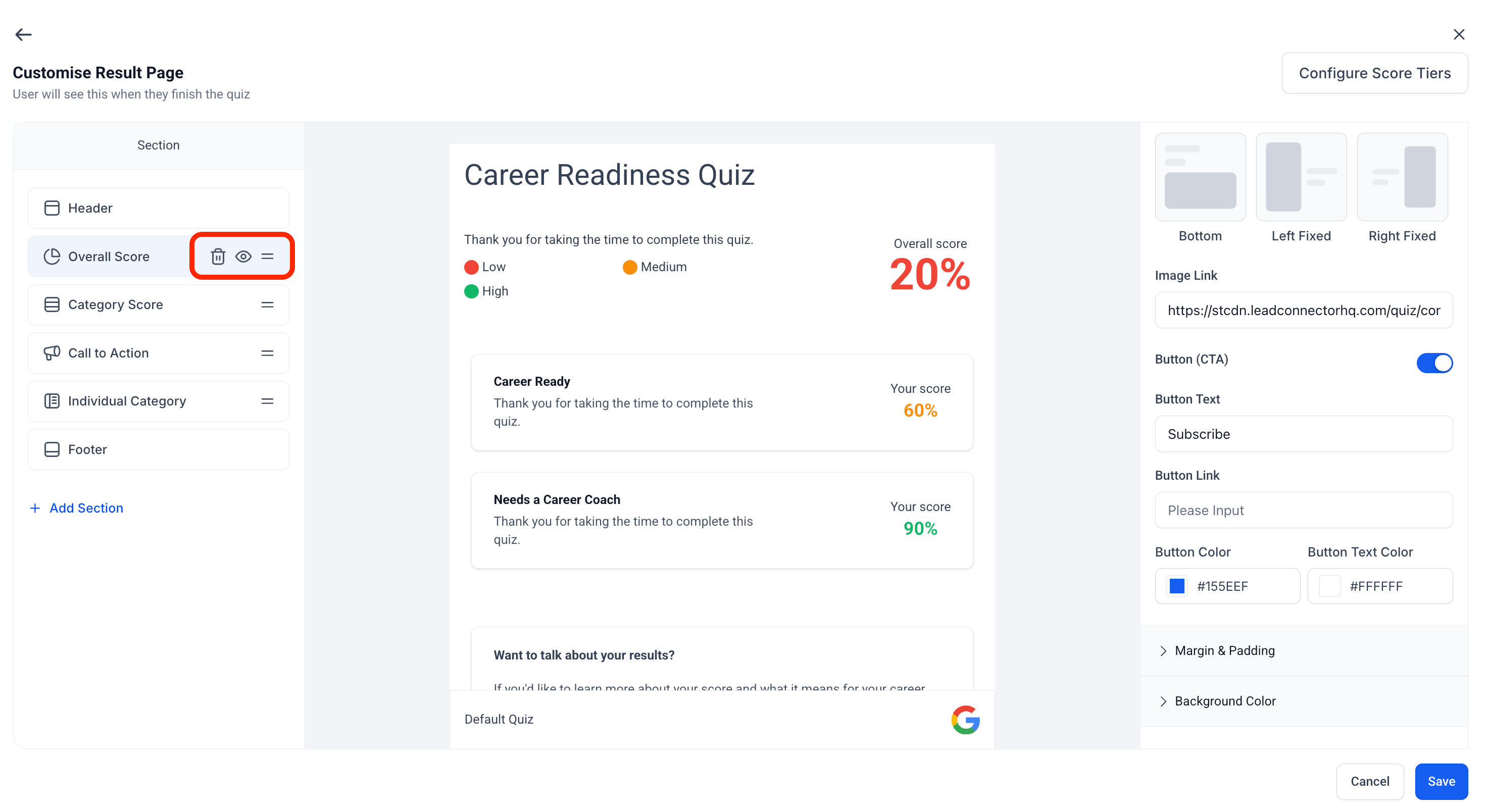
- Choose to hide sections from quiz takers or permanently delete them with just a click.
5. 🧠 Global Score Tiers + Normalised Range:
- Score tiers are now configured at a global level, ensuring all scoring falls within a 0–100 range. This guarantees consistency across all quizzes and enhances comparability.
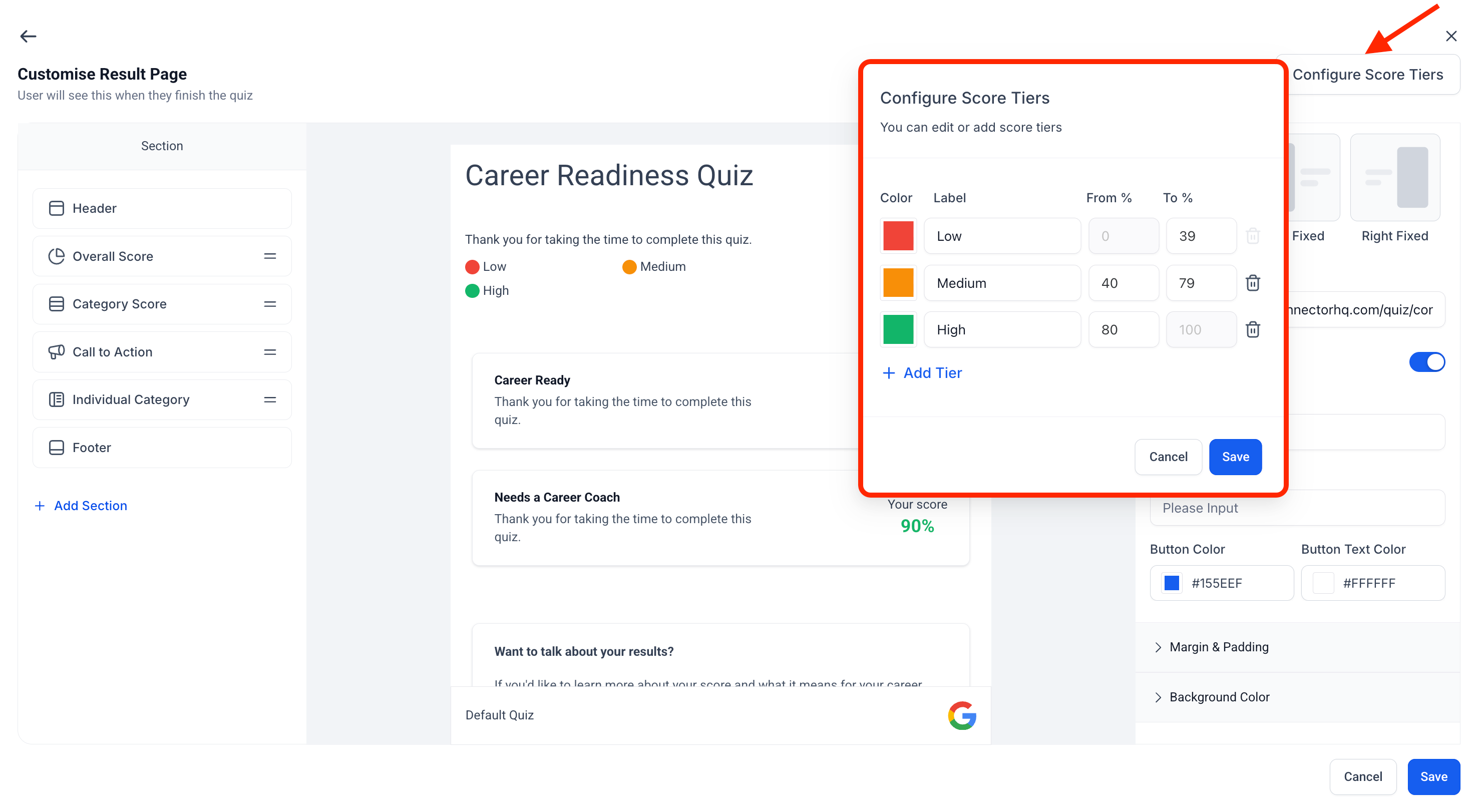
- The Section Visibility panel is located on the left side of the Quiz Builder and reflects all current sections.
- Use the drag handle next to each section name to reorder them instantly.
- Click “Add Section” to browse and select from a variety of templates tailored for different use cases.
- Use the eye icon to hide/show any section, or the trash icon to remove it permanently.
- Under Configure Score Tiers, score tiers are now fixed to a 0–100 scale, ensuring standardised results.
- These changes are available to all users with access to the Quiz Builder.