
QR Code Element in Page Builder!
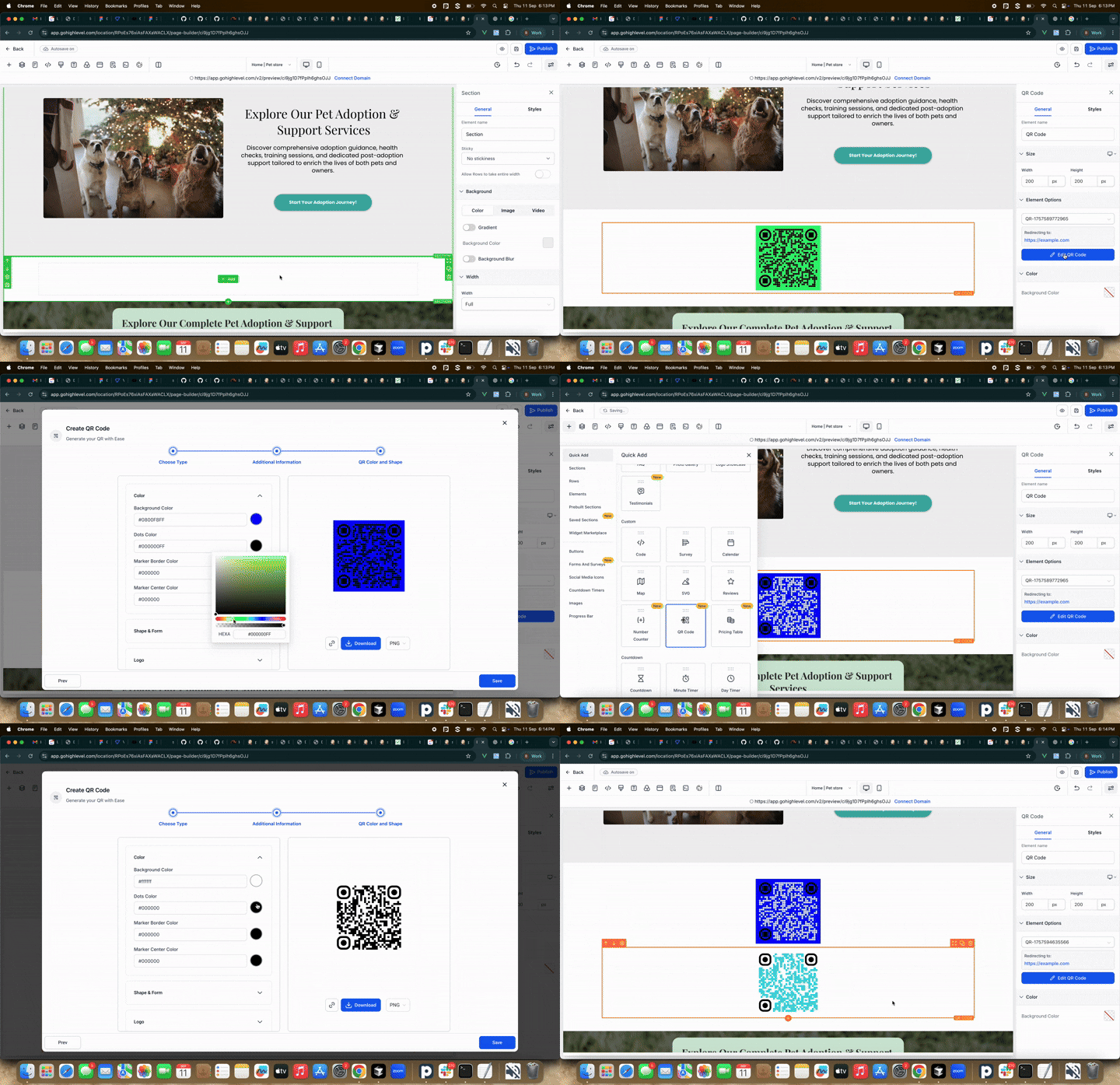
You can now add QR codes directly to your pages using the Page Builder. This feature makes it easy for visitors to connect to any link simply by scanning a code with their phone. The new element also includes tools for managing QR codes without leaving the builder.
- Add a QR Code element that links visitors to any URL.
- Select an existing QR code or create a new one directly in the builder.
- View the destination URL when a QR code is selected.
- Search and scroll to quickly locate QR codes.
- Create or edit QR codes inline without exiting the page.
- Receive notifications if a previously selected QR code was deleted.
- Identify QR codes from other locations for improved clarity.
- Open the Page Builder and add the QR Code element.
- Use the selector to search for and choose an existing QR code, or click on Create New QR Code.
- Save and publish your page.