Nudge to Connect Default Page/404 Page to Domains
Enhanced Domain Setup Nudges
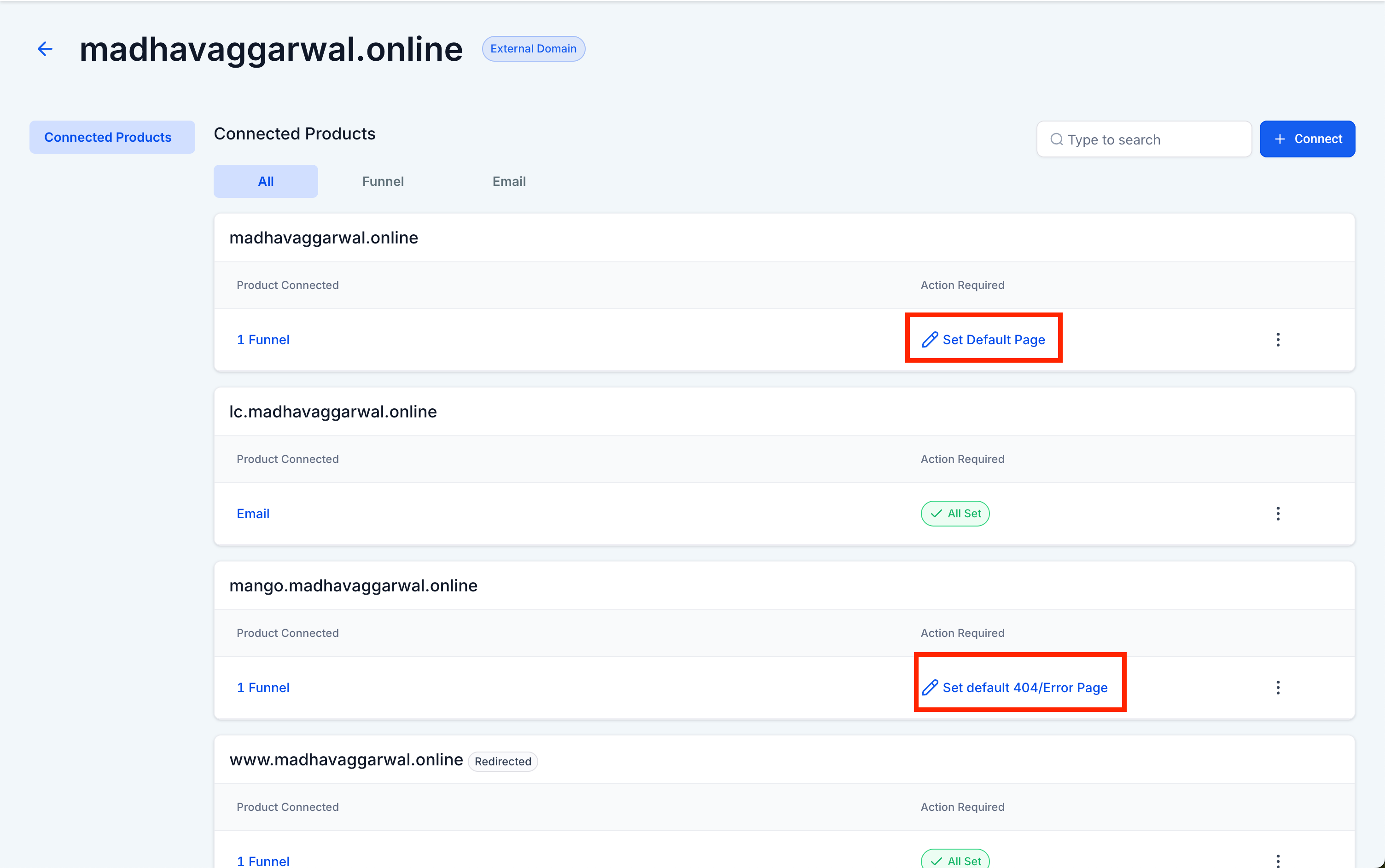
Domains connected to a funnel, website, store, webinar, or blog that lack a default page or a 404/error page will now show an “Action Required” nudge, encouraging users to complete the configuration.
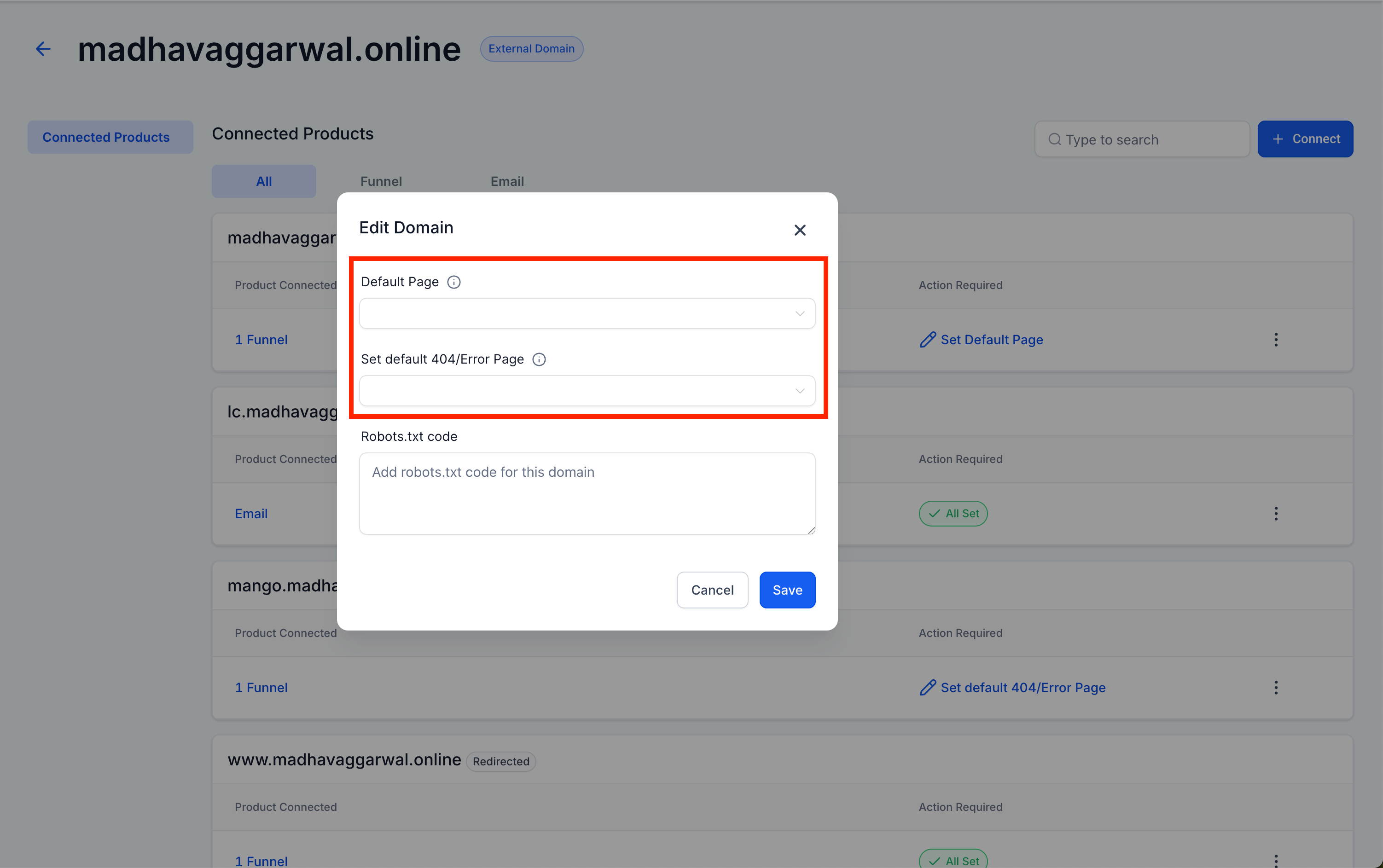
When a domain is associated with any core asset (funnel, website, store, webinar, or blog) but is missing either a default or 404/error page, the system will highlight it with an “Action Required” message on the Connected Products screen. Clicking this message opens a modal, enabling users to:
- Select the Default Page
- Set a Default 404/Error Page
Both options are provided as dropdowns filled with eligible pages for the selected domain.
This enhancement ensures a smooth and professional visitor experience. Without properly configured pages:
- Visitors arriving at the root domain (e.g., example.com) may encounter blank or error pages
- Incorrectly typed or broken URLs could lead to generic, non-branded error messages
With default and error pages configured:
- Visitors are redirected to branded, meaningful fallback pages
- User trust is maintained, and bounce rates are reduced
- You can still configure the default and 404 pages by selecting Edit via the three-dot menu next to each domain (in any site product)
- The “Action Required” nudge is only visible in the sub-account where the domain was originally connected