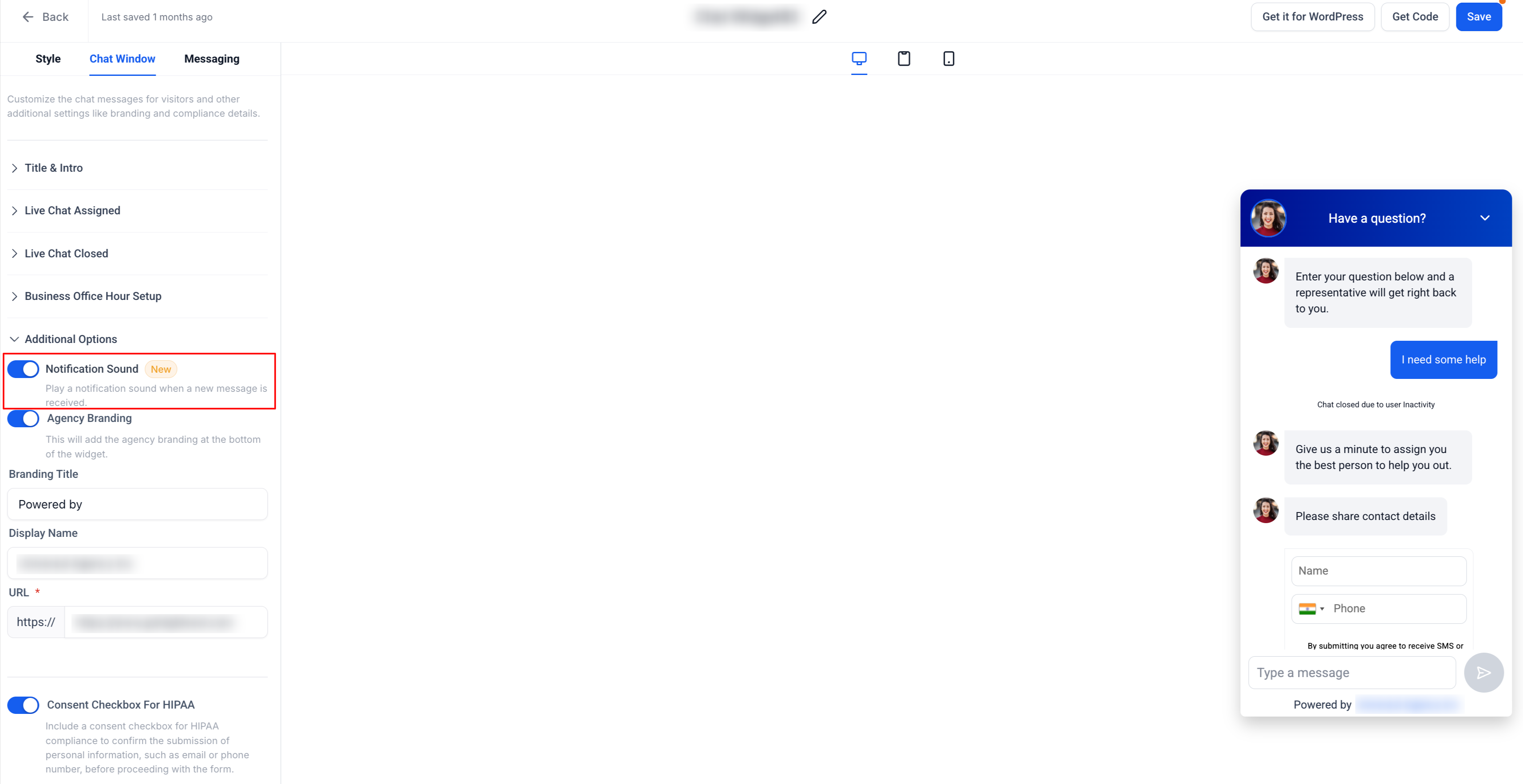
A new “Notification Sound” toggle has been introduced under ‘Additional Options’ in the Chat Widget builder.
By default, this option is enabled, ensuring that website visitors are alerted with sound whenever a new message arrives. Businesses can now disable this feature if they prefer a quieter chat experience for their visitors.
👷 How It Works:
The Notification Sound toggle is found in the Chat Widget > Chat Window tab > Additional Options section.
When set to ON (default), the widget will:
Play a notification sound whenever a new message is received.
Display a popup and a bubble notification badge.
Update the browser tab title to alert the visitor.
When set to OFF, the chat widget will continue to receive messages silently without sound or visual interruptions.
🌟 Why It Matters:
Ensures that visitors never miss a message when chatting with the business.
Provides flexibility to disable sounds for a non-intrusive experience.
Helps businesses create a personalised chat experience that aligns with their brand tone and customer preferences.
📝 Notes:
This feature is ON by default for any live chat widget.
Sub-accounts can control the toggle independently in their respective chat widget settings.
https://clixio.io/wp-content/uploads/2023/08/clixio-logo-dark.png00Clixio.iohttps://clixio.io/wp-content/uploads/2023/08/clixio-logo-dark.pngClixio.io2025-10-28 15:16:002025-10-28 15:16:00Notification sound option in Chat Widget