
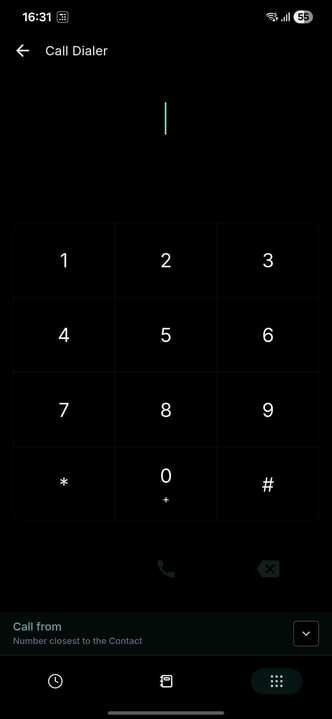
Mobile App: 📞 Local Presence Dialing
🚀 **New Feature: Local Presence Dialling in the Mobile App**
We are thrilled to announce that Local Presence Dialling is now available in the Clixio Mobile App. This feature will help you improve call answer rates by automatically calling contacts using numbers from their local area code.
**What is Local Presence Dialling?**
When you call a contact, the app automatically selects a number from the same area code, making your calls appear local and more familiar.
**Example:**
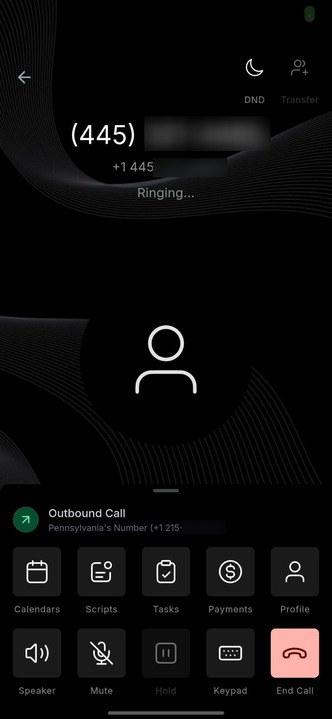
If you’re calling someone in Pennsylvania with the (445) area code, the app will automatically use a Pennsylvania-based number (like a +1 215 area code), giving your call a local identity and increasing the likelihood of an answer.
- Boost call answer rates by appearing local and trustworthy.
- Gain smarter, city-level precision when connecting with leads.
- Easily manage outbound numbers with the new enhanced number picker.
- Enjoy consistent local presence behaviour across web and mobile.
**New on Mobile App along with Improvements**
The mobile version of Local Presence Dialling comes with several intelligent enhancements:
- **International Support:** When calling contacts outside the US or Canada, the app will automatically select a number from that specific country, if available.
- **Smarter Fallback Logic**
- If no local number can be found: The app will first revert to the assigned number.
- If that’s unavailable, it will then use the default sub-account number.
This ensures that every call connects smoothly.
- **City-Level Precision (mobile only):** The mobile app doesn’t just match by state; it goes a step further to use the closest city number. For example, if you’re calling a contact in San Francisco, California, the app will first try to use a San Francisco number. If that’s unavailable, it will then use any other California number before reverting to the assigned or default number.
**Enhanced Number Picker Experience**
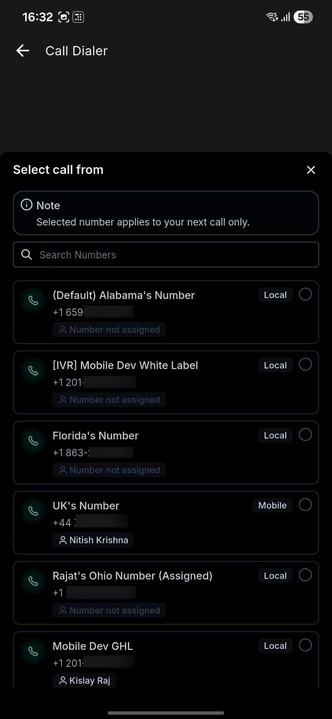
Alongside this release, we’ve redesigned the Number Picker to make selecting and managing outbound numbers easier and more transparent.
**Here’s what’s new:**
The Number Picker now shows additional details, such as:
- Who the number is assigned to
- The type of number (Local, Mobile, or Toll-Free)
The default number will align with what you’ve selected in the Web App under Default Outbound Number Settings, which could be:
- Local Presence Dialling
- User Assigned Number
- Default Account Number
If you want to temporarily use a different number, simply select it from the Number Picker before your next call.
- This selected number will only be used for the next outbound call.
- After that call, the system will automatically revert to your default outbound number.
(See attached images: the new Number Picker interface clearly displays all available numbers with assignment and type indicators.)
**How to Enable Local Presence Dialling**
To enable Local Presence Dialling for your mobile app:
- Go to the Web App
- Navigate to:
- Account Settings → Phone Numbers → Advanced Settings → Voice Calls → Outbound Call → Default Phone Number for Outbound Calls
- Enable Local Presence Dialling.
- Once enabled, this setting will automatically apply to calls made from the Mobile App.
**Status:** Live
Clixio v4.0.0 and above
LeadConnector v4.0.0 and above
White Labelled apps – Self Serve