
Mailchimp Design Editor Template Import
We are excited to announce that importing Mailchimp templates into the design editor is now possible.
A new option has been added to allow the direct import of templates into the visual design editor, making the editing process much simpler and more accessible.
- Navigate to Marketing → Email Builder
- Click on Templates
- Select New → Import Email
- Upload your email template (from Mailchimp)
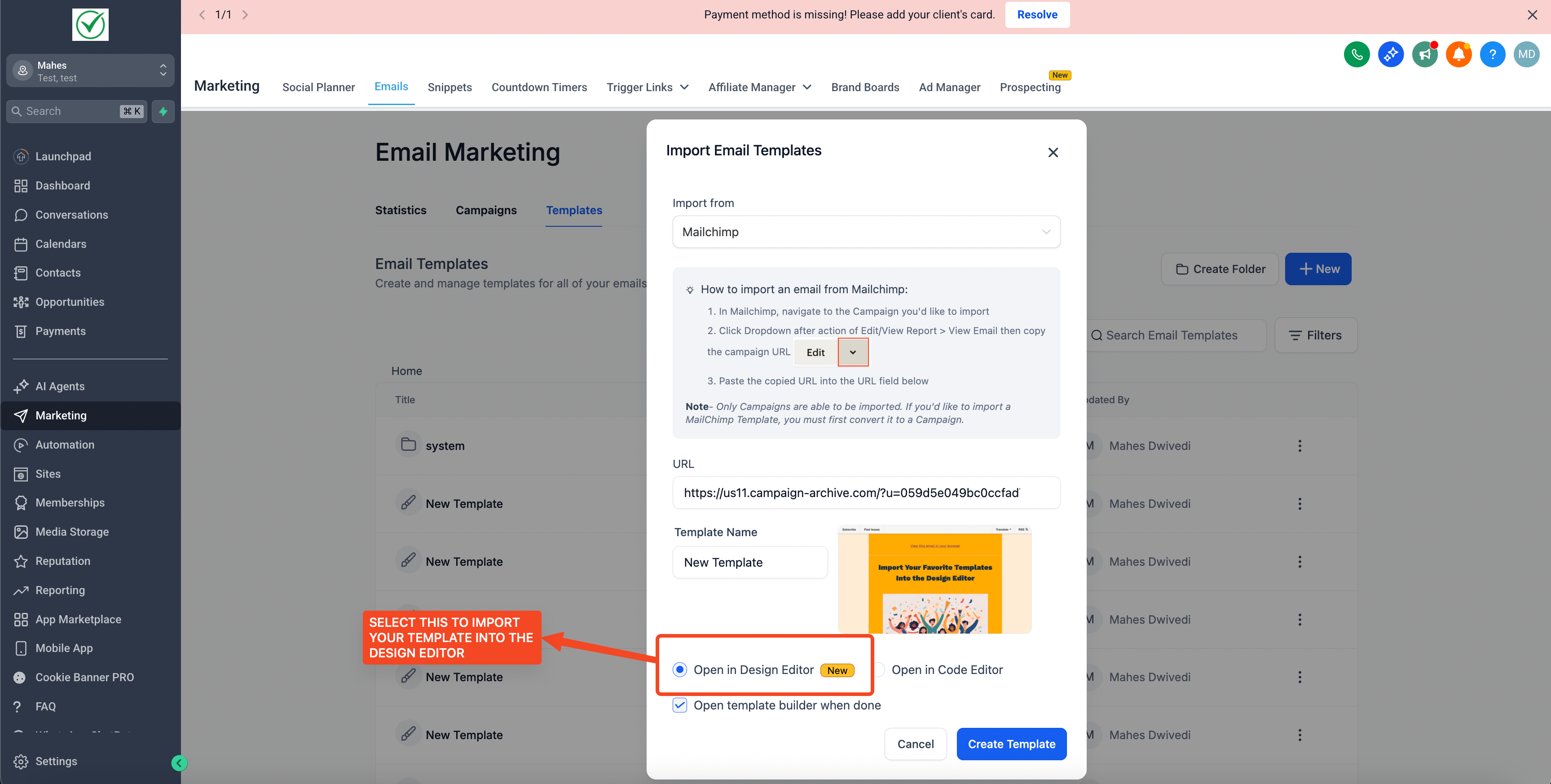
- Choose the design editor to work visually with recognised content blocks
- Provide feedback on the imported template
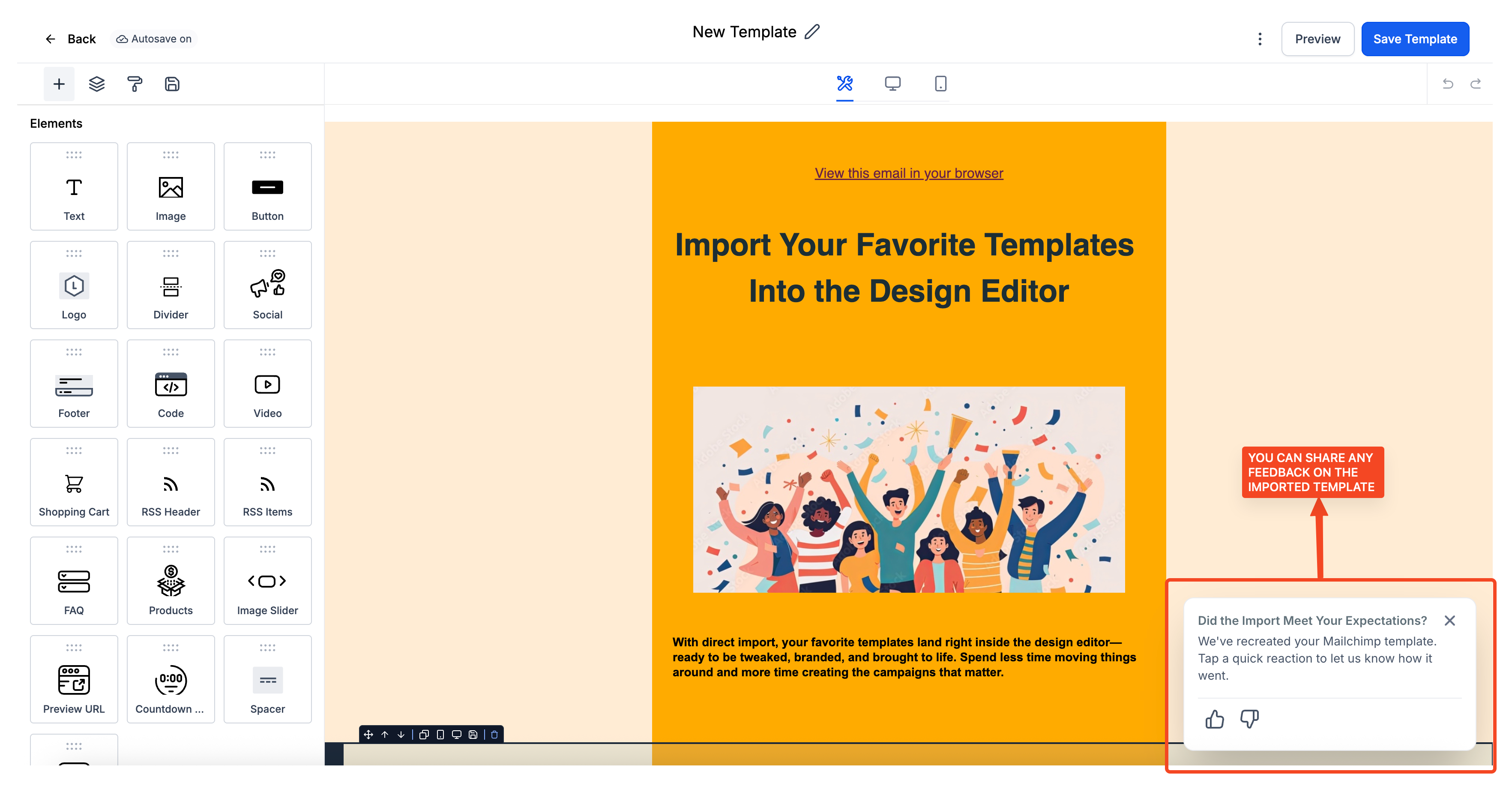
- Edit without needing code or developer assistance
- Quickly reuse your existing designs from Mailchimp
- Streamlines template migration