
Learn More Using AI | Clixio Changelog
We have introduced an intelligent help system directly within the Workflow Builder to provide instant, contextual guidance on triggers and actions.
-
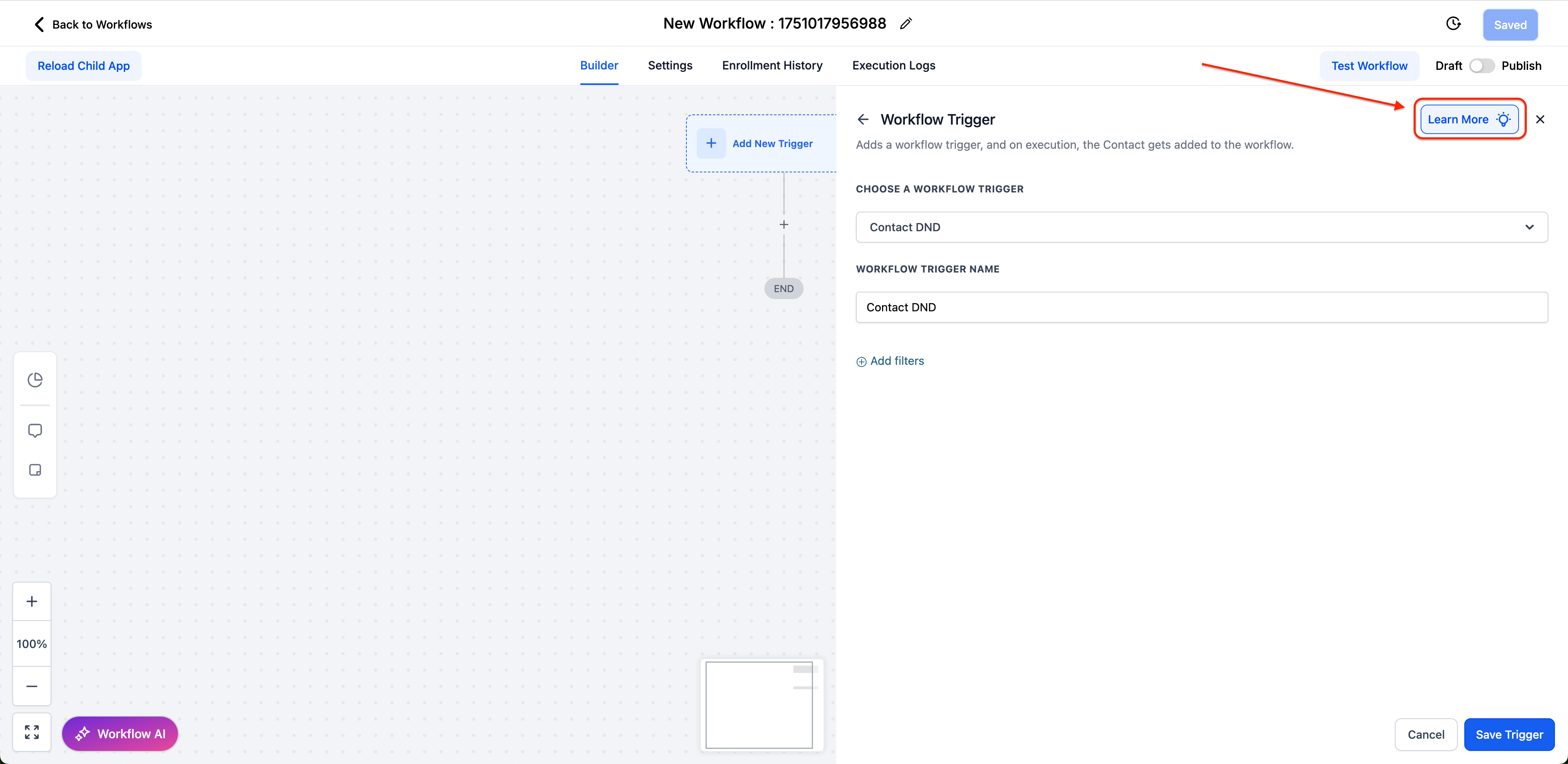
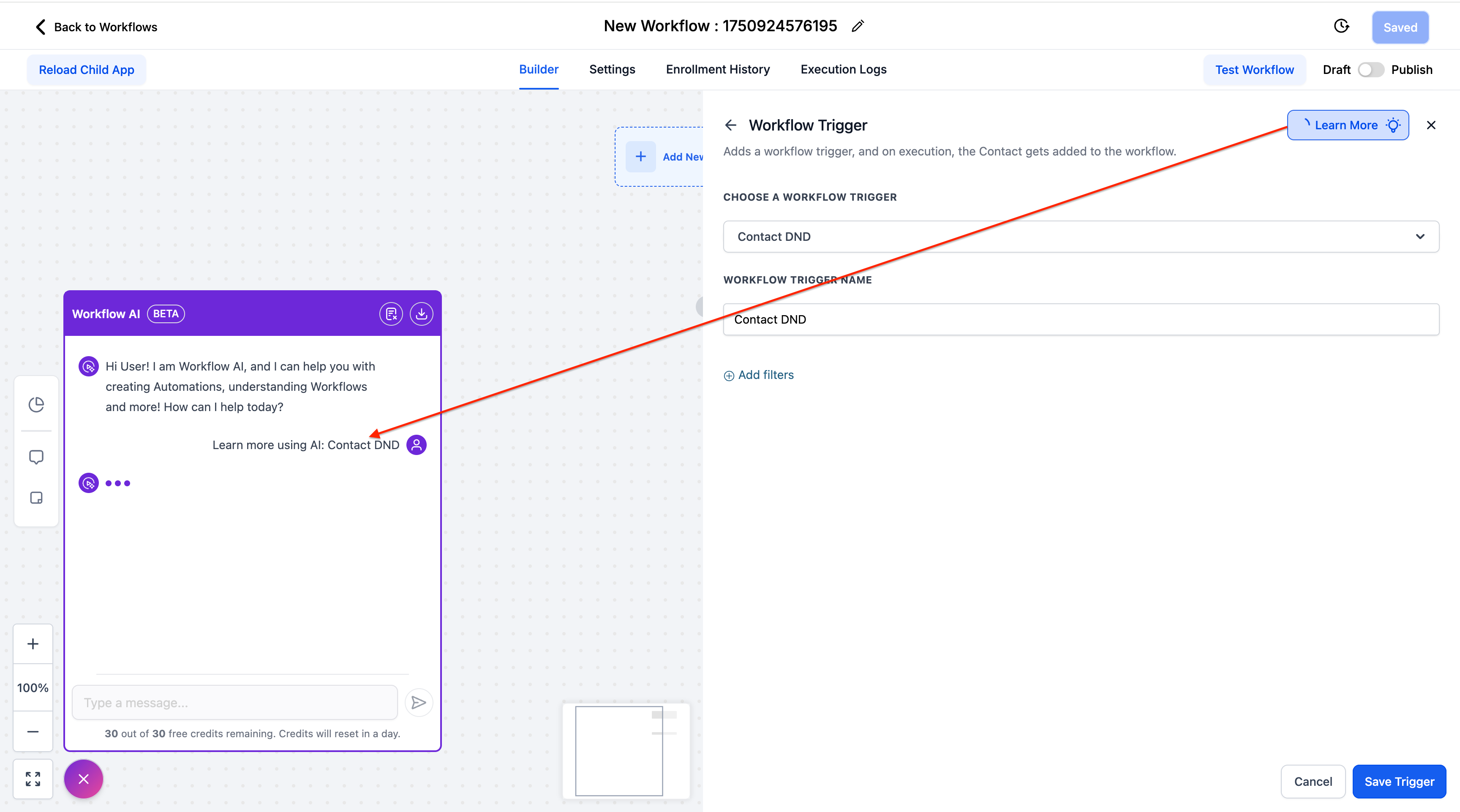
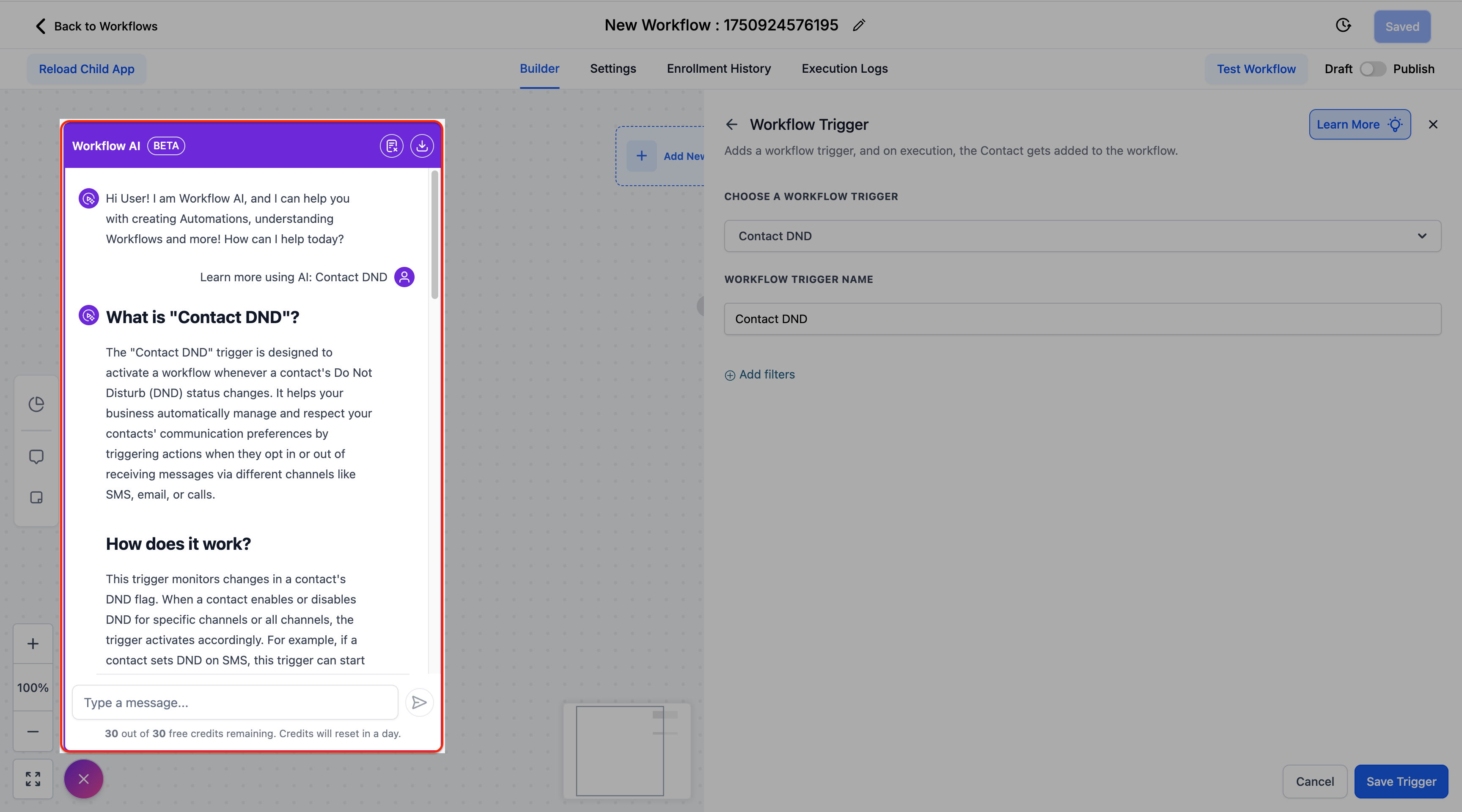
Contextual AI Assistant – Click the blue “Learn More” button in any trigger/action configuration panel to open the Workflow AI Assistant, which offers detailed explanations, setup instructions, and real-world use cases.
-
Completely Free – This feature does not count against Workflow AI credits or usage limits.
-
Interactive Help – Ask follow-up questions and receive tailored responses specific to the element you are configuring.
-
Comprehensive Coverage – Available for all standard triggers and actions (marketplace elements coming soon).
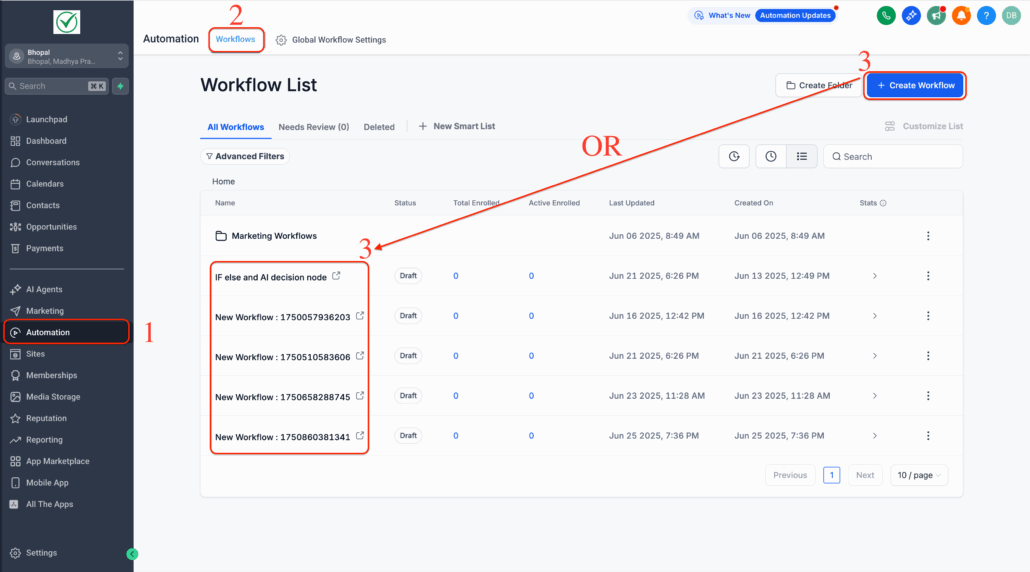
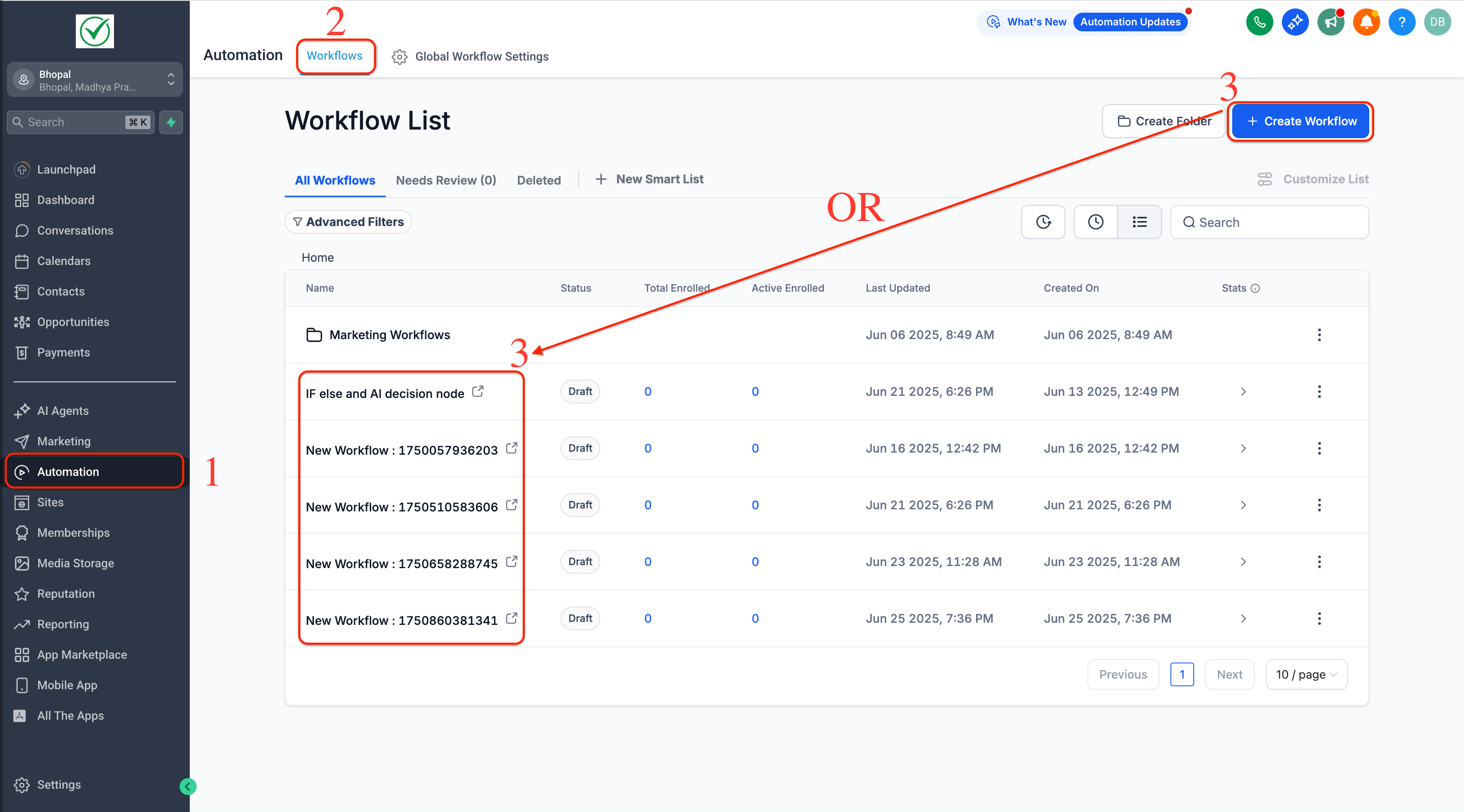
- Navigate to Automation → Workflows and open any workflow.
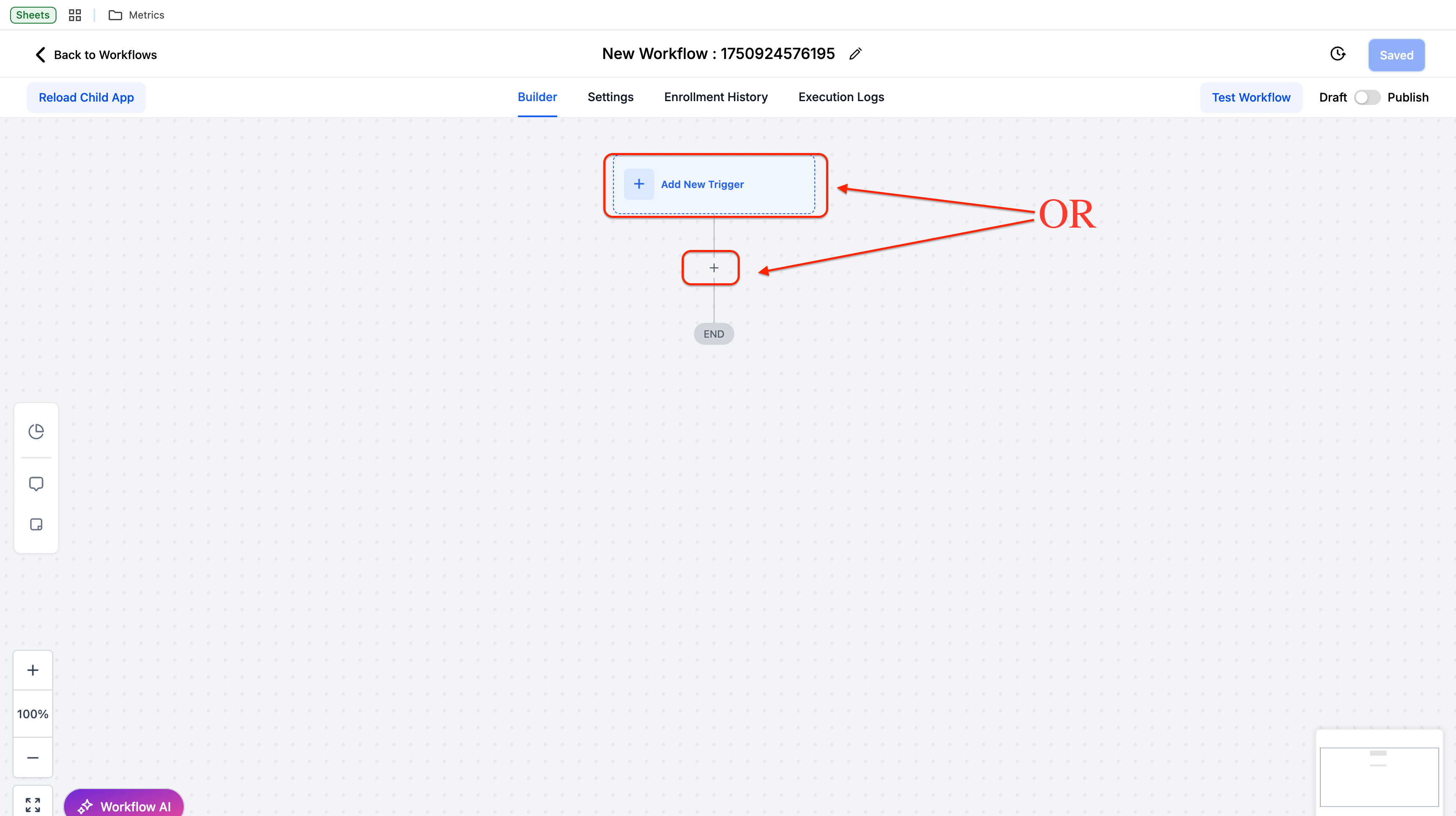
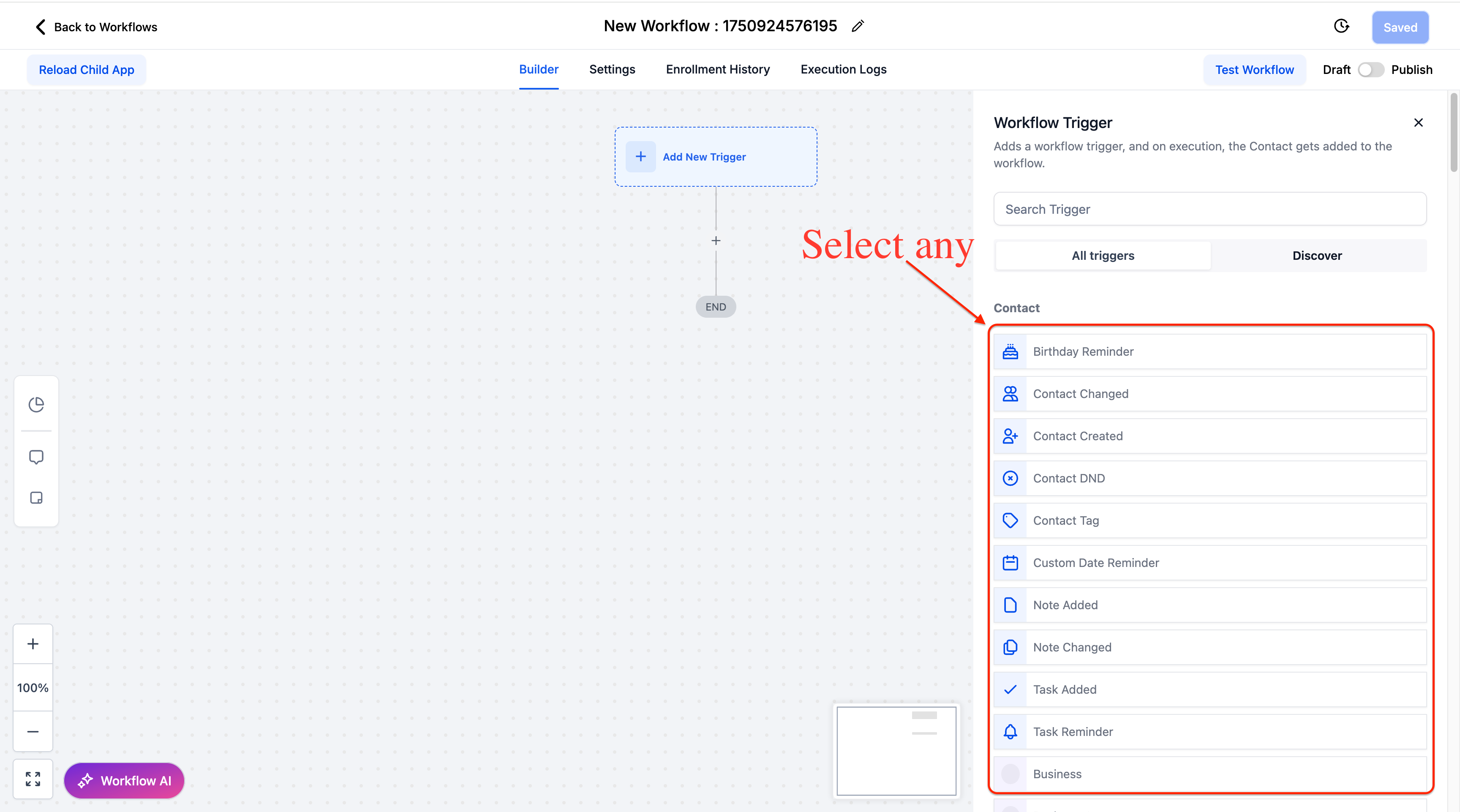
- Add or configure a trigger/action.
- Click the “Learn More” button (blue bulb icon) in the top-right corner.
- Review AI-generated guidance and ask custom questions in the Workflow AI Assistant.
This feature reduces the learning curve for workflow configuration, decreases support tickets, and helps users discover advanced functionality they might otherwise miss.
The AI provides instant access to setup instructions, validation requirements, and practical examples, all without leaving the Workflow Builder.
Getting Started:
The Learn More button appears automatically in all trigger and action configuration panels. Simply click it whenever you need guidance on how a feature works or how to configure it properly.