• Shopping Cart Shopping Cart
    0Shopping Cart
Clixio
  • Features
  • Pricing
  • FAQ
  • Blog
  • Log in
  • Free Trial
  • Menu Menu

Invoices: Added Date-Range Support to Quickbooks import

May 21, 2025/in What's New?

You can now selectively import QuickBooks invoices by date range—making your migration to Invoicing easier, faster, and more precise.

  • Flexible Date Selection:

    You can now pick a start and end date when importing invoices from QuickBooks into GoClixio.

  • Selective Migration:

    Only invoices created within your chosen date range will be fetched and brought into your account. Previously, all invoices from the beginning were imported.

  • Navigate to Settings → Integrations → QuickBooks in your GoClixio dashboard.
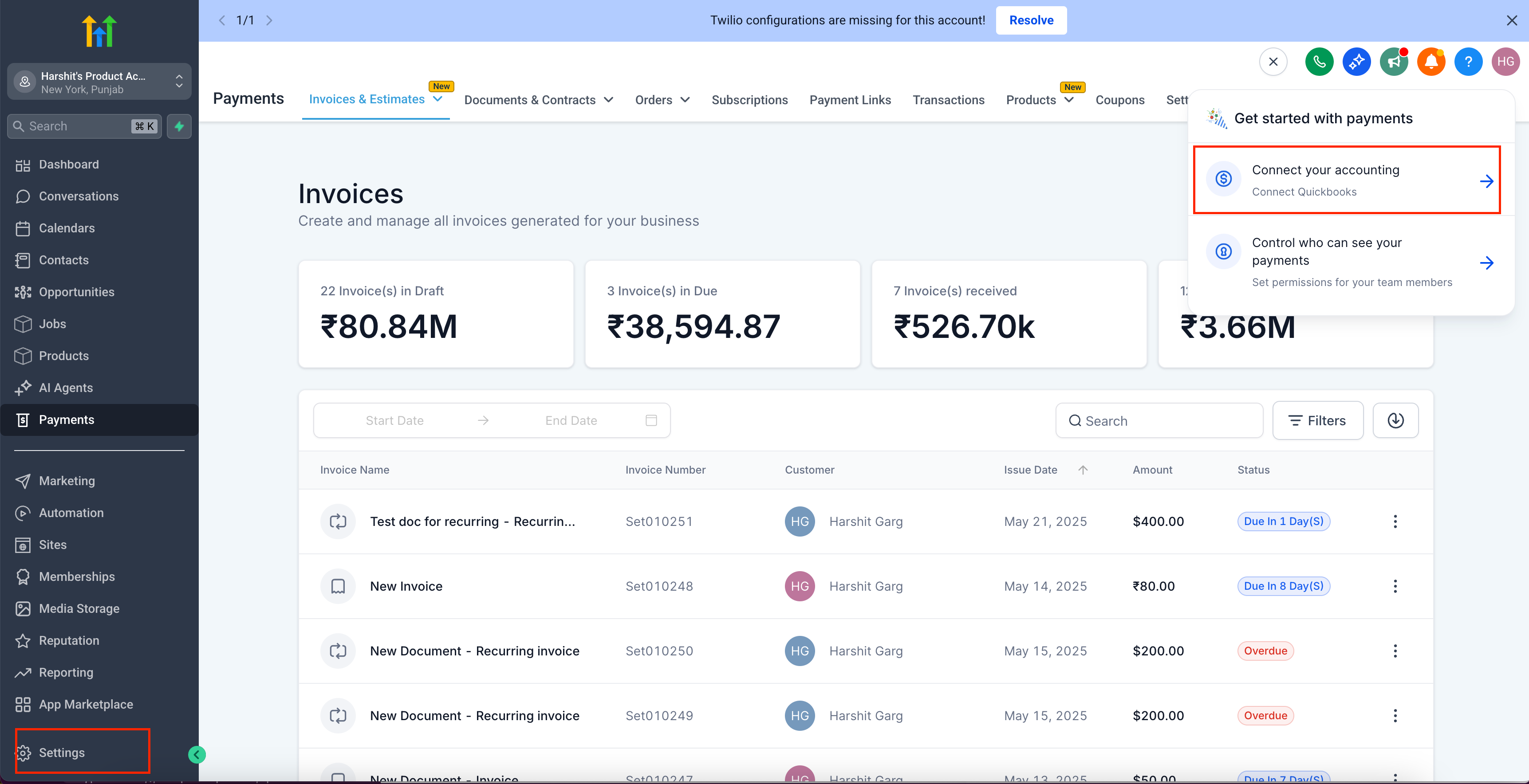
Screenshot 2025-05-21 at 17
  • Click Connect (or Manage) to open the QuickBooks Integration modal.
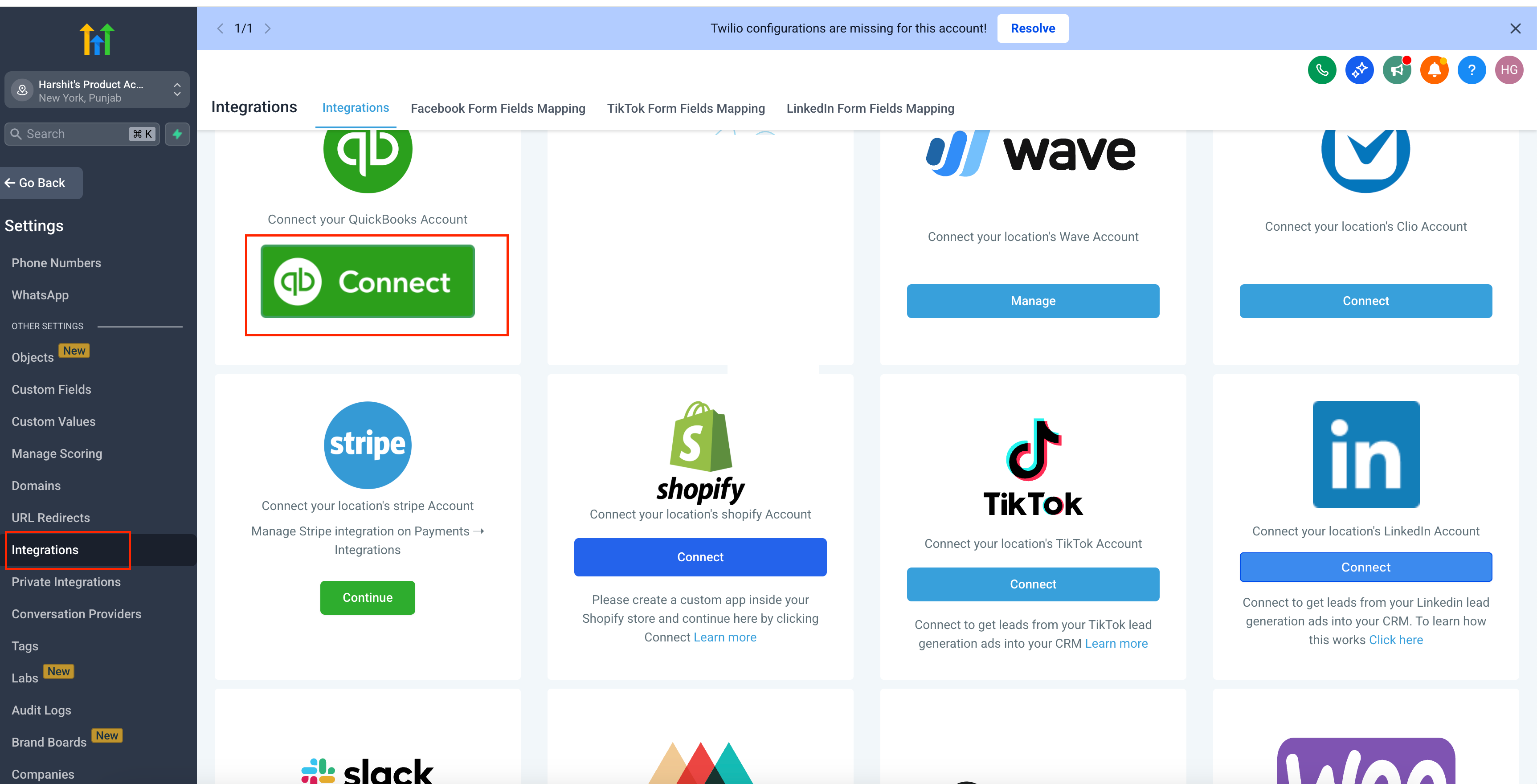
Screenshot 2025-05-21 at 17
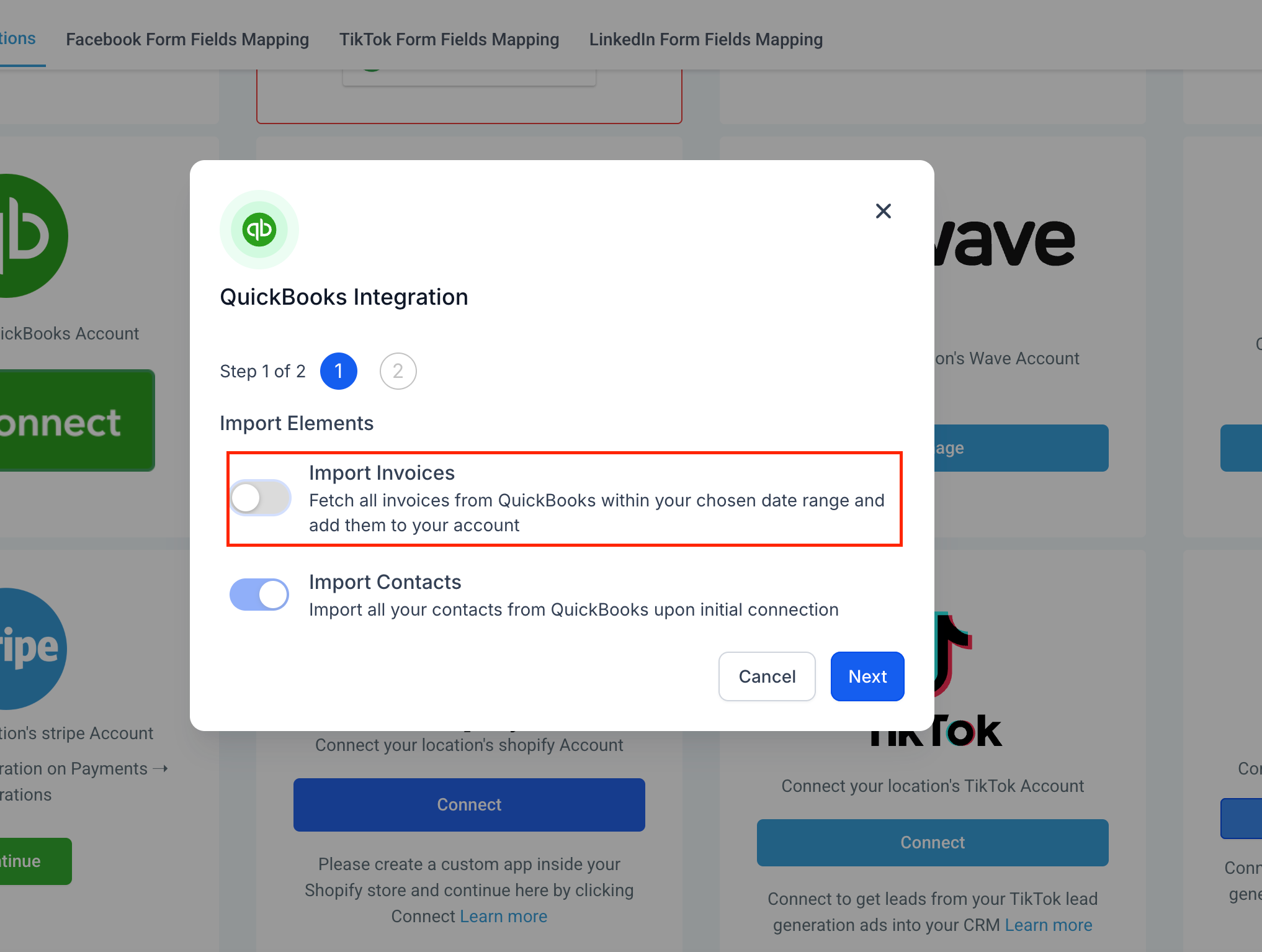
  • Toggle Import Invoices ON.
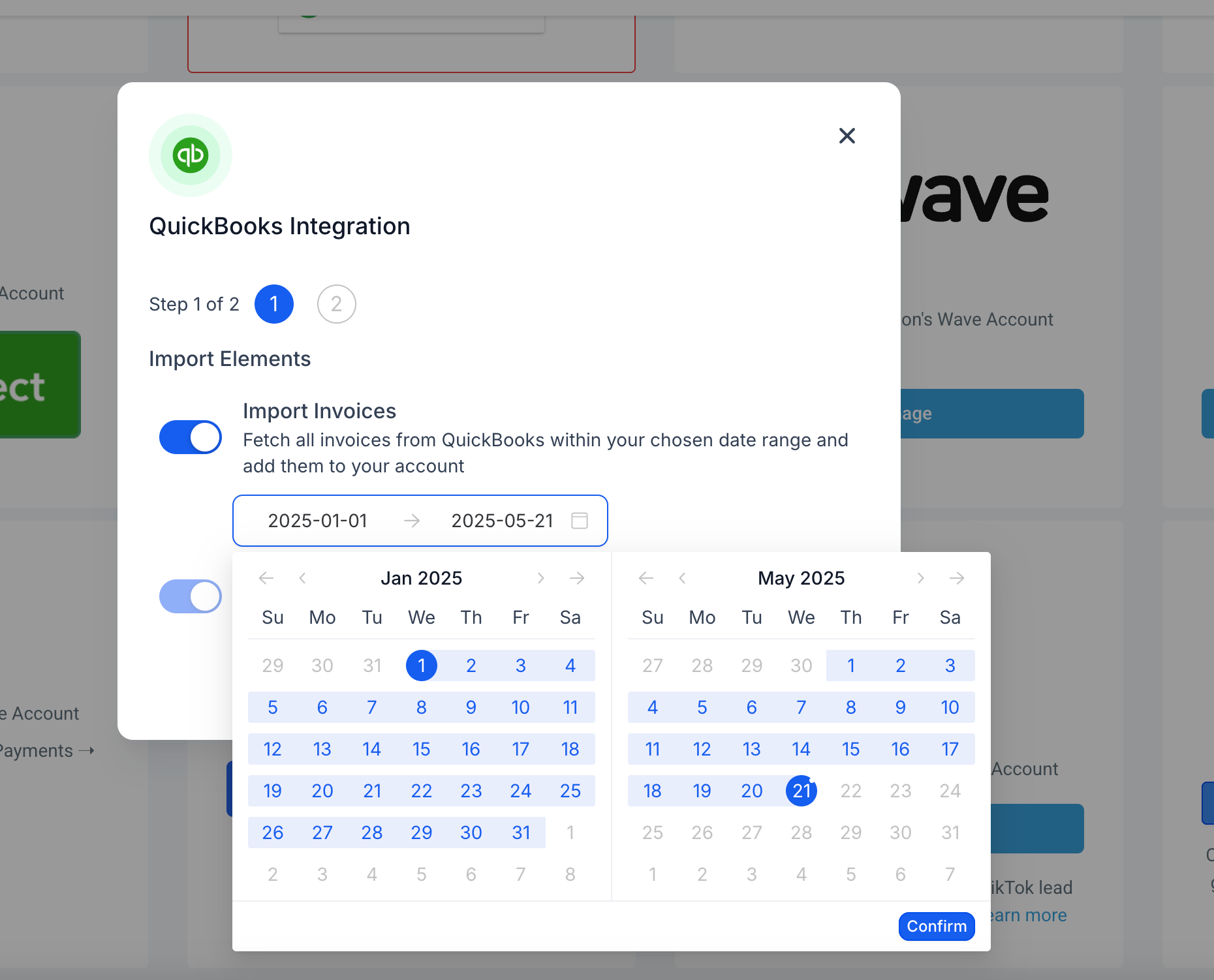
  • Click the date picker and select your desired Start Date and End Date.
Screenshot 2025-05-21 at 17
  • Hit Confirm, then click Next to begin.
  • Sit back—your invoices within that range will be imported asynchronously.
  • Simplify Migration: Agencies can now migrate only the invoices they need, rather than pulling every record.
  • Control & Clarity: This feature provides full control over data volume and helps avoid clutter in your GoClixio account.
https://clixio.io/wp-content/uploads/2023/08/clixio-logo-dark.png 0 0 Clixio.io https://clixio.io/wp-content/uploads/2023/08/clixio-logo-dark.png Clixio.io2025-05-21 22:11:002025-05-21 22:11:00Invoices: Added Date-Range Support to Quickbooks import

RSS Latest Feature Updates

  • Export email marketing data 🚀 March 6, 2026
  • Fixed: ‘Assign to User’ Now Skips Inactive Users March 6, 2026
  • Standard Builder: Now with Sticky Notes 2.0 March 6, 2026
  • AI Builder: Post Generation To Do List March 6, 2026
  • Ad Manager – Meta lead gen: Website & hybrid conversion locations March 6, 2026
  • 🔕 No External Update Emails for “Showed” & “No Show” Status Changes March 6, 2026
  • AI Powered Field Tooltips | Clixio Changelog March 3, 2026
  • Assign User Action: Now Assign to IVR Responder March 3, 2026
  • Assign User Action: Now Assign to IVR Responder with Custom Variables March 3, 2026
  • Connect Call (IVR) Action: Now Supports Call Whisper March 3, 2026
Clixio - Marketing and sales automation

Marketing & sales automation built for Australian service businesses. One platform, one flat rate, genuinely easy to use.

Product
Features Pricing How it works Latest updates
Company
Blog FAQ Get support Account transfers
Legal
Privacy Policy Terms & Conditions
© Clixio. All rights reserved. Made with ♡ in Australia.
Scroll to top Scroll to top Scroll to top