
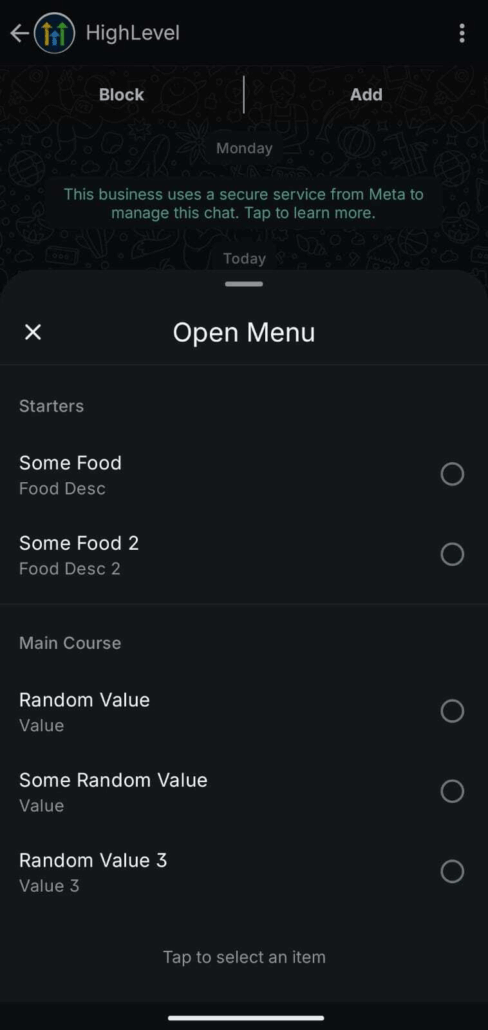
🚀 Interactive WhatsApp Messages – Now with List Support
We’re excited to announce that List Messages are now available under Interactive WhatsApp Messages within Automations!
This release empowers businesses to go beyond buttons, locations, and contact cards, allowing them to provide customers with structured menus of choices—creating more guided, engaging, and automated WhatsApp experiences.
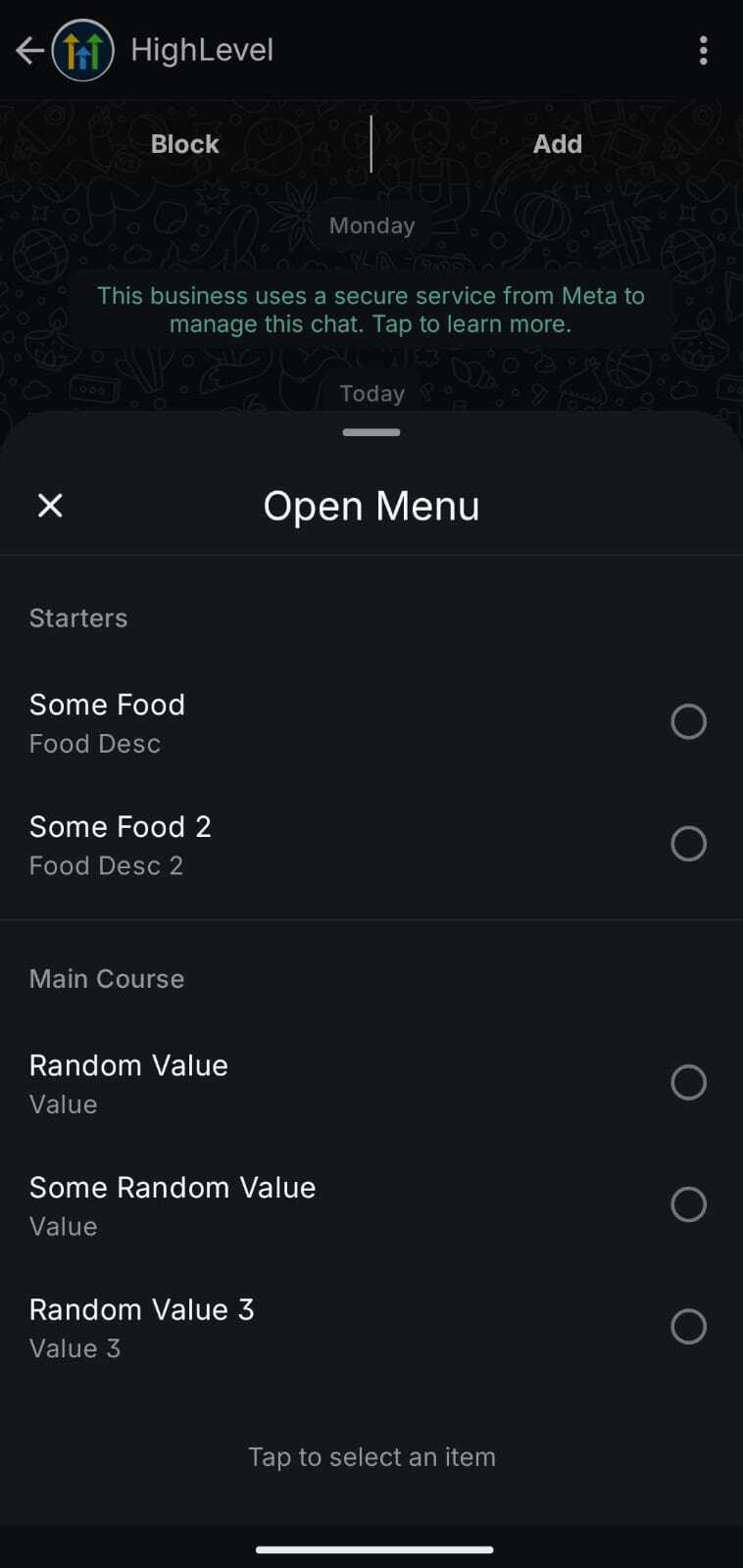
Supported Interactive Messages
You can now send the following Interactive WhatsApp Messages in Automations:
Quick Reply Buttons – Configure header, body, footer, button titles, and timeout settings.
Location – Share a map card that includes Location Name, Address, Latitude, and Longitude.
Contact – Share contact cards containing First/Last Name, Phone Number + Type, and Email (optional).
List Messages (New!) – Present structured menus with multiple sections and rows for customers to select from.
🛠 Steps to Use List Messages
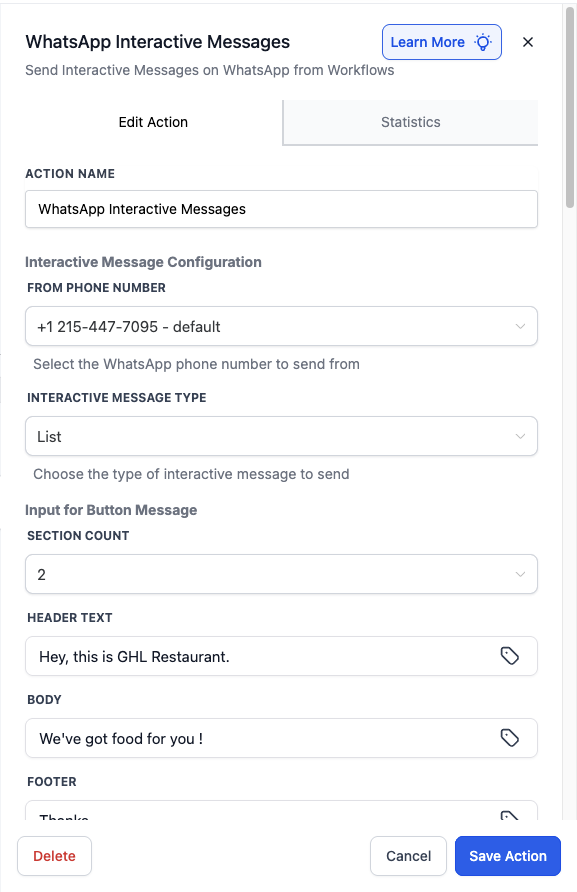
In Automations, add the action WhatsApp Interactive Messages.
Select the FROM PHONE NUMBER.
Set INTERACTIVE MESSAGE TYPE to List.
Complete the required fields:
Input for Button Message – The main prompt text.
SECTION COUNT – The number of menu sections (e.g., 3).
HEADER TEXT – Add an optional header title.
BODY – The main body text.
FOOTER – Optional short supporting text.
LIST BUTTON TEXT – Text for the button that opens the menu.
TIMEOUT UNIT & VALUE – Duration (between 5 minutes and 2 days).
For each section:
SECTION TITLE – Example: “Plans” or “Services”.
ROW COUNT – The number of rows in the section.
ROW TITLE – Name of the row (e.g., “Premium Plan”).
ROW DESCRIPTION – Short description for that option.
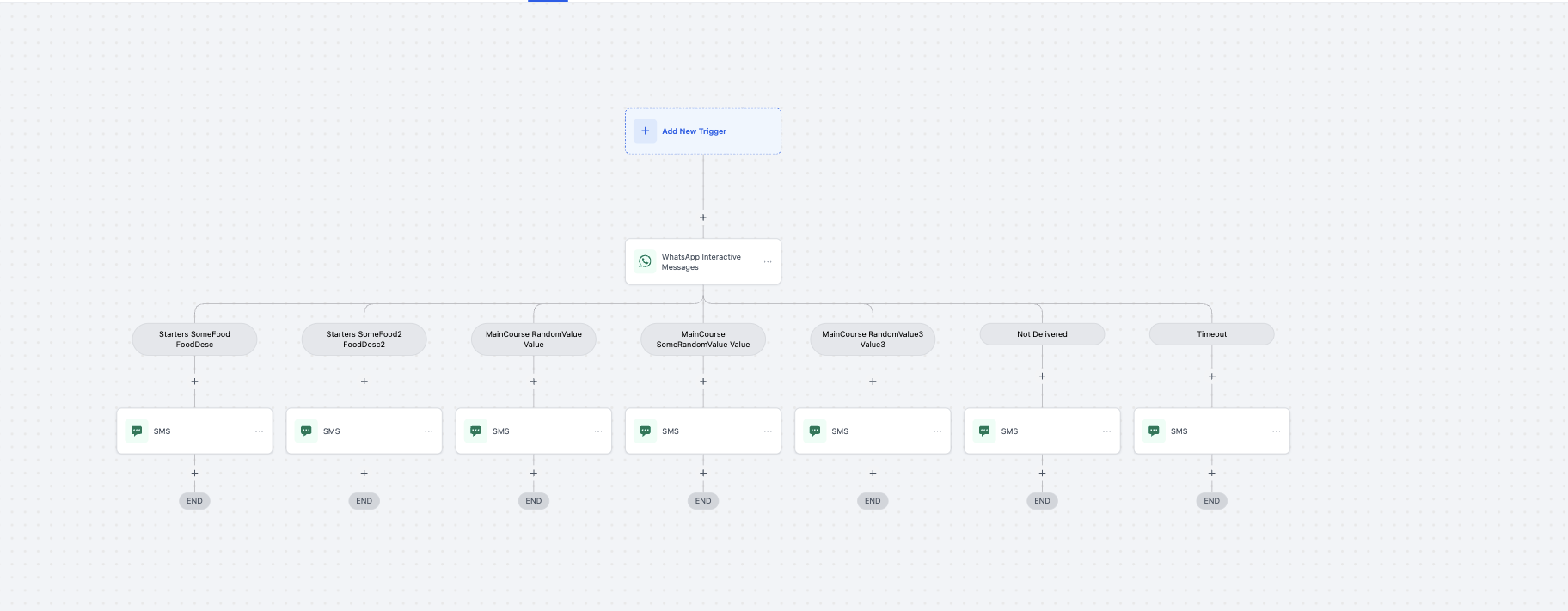
Configure branches:
Each row in each section can branch separately in your workflow (e.g., Section1 Row1, Section2 Row1, etc.).
Additional branches include Not Delivered and Timeout for fallback handling.
Save and test the workflow with a sample contact to confirm the menu display and branching.
🔑 Prerequisite: Customer Service Window
Interactive WhatsApp Messages can only be sent if the 24-hour Customer Service Window is open.
This window opens when a customer sends your business a WhatsApp message.
During this window:
You can send unlimited Interactive WhatsApp Messages at no cost.
All interactive replies (button taps, list selections, location opens, contact saves) are free.
If the window is closed, you must first send a Marketing or Utility Template to reopen it.
All Interactive WhatsApp Messages are free during an active 24-hour Customer Service Window.
There are no additional charges for customer interactions or replies once the session is open.
Enjoy richer, more structured customer interactions.
Experience guided journeys with lists, buttons, location cards, and contact cards.
Benefit from unlimited free interactive messages within the 24-hour service window.
Utilise workflow automation with branching based on user selections.
WhatsApp currently supports:
1 list per message, or
Up to 3 reply buttons per message, or
1 location card, or
1 contact card.
Timeout for list messages must be between 5 minutes and 2 days.
Support for Dynamic Website Link Messages (trackable CTAs).