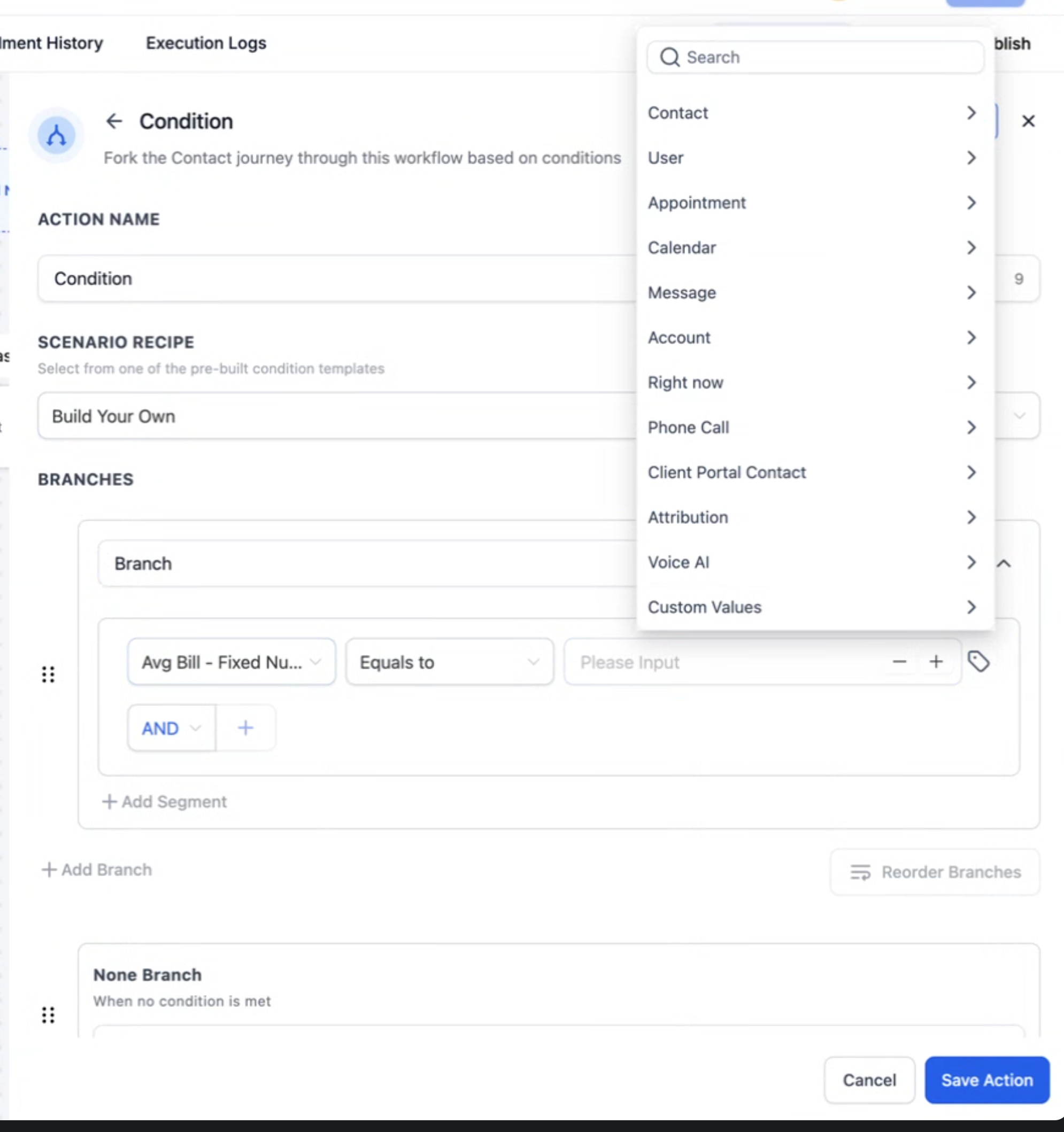
If/Else Action: Dynamic Custom Value Picker — Expanded Field Support
You can now utilise the existing Dynamic Custom Value picker with a broader range of field types in the If/Else Action:
Expanded Dynamic Fields Support
- Numeric (scores, counts)
- Date (appointment dates, renewals)
- Select / Dropdown (advanced: requires option IDs)
- Monetary (invoice totals)
This enhancement allows you to compare or set values using live variables from previous steps or stored fields—eliminating the need to hard-code numbers or text.
- Add an If/Else action in your workflow.
- In the condition row, switch the right-hand input to Dynamic Value, then select the output from the previous step. Choose the appropriate operator (number, date, or value).
- Save and publish.
Note: Select / Dropdown fields utilise option IDs (rather than display names). In many instances, you can find IDs (e.g., Pipeline/Stage IDs) through exports or helper guides.
Why We Built It and What’s Changed
Teams often needed to add additional fields or duplicate logic simply to compare against a value calculated earlier. Dynamic picking simplifies this process—enabling you to branch directly on the variable you already possess, using the same merge-field/variable model applied elsewhere in the workflow.
- For example, when a new proposal comes in, the workflow extracts the proposal value from a previous step (such as a form submission or a webhook) as a dynamic field. If the value is £25,000 or more, the workflow can automatically assign it to a senior partner and flag it for priority follow-up. If the proposal is for less than £25,000, it simply follows the standard process.