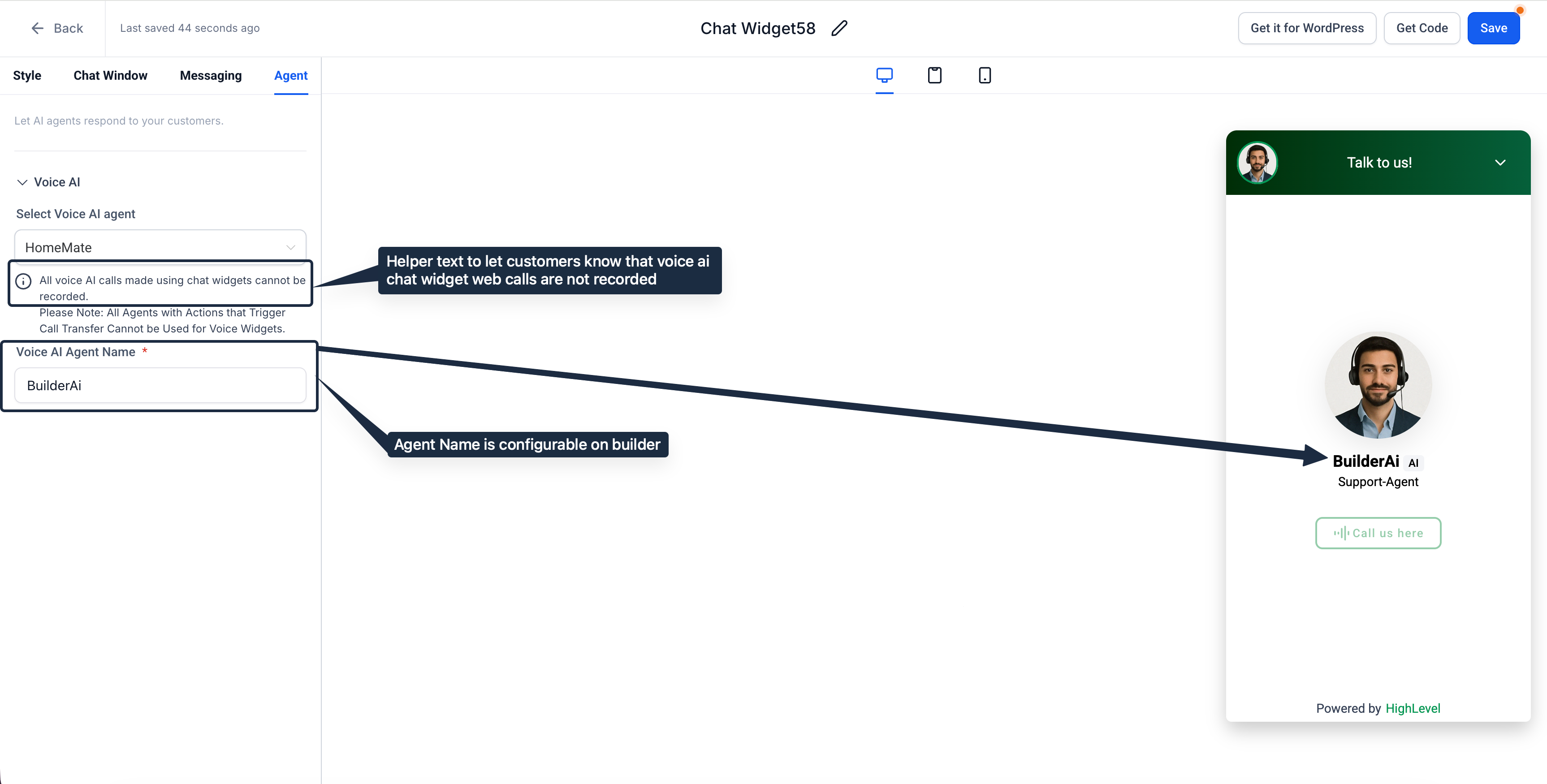
Custom AI Agent Name: You can now set the Voice AI Agent Name directly from the Chat Widget builder. The chosen name will be displayed in the live widget.
Call Recording Helper Text: The interface now displays a clear notice: “All voice AI calls made using chat widgets cannot be recorded.” This will remain until recording support is introduced.
👷 How It Works:
Navigate to Sites > Chat Widgets. Open an existing Voice AI chat widget or create a new one, then go to the Agent tab.
In the Voice AI Agent Name field, enter the name you wish customers to see (e.g., “BuilderAi”).
Save the widget; the name will be instantly reflected in both the preview and the live widget.
The non-recording notice is displayed in the Agent tab to set expectations for web voice calls initiated via the chat widget.
⭐ Why It Matters:
Brand alignment & clarity: Agencies can present a friendly, on-brand agent identity within the widget.
Trust & compliance: The recording notice helps prevent confusion and reduces support tickets until call recording is available for chat widget calls.
📝 Notes:
Affected Area: Chat Widget Builder > Agent tab.
Error messages will now appear on Save and during Get Code hover where applicable.
https://clixio.io/wp-content/uploads/2023/08/clixio-logo-dark.png00Clixio.iohttps://clixio.io/wp-content/uploads/2023/08/clixio-logo-dark.pngClixio.io2025-09-30 00:47:002025-09-30 00:47:00Chat Widget: Configurable AI agent name & call recording notice