Business Card QR Code is Here
You can now generate fully customisable Business Card QR Codes directly within the platform. This new feature allows users to create digital business cards that are accessible via QR scans—ideal for networking, promotions, and effortless contact sharing.
Dynamic Business Card Generator:
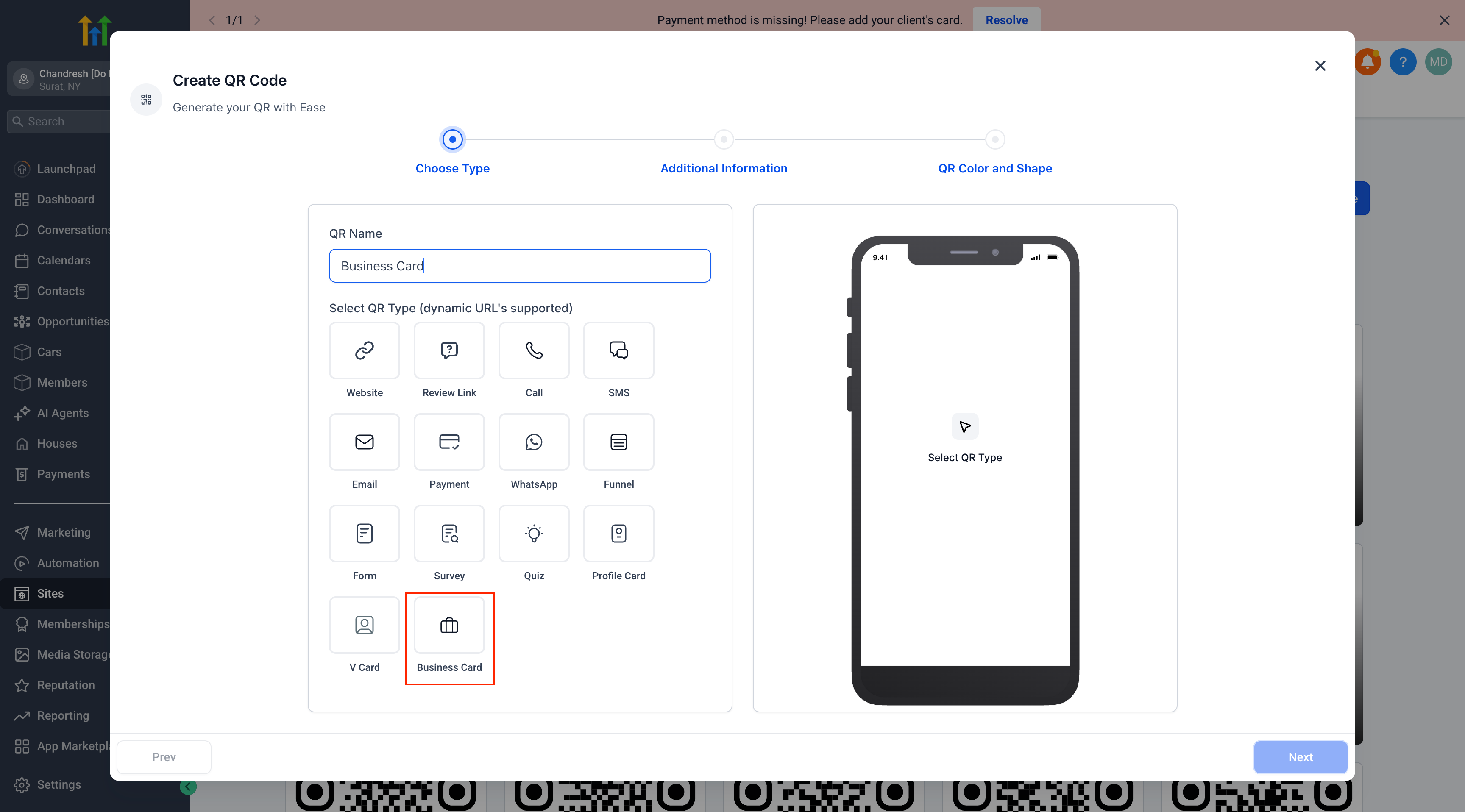
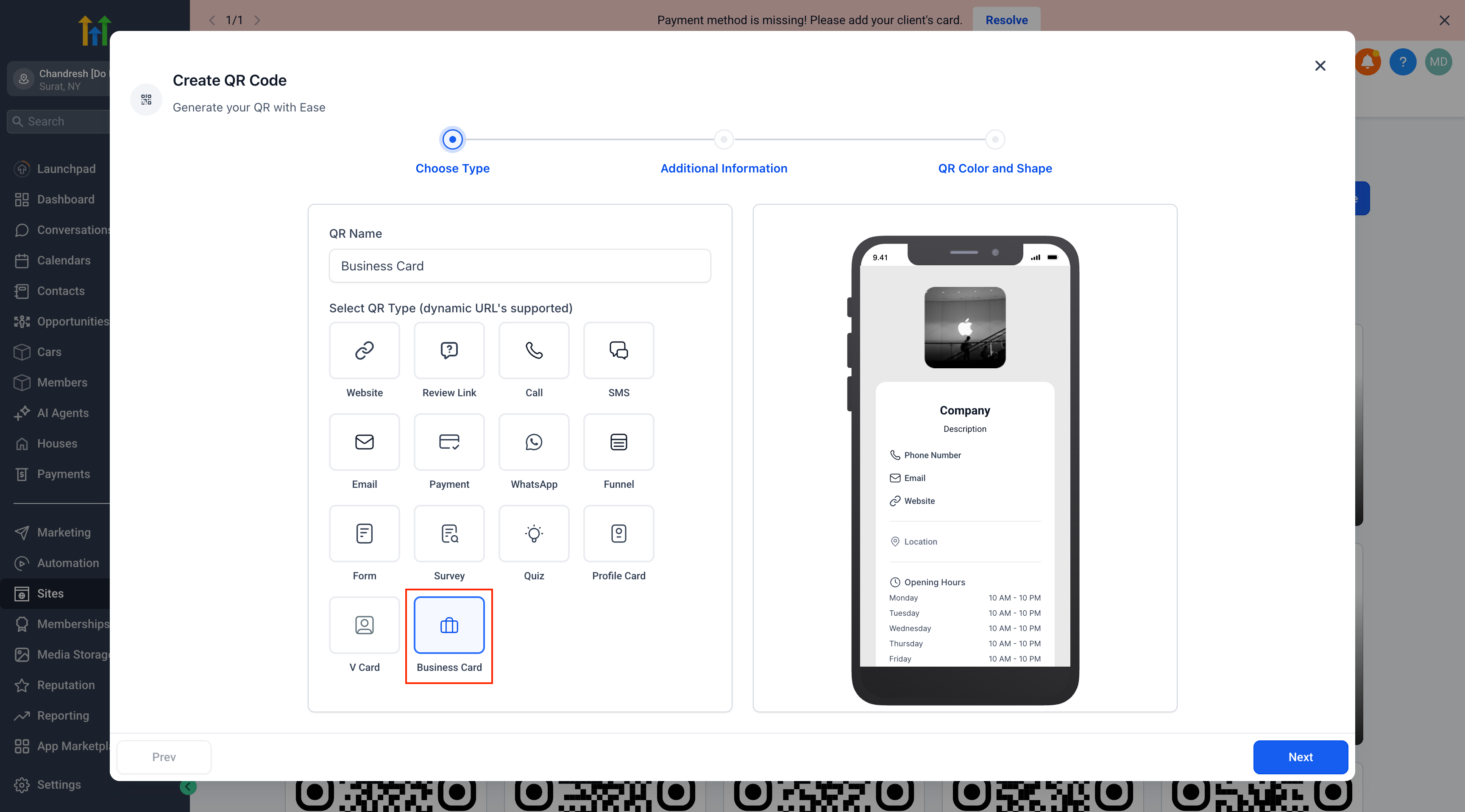
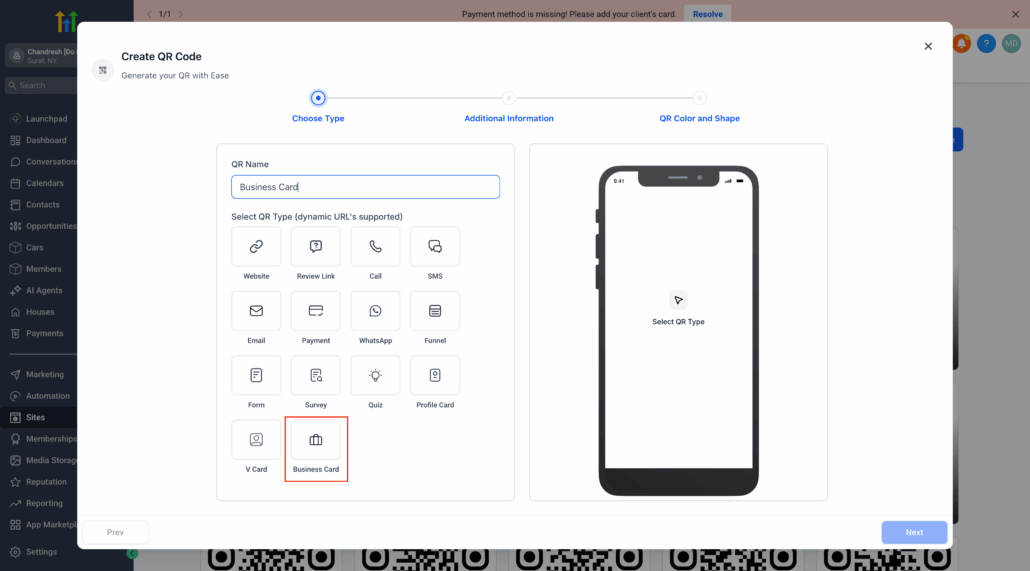
Select “Business Card” as the QR type from a wide range of options.
Customisable Design:
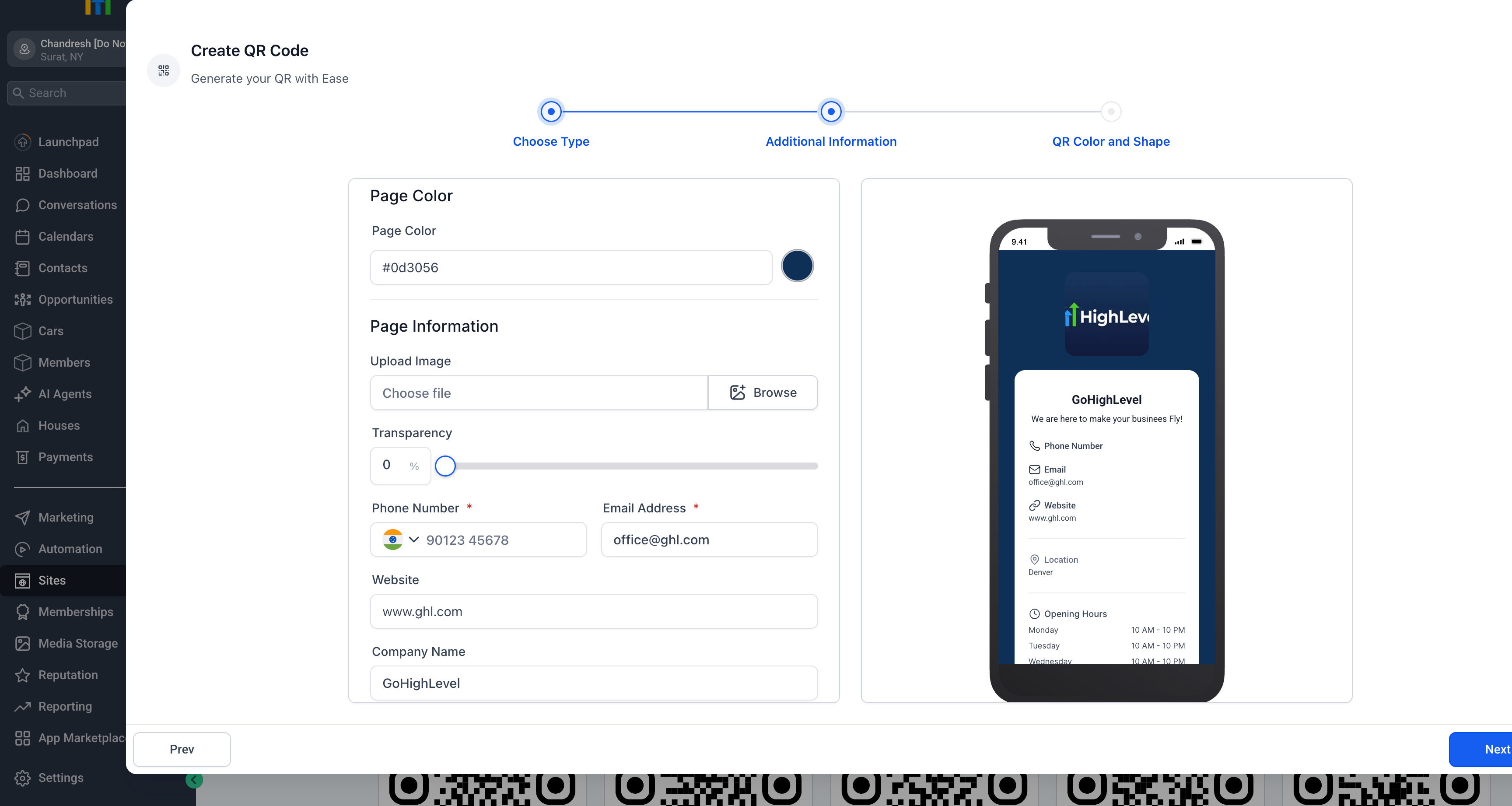
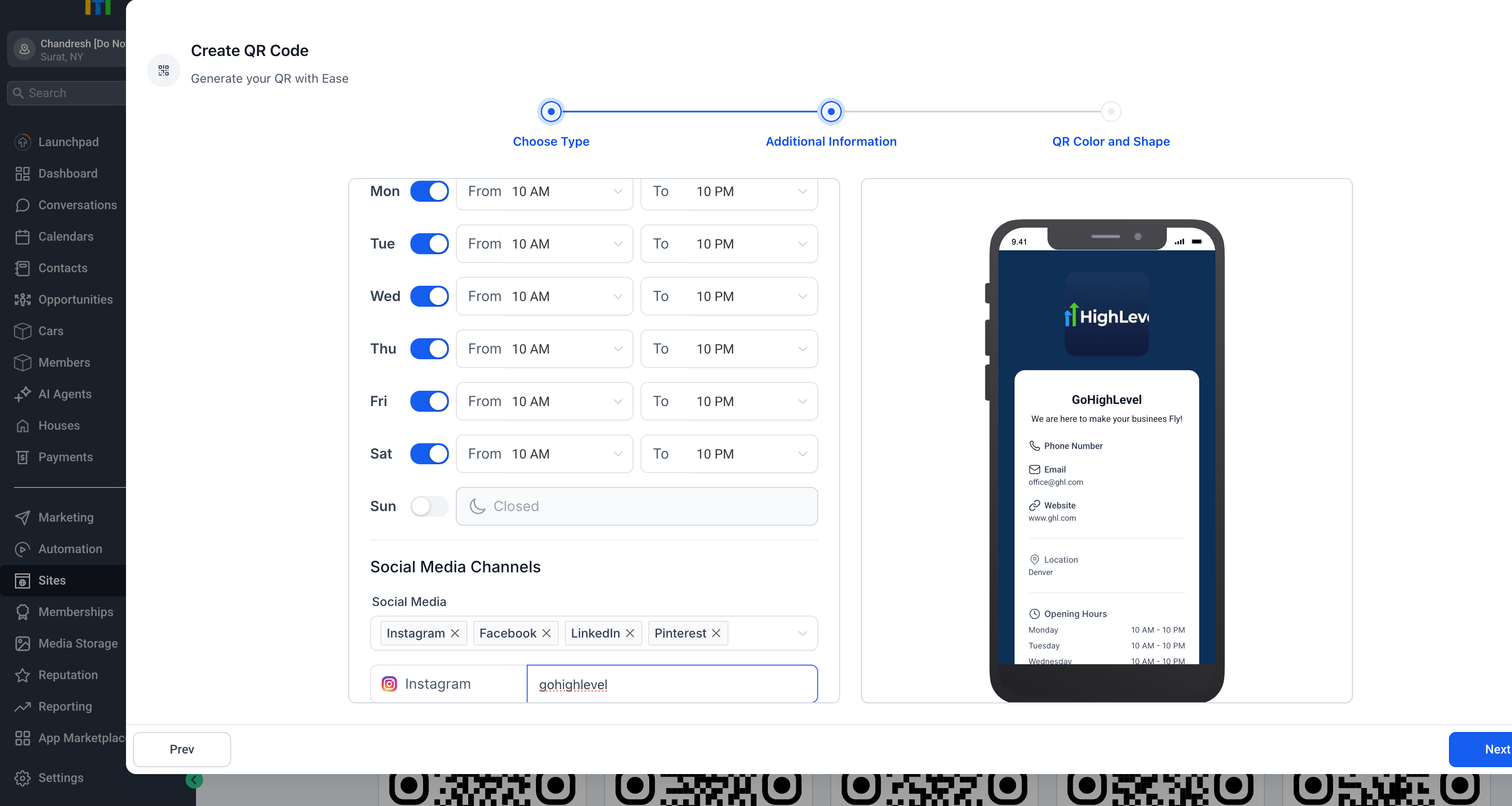
Modify colours, upload logos, set transparency levels, and preview in real time.
Complete Contact Details:
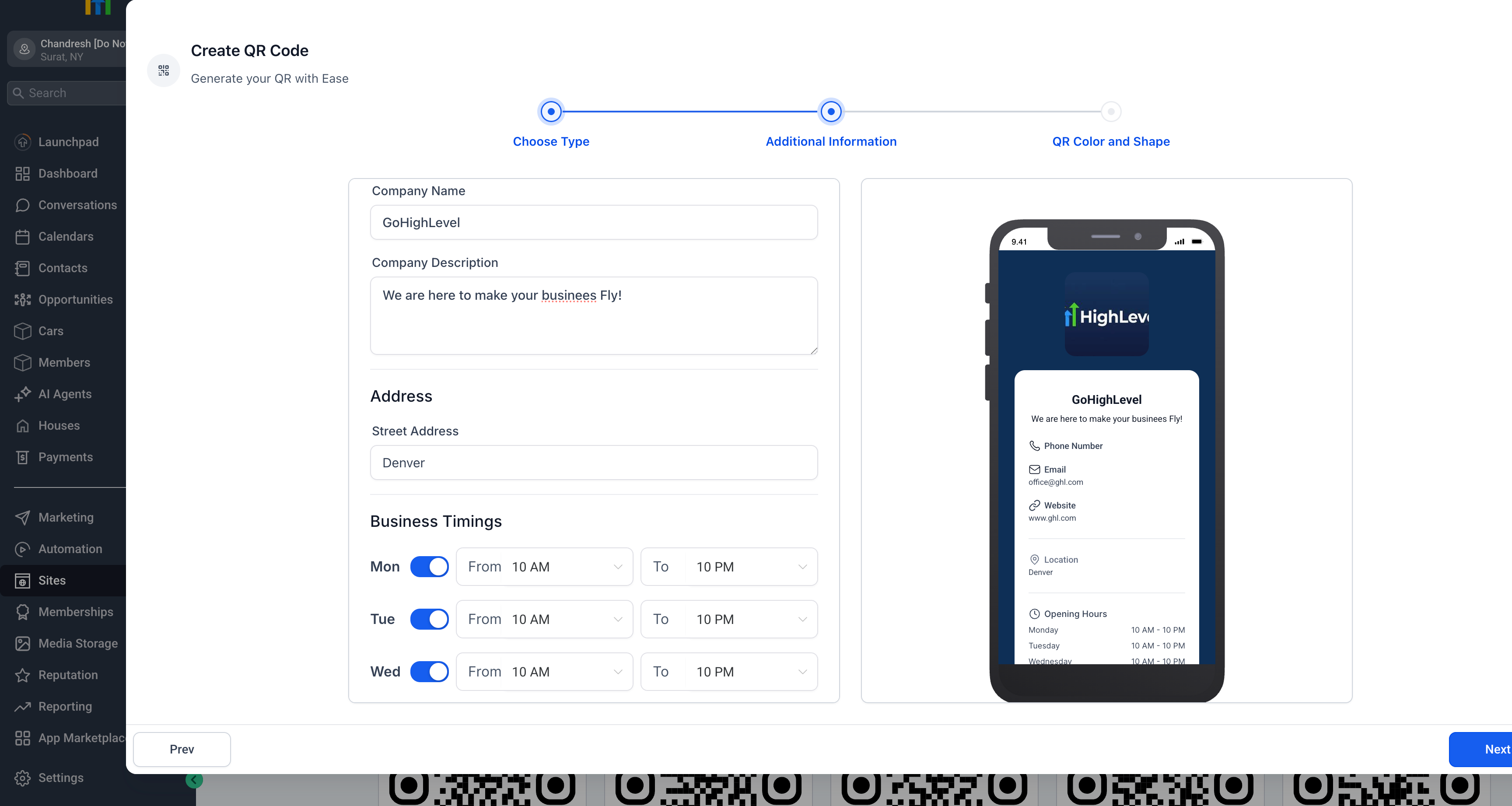
Include your phone number, email, website, location, and company name.
Operating Hours Display:
Add business hours for each day of the week with easy on/off toggles.
Social Media Links:
Connect Instagram, Facebook, LinkedIn, Pinterest, and more.
Live Preview:
Instantly see how the digital card will appear on mobile devices.
- Go to Sites > QR Code Generator.
- Choose QR Type and select Business Card.
- Enter company details, logo, contact information, location, hours, and social media links.
- Customise the background colour and transparency.
- Click Next to generate and download your QR code.
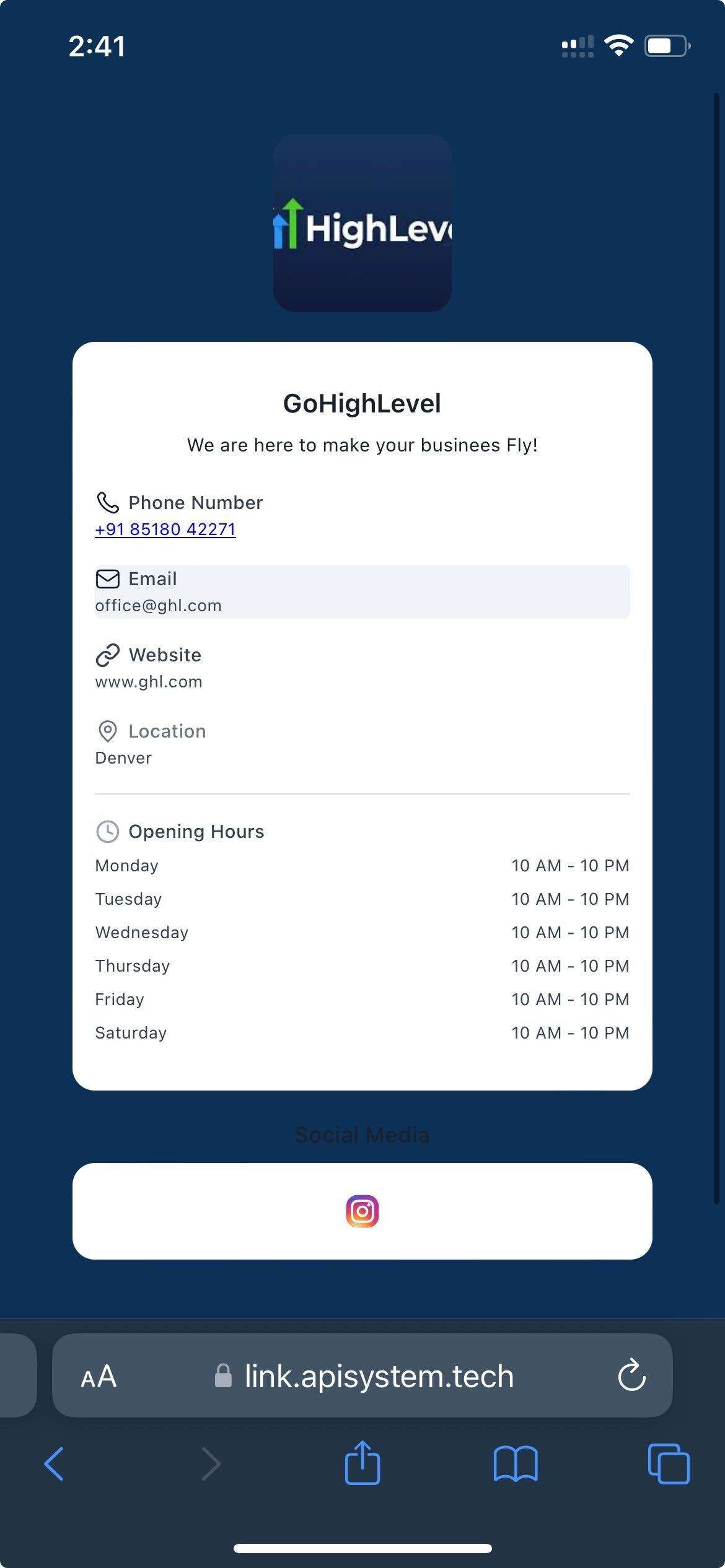
When scanned, users will be shown a professional, mobile-optimised business card with all relevant details.
- Sunday is disabled by default to accommodate typical business schedules.
- QR codes can be edited at any time after creation.