Bulk QR Code Creation | Clixio Changelog
We’ve introduced **Bulk QR Code Creation**, a powerful new feature designed to save time and streamline the generation of QR codes for your marketing campaigns, events, and operations.
**CSV Upload for Bulk Generation:**
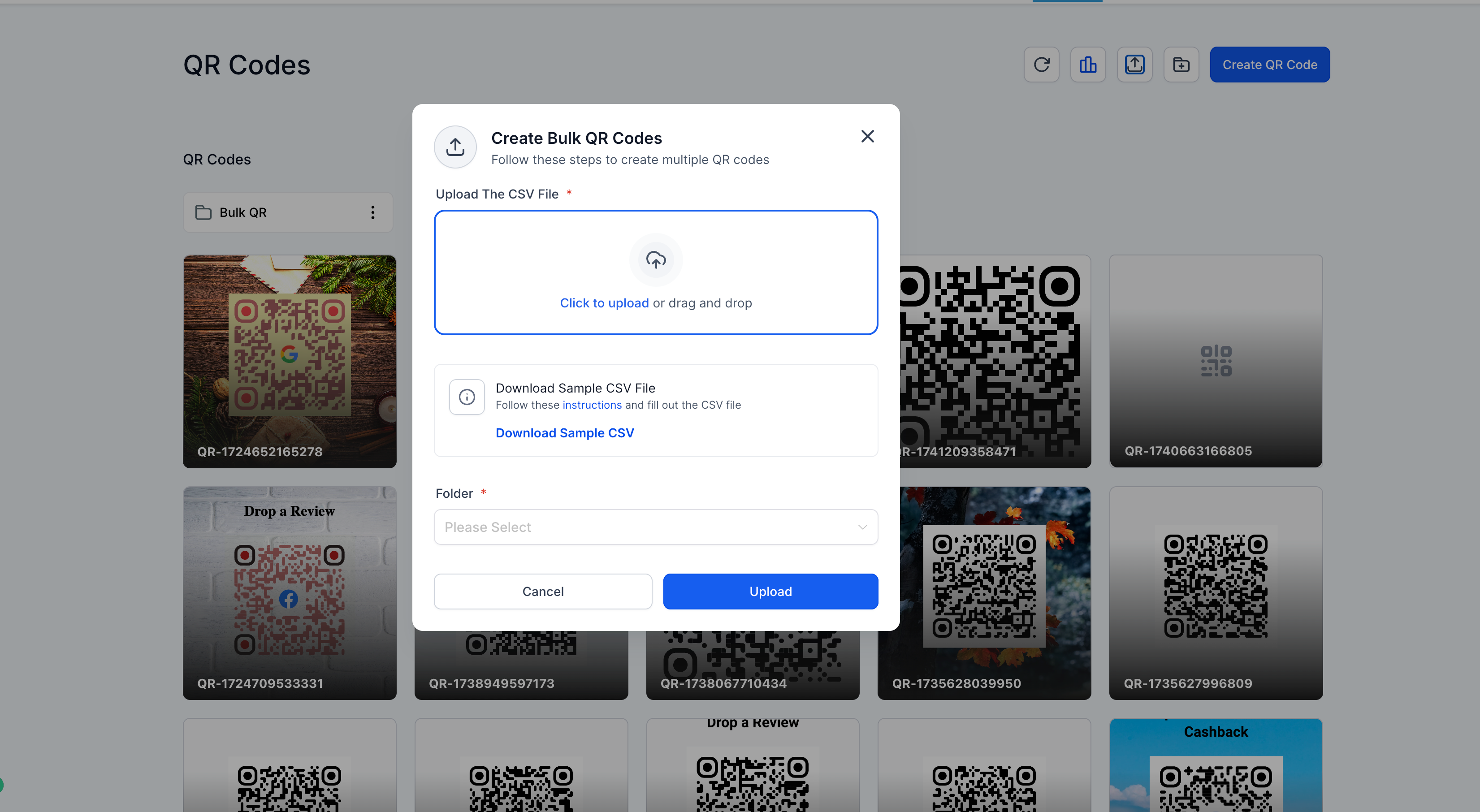
Users can now upload a CSV file containing name and URL values to instantly generate multiple QR codes in one go.
**Sample CSV & Instructions:**
Easily accessible in the modal — download a pre-formatted CSV template along with detailed setup instructions to guide you through the process.
**Folder Assignment:**
Organise your generated QR codes by assigning them to a folder during the bulk upload process.
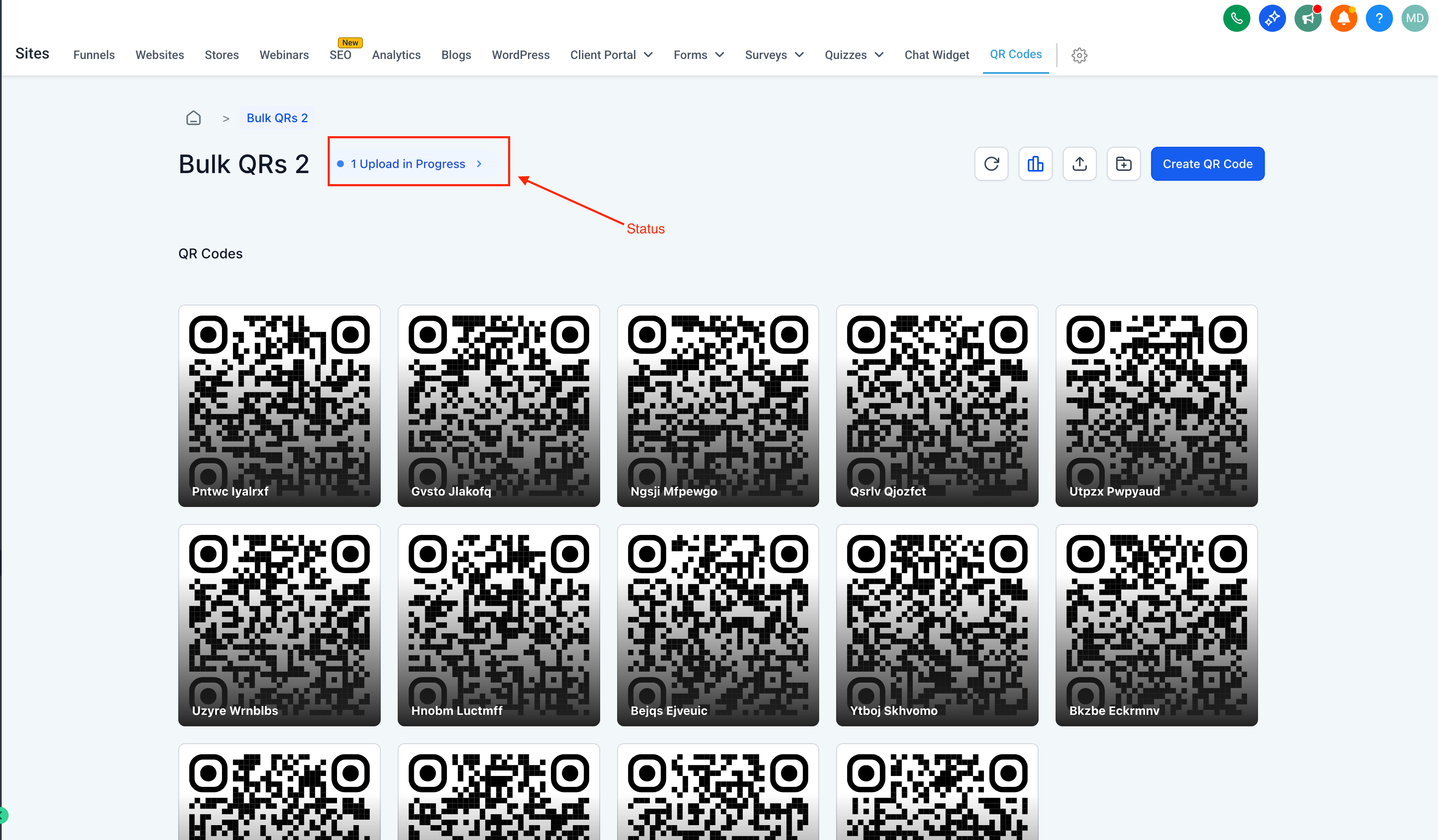
**Real-Time Progress Tracker:**
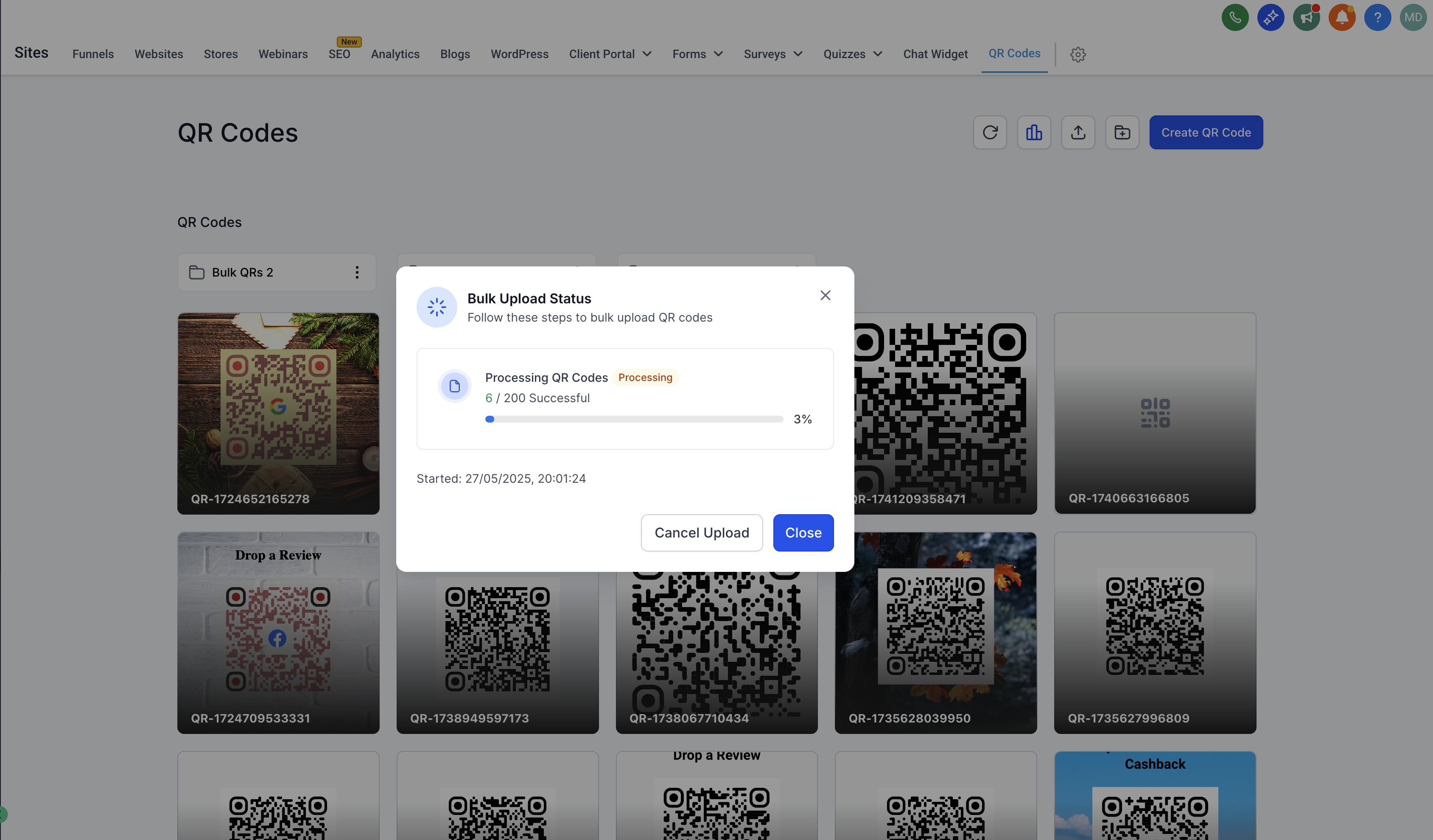
Visual progress updates keep users informed about how many QR codes have been processed successfully.
**Confirmation Modal:**
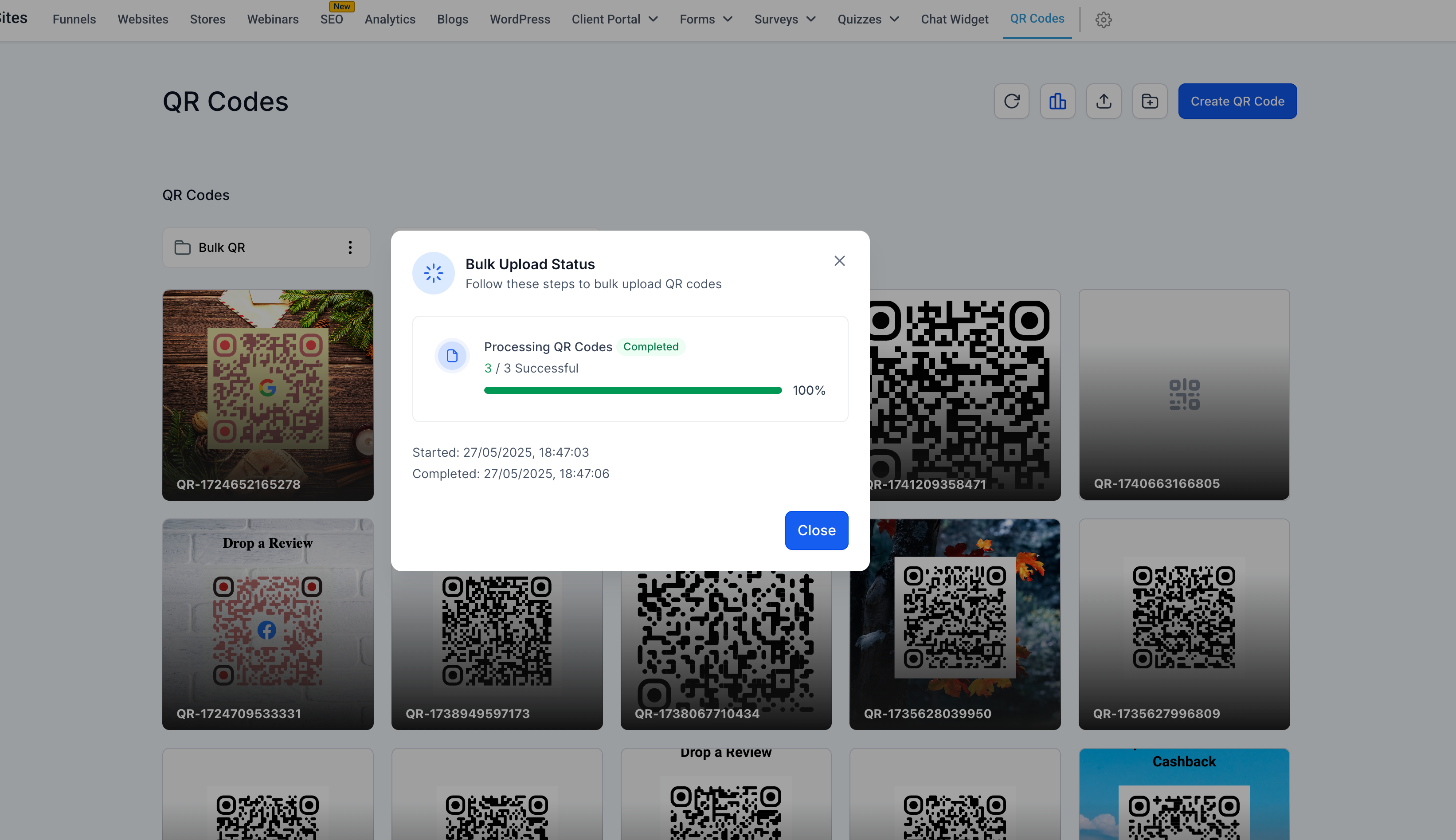
See real-time status updates once the upload is complete — smooth, transparent, and efficient!
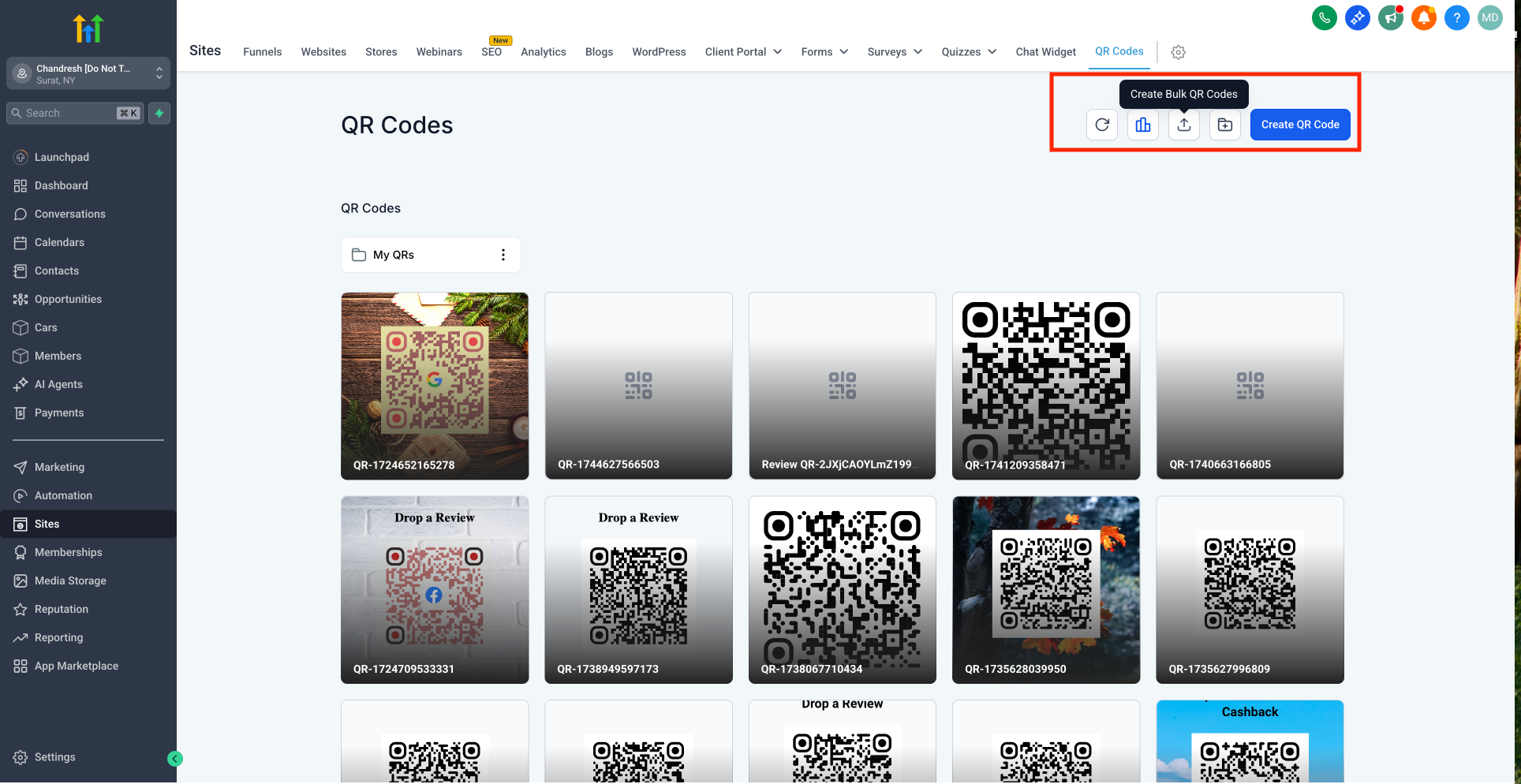
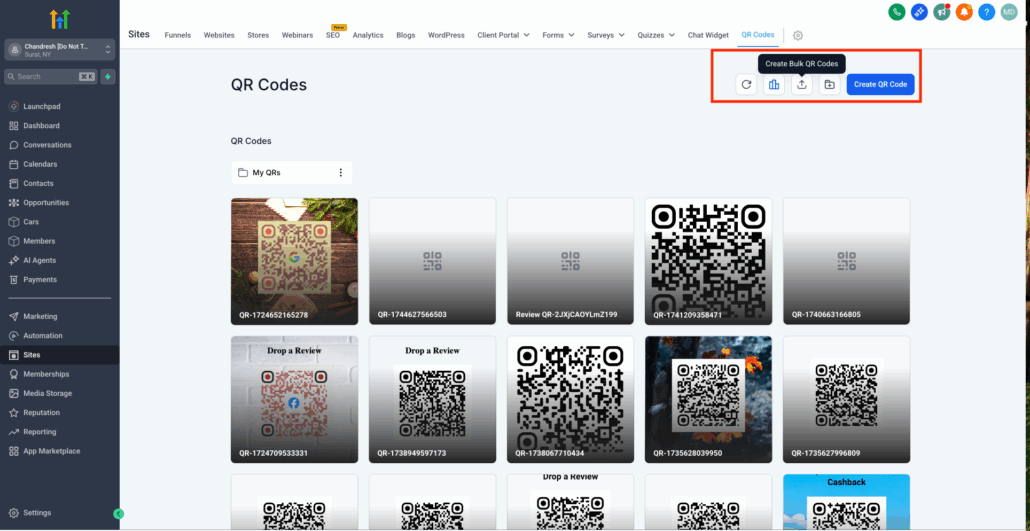
- Click “Create Bulk QR Codes” in the QR Codes section.
- Upload a CSV file with two columns:
name: QR code name
url: redirection destination
- Choose the folder where the QR codes should be saved.
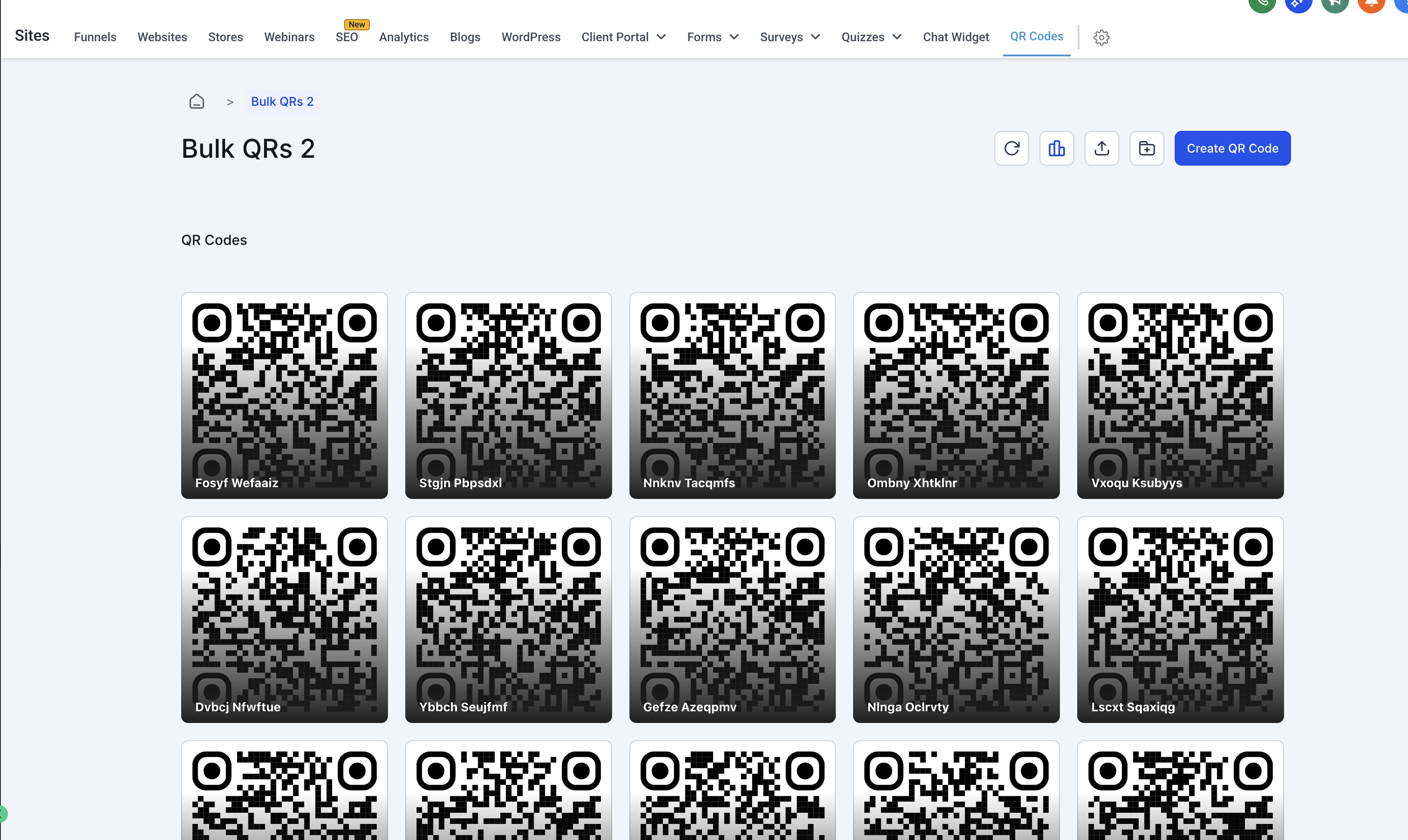
- Hit Upload and watch as your QR codes are generated in real time!
- View upload status and success confirmation in a dedicated modal.
- All uploaded QR codes are saved and viewable under the selected folder.
- Incorrect or missing entries in the CSV will show errors with appropriate feedback.
- Ensure your CSV uses the correct formatting — the sample CSV is your best guide.
- Instructions are embedded directly into the upload interface for clarity and ease of use.
Go from manual to magical QR generation with just a few clicks!