
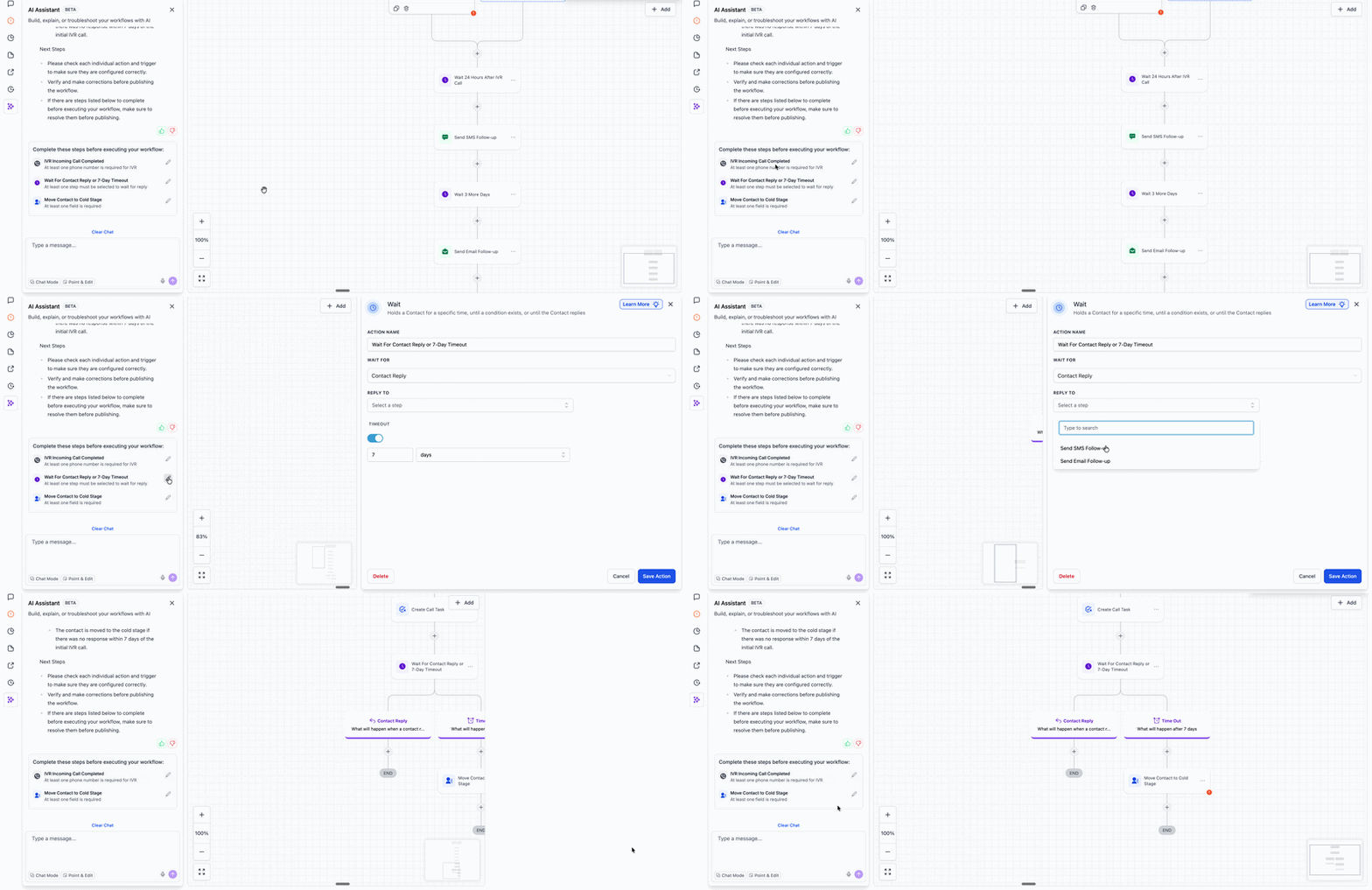
AI Builder: Post Generation To Do List
After AI Builder generates a workflow, a new To-Do List appears for every action and trigger that requires human input, ensuring that nothing is overlooked before your workflow goes live.
Built upon the existing Workflow Highlights system, this checklist consolidates all incomplete items into one actionable view.
- Generate a workflow using AI Builder.
- A To-Do List automatically appears, highlighting every action or trigger that requires your input.
- Click the pencil icon next to any item to navigate directly to that step on the canvas.
- Complete the required fields and your workflow will be ready to publish.
Some inputs necessitate human decisions, such as connecting integration credentials, selecting an account, choosing a pipeline, or defining which step to wait for. The To-Do List makes these gaps visible from the outset, reducing the risk of incomplete workflows going live and adversely impacting contacts or system performance.