• Shopping Cart Shopping Cart
    0Shopping Cart
Clixio
  • Features
  • Pricing
  • FAQ
  • Blog
  • Log in
  • Free Trial
  • Menu Menu

Additional Product Media Layout Options for Product Details Page

March 13, 2026/in What's New?
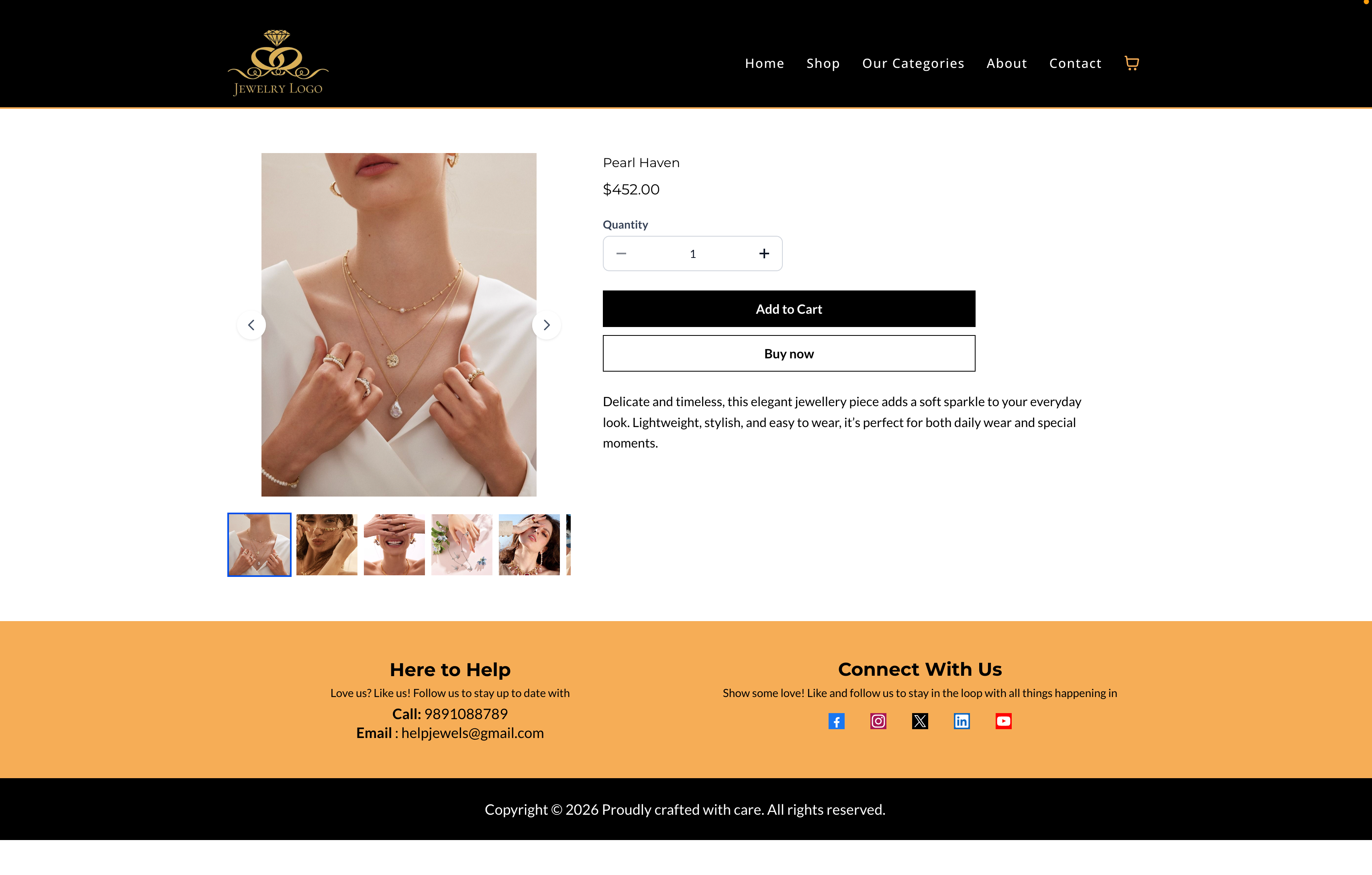
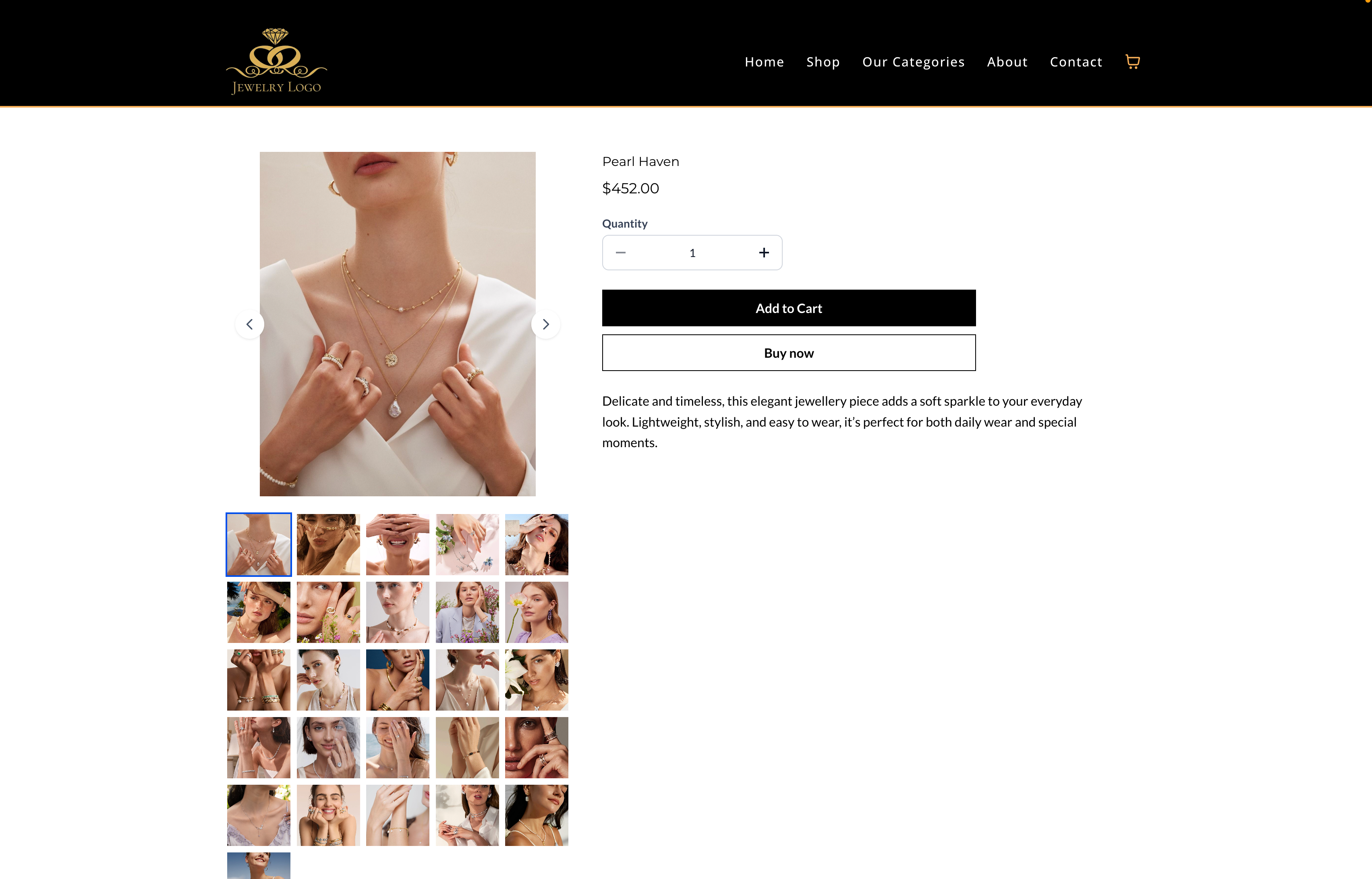
**We’ve Introduced New Layout Options** for Displaying Product Images

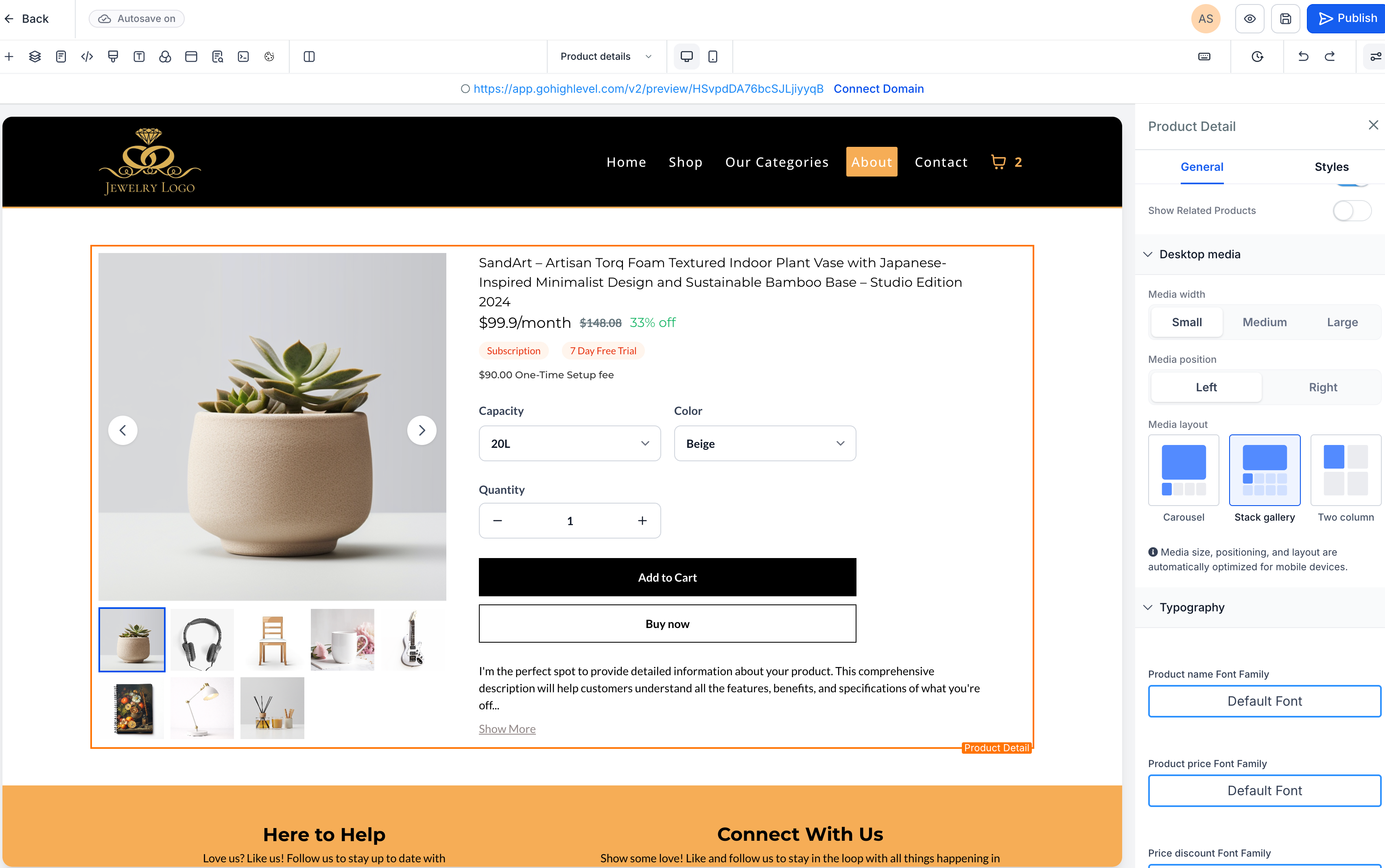
We have introduced new layout options for displaying product images on the

Product Details Page (PDP)

, providing merchants with enhanced flexibility to showcase product media and create more engaging shopping experiences.

Store owners can now select from multiple image layout styles and improved navigation options for product media.

  1. **New Product Media Layout Options**

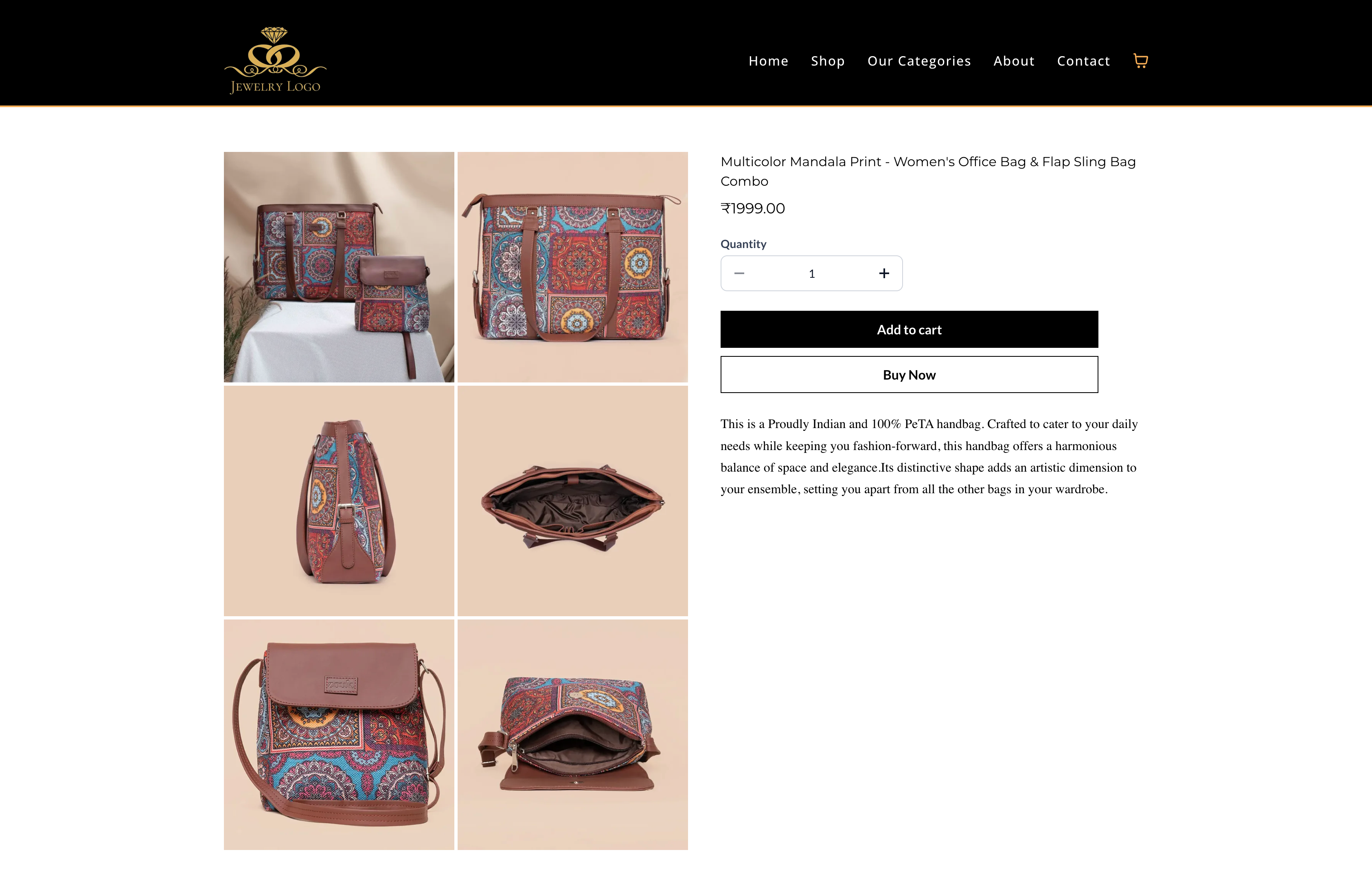
Three layout options are now available for displaying product images on the PDP:

  1. **Image Navigation Arrows**

Navigation arrows are now available in

Gallery

and

Carousel

layouts, enabling customers to easily browse through product images.

  • Not supported in the

    Two Column layout

    .

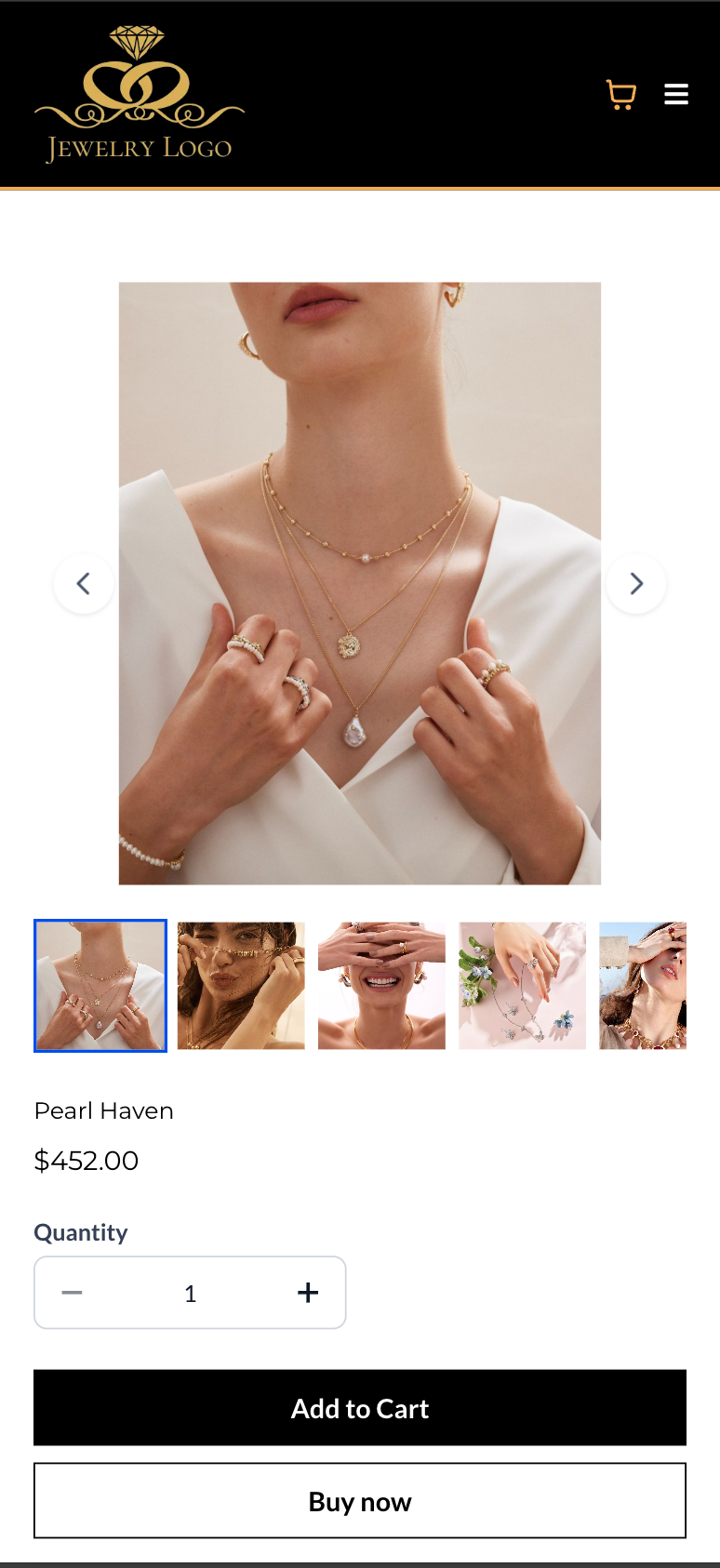
  1. **Optimised Mobile Layout**
On mobile devices, the

Carousel layout is automatically applied

for both the Product Details Page and Featured Product elements, ensuring the best viewing experience.

  1. Open your

    Store Builder

    and edit the

    Product Details Page

    .

  2. Select the

    Product element

    .

  3. Navigate to the

    Desktop Media settings

    in the right-side panel.

  4. Choose your preferred

    Media Layout

    (Gallery, Carousel, or Two Column).

  5. Save and publish the changes to apply the new layout.
  • The Two Column layout is only available on desktop

    and is not supported on mobile.

  • Carousel is automatically used on mobile

    , regardless of the selected desktop layout.

  • Featured Product elements only support Carousel and Gallery layouts. The Two Column layout is not supported for this element.
  • Existing stores will

    retain their current layout unless changed manually

    , ensuring no visual disruptions.

    Existing stores will continue using the Gallery layout

    to maintain backward compatibility.
image
image
image
image
image

https://clixio.io/wp-content/uploads/2026/03/70ab04ada694c5c23b41a94c0444b103-scaled.png 1605 2560 Clixio.io https://clixio.io/wp-content/uploads/2023/08/clixio-logo-dark.png Clixio.io2026-03-13 08:34:002026-03-13 08:34:00Additional Product Media Layout Options for Product Details Page

RSS Latest Feature Updates

  • Email AI + Knowledge Base Integration 🚀 March 16, 2026
  • Dialer: Auto-minimize, Pin & Drag March 16, 2026
  • Import Email Templates with AI 🚀 March 13, 2026
  • Shipping Rate Sorting at Checkout March 13, 2026
  • AI Builder: New Skill For Workflow Settings and Naming March 13, 2026
  • Advanced filters 2.0: New operators and improved consistency March 13, 2026
  • Variant–Image Sync on Product Details Page March 12, 2026
  • Additional Product Media Layout Options for Product Details Page March 12, 2026
  • Product Details Page Customization (Desktop Media Size & Layout) March 12, 2026
  • Variant Selector Display Options on Product Page March 12, 2026
Book a demo
See Clixio working
for your business, live.

30 minute call with our team. Personalised to your industry, no hard sell.

Book your free demo
14 day free trial · Cancel anytime
Clixio - Marketing and sales automation

Marketing & sales automation built for Australian service businesses. One platform, one flat rate, genuinely easy to use.

Product
Features Pricing How it works Latest updates
Company
Blog FAQ Get support Account transfers
Legal
Privacy Policy Terms & Conditions
© Clixio. All rights reserved. Made with ♡ in Australia.
Scroll to top Scroll to top Scroll to top