Account Dashboards: Custom Fields in Table Widget
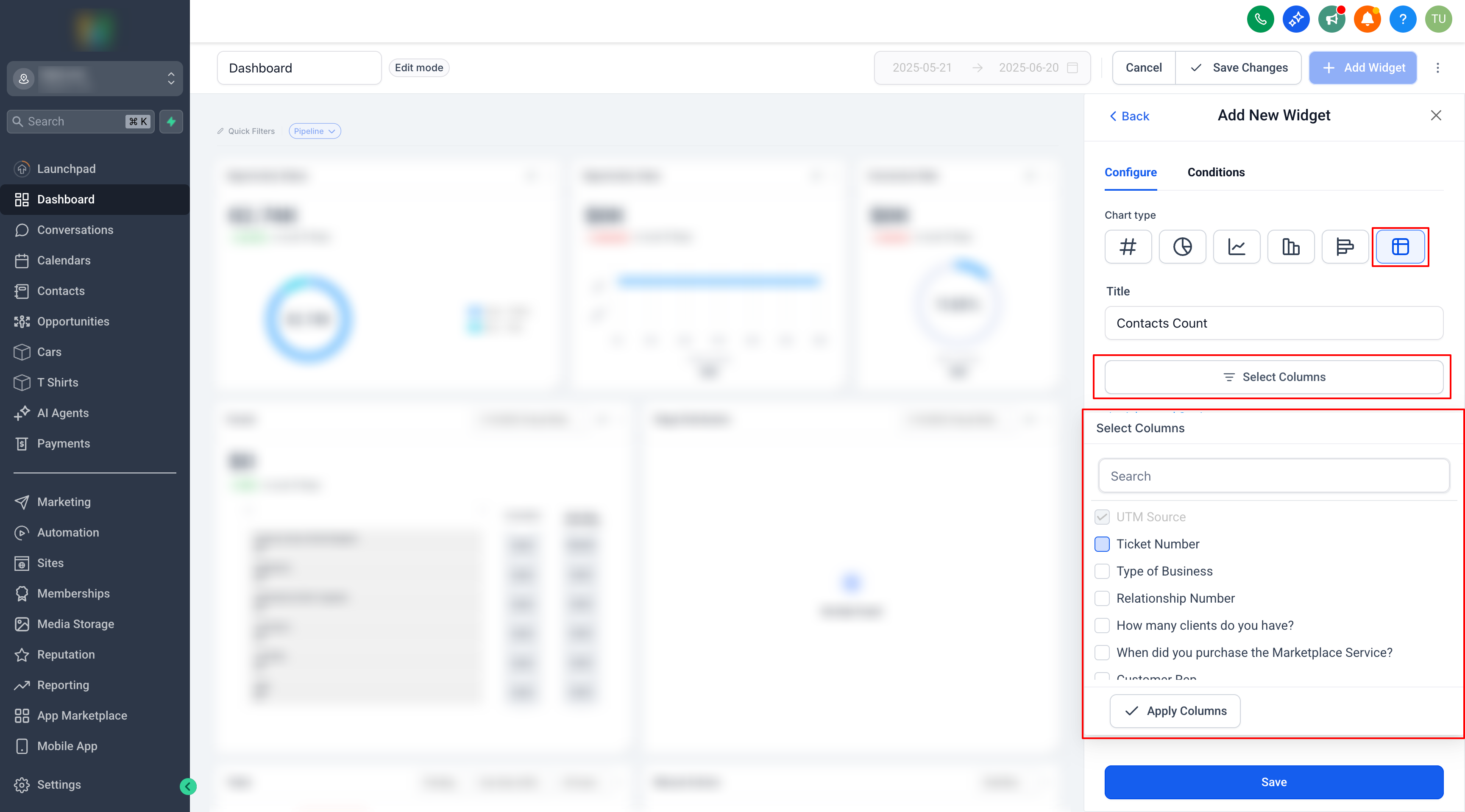
You can now add custom fields as selectable columns in your Contacts and Opportunities table widgets, providing you with greater flexibility and visibility directly from the dashboard.
- Custom fields can now be added as columns in Contacts and Opportunities table widgets.
- Birthdate has also been included as a table column for contacts widgets.
- Enter Edit Mode on your dashboard.
- Click “Add Widget” and select either the Contacts or Opportunities table widget.
- In the column selector, you will now see all custom fields listed.
- Select the fields you wish to display and click Save.
By incorporating these fields into dashboard tables, users can now customise their reporting and monitor the data that is most relevant to their business — all from a single view.