Account Dashboard: Custom Metrics | Clixio Changelog
Build the KPIs that Matter
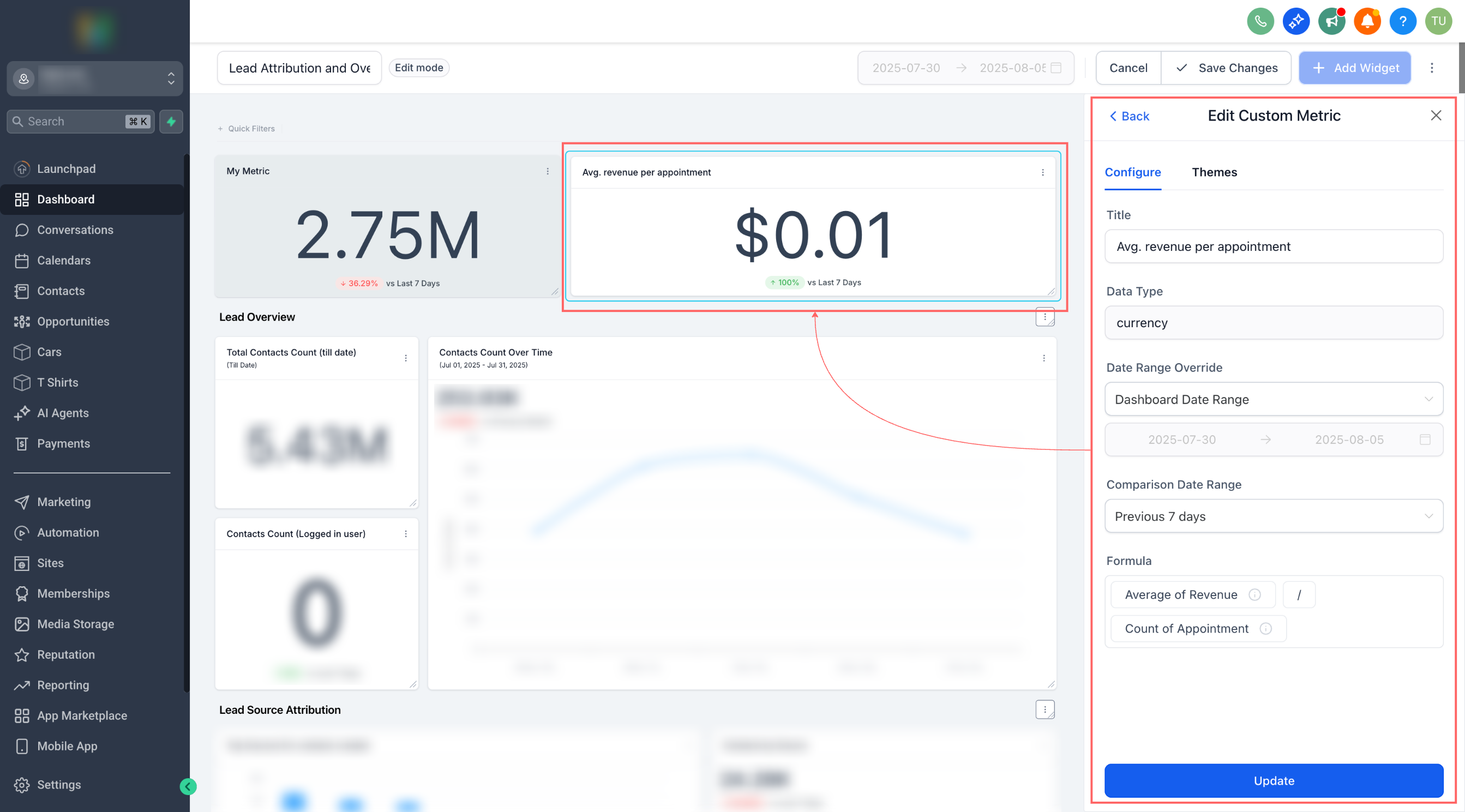
Custom Metrics allow you to combine numbers from various data sources, perform calculations, and place the results directly into dashboards and reports.
-
Create Custom KPIs by merging metrics from multiple sources (e.g., contacts, opportunities).
-
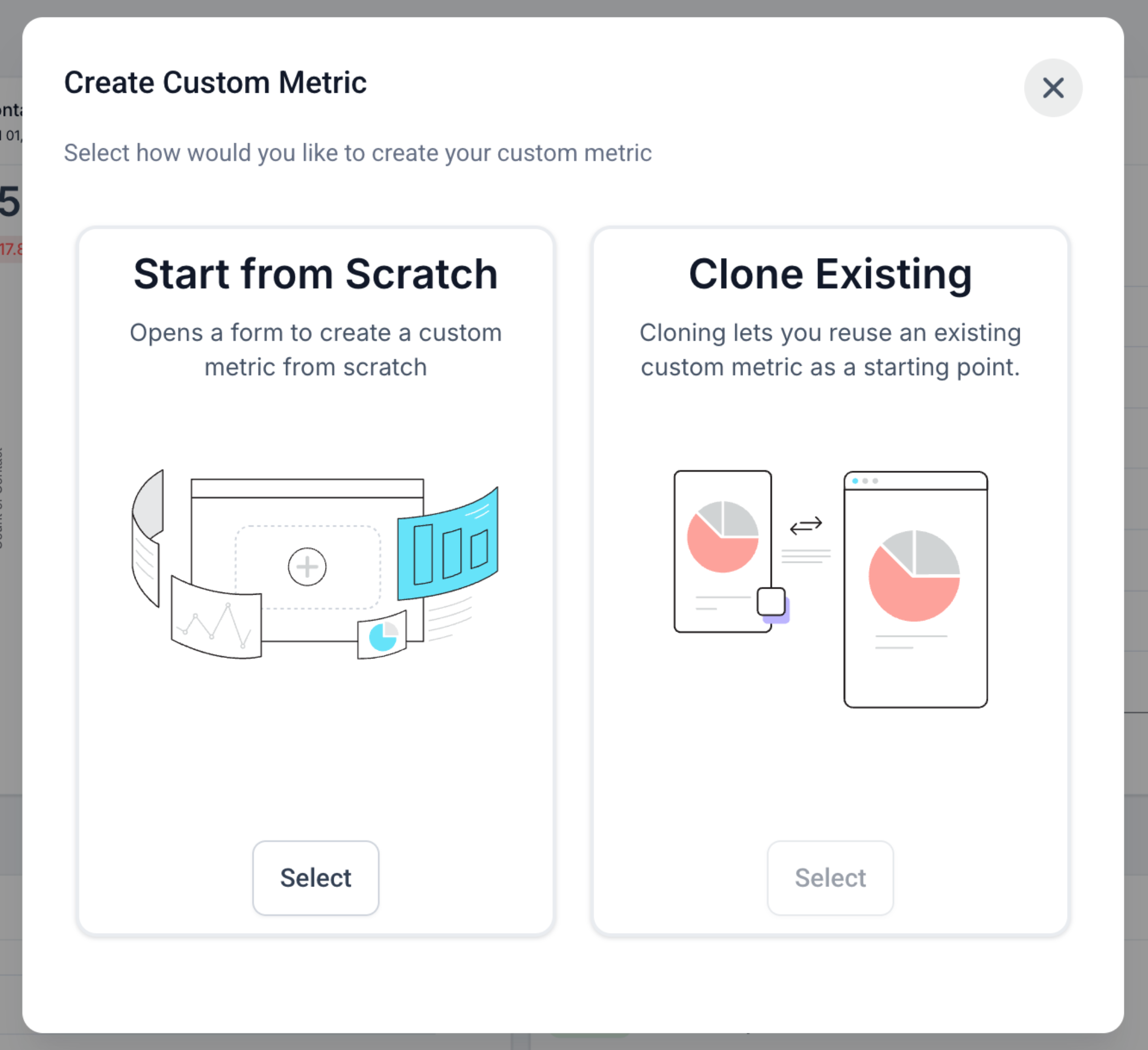
Two Ways to Start: Build from scratch or clone an existing metric.
-
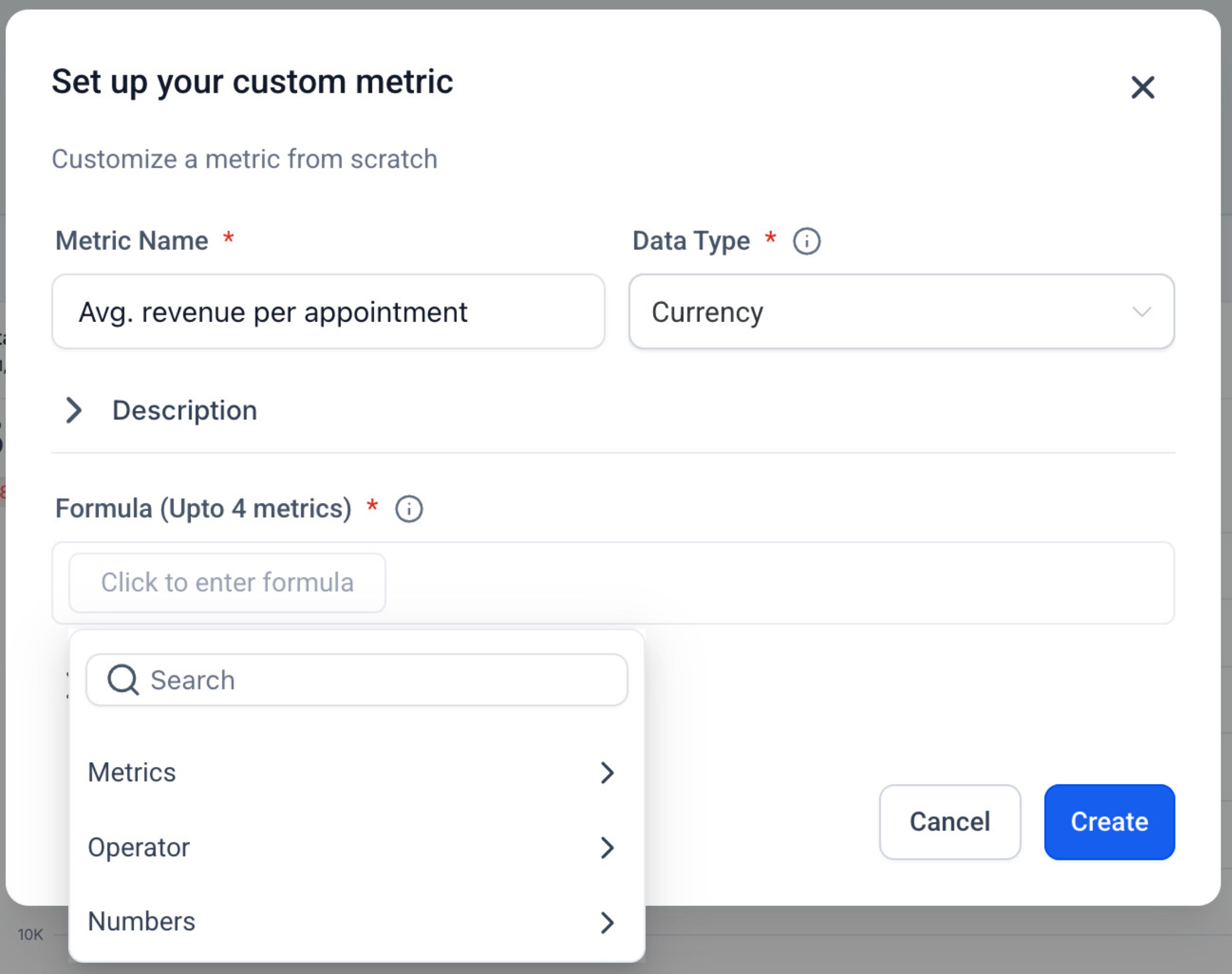
Smart Formula Editor with live validation, operators, and numeric constants.
-
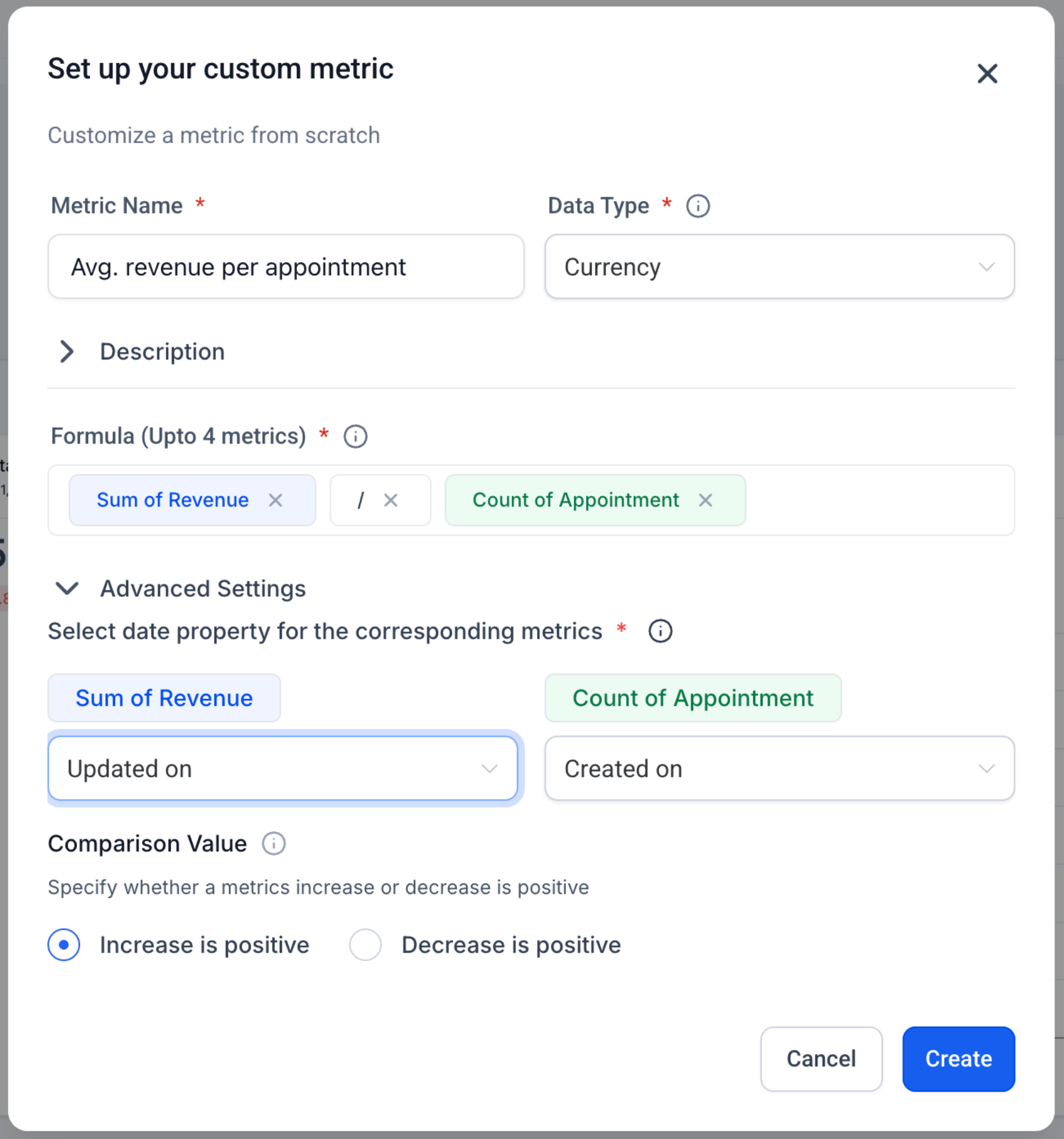
Display Types: Integer, Float, Currency, or Percentage.
-
Trend Direction Control: Mark increases as positive or negative for that metric.
-
Works Everywhere: Add as a widget to Dashboards and Custom Reports; Snapshots are supported.
-
Chart Options: Rename, theme, and (optional) compare to the previous period before saving.
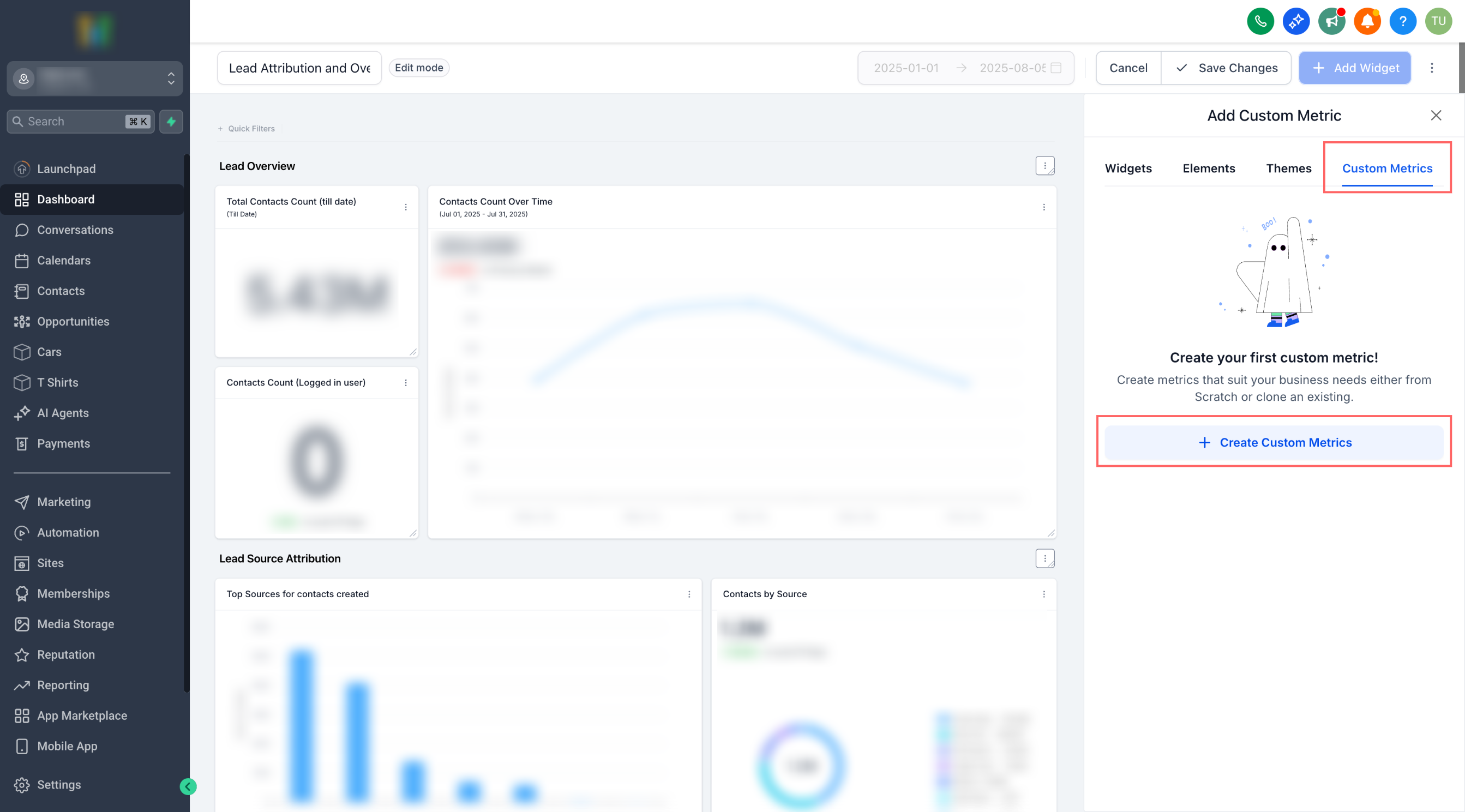
- Go to a Dashboard (or Custom Report) → Edit → Add widget → Custom metric tab.
- Click Create Custom Metric → choose From scratch or Clone.
- Fill in Name, Data Type, Description, and Trend Direction.
- In Formula, type to insert metrics (select data source + metric), and add operators and numbers.
- Create → select your new metric as a widget → configure chart → Save.
No more piecing together spreadsheets just to answer the question, “Are we growing efficiently?” Custom Metrics consolidate cross-tool signals into a single KPI, enabling teams to align on the precise definitions that drive the business.
Metric-Level Filters & Properties in the Formula: For example, Count of contacts (WHERE Tag = “VIP”) / Count of contacts (WHERE Source = “Ads”).