
WhatsApp: Messaging Limits and Message Links
We are excited to roll out a powerful set of features under WhatsApp! This release brings greater transparency, control, and usability for businesses managing their WhatsApp Business Accounts (WABAs). From monitoring your messaging limits to creating shareable WhatsApp message links, we’re providing everything you need to engage customers more effectively.

1. Messaging Limit Visibility + Steps to Increase
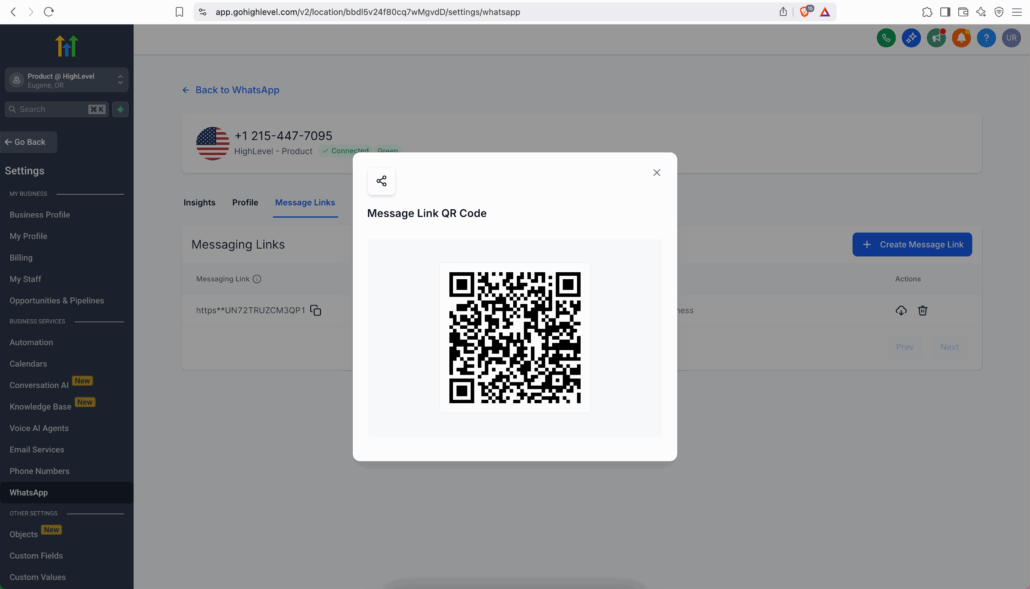
A new tabbed user interface has been introduced under the “Manage” section for each connected WhatsApp phone number. You can now view your current WhatsApp messaging limit and see actionable steps to increase it directly within the WhatsApp Settings page.
Tiers available: 1,000, 10,000, 100,000, and Unlimited (with the current tier highlighted).
Find out what’s required to level up, such as:
- Initiating conversations with X unique customers in 7 days.
- Waiting 24 hours after reaching the above milestone.
- Maintaining a high or medium quality rating.
2. Messaging Links & QR Codes
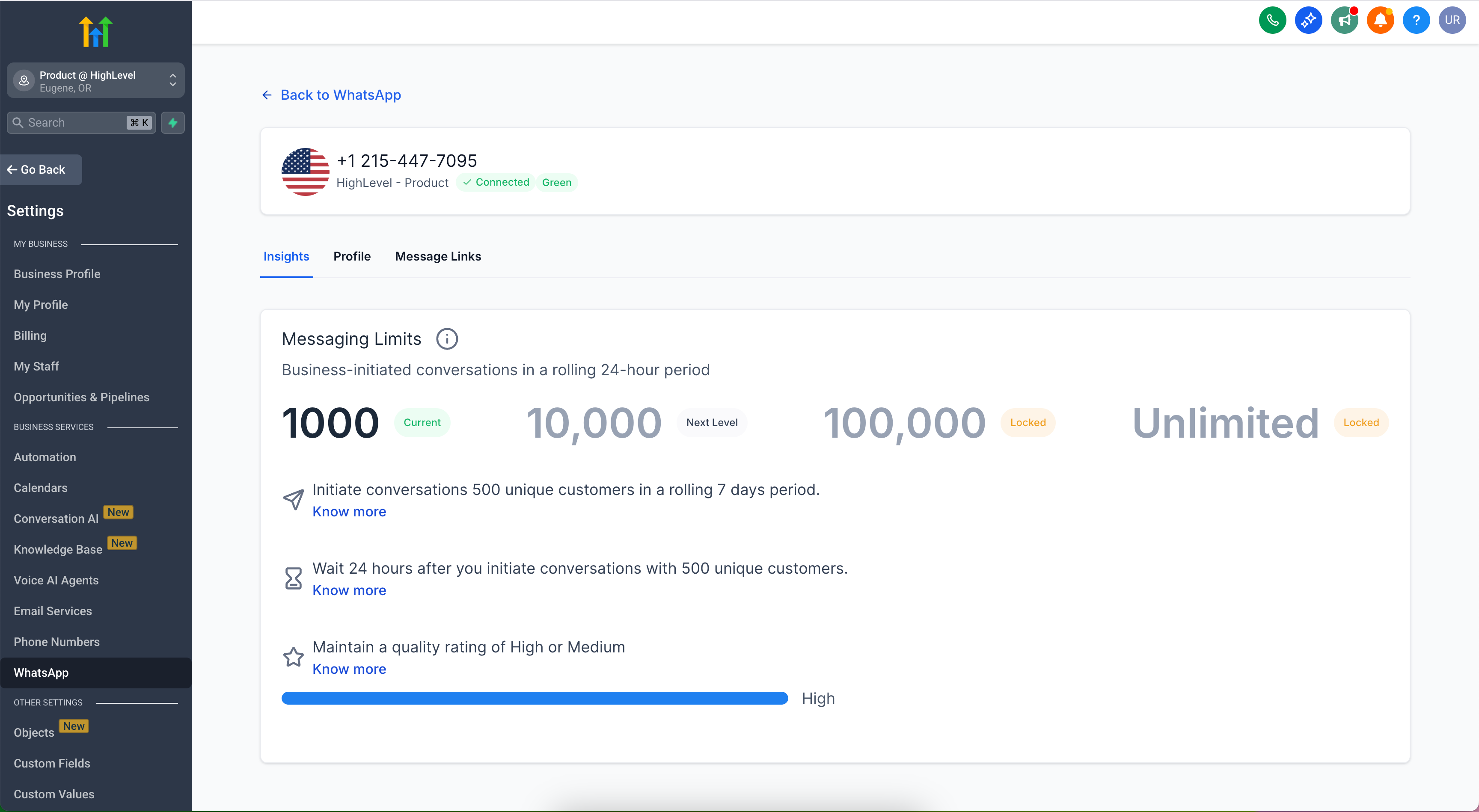
Easily generate click-to-chat WhatsApp links and QR codes with pre-filled messages, enabling your customers to quickly start a WhatsApp conversation with you. This feature is excellent for lead generation and offline campaigns!
Customise the pre-filled message.
Share the short link directly or embed the QR code in print or digital materials.
Example use case:
“Hi, I’m interested in getting more leads and growing my business.”

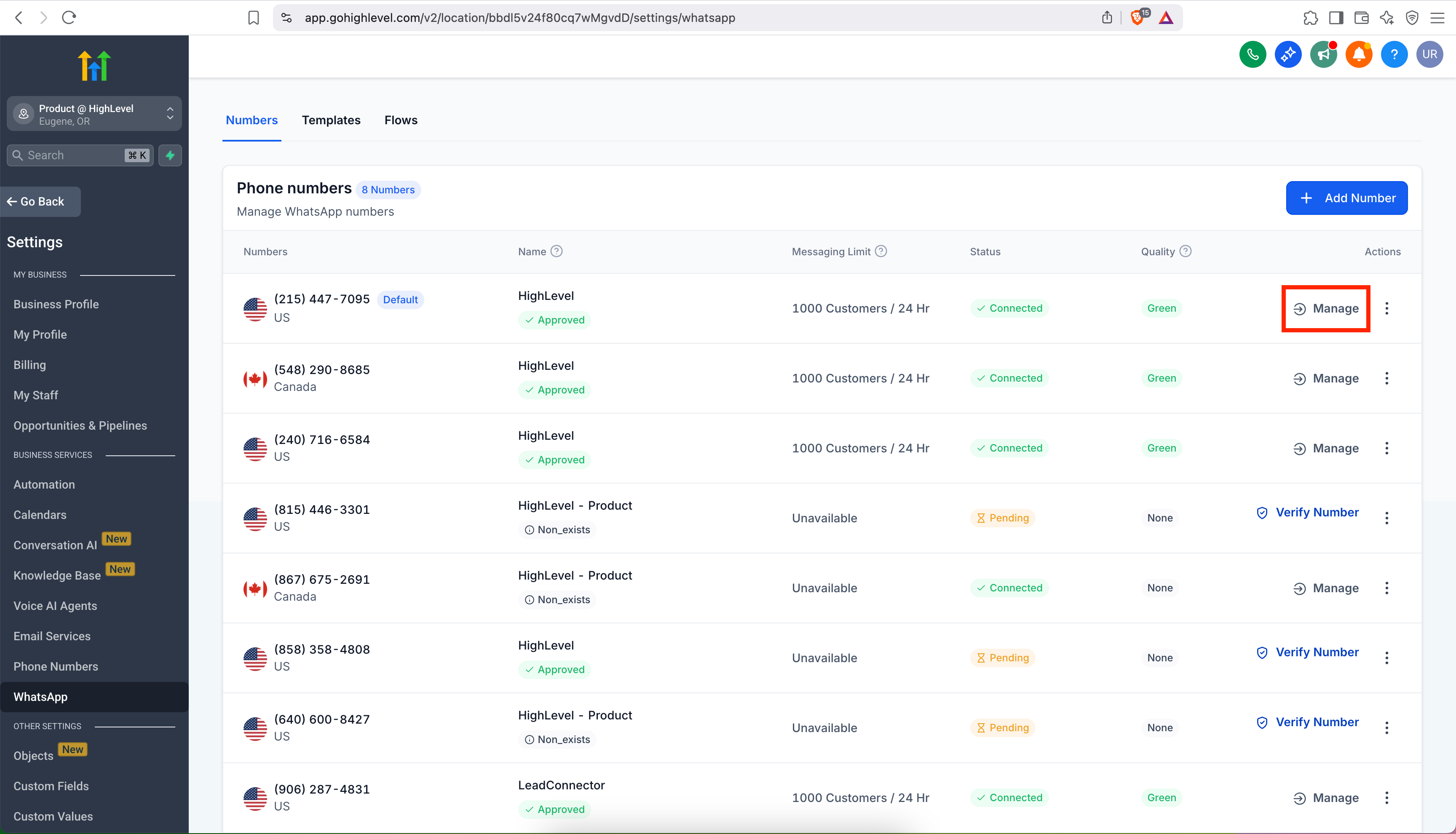
Manage Phone Numbers:
Go to Settings > WhatsApp.
Under each connected phone number, click Manage.
Tabs Overview:
Insights: View your messaging limit and steps to increase it.
Profile: Update your business name, vertical, website, and other details.
Message Links: Create WhatsApp message links with pre-filled text and QR codes.
🔓 Unlock Higher Messaging Tiers: Follow clear steps to progress from 1,000 → 10,000 → 100,000 → Unlimited messaging limits.
📊 Real-Time Visibility: Stay informed of your account’s quality rating and usage thresholds.
📣 Better Lead Capture: Share message links or QR codes in your campaigns, allowing customers to reach you on WhatsApp instantly.
📥 Fewer Support Tickets: Access Meta’s guidelines directly to reduce guesswork and support escalations related to messaging limits.
Messaging limits are the maximum number of business-initiated conversations (conversations opened as a result of sending a marketing, utility, or authentication template to a WhatsApp user) that a business phone number can initiate in a 24-hour moving period.
Business phone numbers are initially limited to 250 business-initiated conversations in a 24-hour moving period, but this limit can be increased.
Increasing Your Limit:
Messaging limits can be increased to the following:
- 1K business-initiated conversations
- 10K business-initiated conversations
- 100K business-initiated conversations
- An unlimited number of business-initiated conversations
You can increase your messaging limit to 1K on your own using the methods outlined above. Higher limits, however, can only be achieved through automatic scaling, which occurs after your limit has been increased to 1K.
Please note that for your business phone number to be eligible for an increase, it must have a connected status. If your business phone number has a low quality rating, it may remain limited to 250 business-initiated conversations until its quality rating improves.