
WhatsApp Media Retention & “Add to Documents”
Files shared on WhatsApp—such as photos, videos, PDFs, and documents—are often vital to customer interactions. Previously, these files could automatically disappear due to WhatsApp’s built-in limitations.
With this update, WhatsApp media within the CRM is now reliable, long-lasting, and easy to manage. We’ve introduced two key enhancements that ensure important WhatsApp files are never lost and can be stored alongside your customer records.
- WhatsApp Media Is Now Retained for 1 Year
- All WhatsApp media is now automatically stored in the CRM for up to 1 year, including:
- Inbound media (files sent by customers to your business)
- Outbound media (files sent by your business to customers)
This enhancement works by default—no setup is required.
Inbound vs Outbound Media
- Inbound media
Files sent to you by your customers on WhatsApp.
Example: Photos, videos, or documents sent by a customer.
- Outbound media
Files sent by your business to customers on WhatsApp.
Example: Invoices, proposals, brochures, or images.
- WhatsApp has strict limits on how long media files remain available:
- Inbound media expires after 7 days.
Files sent by customers may stop loading or become unavailable after a week.
- Outbound media expires after 30 days.
Files sent by your business may stop working after a month.
- Once expired, those files cannot be recovered—leading to missing documents, broken conversation history, and frustration.
We now securely store WhatsApp media within the CRM before it expires, allowing you to access it for a full year, even after WhatsApp removes it.
Add to Documents for WhatsApp Media
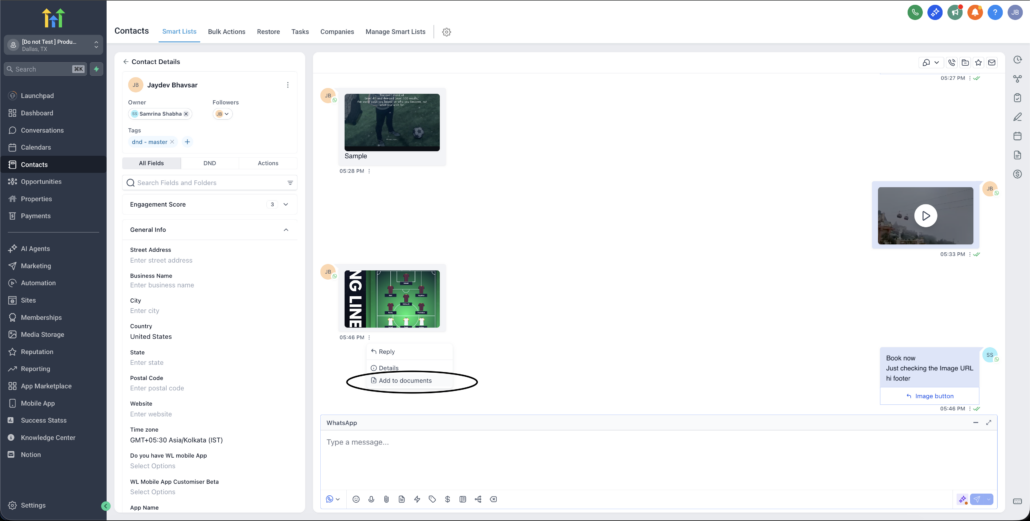
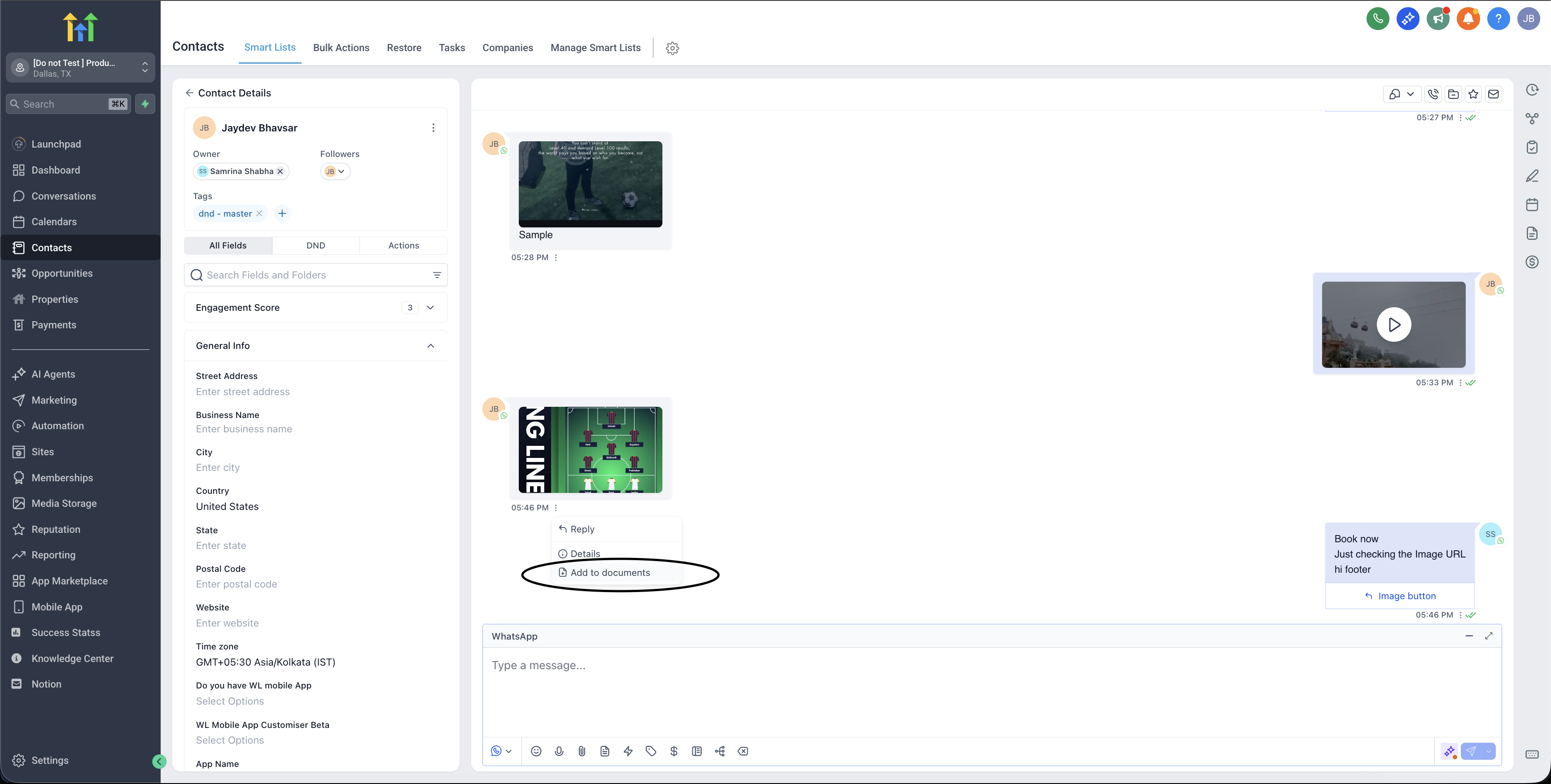
You can now save important WhatsApp attachments directly to a contact’s Documents folder using the new “Add to Documents” option.
This feature works for:
- Inbound WhatsApp media
- Outbound WhatsApp media
To use it:
- Click on any WhatsApp media attachment.
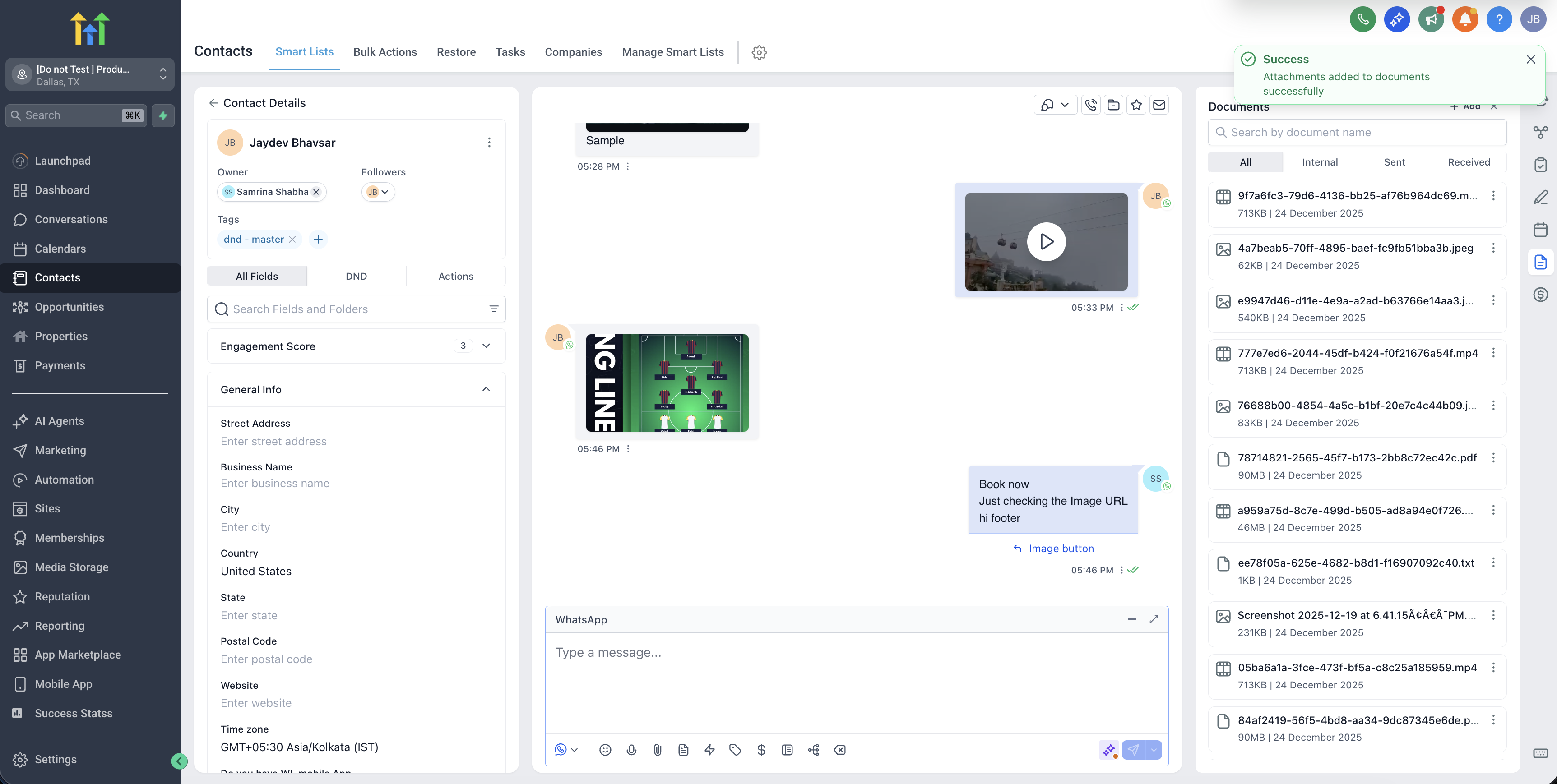
- Select “Add to Documents.”
- The file is saved instantly to the contact’s Documents section.
This experience mirrors the familiar Email & SMS attachment workflow, making it intuitive and consistent.
Why Businesses Should Use This
While all WhatsApp media is automatically stored for 1 year, adding files to Documents helps you:
- Organise critical files in one place.
- Keep customer records clean and complete.
- Ensure consistency across Email, SMS, and WhatsApp.
- Easily reference files for follow-ups, audits, or handovers.
🏗 Contractor: Saves site photos sent by a customer on WhatsApp for future reference.
🏥 Clinic: Retains patient documents shared on WhatsApp without worrying about expiration.
💼 Sales Team: Stores proposals and invoices sent via WhatsApp alongside email attachments.
Business Impact
- 📂 No more lost WhatsApp files due to 7-day or 30-day limits.
- 🧘 Reduced manual downloads and workarounds.
- 🔗 Complete customer documentation across channels.
- ⭐ More professional, reliable CRM experience.
- 📉 Fewer support tickets related to expired media.
