
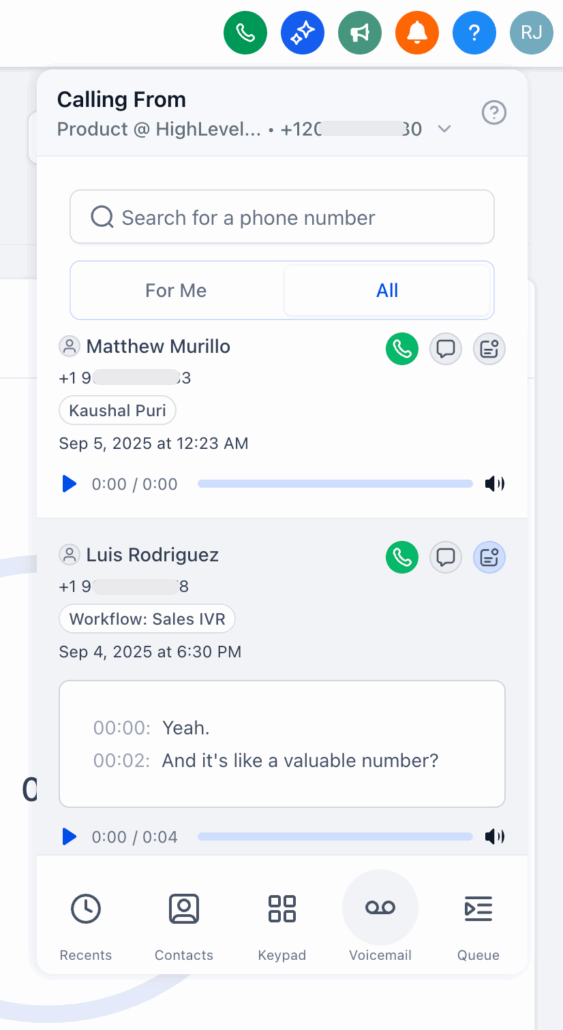
Voicemail tab on the Dialer
14th of October, 2025
We’ve simplified voicemail in Clixio by introducing a single Voicemail tab on the web dialler. This new feature includes searchable lists, playable audio, transcriptions, and one-click follow-ups.
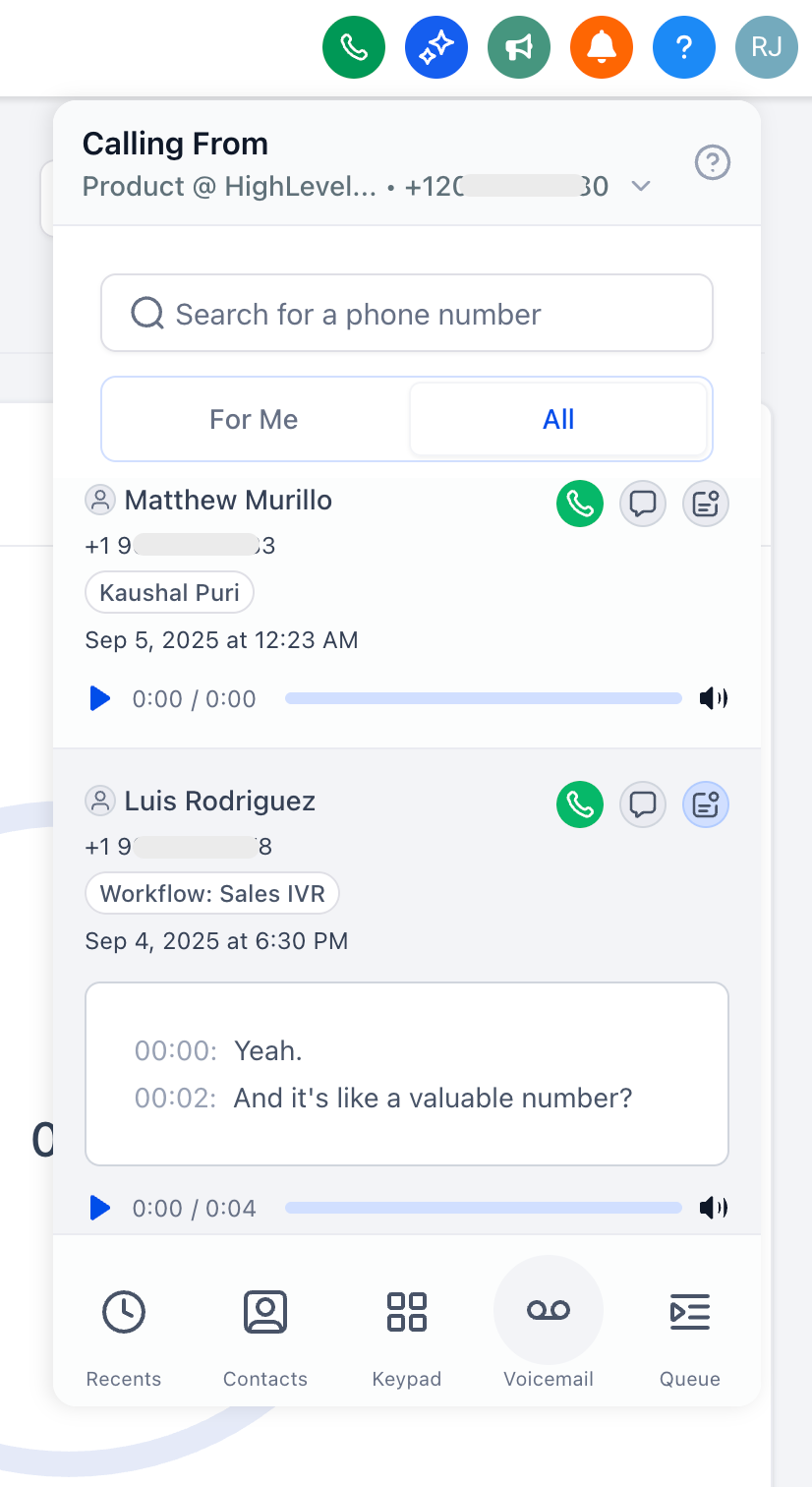
- Voicemail with two tabs:
-
For me: voicemails that were called to you.
-
All: every voicemail in the sub-account (admin/permission-based).
- Search (from any tab):
- Rich voicemail cards:
- Contact name (when known) and phone number.
- Source (workflow, dialled number, and/or assigned user—when available).
- Timestamp, duration, playback, and transcription.
- Quick actions: Call back, Send SMS, Open contact profile.
- Open the Dialler in your sub-account from the top right and click on Voicemail.
- Start on For me to see messages that were called to you.
- Click a voicemail to play audio and read the transcription.
- Use Call or SMS to respond instantly, or open the contact for more context.
- Use the search bar to find by number.
Access to All tab is permission-based.
Transcriptions are generated only if enabled; we advise users to play the audio if the wording is unclear. This feature is available via Labs and is currently accessible only on the web, with mobile app support coming soon.