Use Physical Deskphones linked to your CRM (SIP Endpoints)
19th June 2025
Use Your Physical Desk Phone with Clixio (SIP Endpoints)
- Utilise a VoIP desk phone that remains connected to your CRM.
- Make both outbound and inbound calls using your desk phone.
- Transfer calls to team members with blind transfers.
- Take advantage of call recording and transcription features.
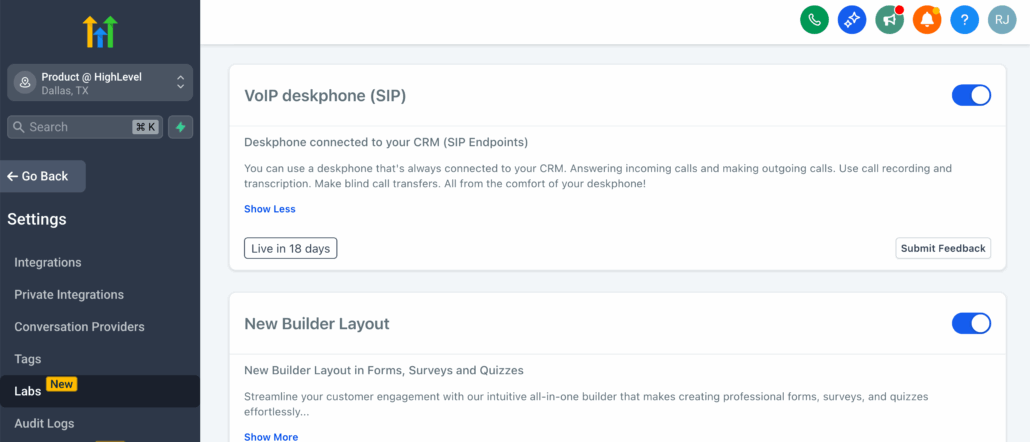
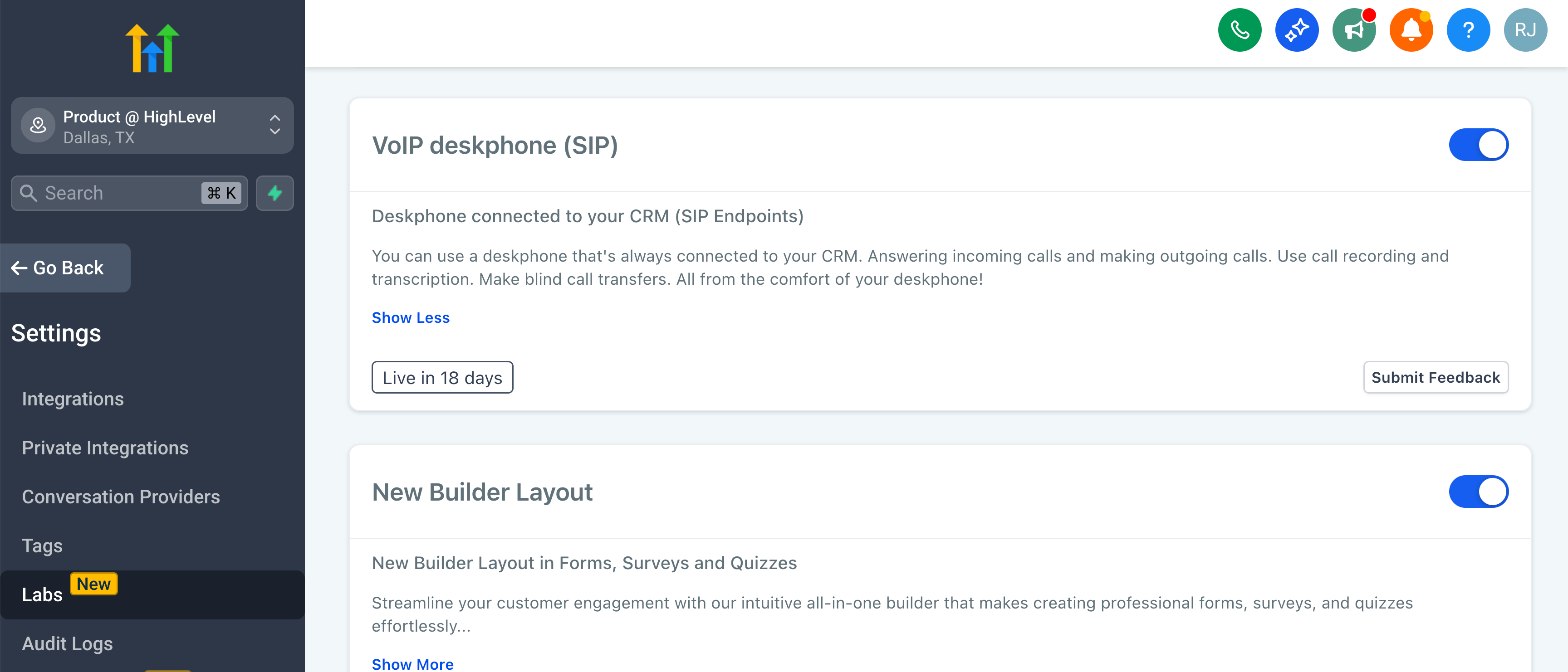
- Available through Labs.
Enable via Labs:
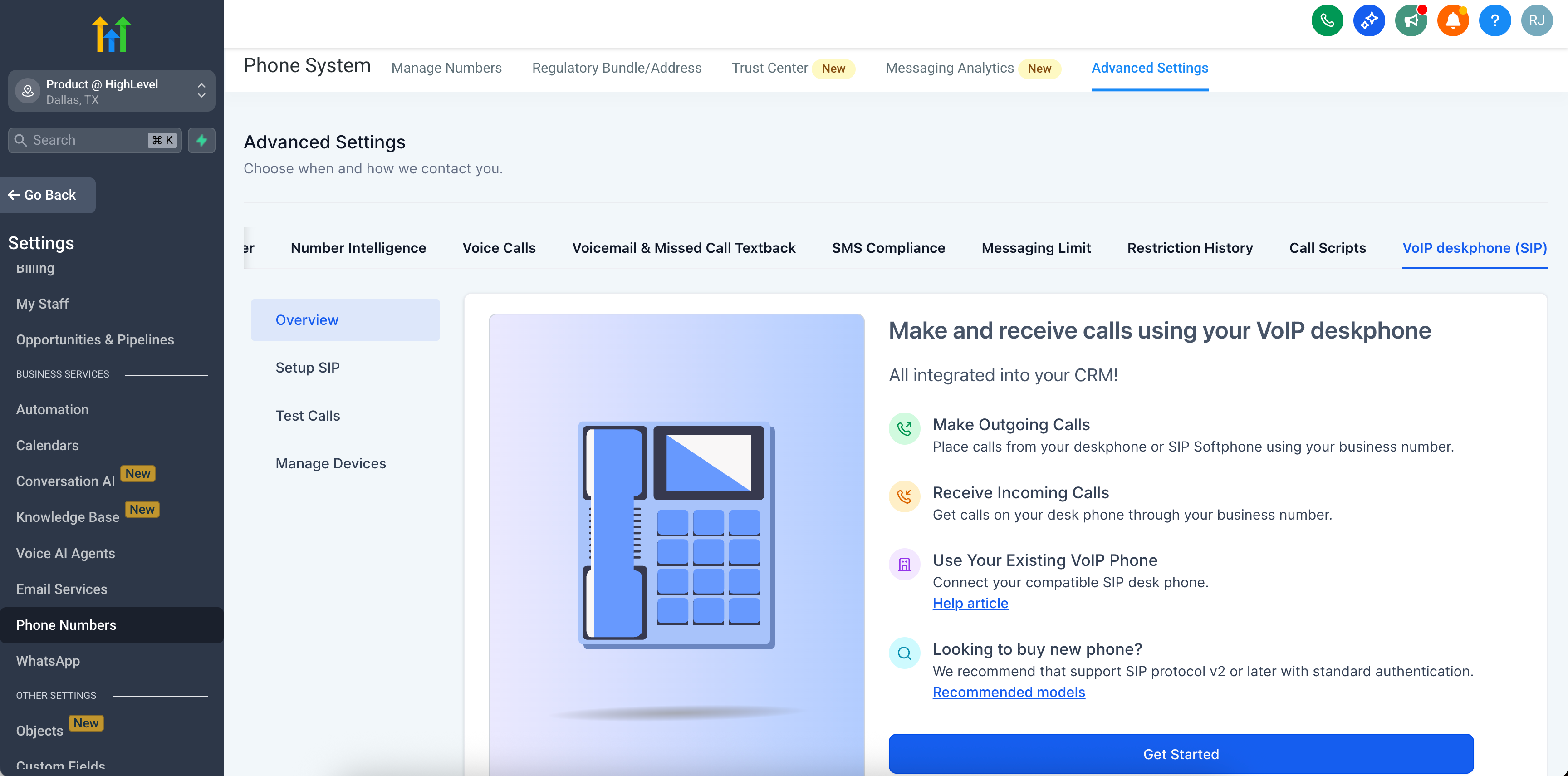
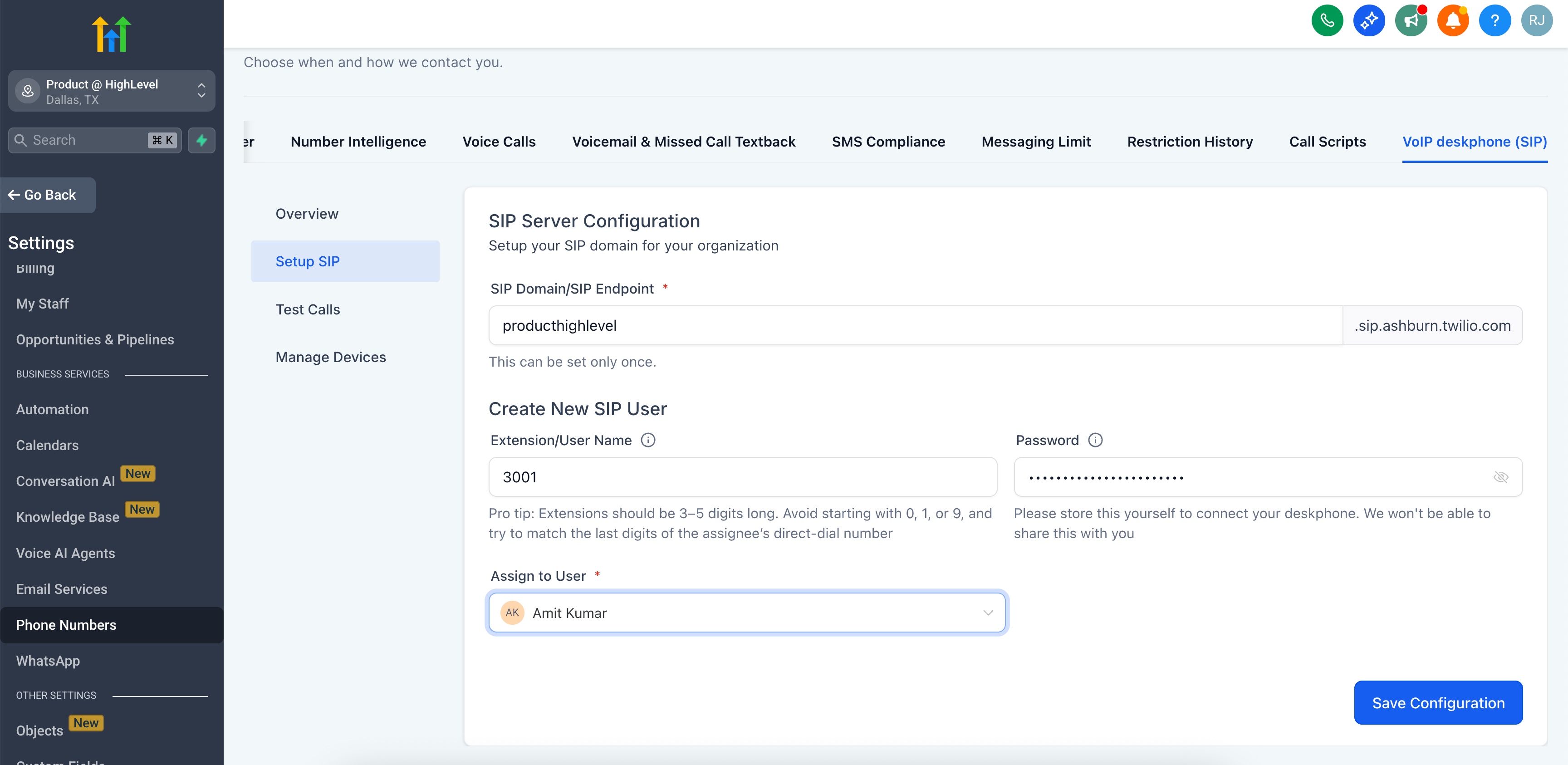
Access this under Subaccount Settings > Phone Numbers > Advanced Settings > VoIP Desk Phone (SIP):
Set Up a SIP User and Device:
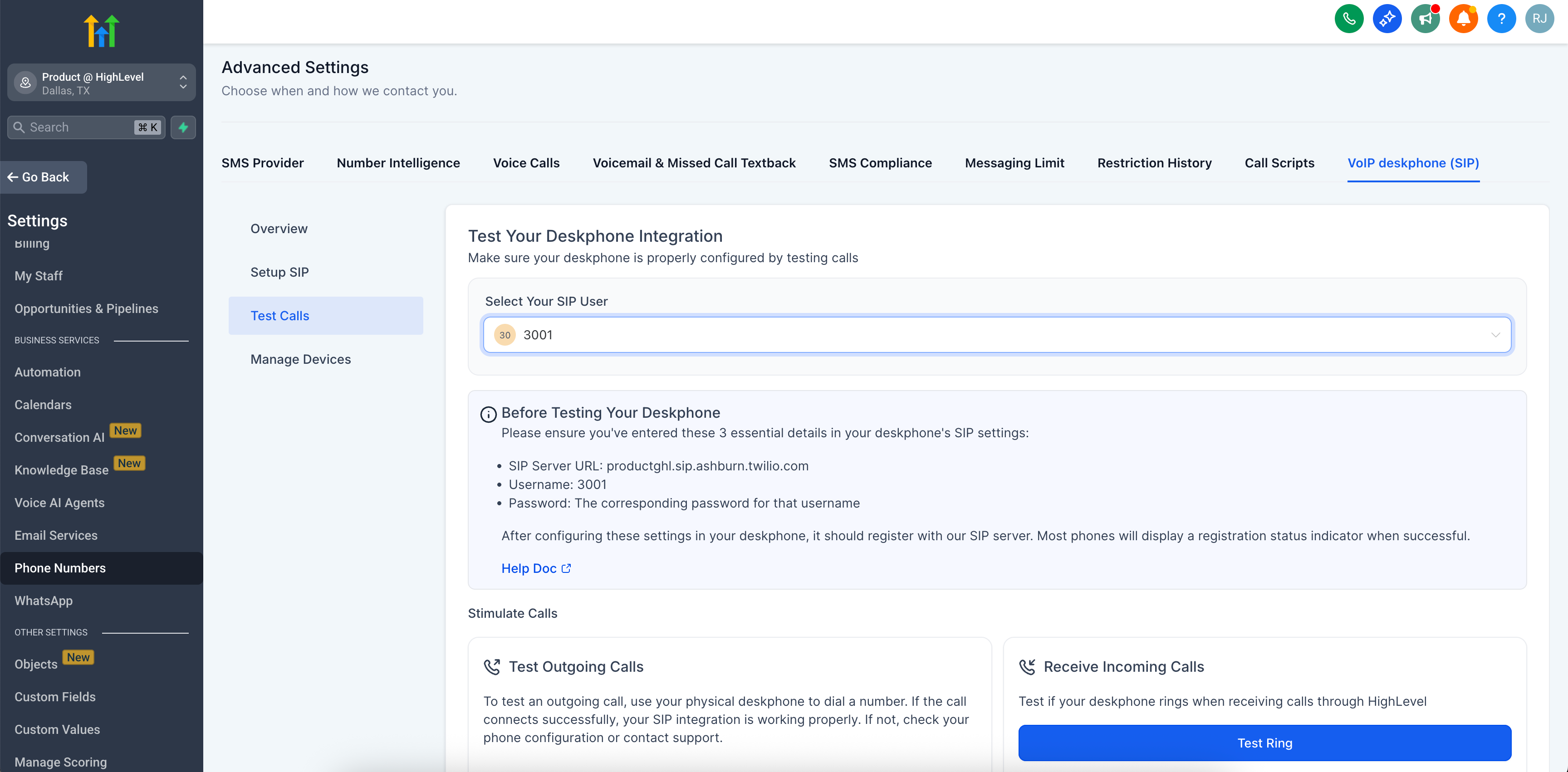
Test Your Desk Phone:
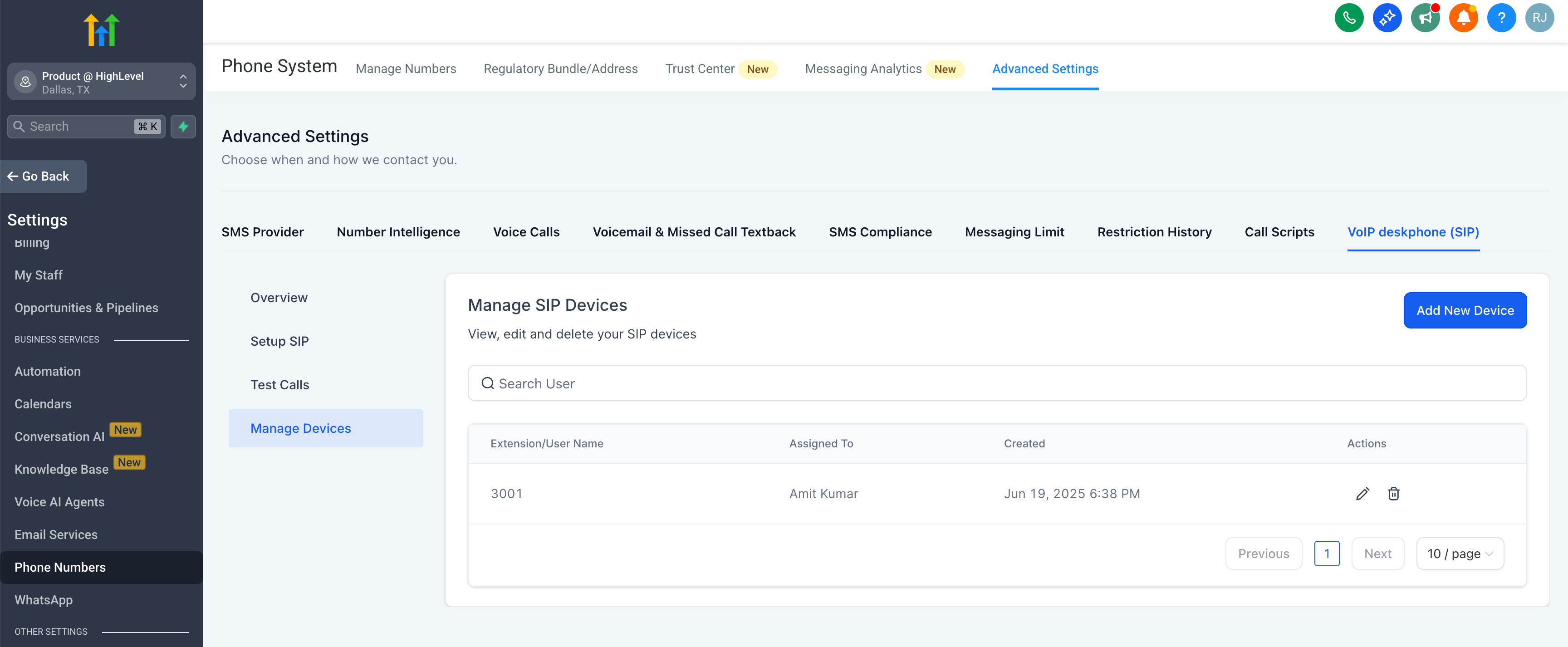
Manage SIP Devices: