Update Existing Subscriptions – Products, Quantities, Start & End Dates
What’s New?
Businesses can now update active customer subscriptions without the need to cancel and recreate them. This release allows you to:
-
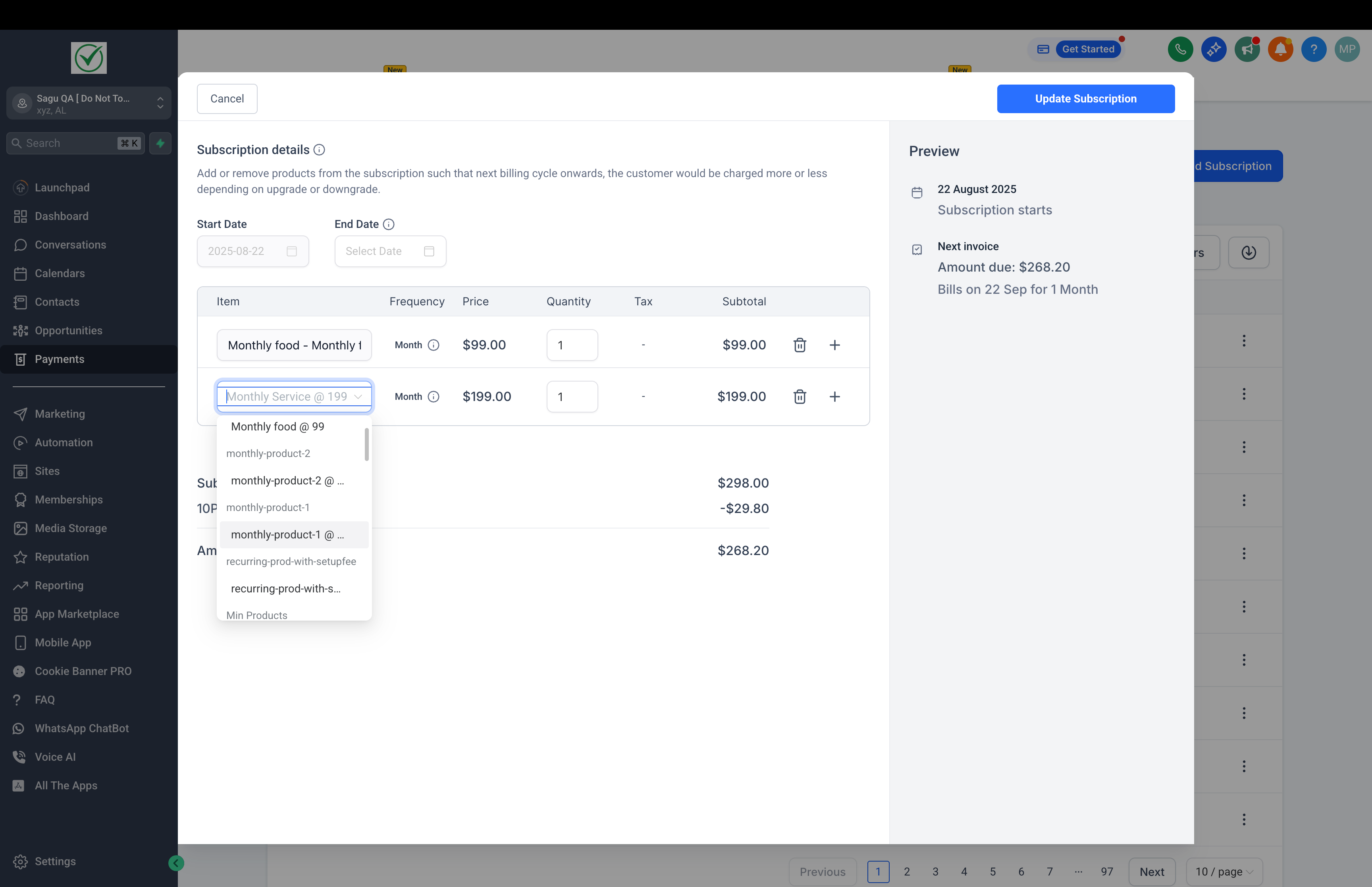
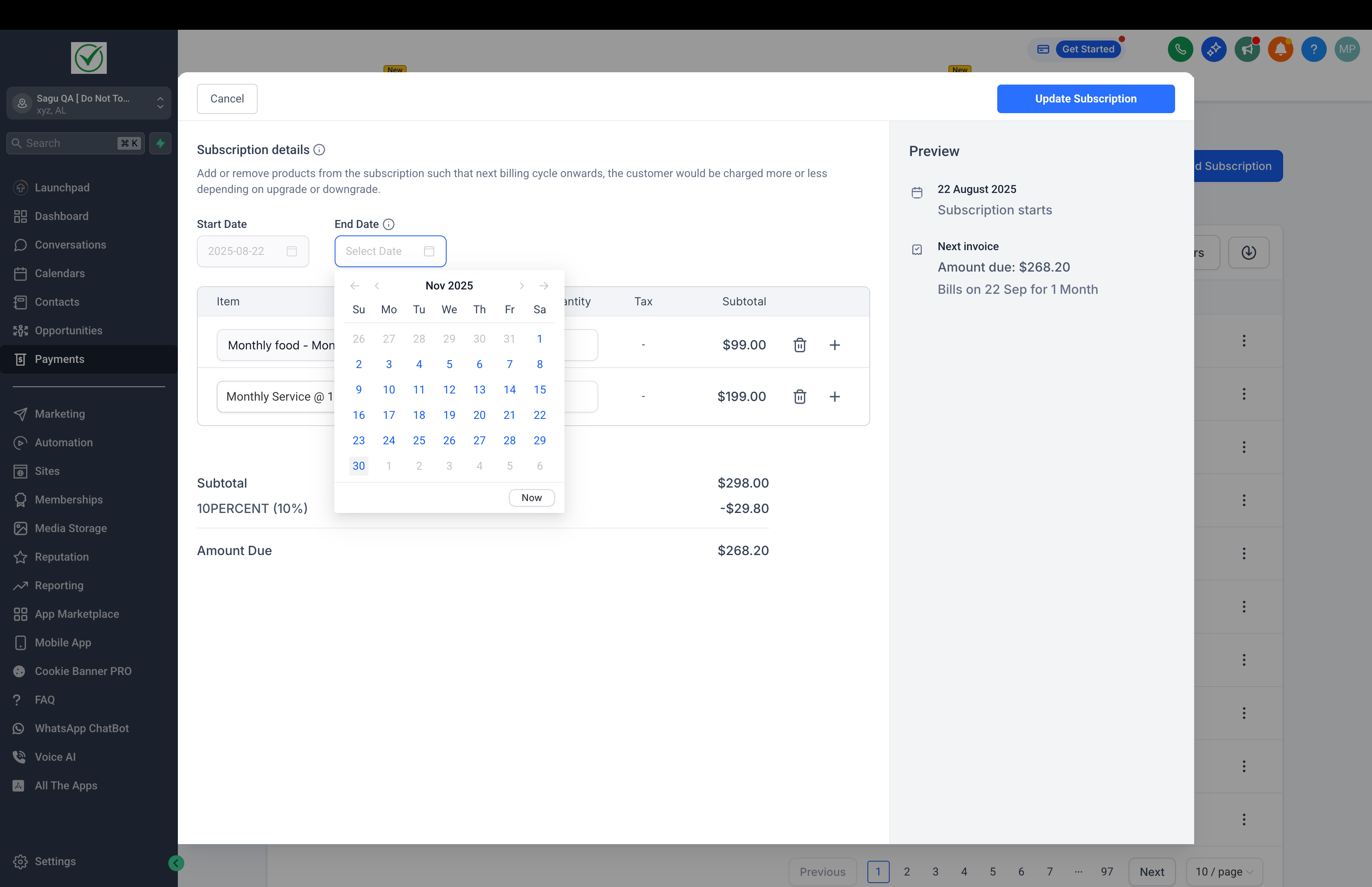
Add or remove products
from an existing subscription, provided that all products have the same billing frequency.
-
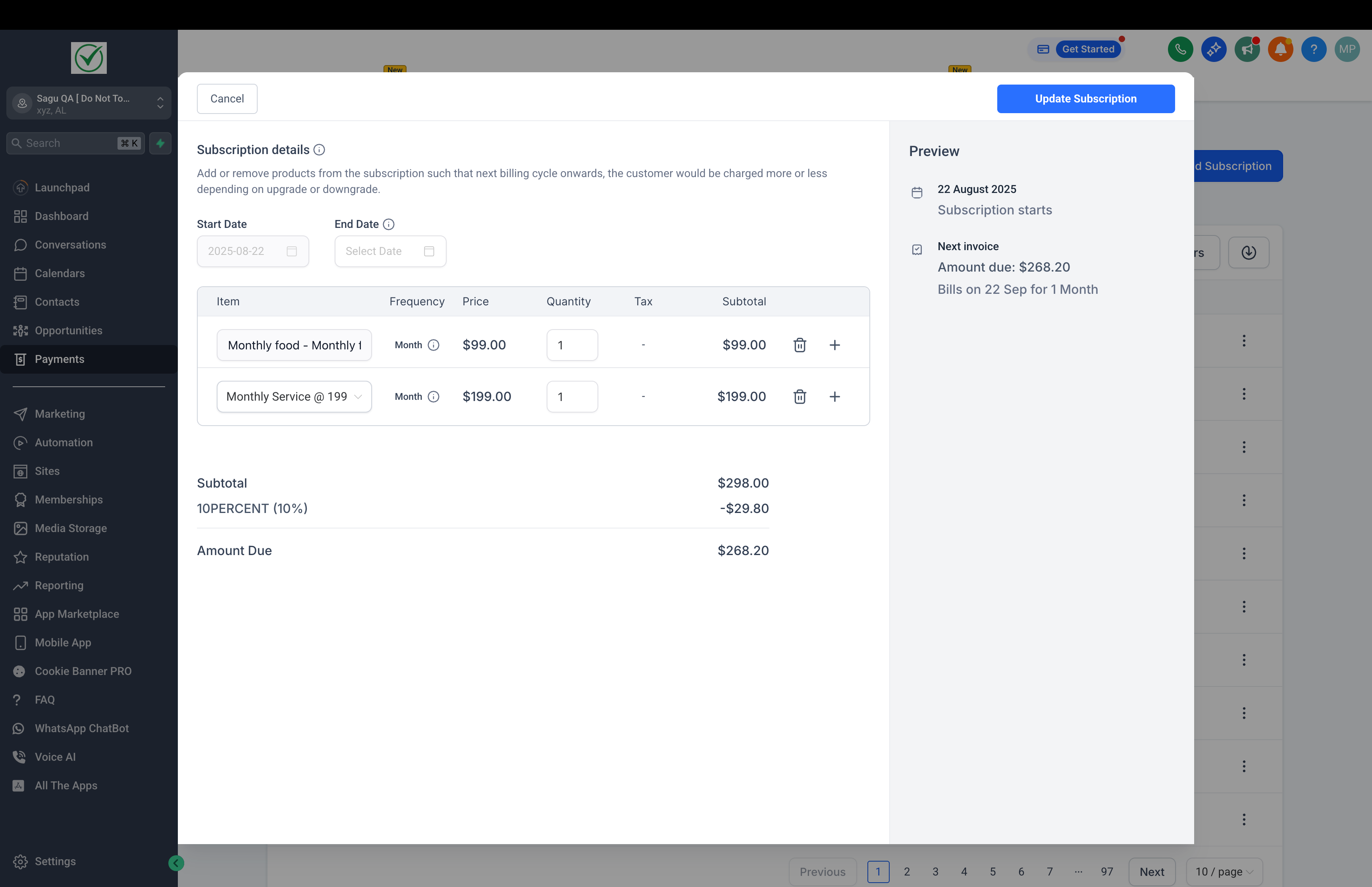
Adjust product quantities
(ranging from 1 to 1000) and view updated subscription totals reflected in future billing cycles.
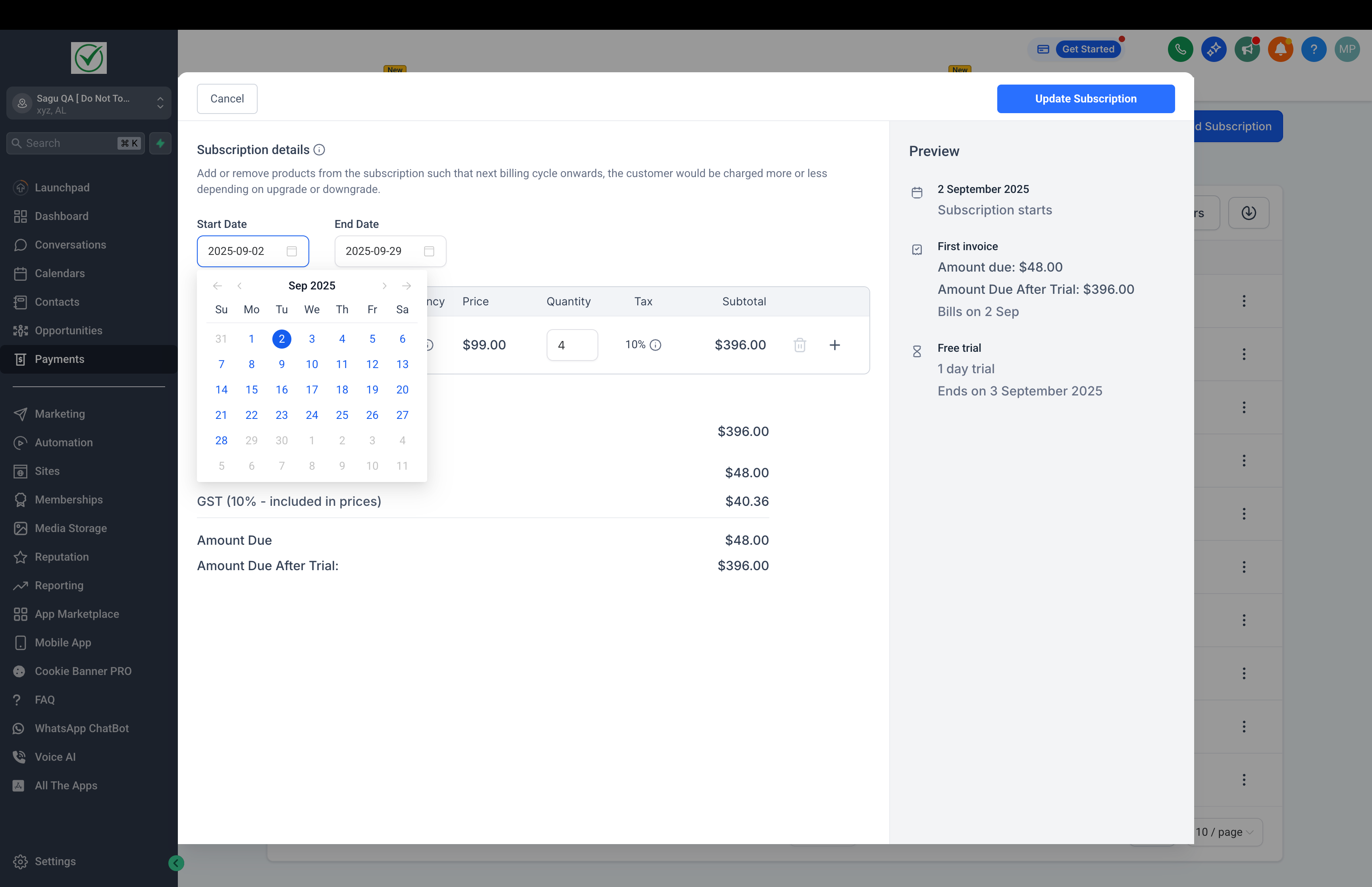
- View and edit subscription dates, including
modifying the ‘Start Date’ for scheduled
subscriptions and
changing the ‘End Date’ for any non-cancelled subscription
.
- Maintain consistent billing dates — subscription charge dates will remain unchanged, ensuring payment schedules are predictable for your customers.
- Preview and confirm all changes before saving them.
- Track the history of subscription modifications in a dedicated log on the subscription details page, noting product changes, date edits, quantities, the user who made the update, and timestamps.
These changes apply to subscriptions across Stripe, Square, NMI, and Authorize.net.
Examples of Use:
- Adding multiple products to a subscription bundle.
- Removing a product mid-cycle without affecting the billing date.
- Adjusting quantities prior to the next charge date.
- Extending the end date of a subscription directly from the details page.
Where Can I Find This?
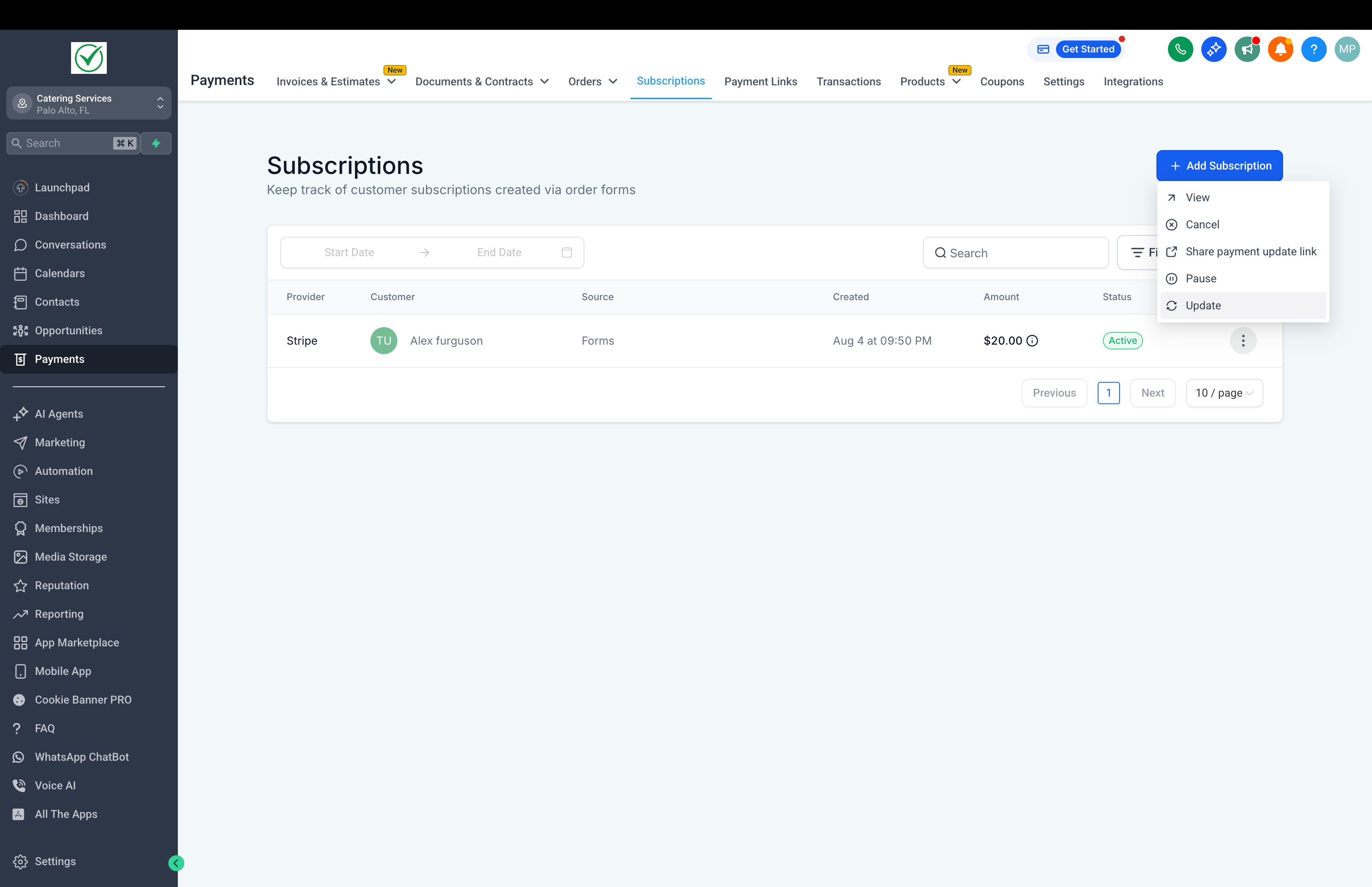
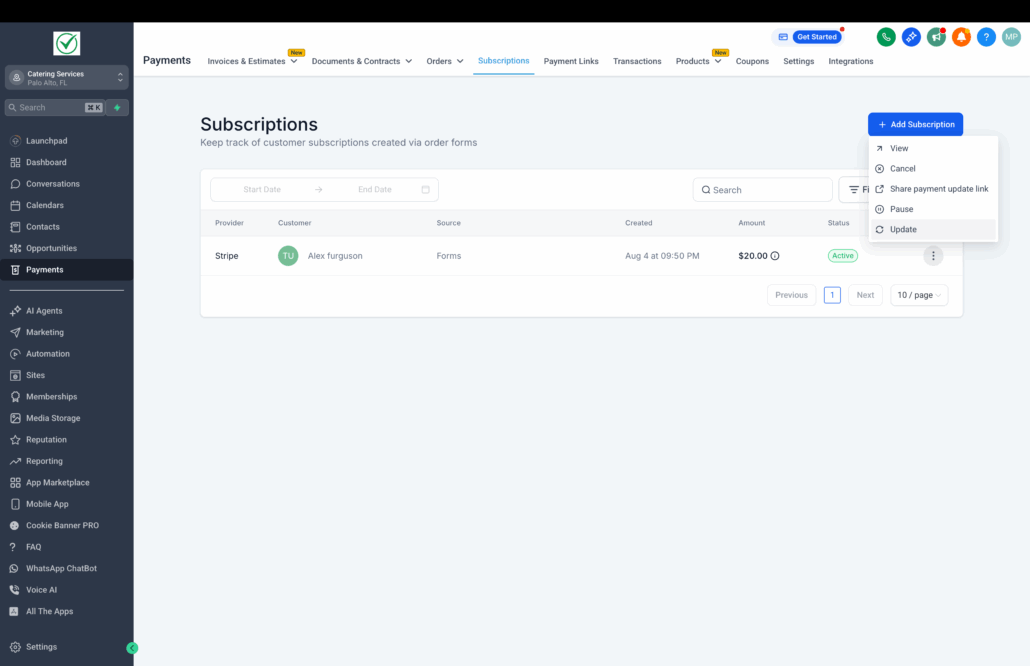
- Navigate to Payments → Subscriptions → Update Subscription
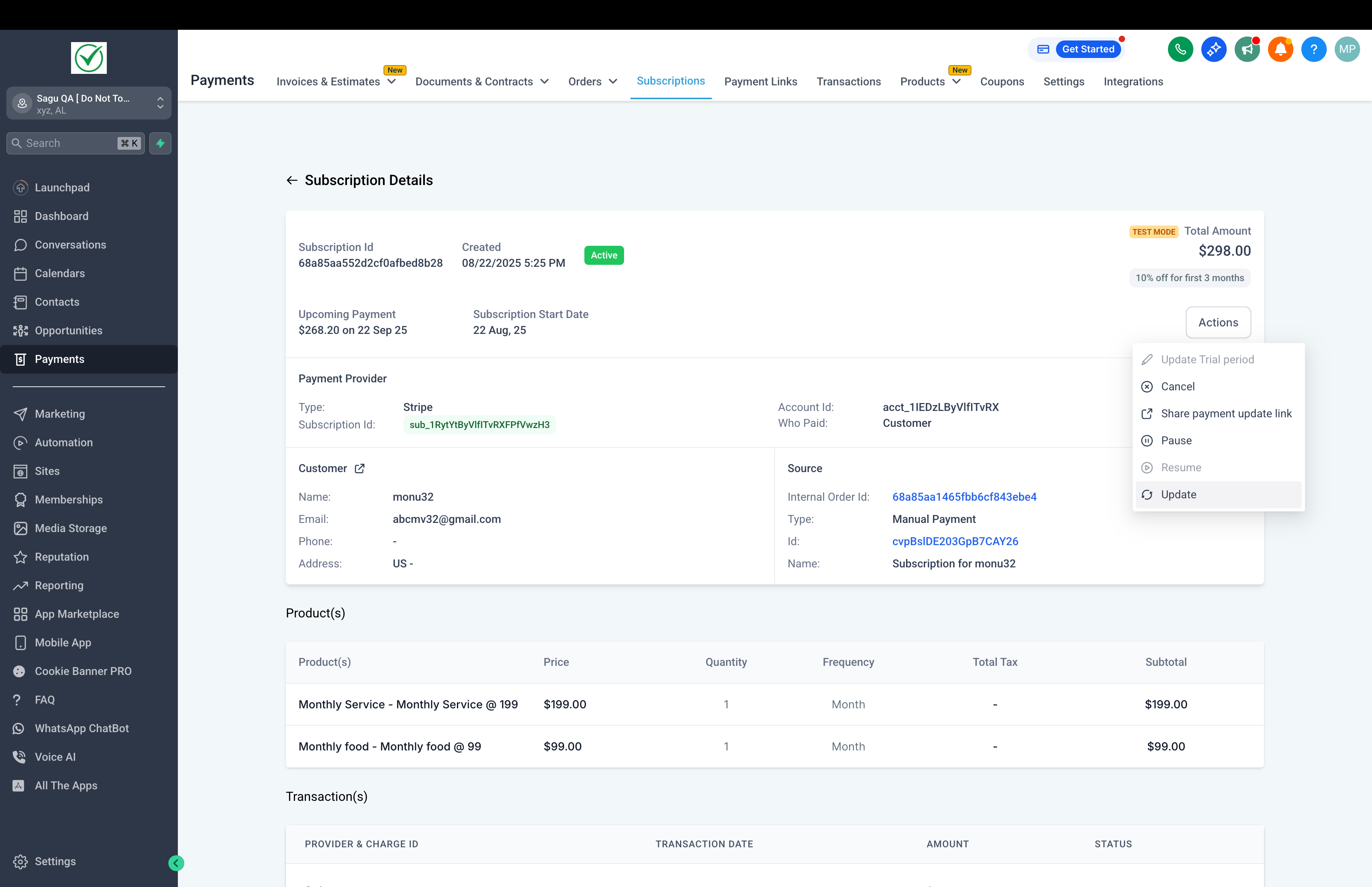
- Alternatively, access Payments → Subscriptions → Subscription Details → Update Subscription
- You’ll find the Update Subscription button available in both locations.
What’s Next?
- The ability to modify subscription charge dates alongside coupons.
- Exploring a potential workflow trigger when a subscription is updated (products or quantities).