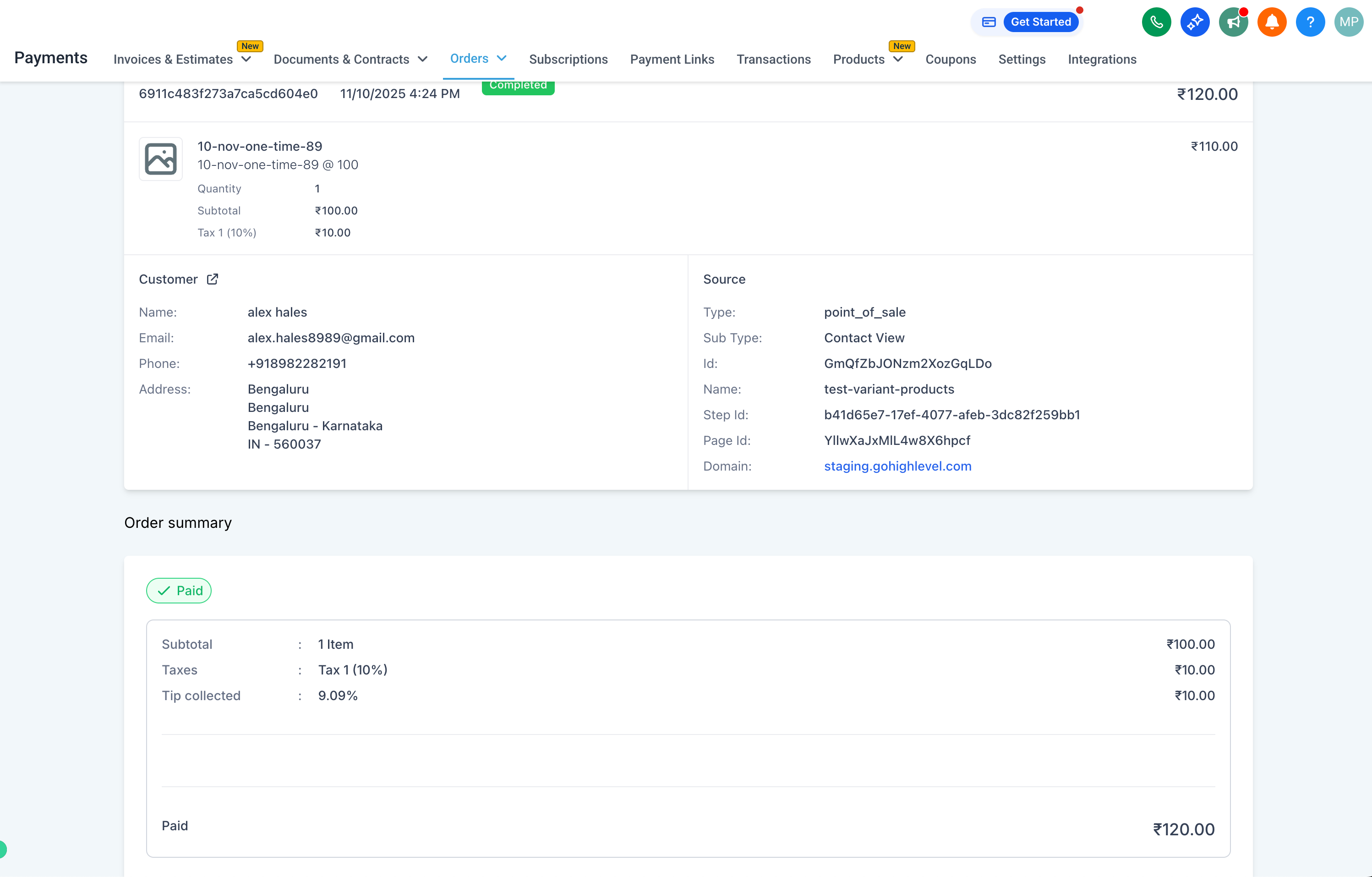
Tipping support on the Orders API (API enhancement only)
Businesses can now offer customers the option to add tips during checkout, creating a more flexible and personalised payment experience across various product types.
This represents a significant API enhancement, allowing any checkout system to implement tipping and make it available at their checkout. Additional settings related to tipping, along with an option to view and collect tips directly within the payment element, will be introduced in the next phase.
With this update, tipping is now supported in the Payment Summary API and across all related order and transaction layers, ensuring precise total calculations and transparent reporting.
Comprehensive API Enhancement:
- The Payment Summary API now includes tipping as an optional input field.
- API calculations automatically incorporate the tip into the total payment due.
- Error handling effectively flags any invalid or missing tip values.
UI Enhancements for Transparency:
- The tip amount (if applicable and enabled at checkout) now appears in Transaction Details, Order Details, and Receipts.
- For Invoices, the existing tipping behaviour is maintained — if the tip amount exceeds 0, it is displayed; if it is 0, it remains hidden.
CSV Exports:
- A new “Tip Amount” column (if applicable and enabled at checkout) has been added to the Orders CSV, reflecting the tip paid at the time of order placement.
- The Transactions CSV continues to utilise the existing tipping field for consistent reporting.
- Tipping support is available on the Payment Summary API and can be utilised by any internal team to incorporate tip values/amounts into order totals.
- Support for custom tipping configurations, such as predefined tip percentages, is available on Payment Settings.
- Tips can be collected directly from the payment element.
- Extended analytics dashboards will visualise tipping adoption and its contribution to value.
- Broader UI customisation options are supported regarding how and where tipping is displayed during checkout.