
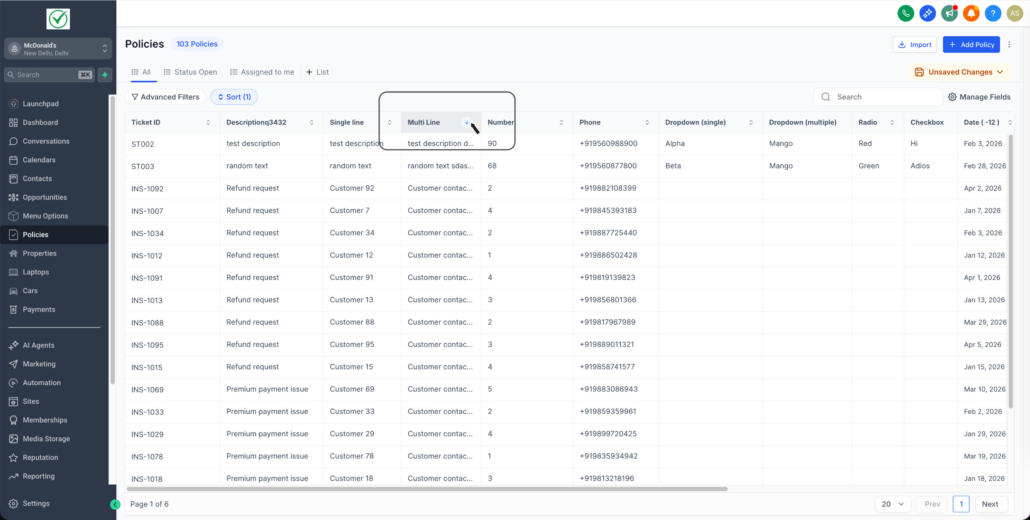
Sorting on Custom Fields in Custom Objects 🎯
You can now sort Custom Object list views using Custom Fields, which makes it easier to organise and prioritise records based on the fields that are most important to your business.
- Sort by custom fields (not just Created/Updated dates).
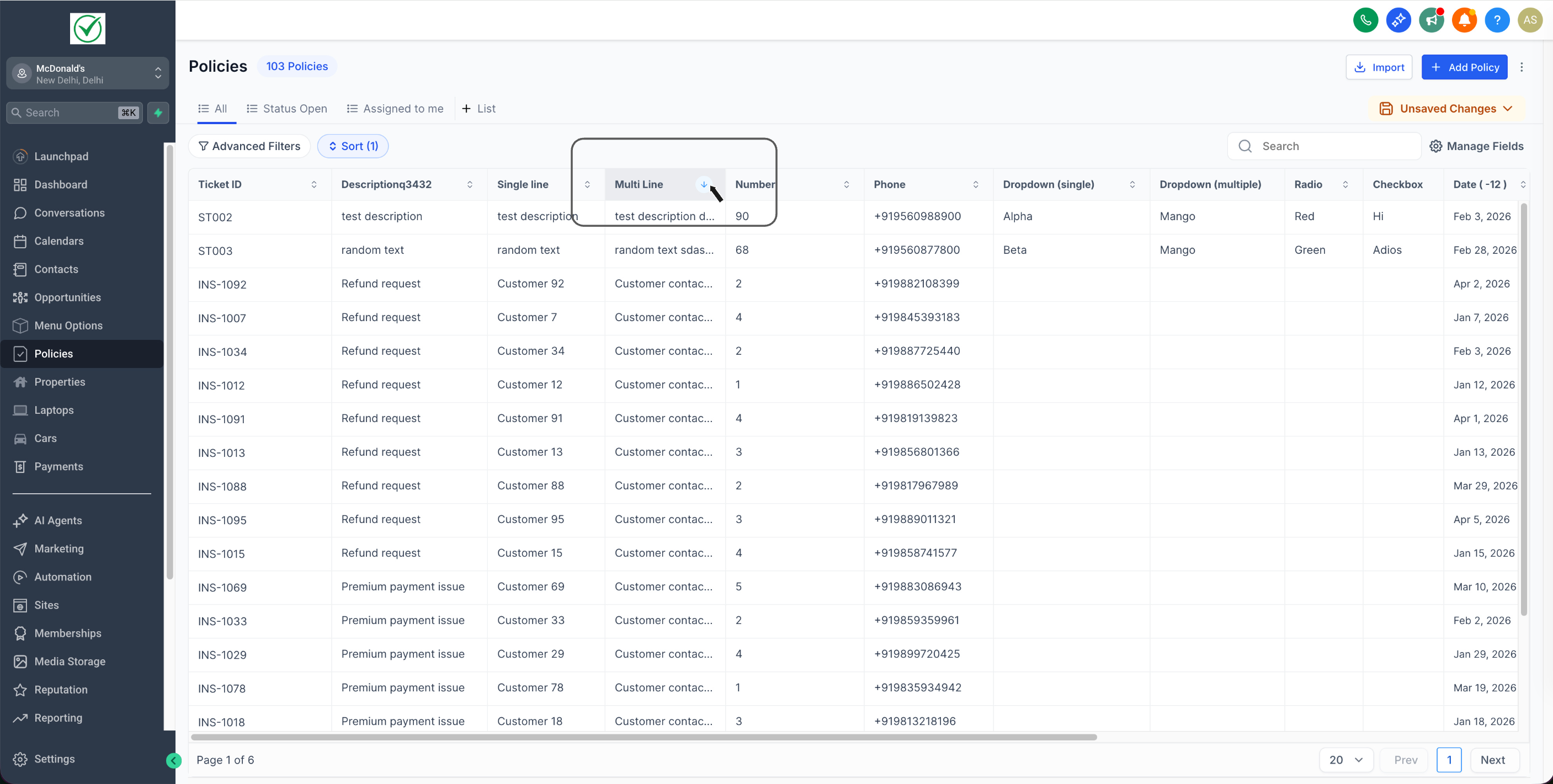
- Sort either from the Sort dropdown or by clicking a column header.
- Toggle between ascending and descending order.
Option 1: Click a custom field column header to sort (click again to reverse)
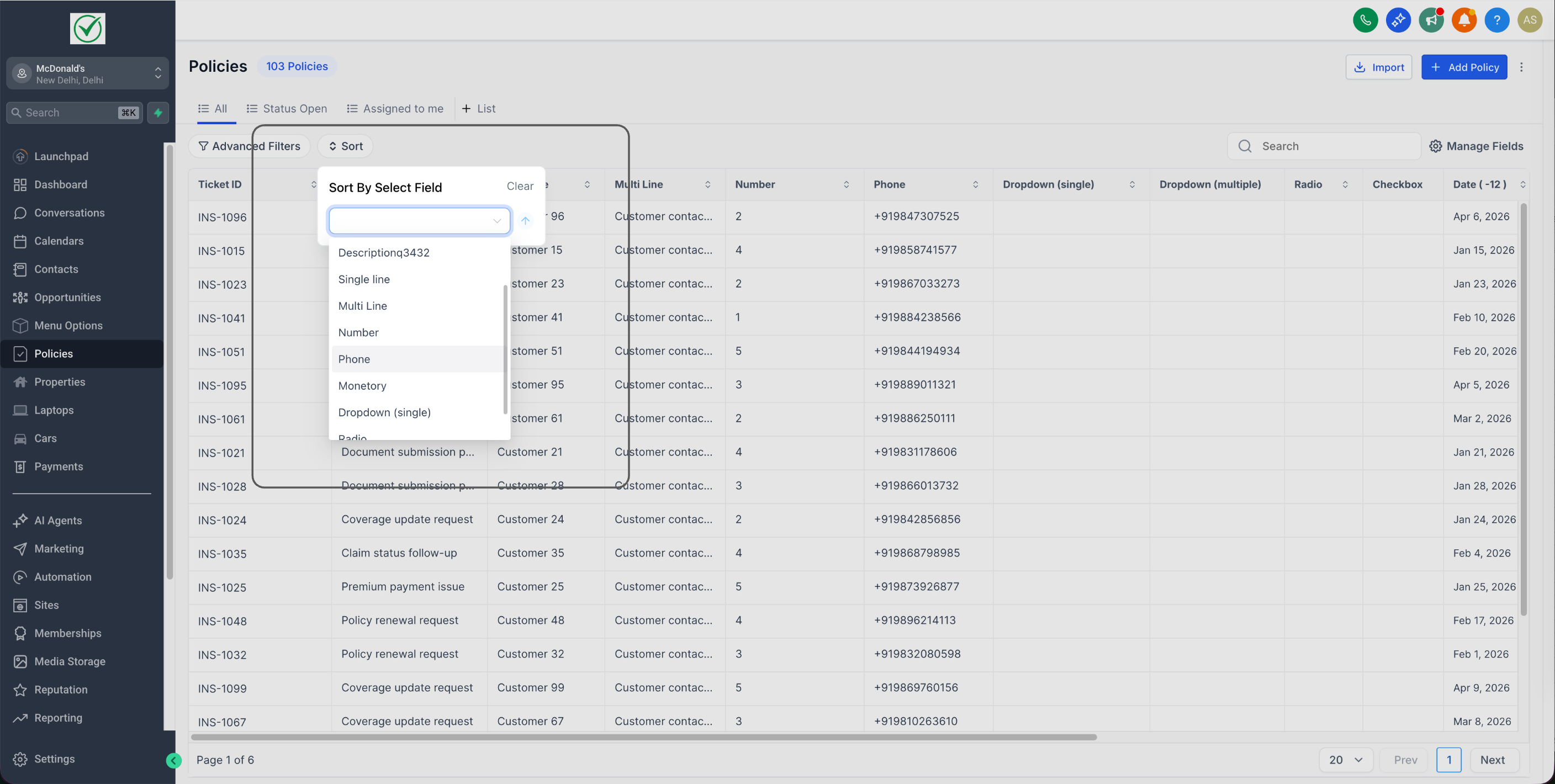
Option 2: Open List View → click Sort → choose a custom field → select Asc/Desc
(This is useful when the field you want to sort is not selected in list view)
- Faster navigation in large datasets.
- Easier prioritisation (Price, Renewal Date, Status, Priority, etc.).
- Less manual scanning and filtering.
Sorting is not supported for the following field types: Dropdown (Multiple), Checkbox, Textbox List.
