
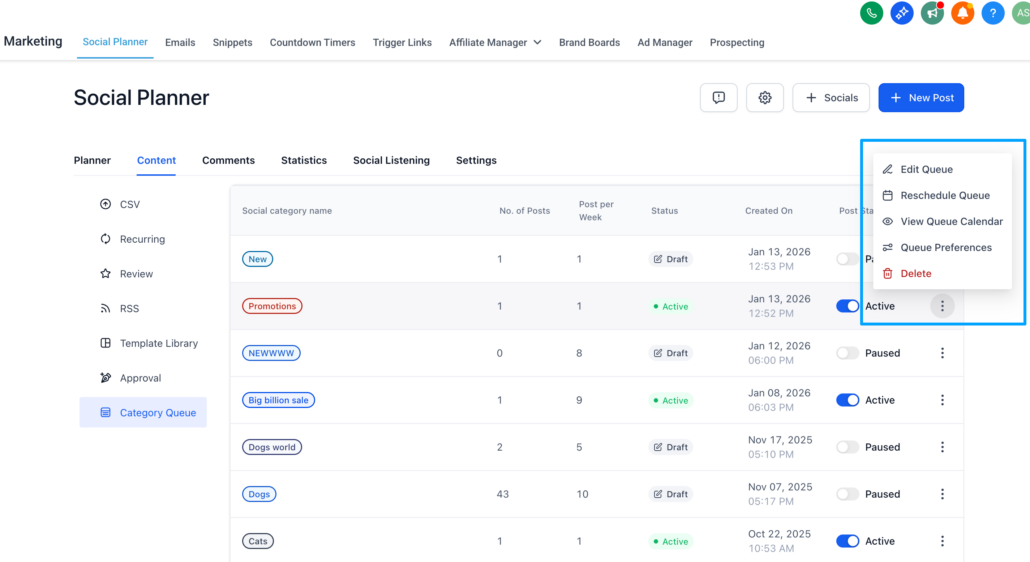
Social Planner- Category Queue can now be edited!
With this update, users can finally edit, reorder, reschedule, and visualise queues without needing to rebuild them from scratch. This makes the Category Queue more flexible, particularly for teams managing multiple brands, seasonal campaigns, and dynamic posting schedules.
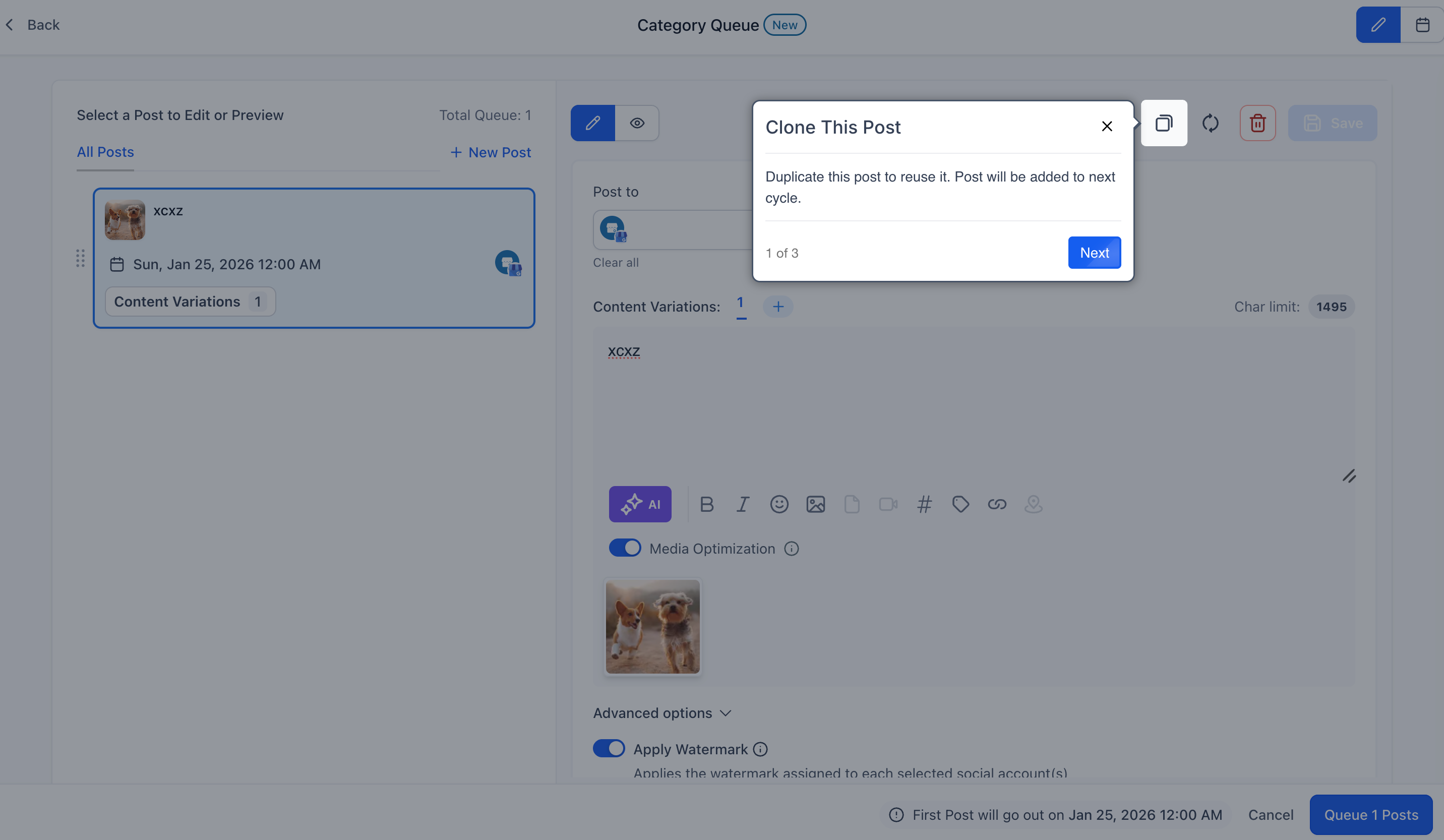
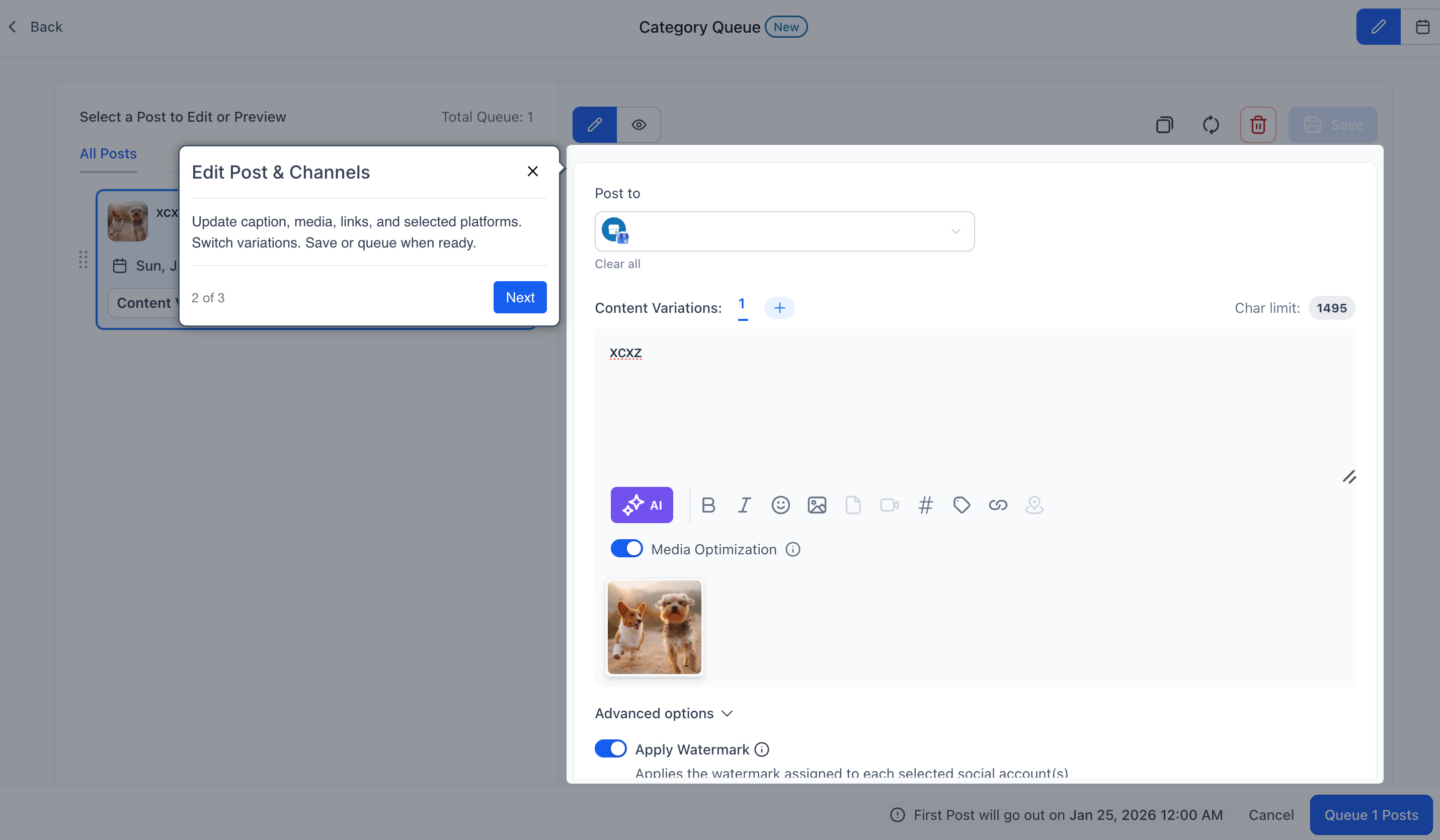
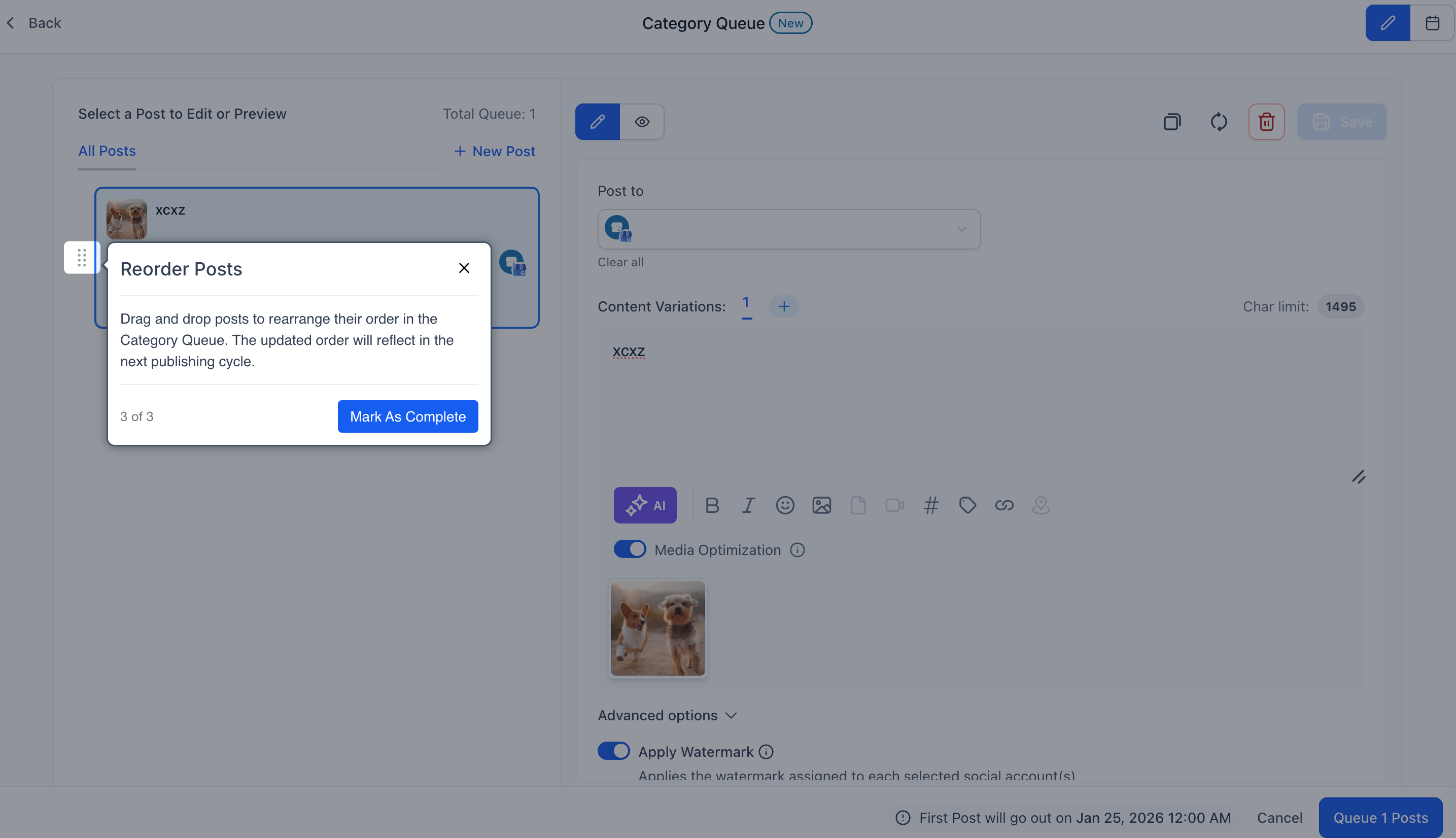
- Edit Category Queue
Editable fields include:
- Post caption + sub-fields
- Posting frequency
- Timeslots of the Queue
- Post order (drag-and-drop)
Note:
Single post rescheduling is not supported.
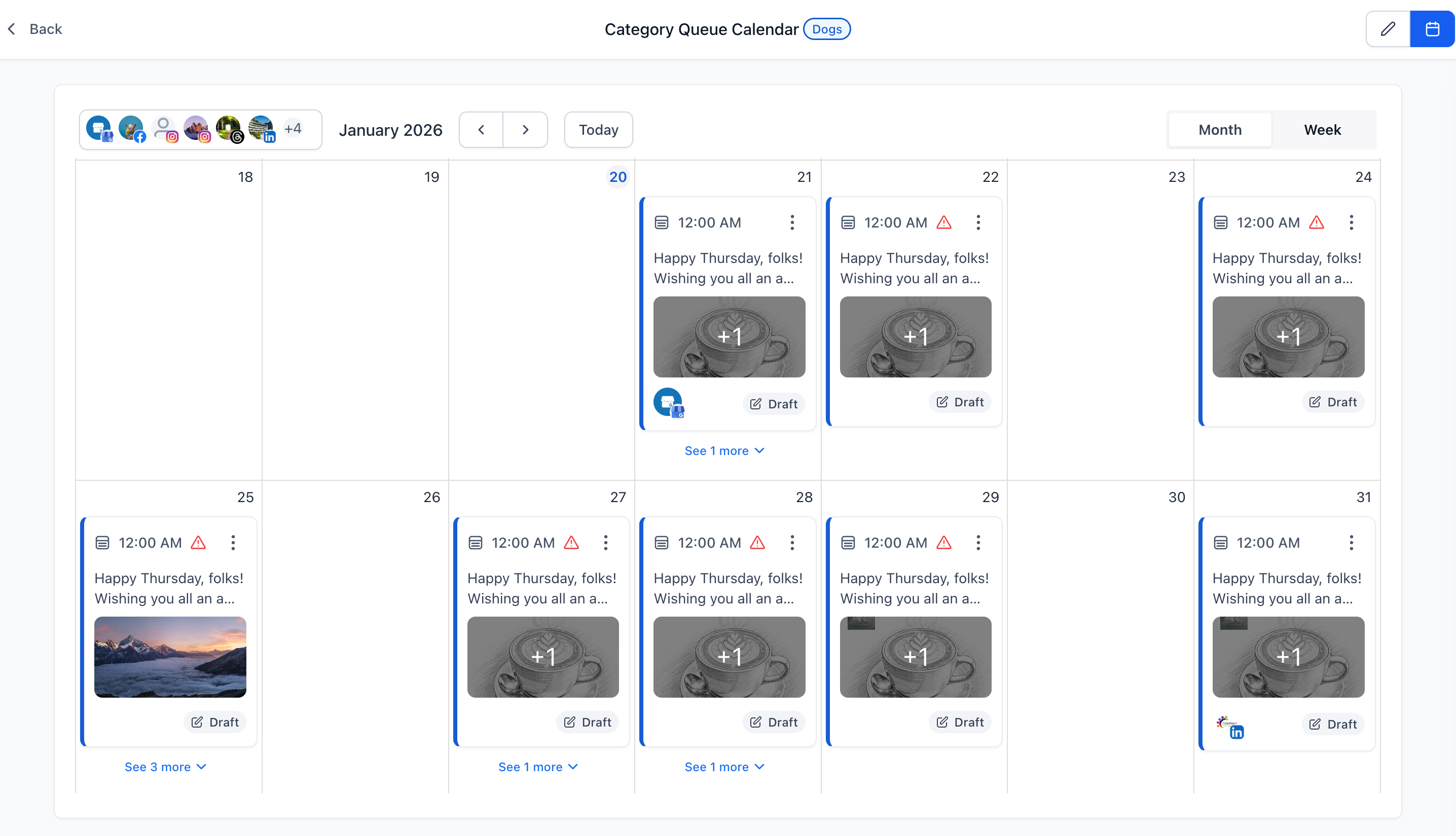
- New Calendar View for Queues
A full visual calendar view helps you understand your content schedule at a glance.
Available in:

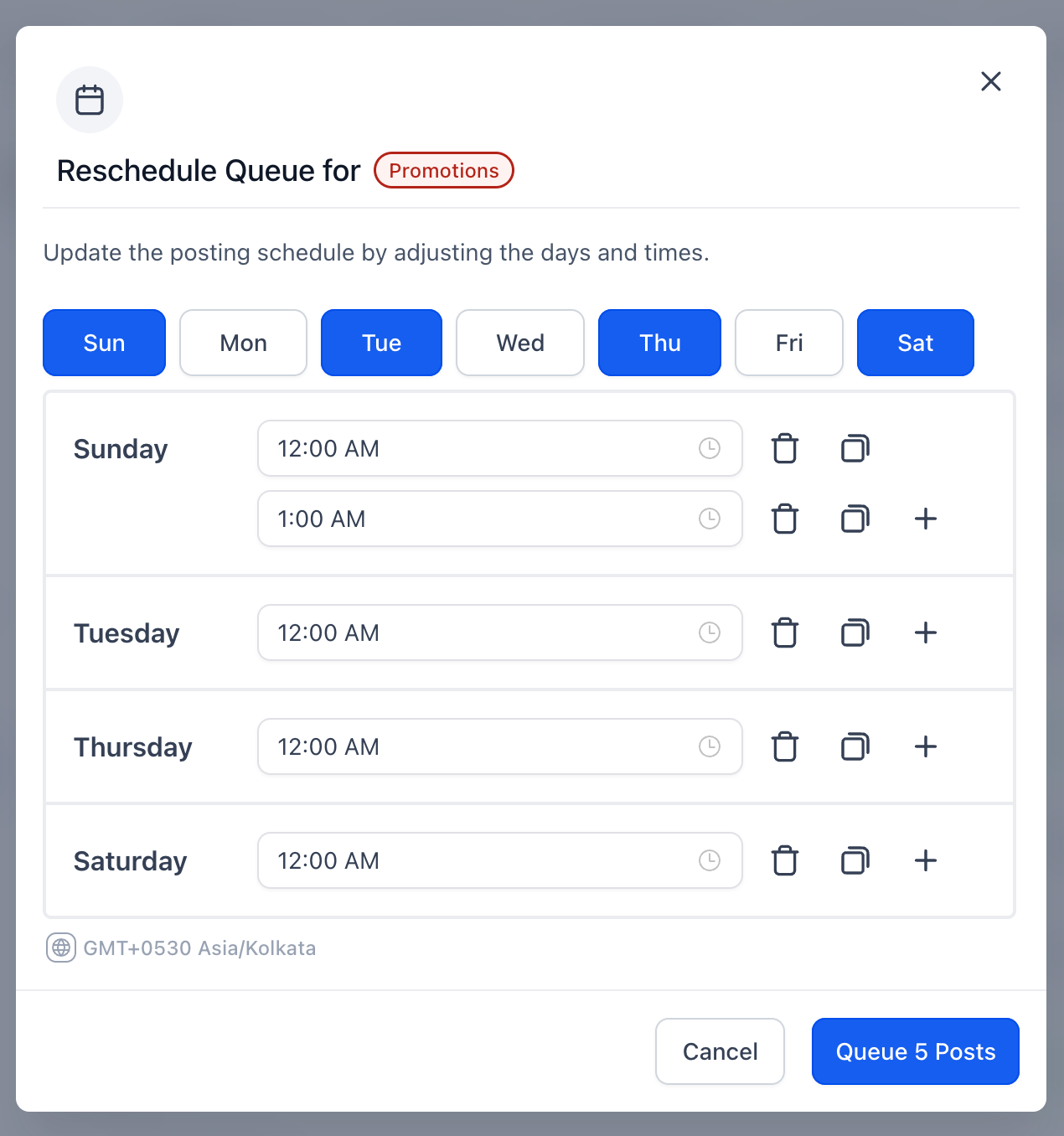
- Reschedule Entire Queue
- Shift the entire queue to start on a new date using:
- A date picker modal
- Smart auto-assignment following your existing frequency rules
- A confirmation step before applying changes
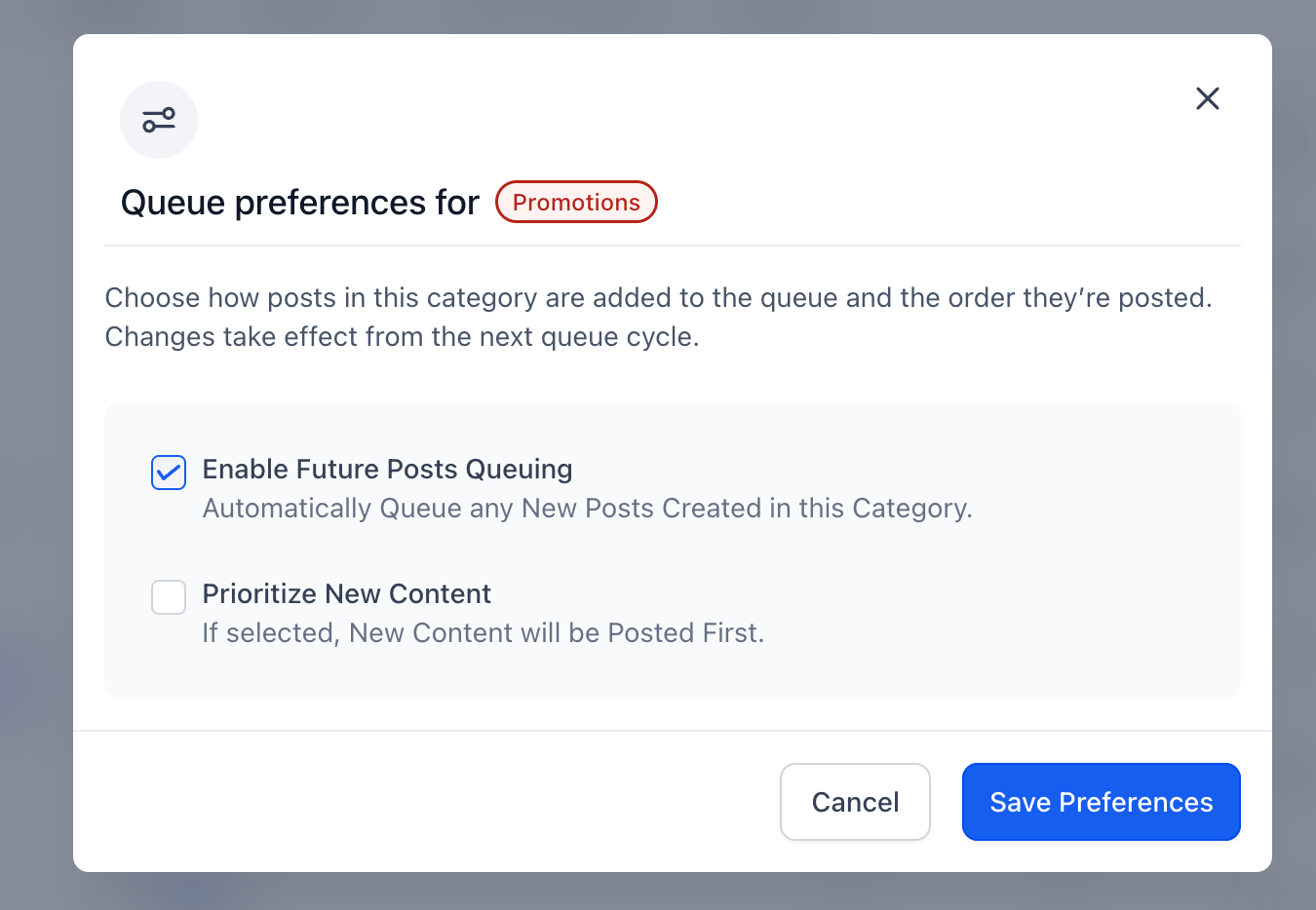
- Queue Preference: Control New Post Placement
When adding new posts to a queue:
- Prioritise New Content → Add to the top of the queue
- Unchecked → Add to the end following the schedule
- Enabling Future Queuing will automatically add new posts created in the category to the Queue.
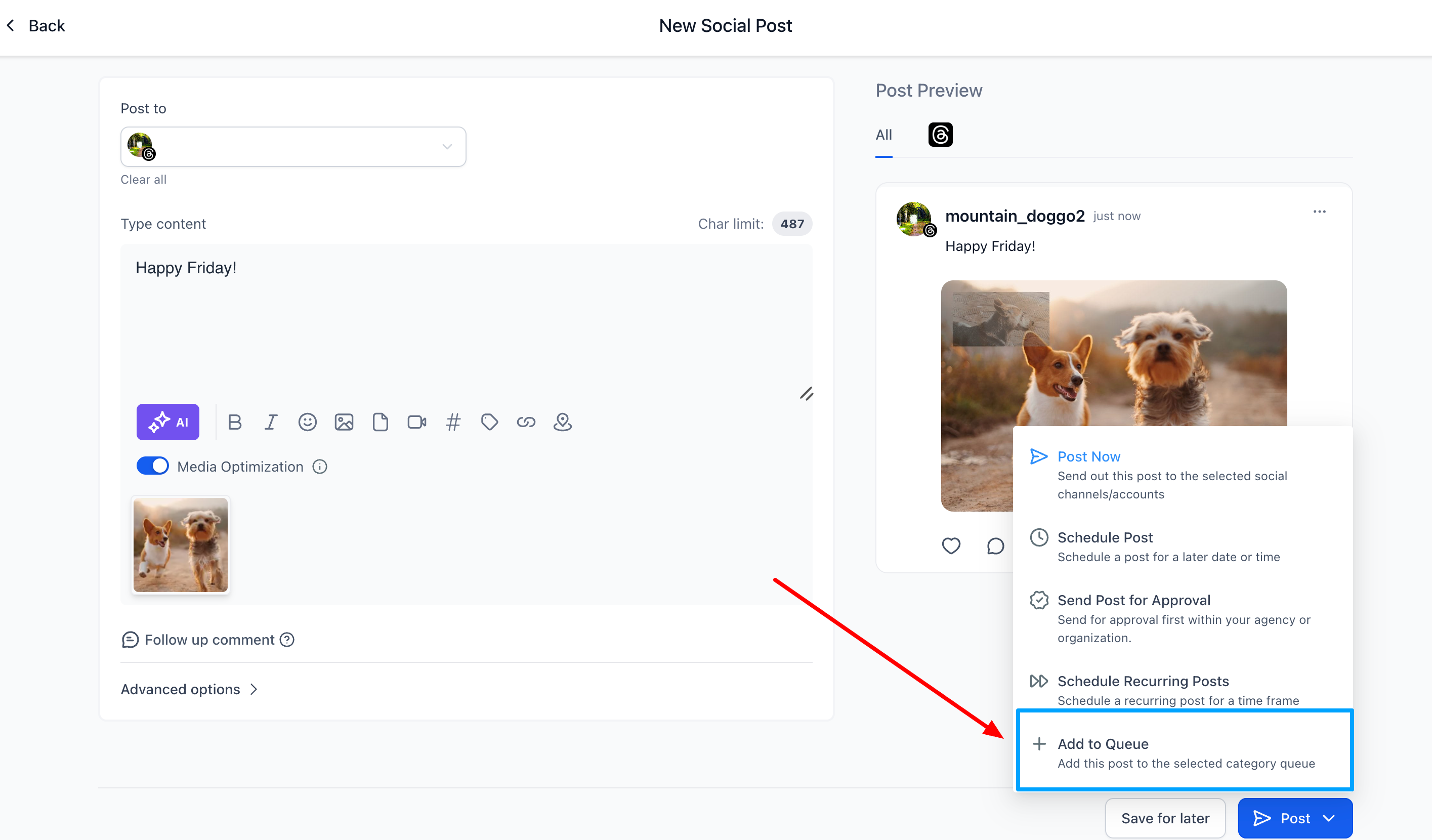
- Add to Queue From Post Composer
Users can now add posts directly from the Composer:
- Choose an existing category → the post is added to that queue
- Create a new category → a new queue will be established
Why it matters
These enhancements assist users in:
- Saving time that was previously spent recreating queues
- Responding quickly to shifting campaign timelines
- Maintaining long-term content workflows with ease
- Improving planning through visual calendar insights
- Reducing friction for agencies and multi-brand teams
How it works
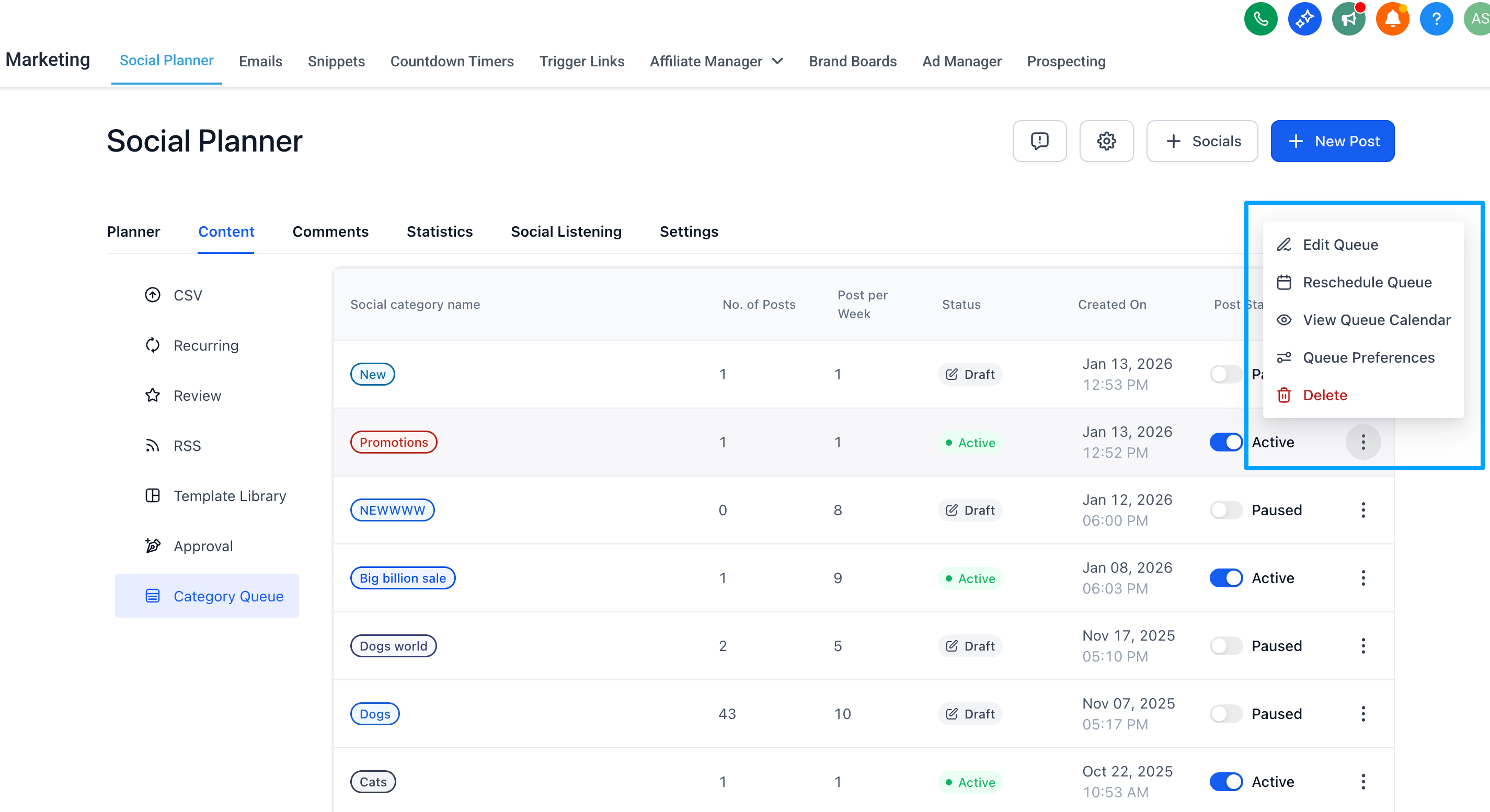
- Navigate to Marketing → Social Planner → Category Queue
- Hover over any queue → open the three-dot menu
Choose:
- Edit Category Queue
- View Queue Calendar
- Reschedule Queue
- Queue Preference
- Make changes → Save
Updates apply instantly across the Social Planner.
