
🚀 Snapshots: Modernized UI | Clixio Changelog
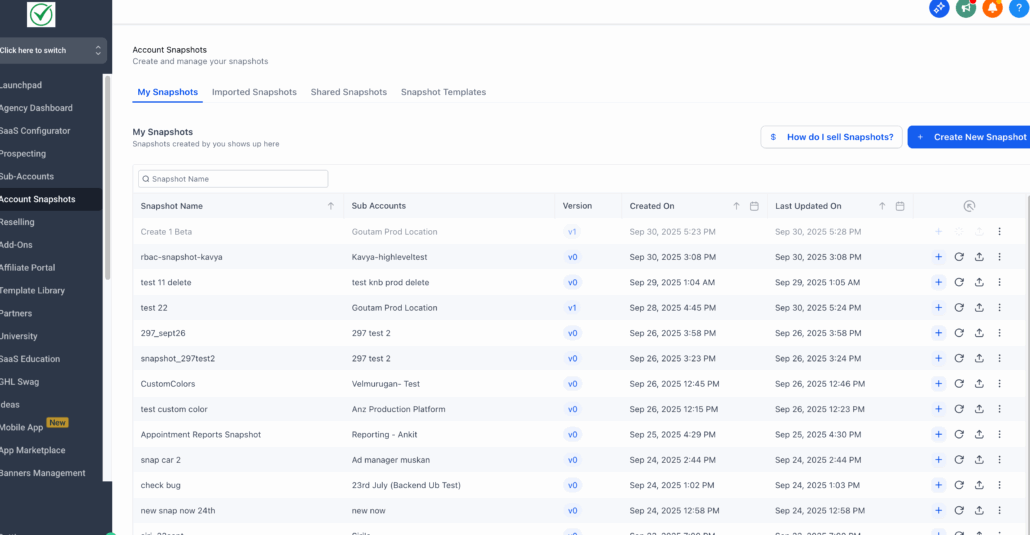
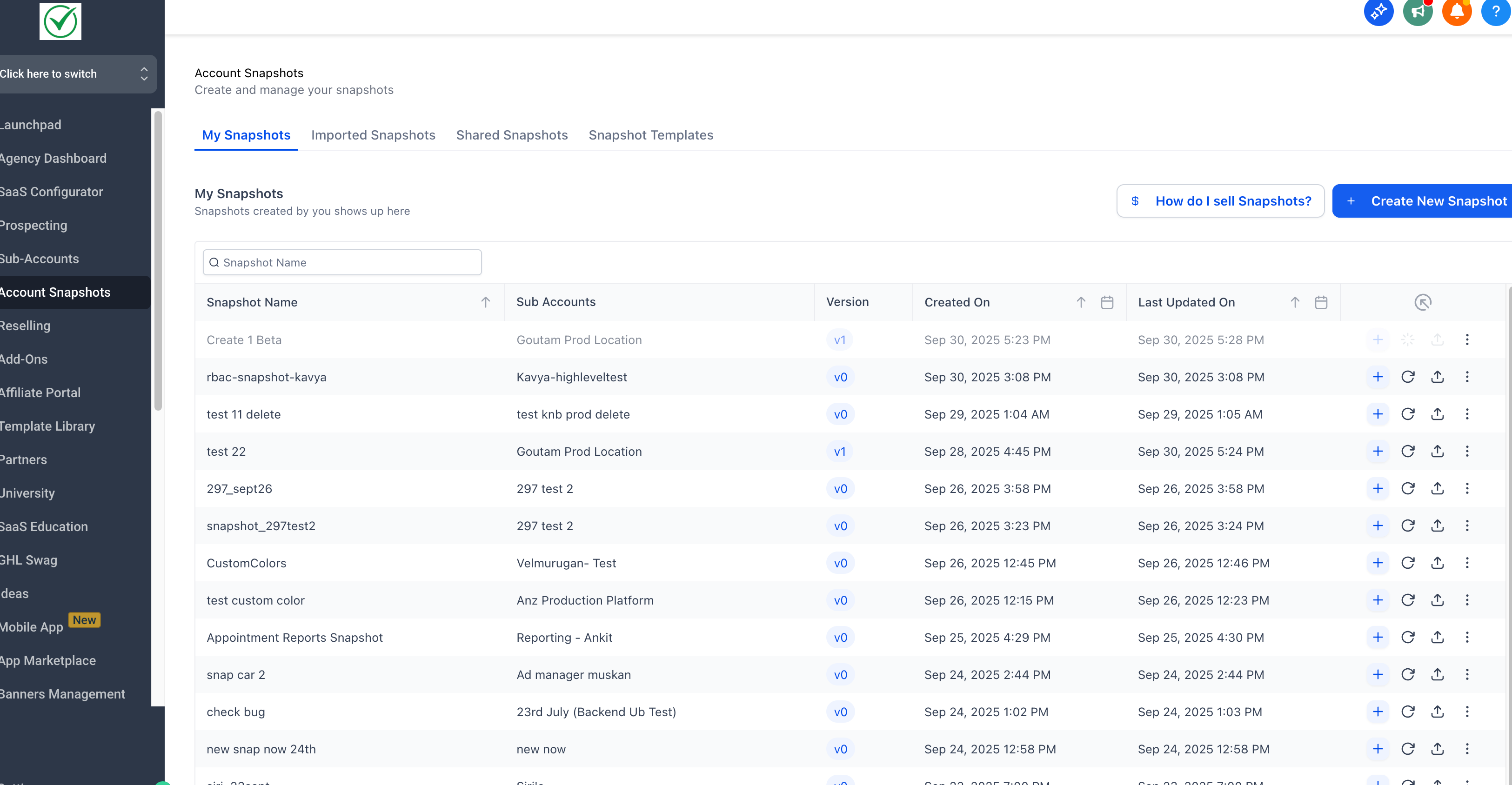
We’ve completed a full migration of the Snapshots experience to a modernised UI — every screen, every tab, every interaction.
This milestone unifies the Snapshots experience with our modern platform design, providing enhanced consistency, usability, and data management capabilities for an improved experience.
Go to Settings → Labs → Toggle on “Snapshots – Revamped UI & Version Management System”.
Feature Parity + Enhanced Data Management
All core Snapshot actions are now available in the new UI, with upgraded performance and usability.
Core Actions:
Create, refresh, push, and configure snapshots — all modernised within the new interface.
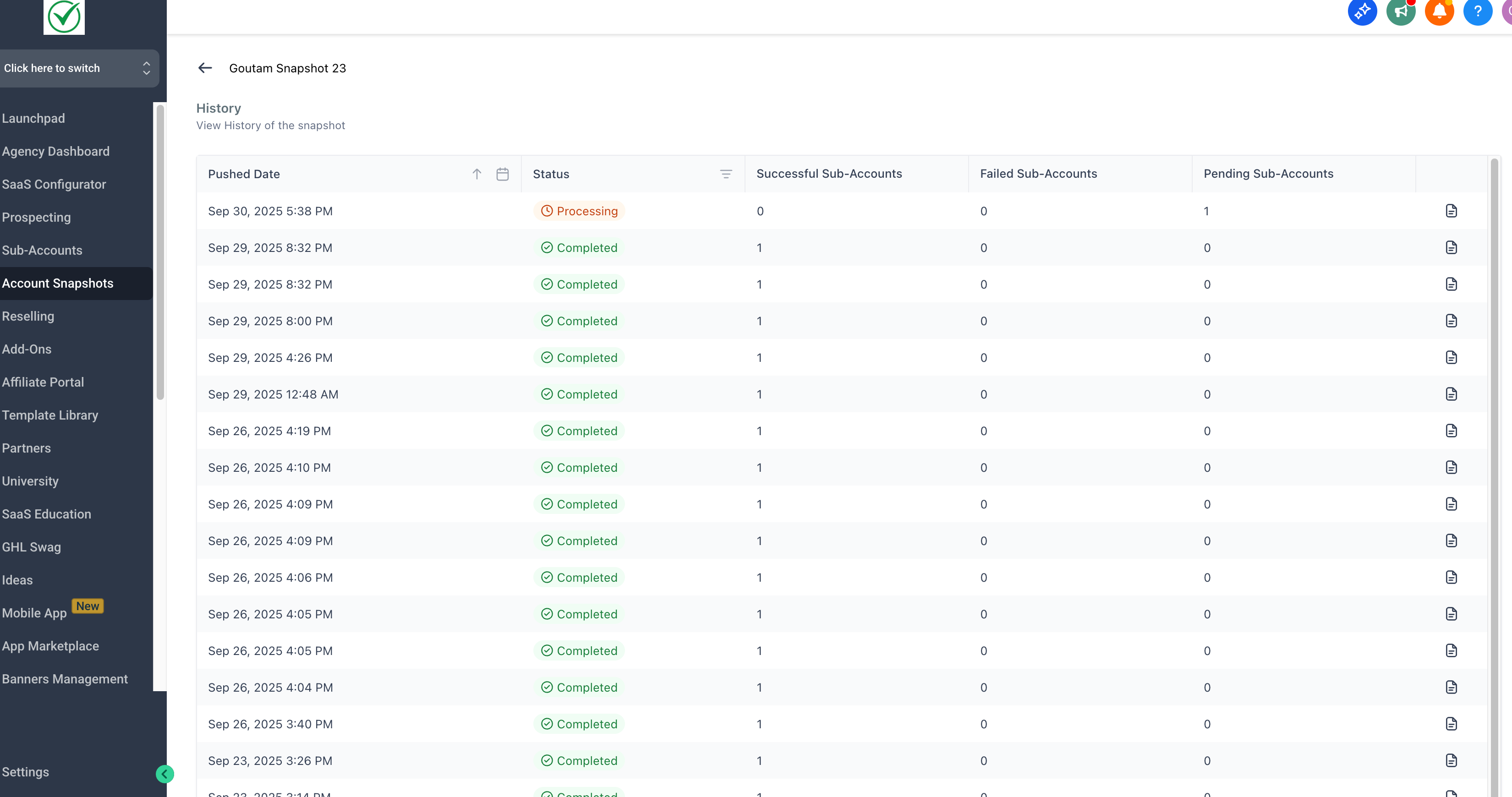
Snapshot History:
Access and manage full history records with improved navigation.
Advanced Data Tools (NEW):
-
Filtering & Sorting:
Quickly refine snapshot lists by multiple parameters.
-
Search:
Instantly find specific snapshots by name or date.
-
Calendar Filters:
Pinpoint snapshots created, imported, or shared within custom date ranges.
✨ The New Design System Advantage
This migration marks a significant step toward a unified platform experience:
Consistent Experience:
A cohesive look and feel across all snapshot operations — aligned with our latest platform standards.
Streamlined Workflows:
Logical grouping of actions and improved visual hierarchy simplify data management and expedite deployment tasks.
High-Value Insights:
Powerful filtering and search tools revolutionise how you navigate and analyse large volumes of snapshot data.
This update eliminates UI inconsistencies, delivering a faster, cleaner, and more predictable workspace for all snapshot-related workflows.
It represents a foundational step toward a more unified, performant, and user-friendly Clixio platform.
