
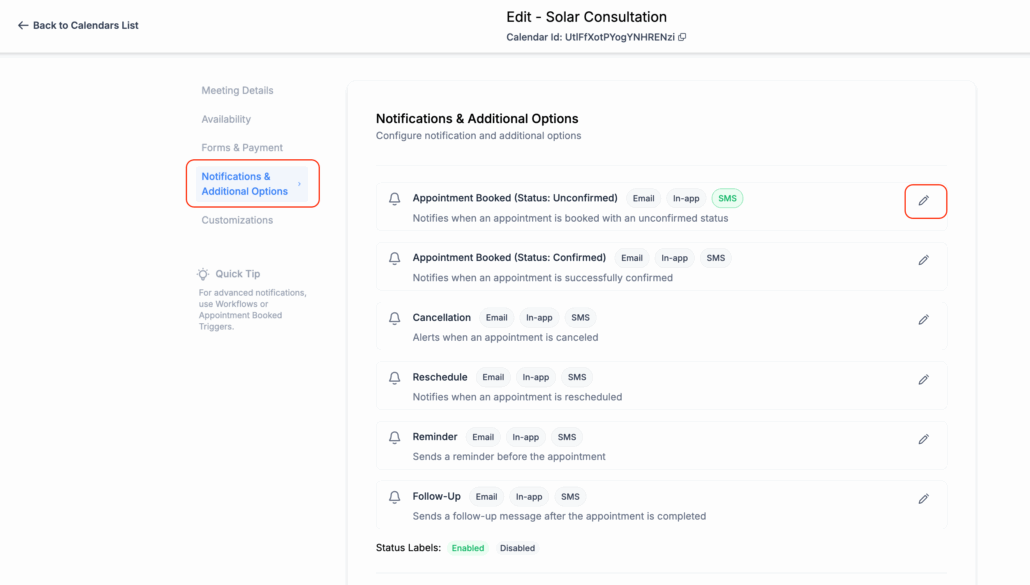
SMS Notifications Now Available for Calendars & Services
SMS notifications
for
calendar
and
service appointments
, providing you with greater flexibility in how you convey confirmations, reminders, and updates. SMS is a highly effective method for enhancing appointment-related communication and offering real-time updates to both your clients and team.
SMS Support for Key Event Types
-
You can now send SMS notifications for
all appointment events
— Appointment Unconfirmed, Confirmed, Cancelled, Rescheduled, Reminder, and Follow-up — across both Calendars and Services.
Customisable Recipient Options
Per-Recipient Templates
-
Set
different templates
for Contacts versus Assigned Users/Additional Phone Numbers, giving you more control over how each party is notified.
Template Management Made Easy
Send Test SMS Before Going Live
-
Use the
Send Test SMS
feature to preview your message before enabling it for actual appointments.
- Navigate to
Calendar Settings
-
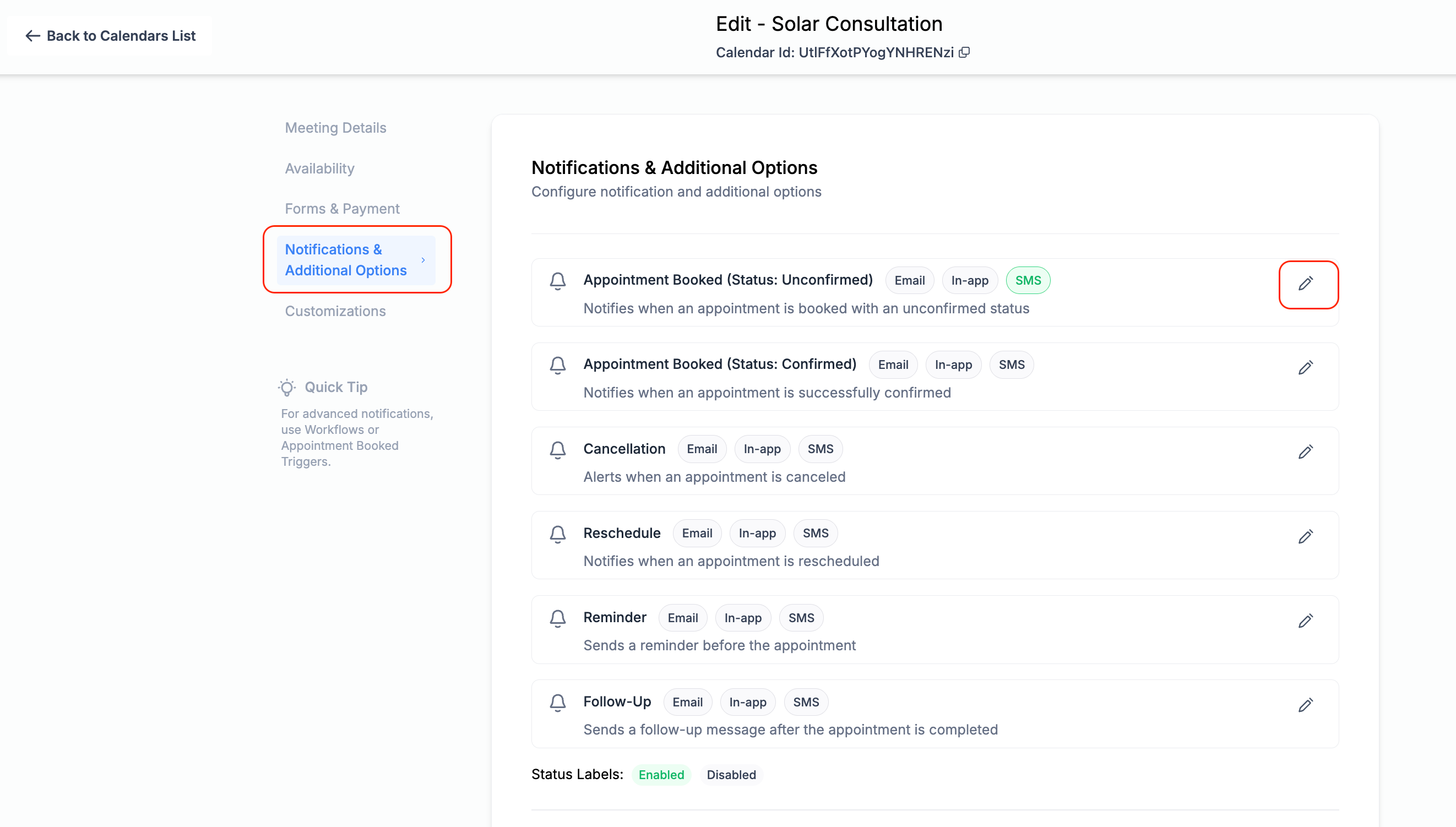
Calendars
: Edit Calendar > Notifications & Additional Options
-
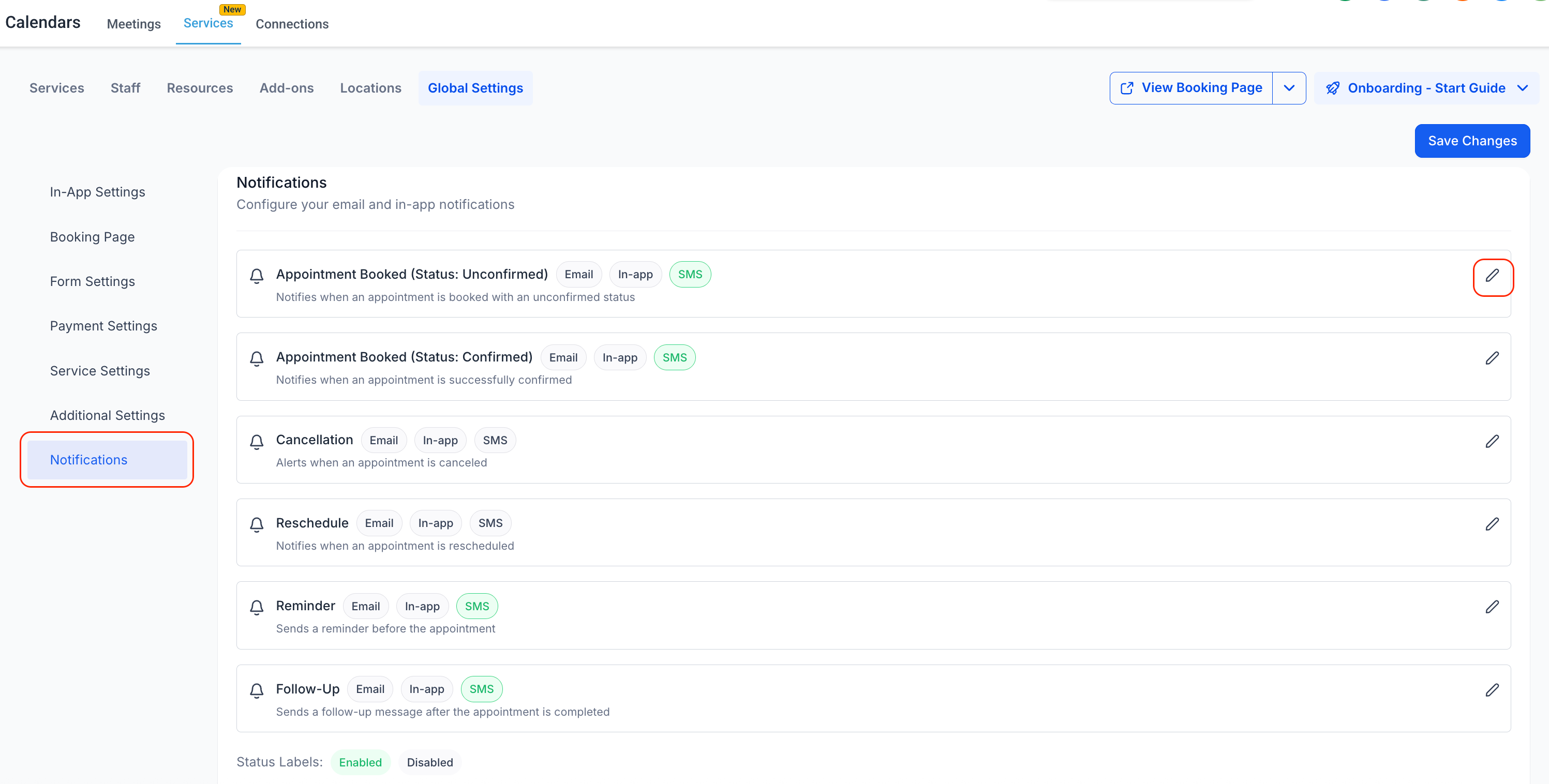
Services
: Global Settings > Notifications
- Edit Notification type >
SMS Tab
>
Enable the SMS toggle
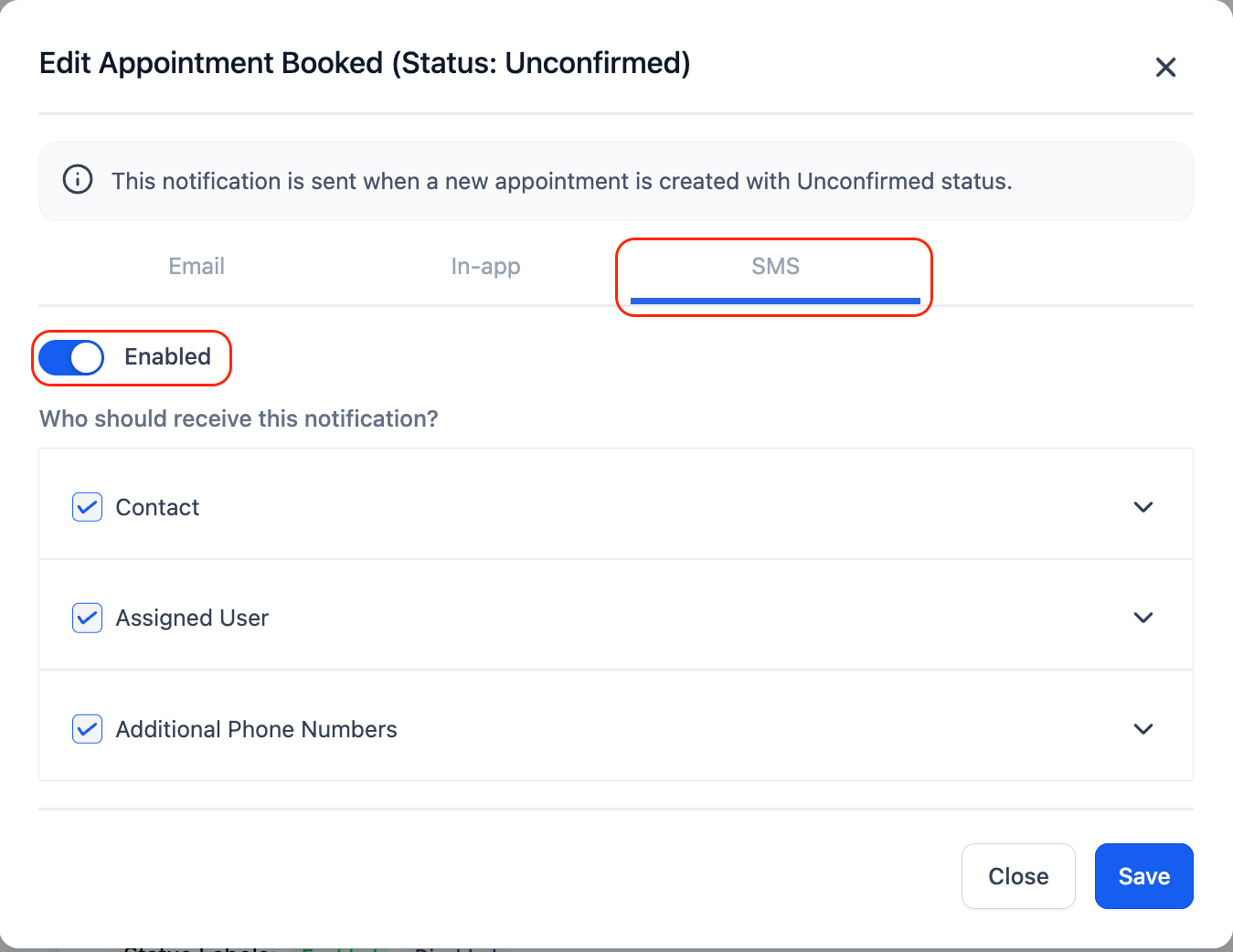
- Choose your
recipients
(Contact, Assigned User, Additional Phone Numbers)
- Customise or
select the SMS template
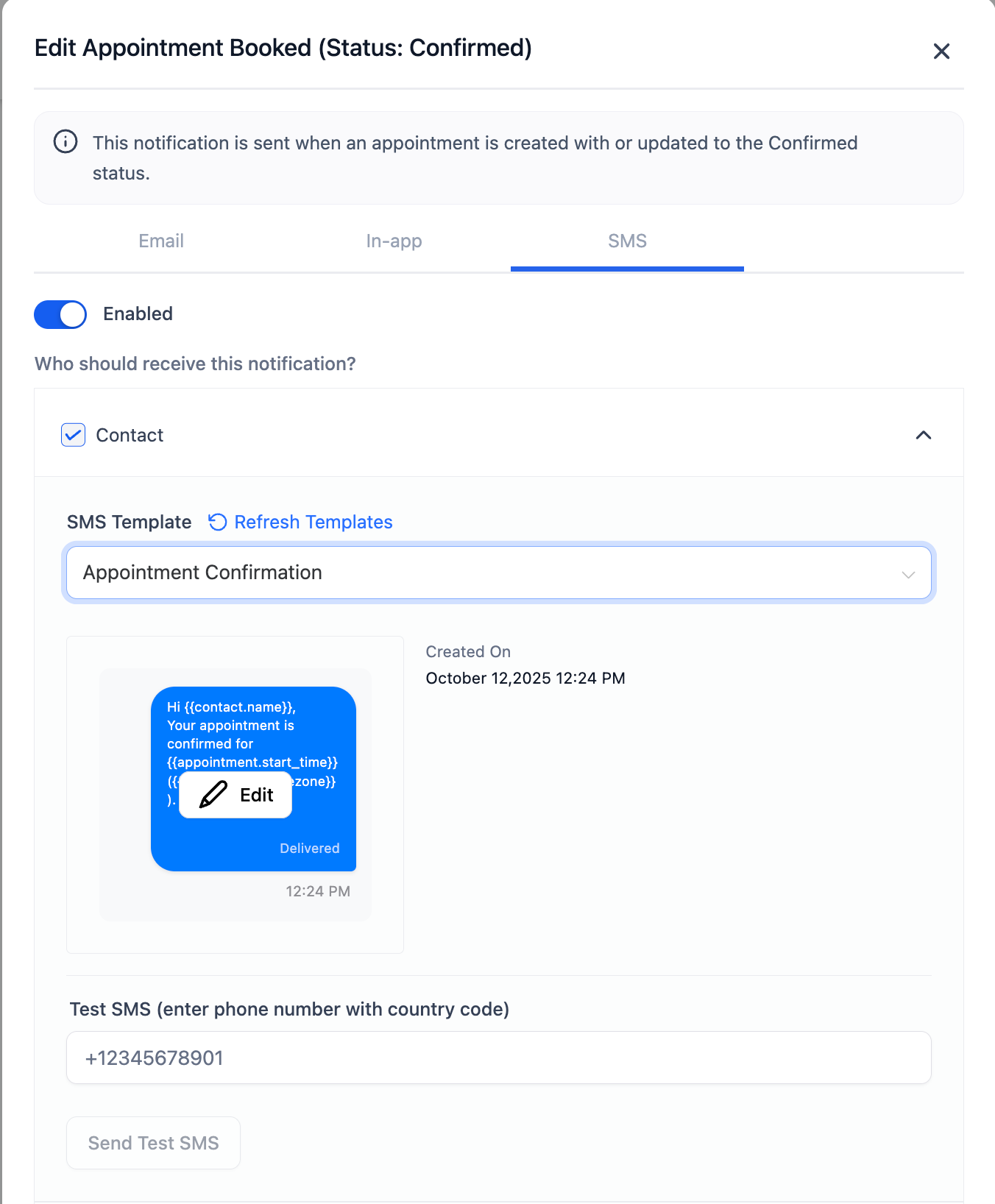
- Click Send Test SMS to verify content
-
Save
your settings — SMS will now be sent when that notification is triggered
