Revamped Builder Layout for Forms, Surveys & Quizzes (in Labs)
We have restructured the builder experience for Forms, Surveys, and Quizzes to make it cleaner, faster, and more intuitive. This update focuses on reorganising key functions for better accessibility—without changing any core functionality.
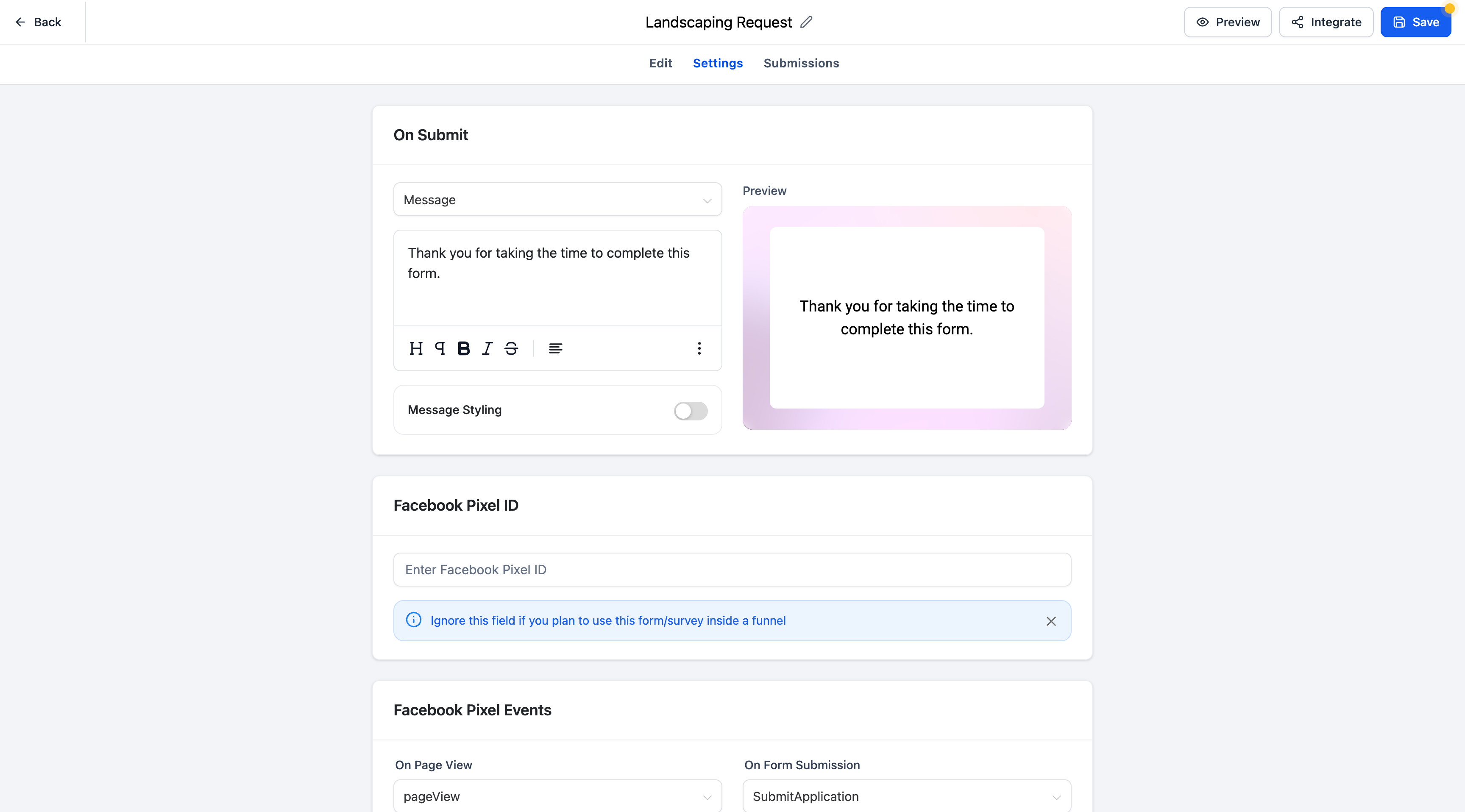
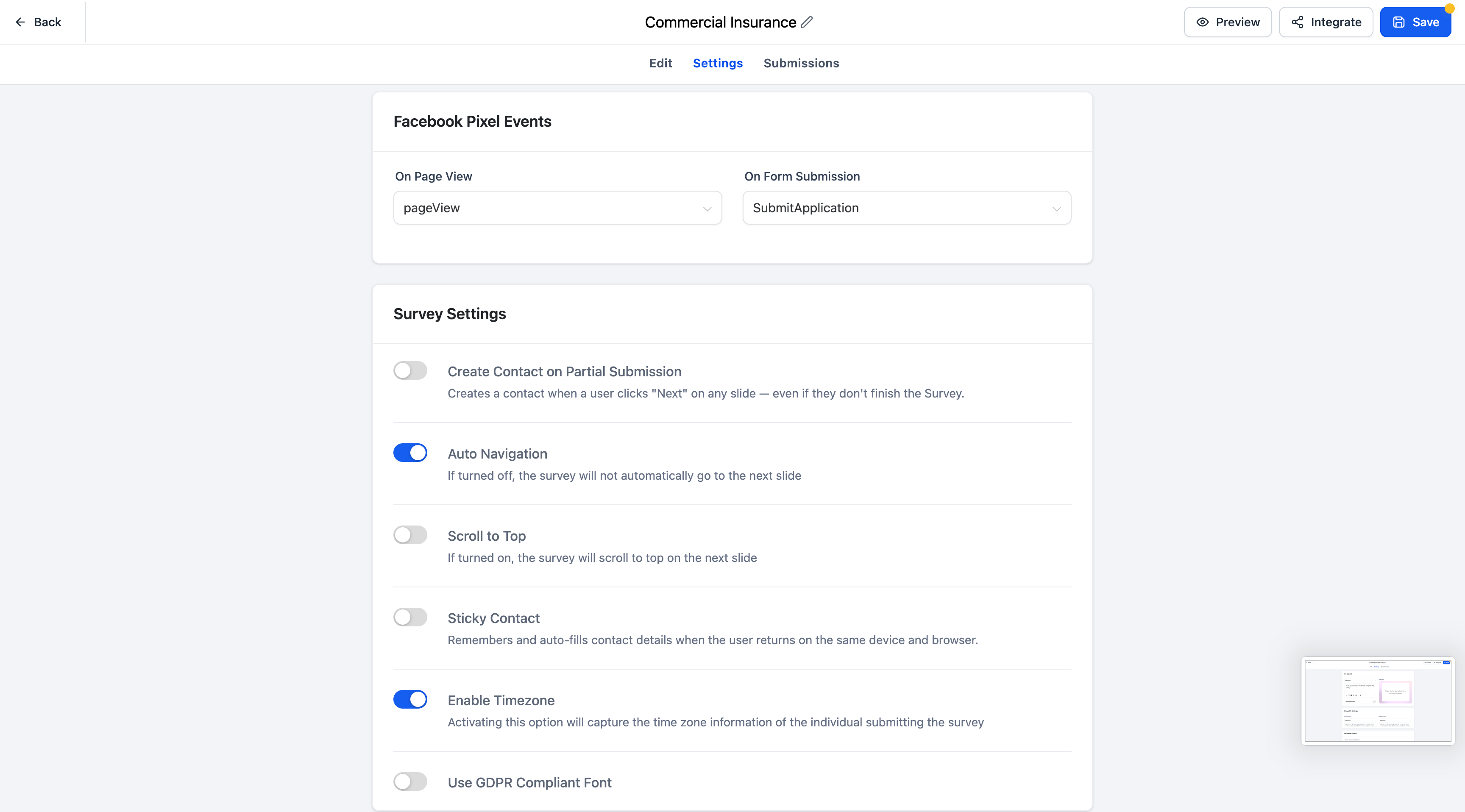
Settings Tab Revamp:
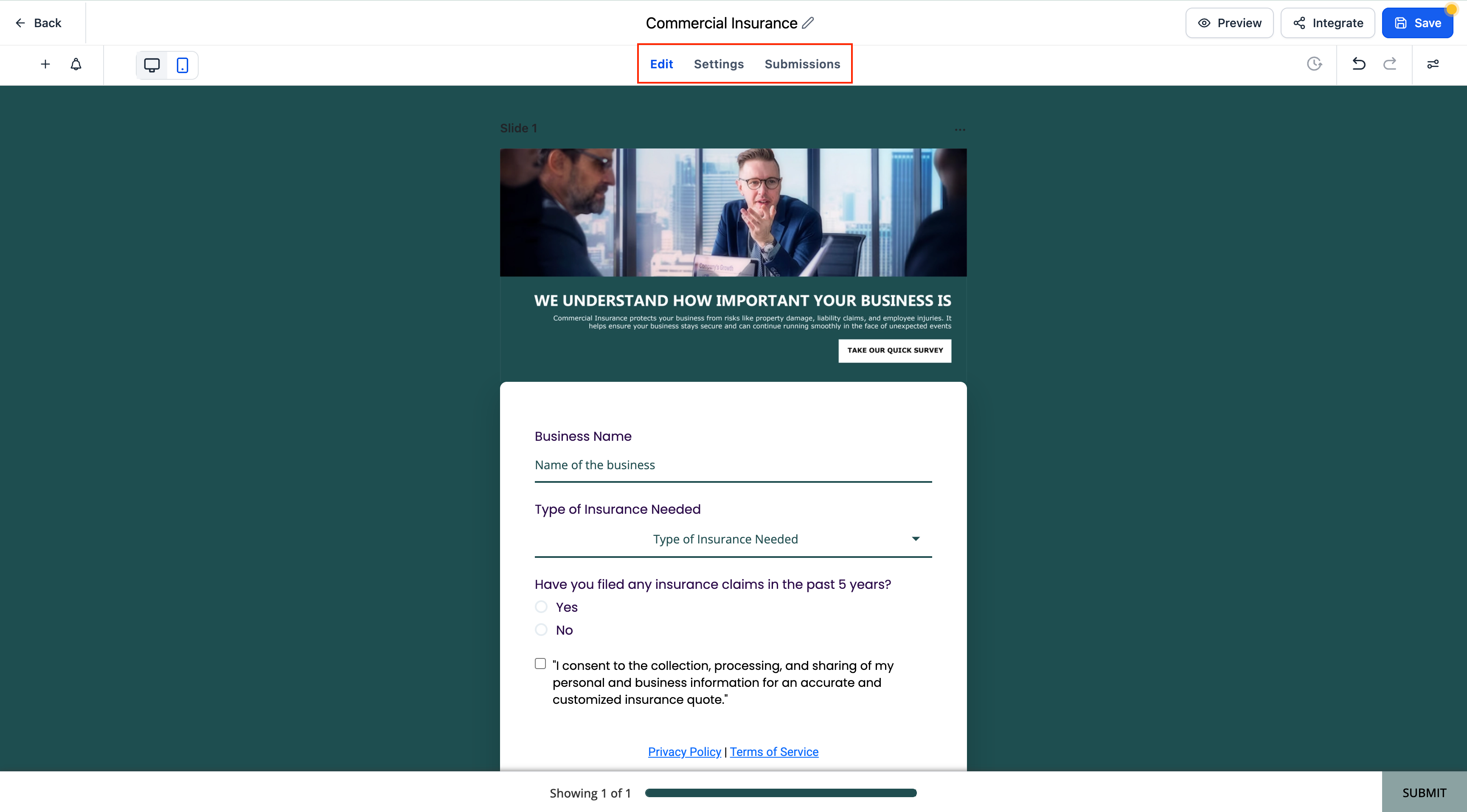
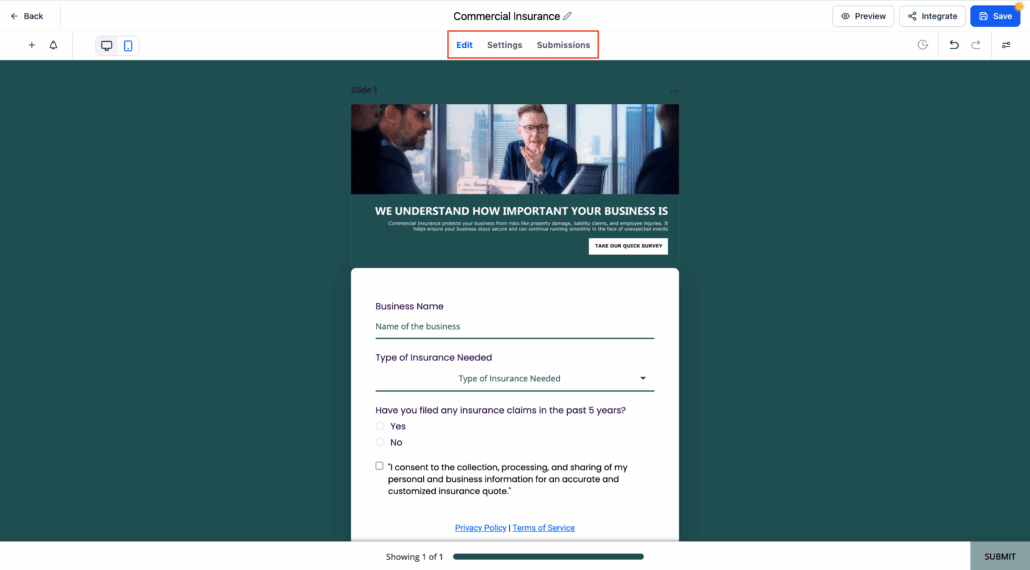
All configuration controls that were previously nested under the right-side Options panel are now accessible via a dedicated Settings tab in the top navigation—providing a more predictable and spacious editing experience.
Advanced Options Take the Spotlight:
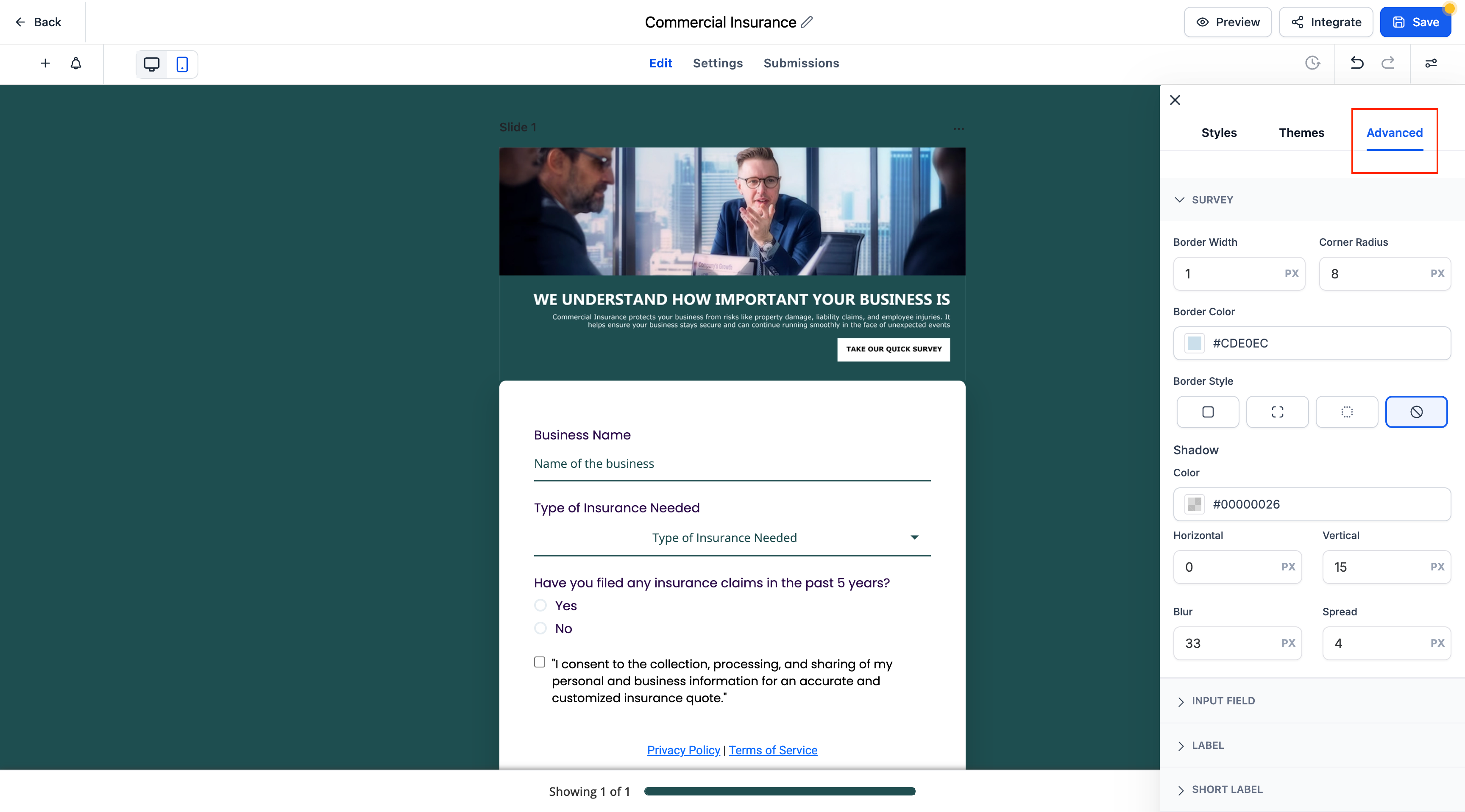
The Options panel on the right is now focused purely on layout and design settings, including styling, spacing, and field customisation.
Submissions Tab Built-In:
You can now view and manage all form/survey/quiz submissions directly within the builder through the newly added Submissions tab—there’s no need to navigate away.
Survey Layout Selection Made Prominent:
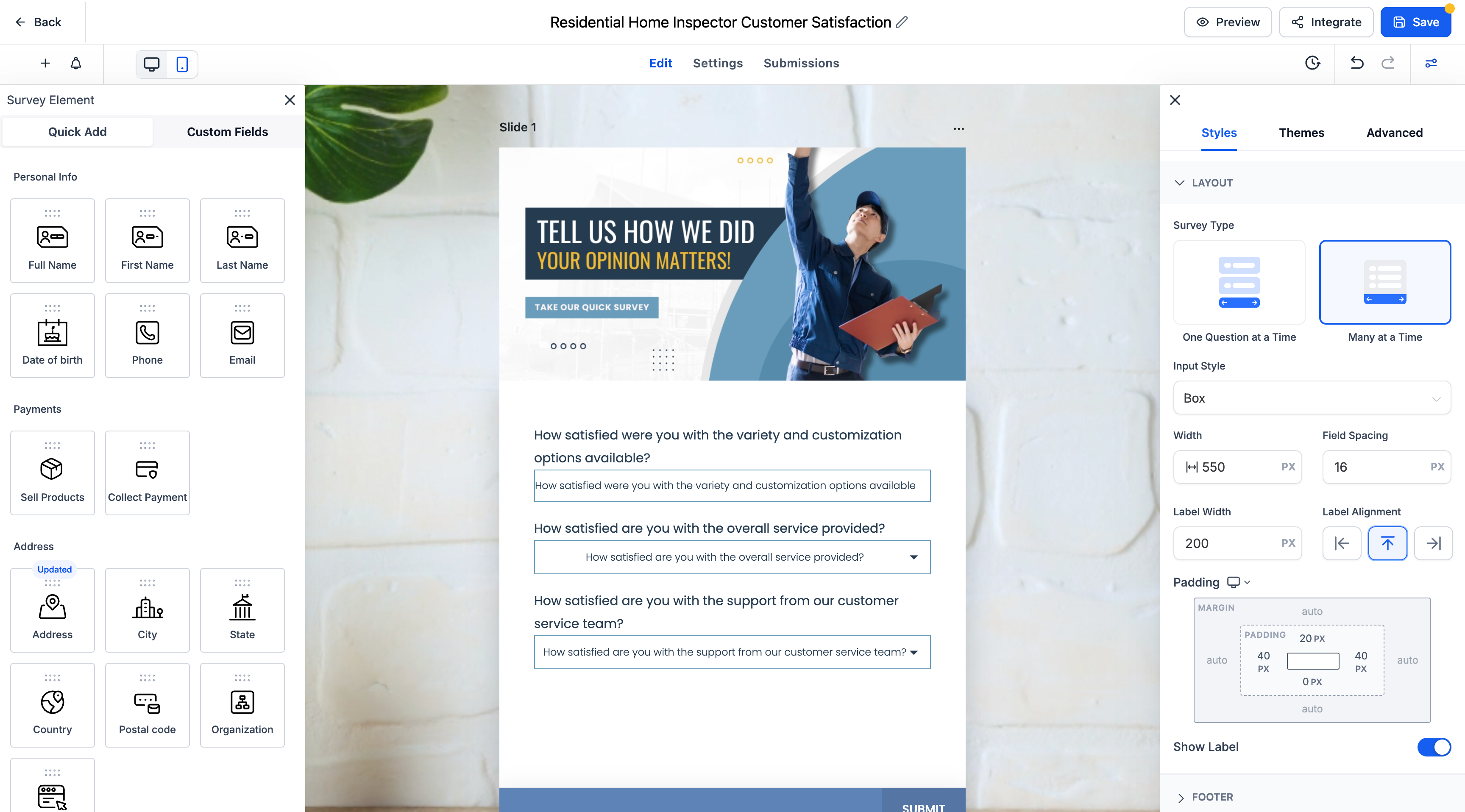
For surveys, the “One Question at a Time” vs. “Many at a Time” layout selector is now more prominently displayed in the design panel, enabling quick toggling between formats.
- Use the top navigation tabs — Edit, Settings, and Submissions — to manage each aspect of your form, survey, or quiz.
- Design and fine-tune styling via the right-side panel, which is now fully dedicated to visual customisation.
- For surveys, adjust the layout mode easily via the new visible toggle in the layout section.
All your existing settings and configurations remain intact—just better organised. No new setup is required. This change aims to improve usability and workflow clarity.