Profile Card QR Code Now Available
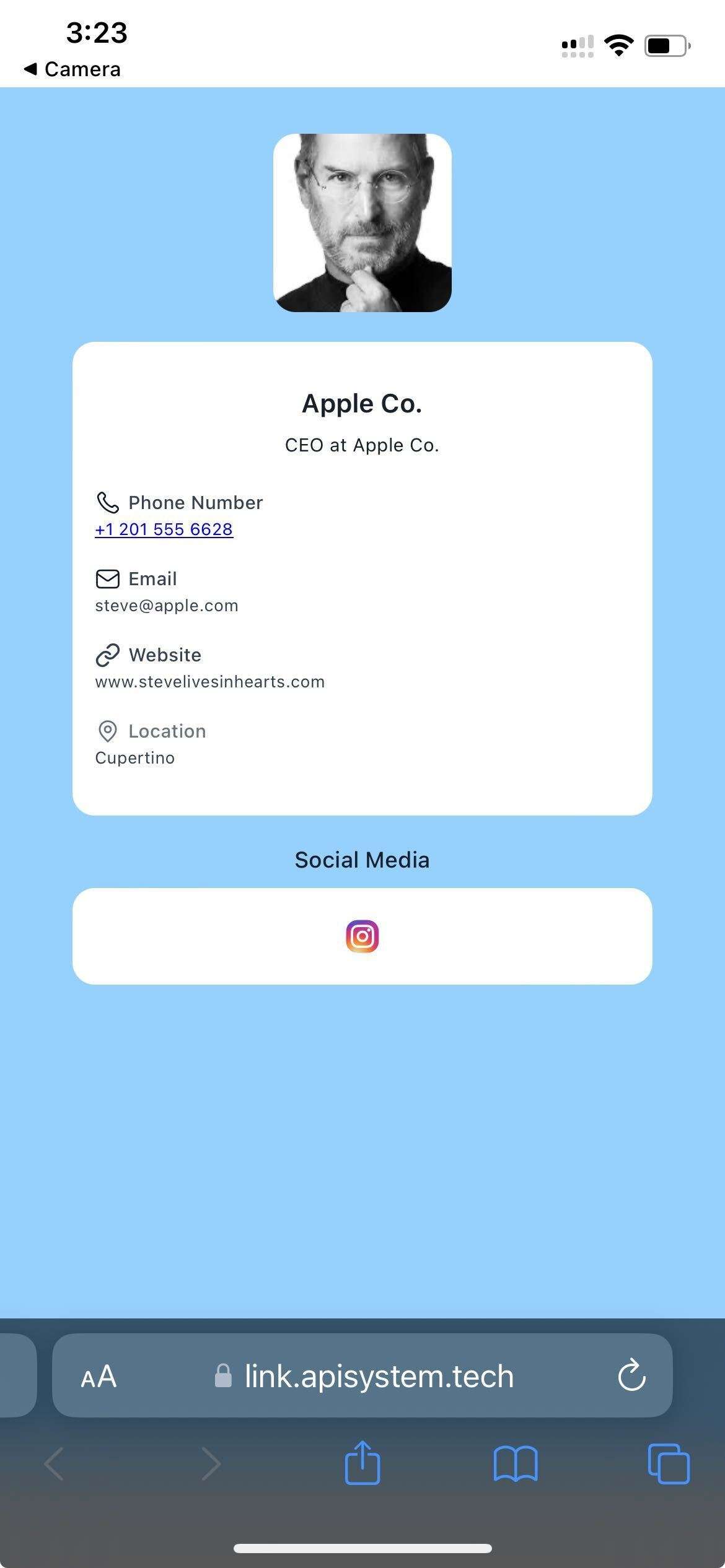
We’ve introduced support for Profile Card QR Codes, enabling individuals to effortlessly share their professional identity through a sleek, mobile-optimised digital card. Whether you’re networking at an event, sharing credentials online, or showcasing your role within an organisation, Profile Cards provide a modern, personal touch.
Profile Card QR Type:
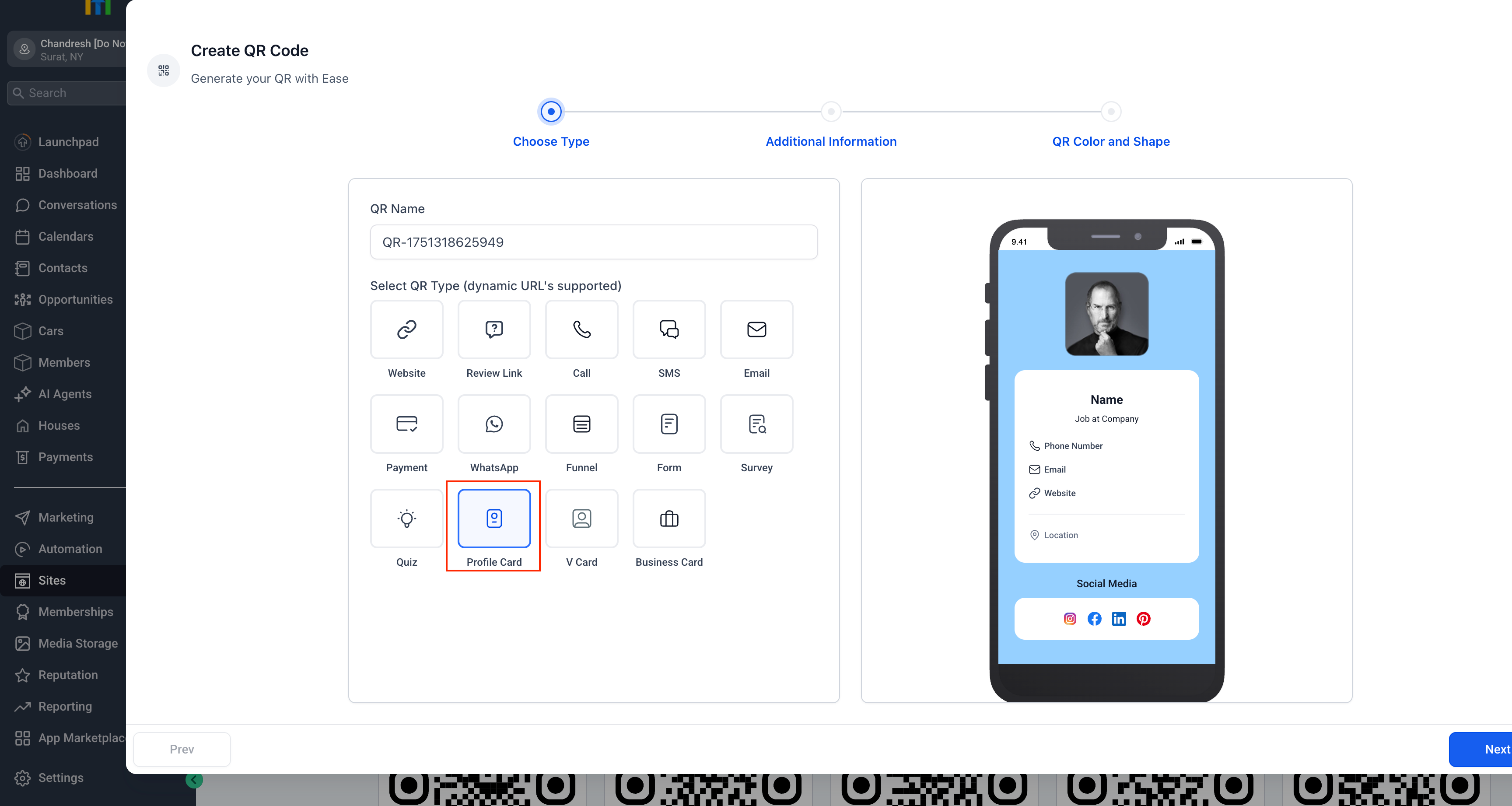
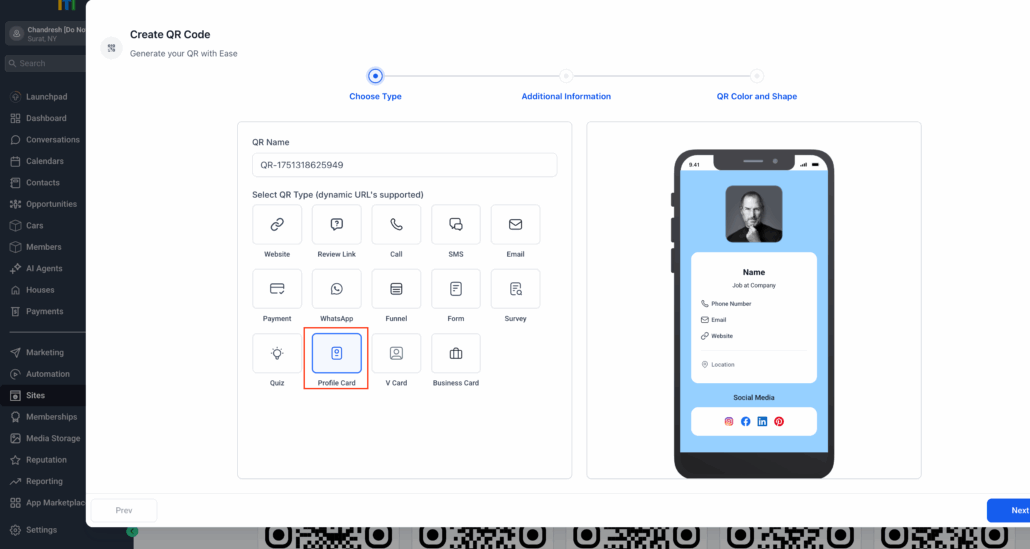
Select “Profile Card” from the QR type list to get started.
Personalised Details:
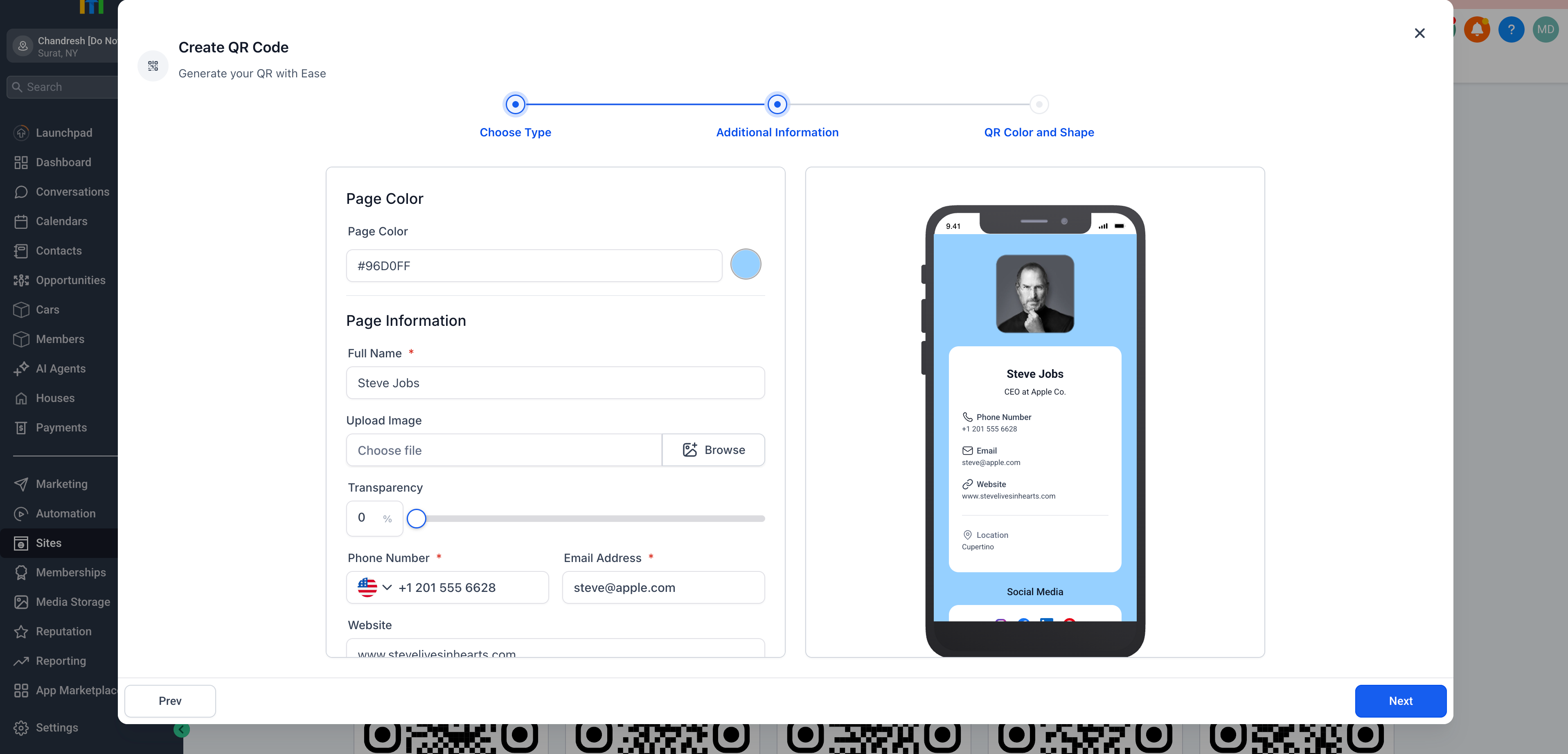
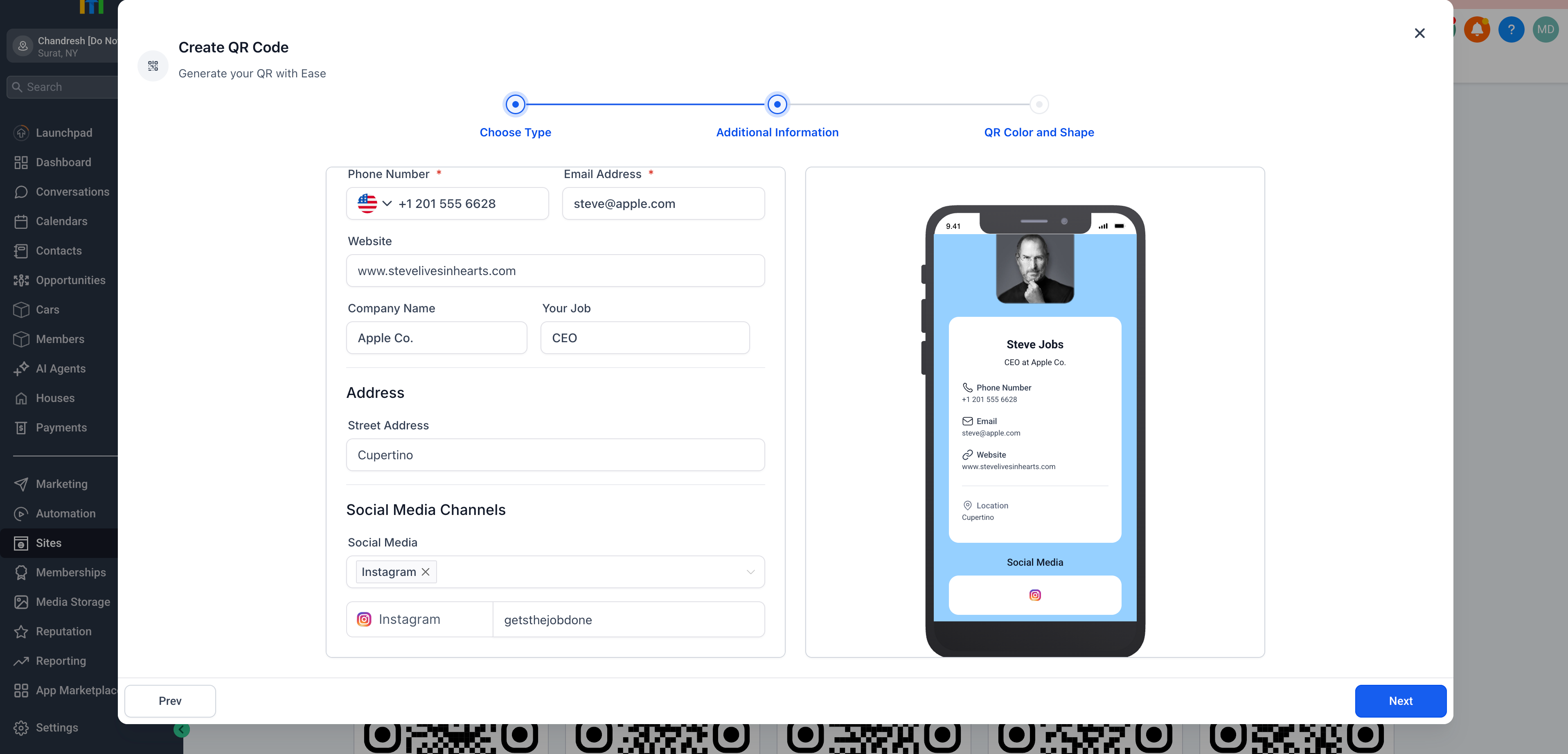
Add your full name, job title, company, phone number, email, website, and location.
Profile Image Upload:
Upload a personal or company photo to enhance professionalism and branding.
Custom Page Styling:
Choose your page background colour and adjust image transparency for visual appeal.
Social Media Integration:
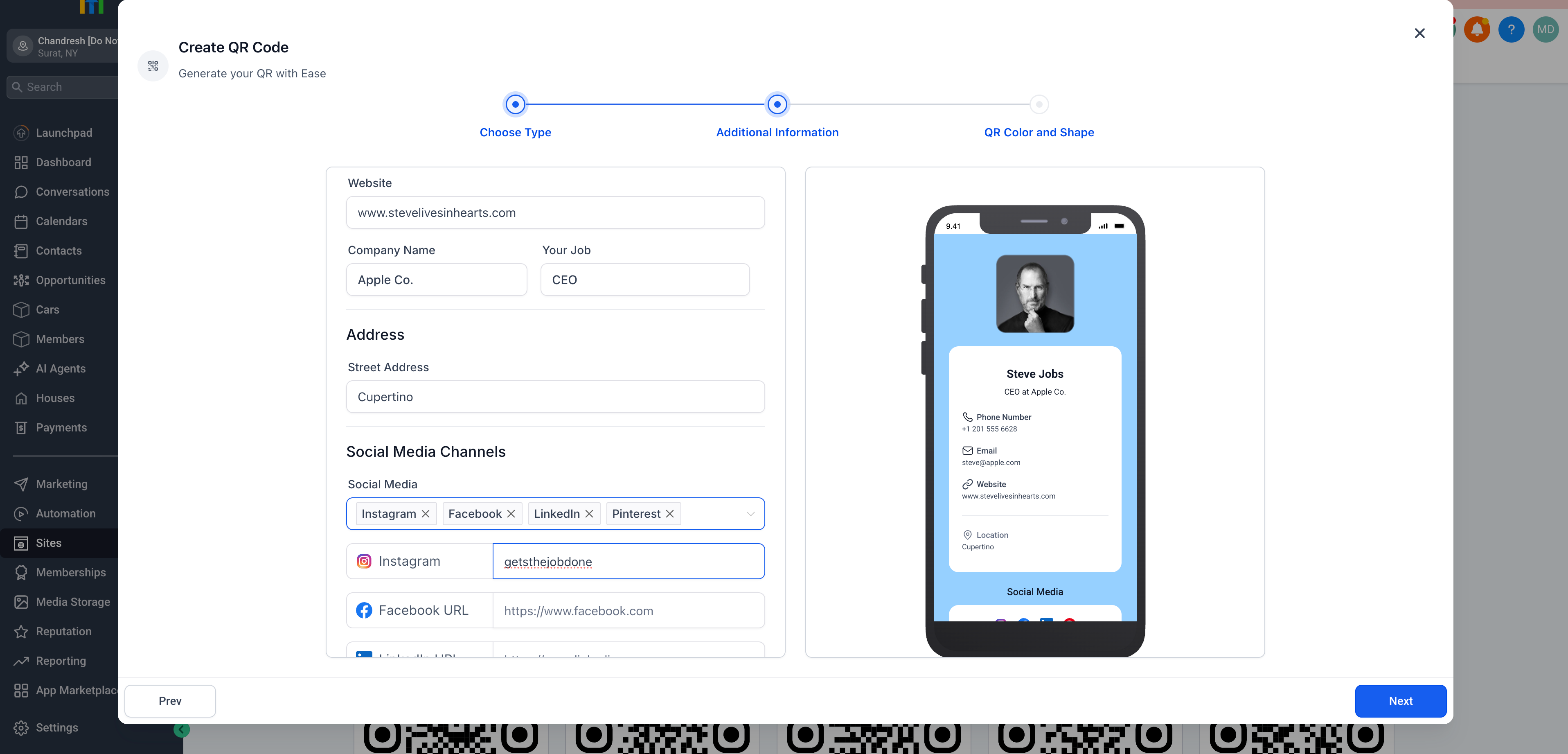
Seamlessly link to Instagram, Facebook, LinkedIn, Pinterest, and more.
Mobile Preview:
Instantly see how your profile card will appear on a smartphone screen.
- Navigate to Sites > QR Code Generator.
- Choose QR Type → Select Profile Card.
- Enter your name, title, company, contact information, address, and social media links.
- Upload a profile image and select your page colour.
- Click Next to generate your dynamic QR code.
Scanning the code displays a sleek profile card containing your information, ready to impress.
- You can also add social media links.
- Fully editable after creation.
- Ideal for personal branding, portfolios, and digital resumes.