Processing Fee on Ecommerce Store Checkout
Store owners can now apply Processing Fees directly at Ecommerce store checkouts — enabling businesses to pass on additional charges, such as payment processing or convenience fees, to customers.
- A new “Processing Fee” option is now available for Ecommerce checkout flows.
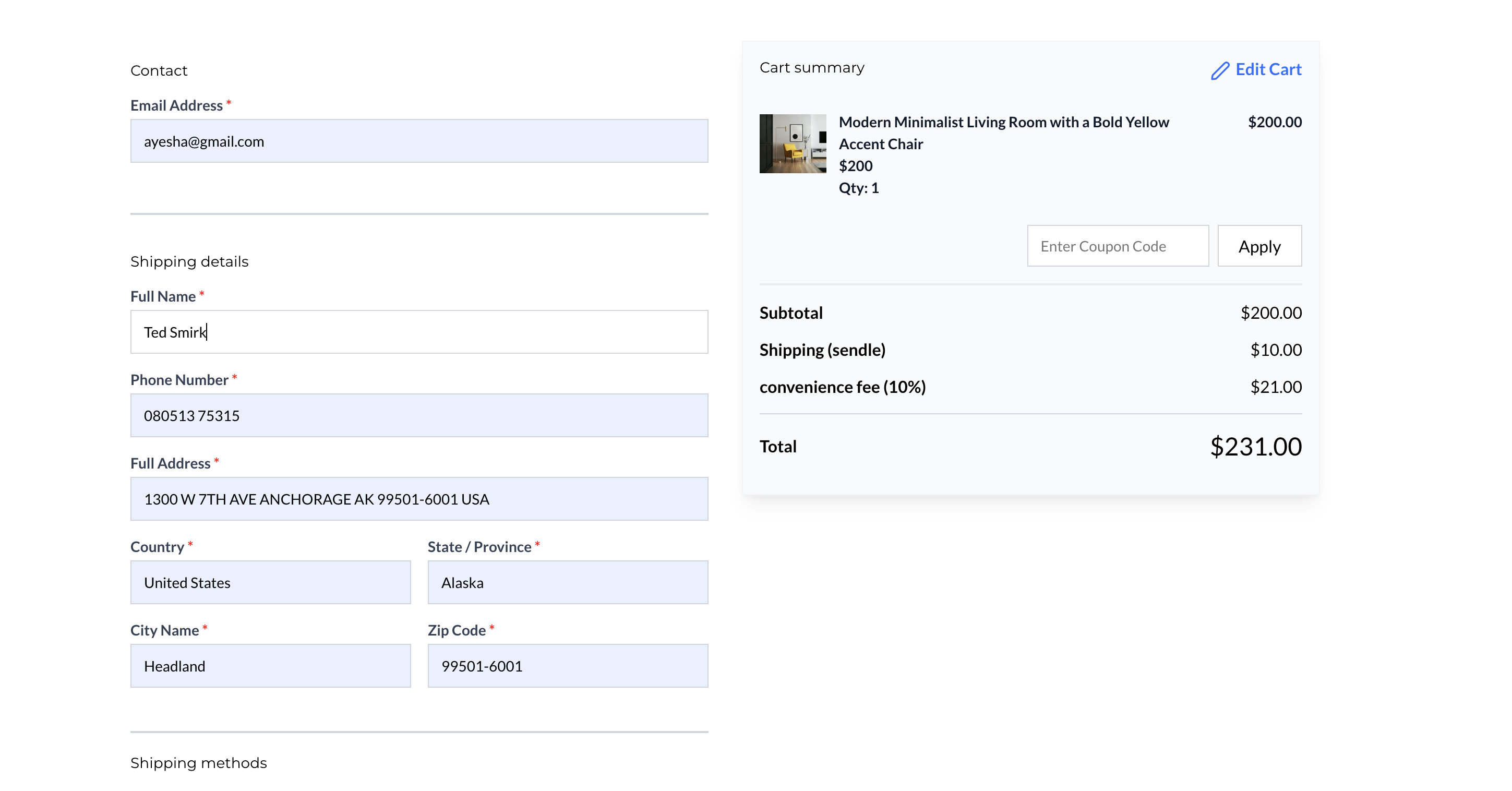
- The fee is calculated based on the total transaction amount (Subtotal – Discounts + Taxes + Shipping).
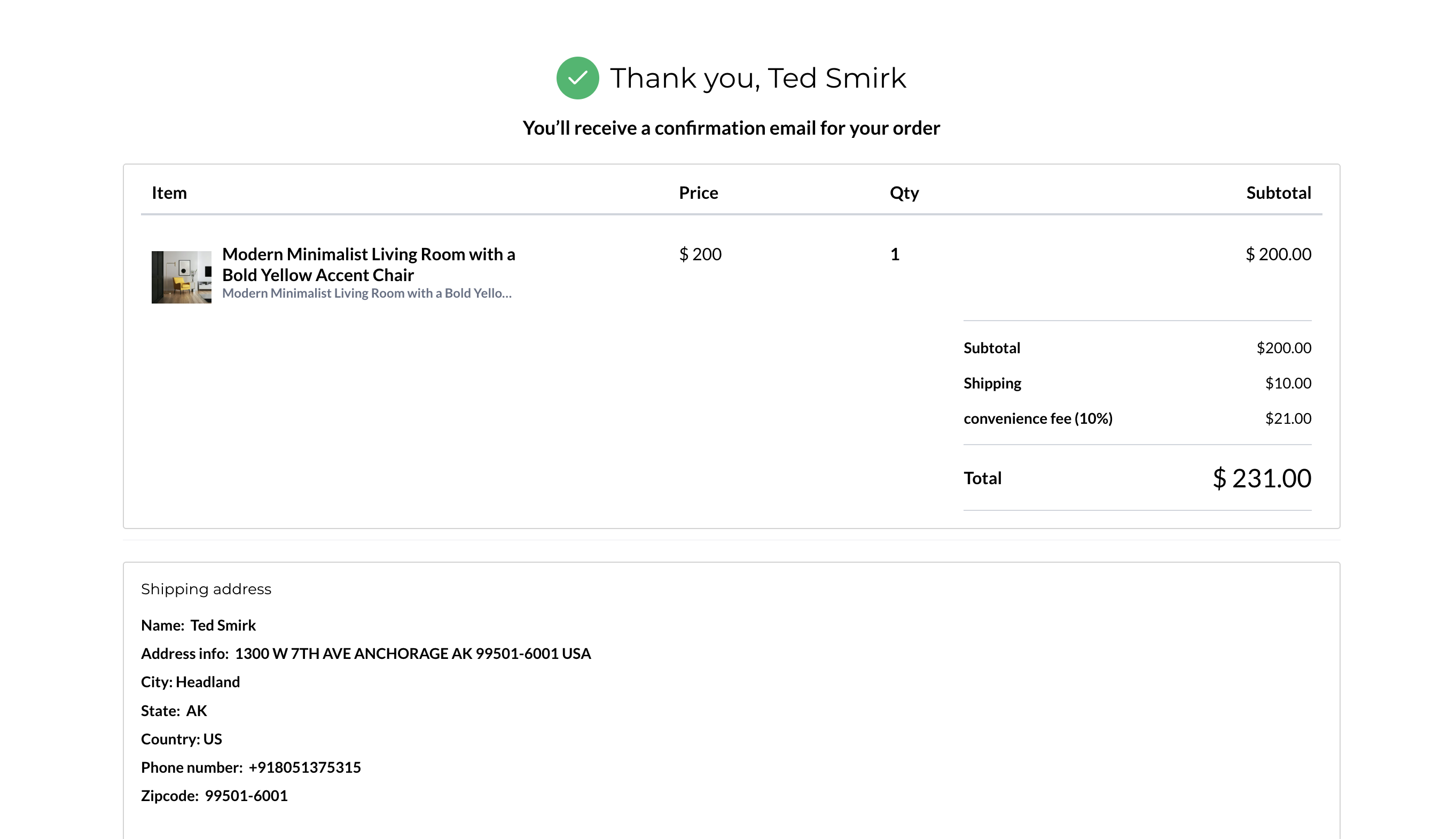
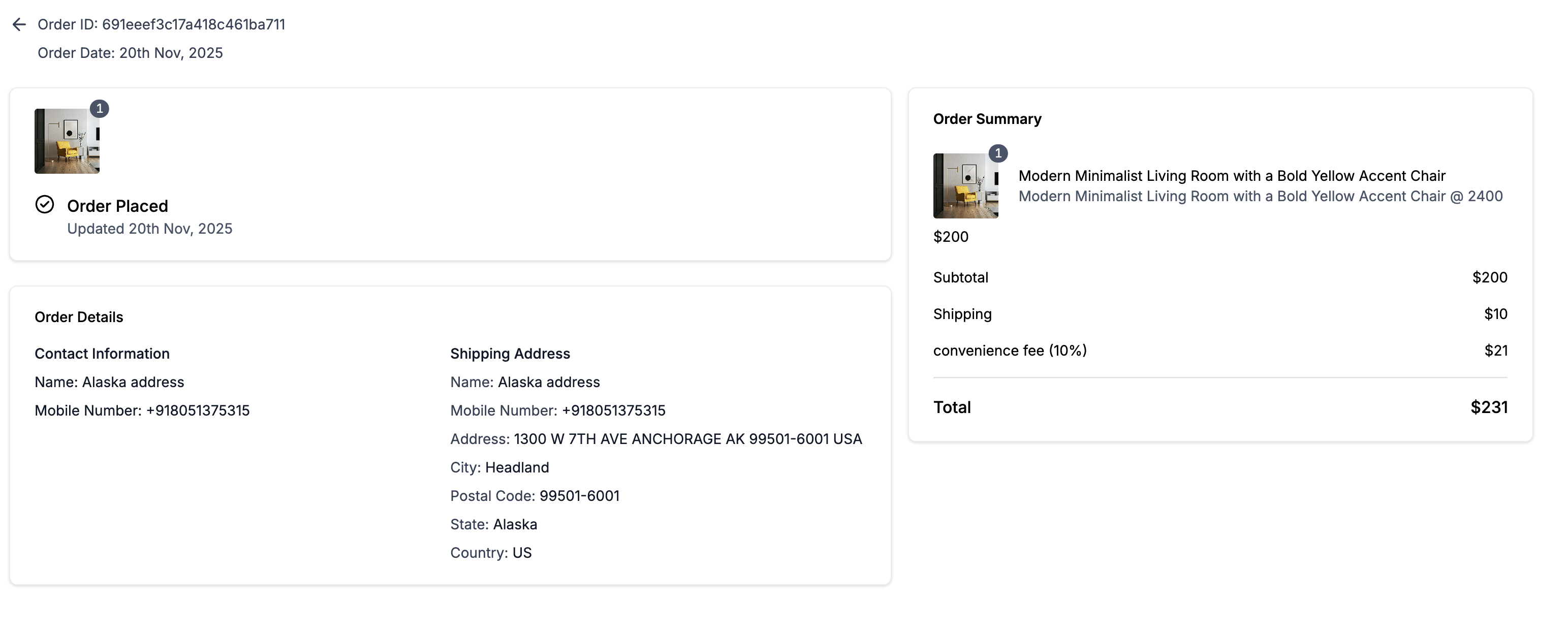
- The charge will appear as a separate line item during checkout and on the final order summary/receipt.
- Fees are rounded to two decimal places for consistency.
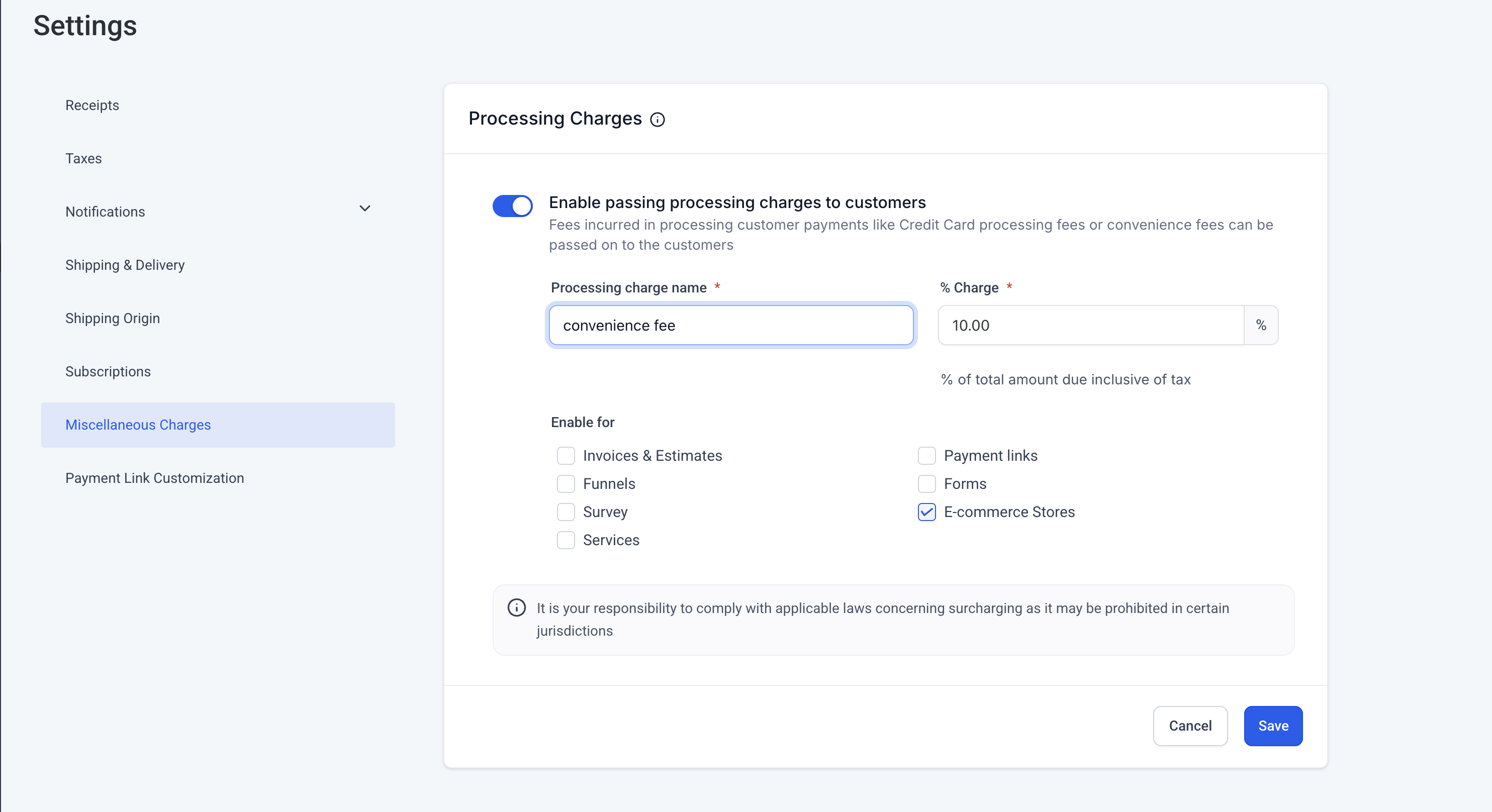
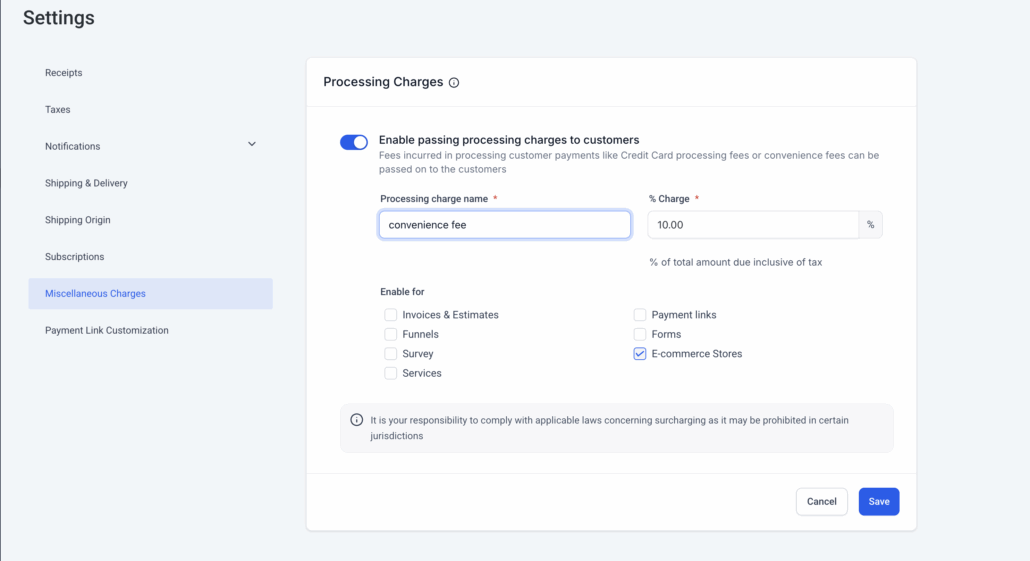
- Store administrators can configure the percentage and label of the processing fee under Payments → Settings → Miscellaneous Charges → Processing Charges.
- Navigate to Payments → Settings → Miscellaneous Charges → Processing Charges.
- Enable the Processing Fee and set the percentage and label name.
- Ensure that Ecommerce Stores is selected as an applicable channel.
- Save the configuration — the fee will now automatically apply to customer checkouts.