
Order Upsell in Forms | Clixio Changelog
What’s New
You can now add an upsell product directly in your funnel forms, eliminating the need for an extra page or the re-entry of customer details. This enhancement helps increase your average order value while ensuring a smooth and quick checkout process.
What You Can Do
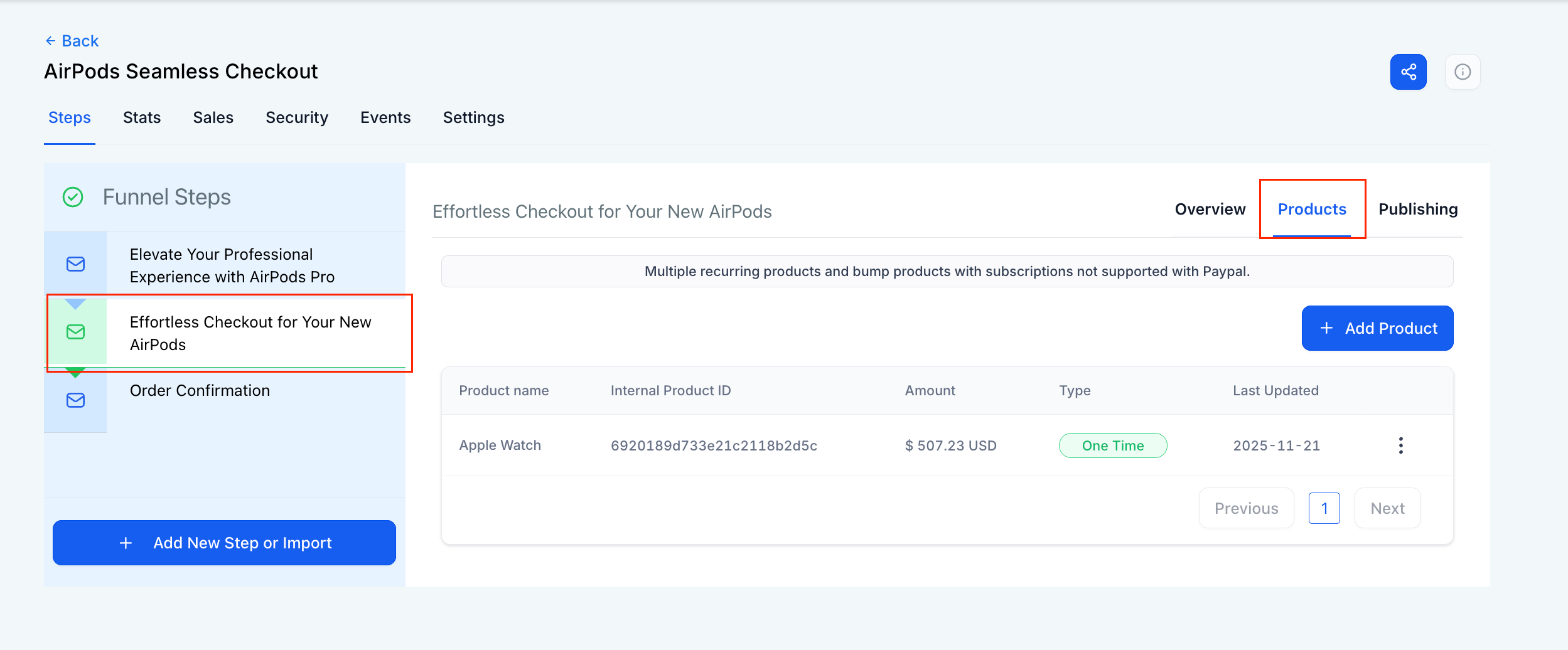
- Add an extra product offer in the next funnel step (not in the same step).
- Allow customers to accept the offer with just one click.
- Use upsells with both Normal Sell and Bump Products (Bump can only be added with a normal product).
- Works seamlessly with forms added as native elements in funnels (Surveys not yet supported).
How It Works
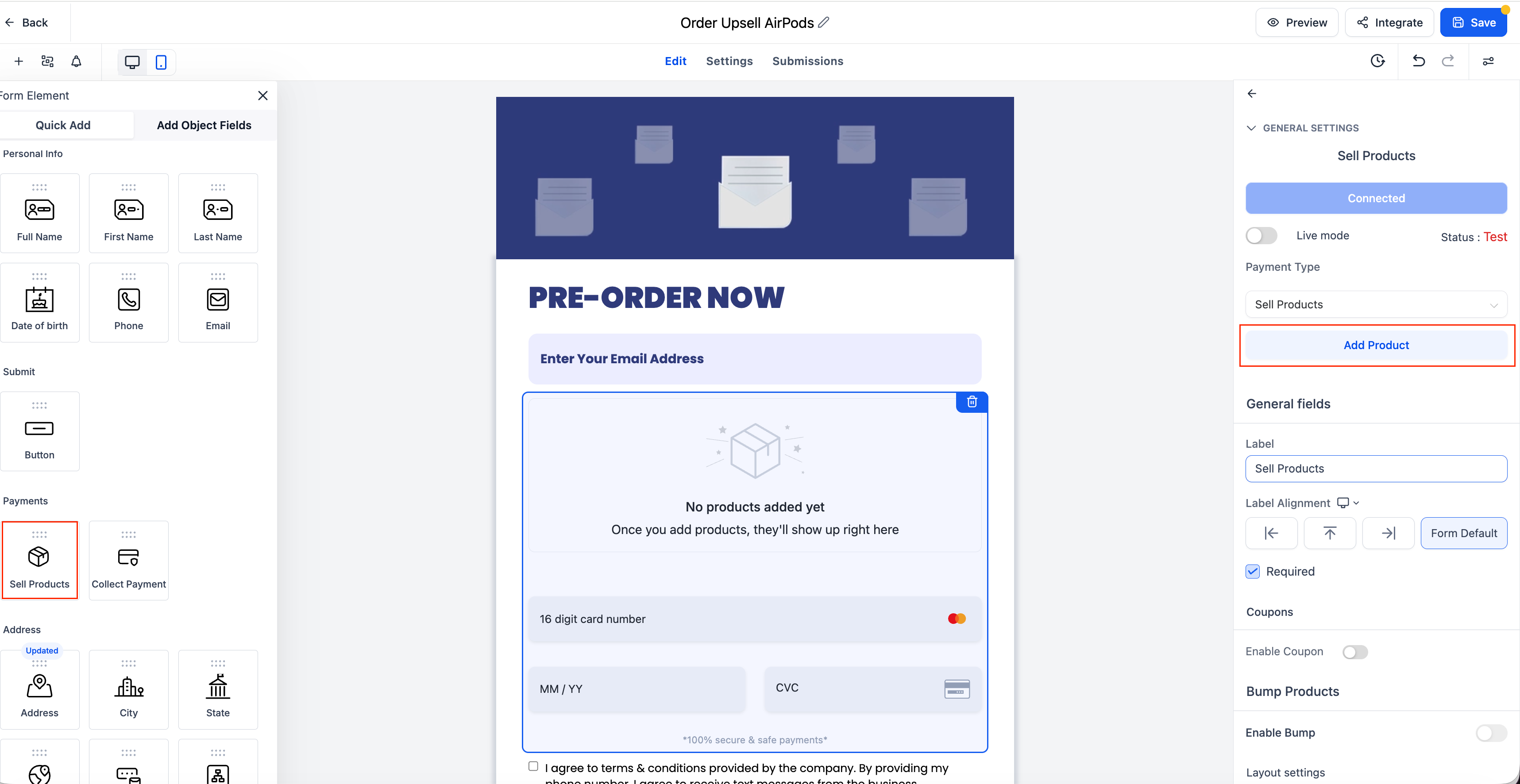
1. Build the Form
- Open the Form Builder.
- Drag and drop a Sell Product element.
- Configure the product details (price, product ID, etc.).
- Save the form.
2. Funnel Integration
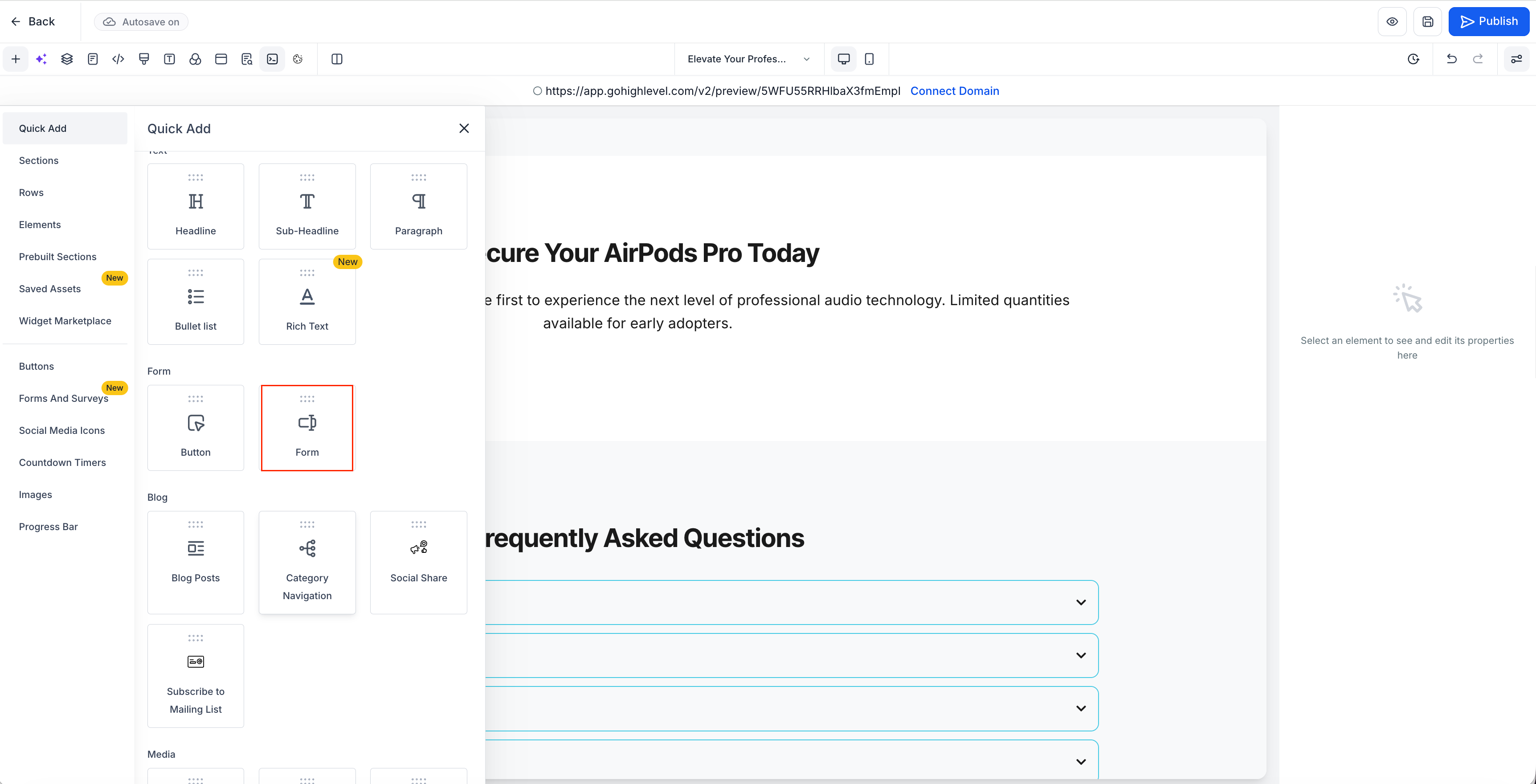
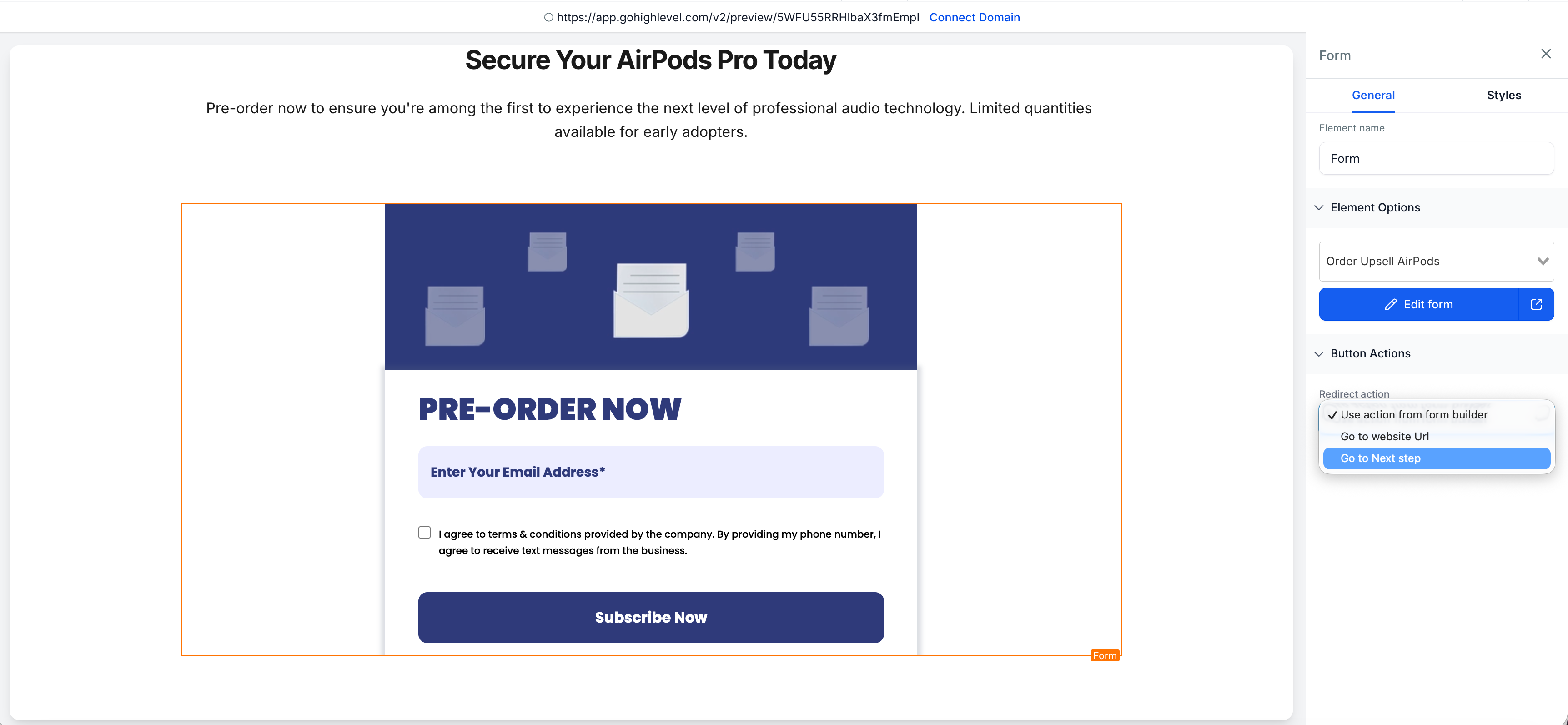
- Open or create a Funnel.
- Navigate to the desired Funnel Step.
- Add the saved Form as a Native Form element (not embedded).
3. Add the Upsell Button
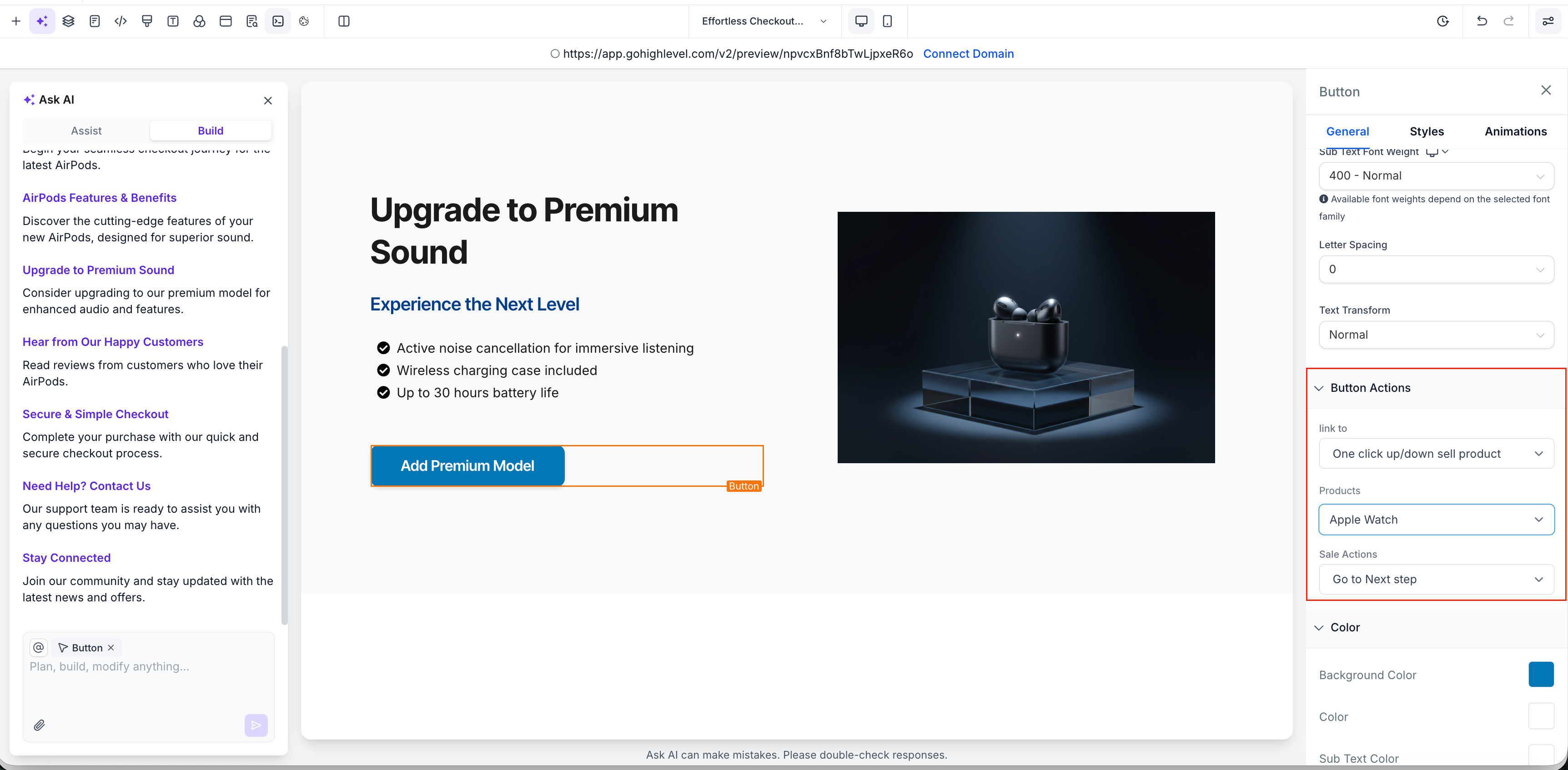
- In the next Funnel Step, drag a Button element.
- Set the button action to “Upsell Product”.
- Select the Upsell Product you wish to offer.
4. Order Summary
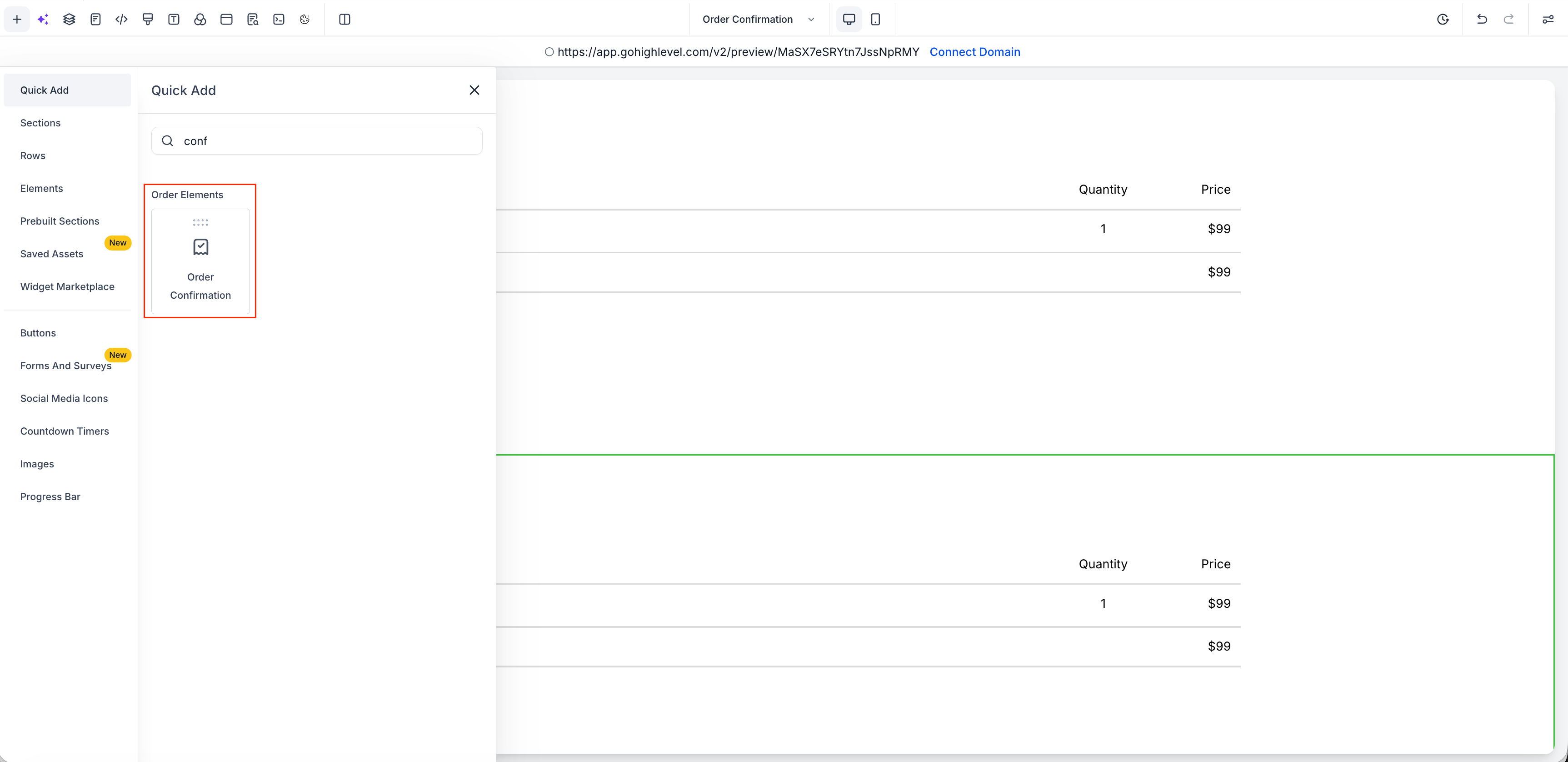
- Ensure the Funnel includes an Order Summary element to display:
- The initial product from the form
- The additional Upsell product (if accepted)
Why It Matters
- This update helps you sell more without adding friction to the checkout process.
- Customers can complete their upsell purchase with just one click—no new page and no repeated form filling. It’s a straightforward way to boost revenue and enhance the buying experience.
