
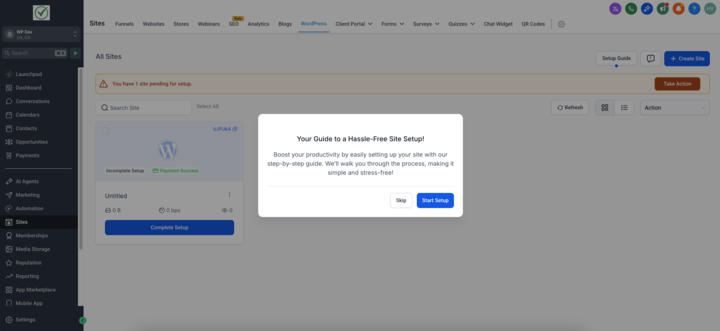
Onboarding Wizard for WordPress Hosting
We’ve introduced a Setup Guide that appears after a new WordPress hosting subscription is activated.
This guided experience helps users complete essential configuration steps to get their WordPress site up and running—more quickly and with greater confidence.
🧭 Setup Guide Overview
- A step-by-step checklist with clear CTAs, tooltips, and progress indicators
- Automatically adapts based on the user’s workflow (starting fresh vs migrating a site)
- The guide auto-hides once all onboarding steps are completed
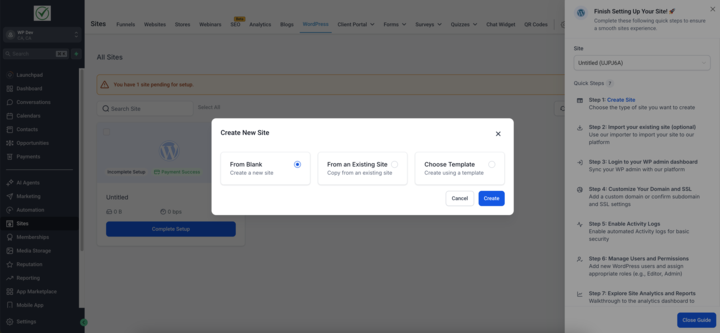
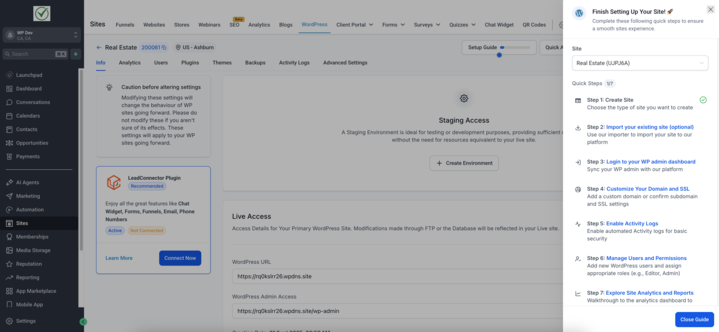
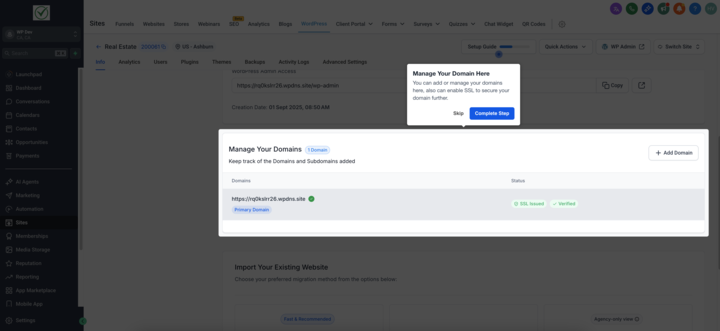
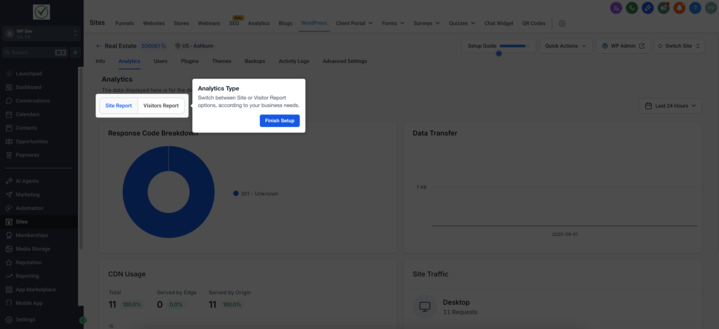
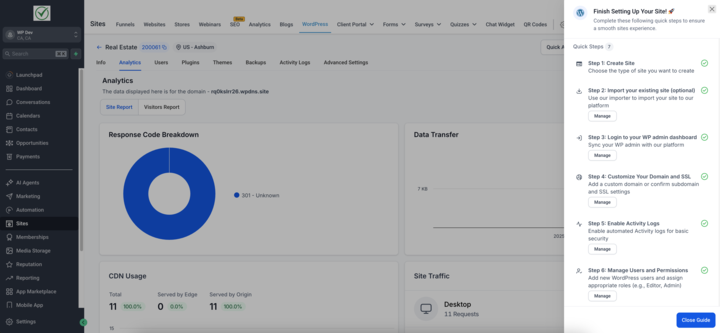
- Create Site – Choose the type of WordPress site you want to launch
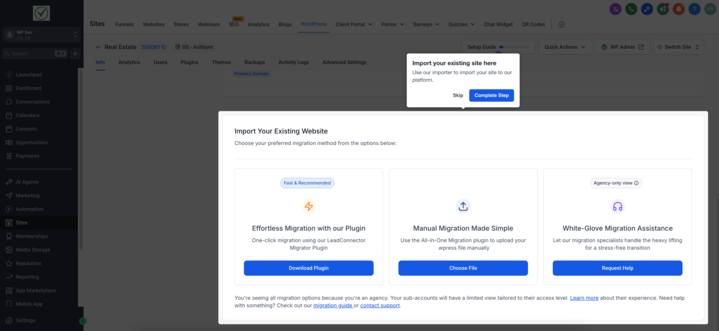
- Import Existing Site (Optional) – Migrate your site using our built-in importer or request the White Glove Migration Service
- Log in to WP Admin Dashboard – Access and manage your WordPress backend
- Customize Domain + Enable SSL – Add your domain and secure it with HTTPS
- Enable Activity Logs – Monitor backend activity for improved troubleshooting
- Manage Users and Permissions – Add team members and set role-based access
- Explore Analytics & Reports – Gain insights into your site’s traffic and performance
- Many users face uncertainty immediately after subscribing to WordPress hosting.
- This Setup Guide provides clarity and direction, significantly reducing time-to-value while helping users unlock powerful features like SSL, activity logs, and analytics from Day 1.
- New Subscription (No Site Yet): Go to Sites → WordPress Dashboard → Setup Guide
- Existing WordPress Site: Go to Sites → WordPress Dashboard → Go to Site → Setup Guide
To learn more about WordPress Hosting and how you can resell it to your clients, click here. Have some suggestions for WordPress Hosting? Simply post your ideas in our Ideas Board, and we will prioritise your suggestions!
You’ve just taken the first steps towards unlocking the full power of your WordPress hosting experience with Clixio. Whether you’re starting from scratch or migrating an existing site, the Setup Guide is designed to get you live faster, safer, and smarter.
We’re excited to see what you build — and we’re here to support you every step of the way.
Happy Hosting!
