
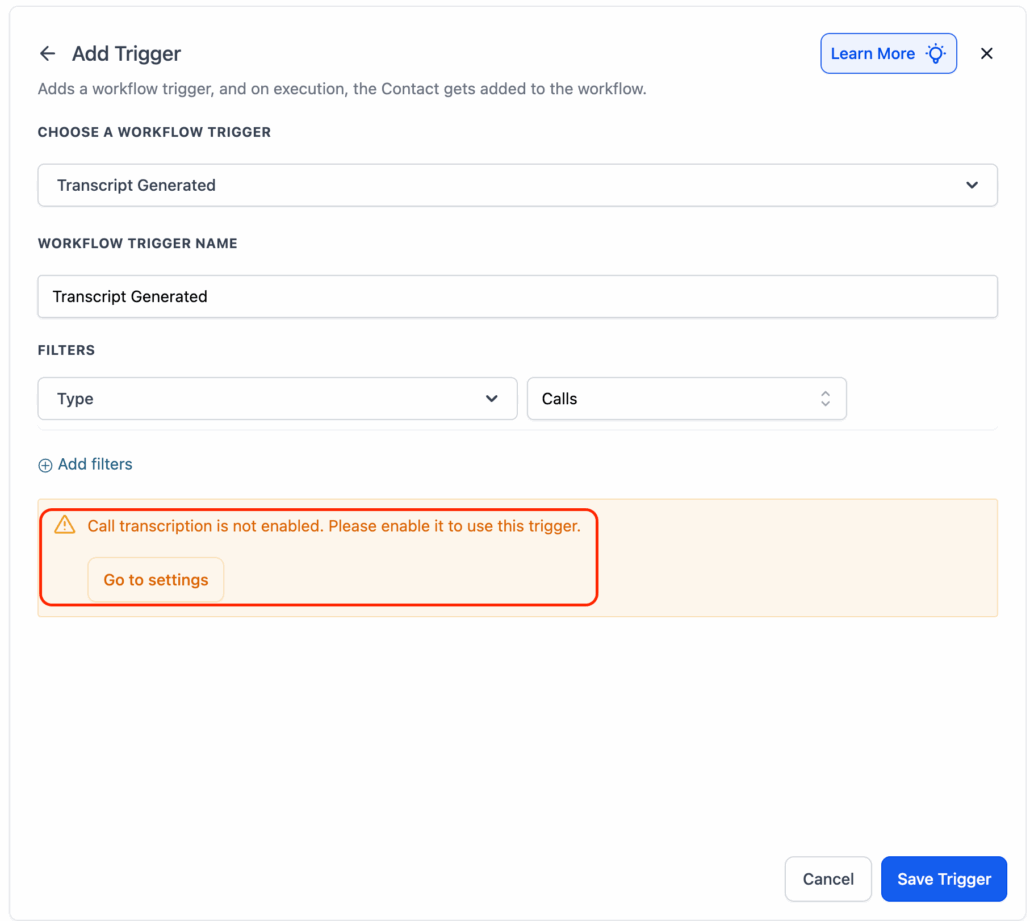
New Trigger: Call Transcript Generated
Voice AI, IVR, and Normal Calls.
Smarter Follow-Ups – Email call summaries, update records with buying intent, or tag contacts based on transcript content.
AI-Powered Insights – Utilise transcript keywords to personalise next steps and drive intelligent automations using real conversation data.
Select “Transcript Generated” from the trigger list in your workflow builder.
Step 2: Enable Transcription (if needed)
Voice AI: Enabled by default ✅
LC Phone & IVR: Use the CTA in the trigger to enable transcription.

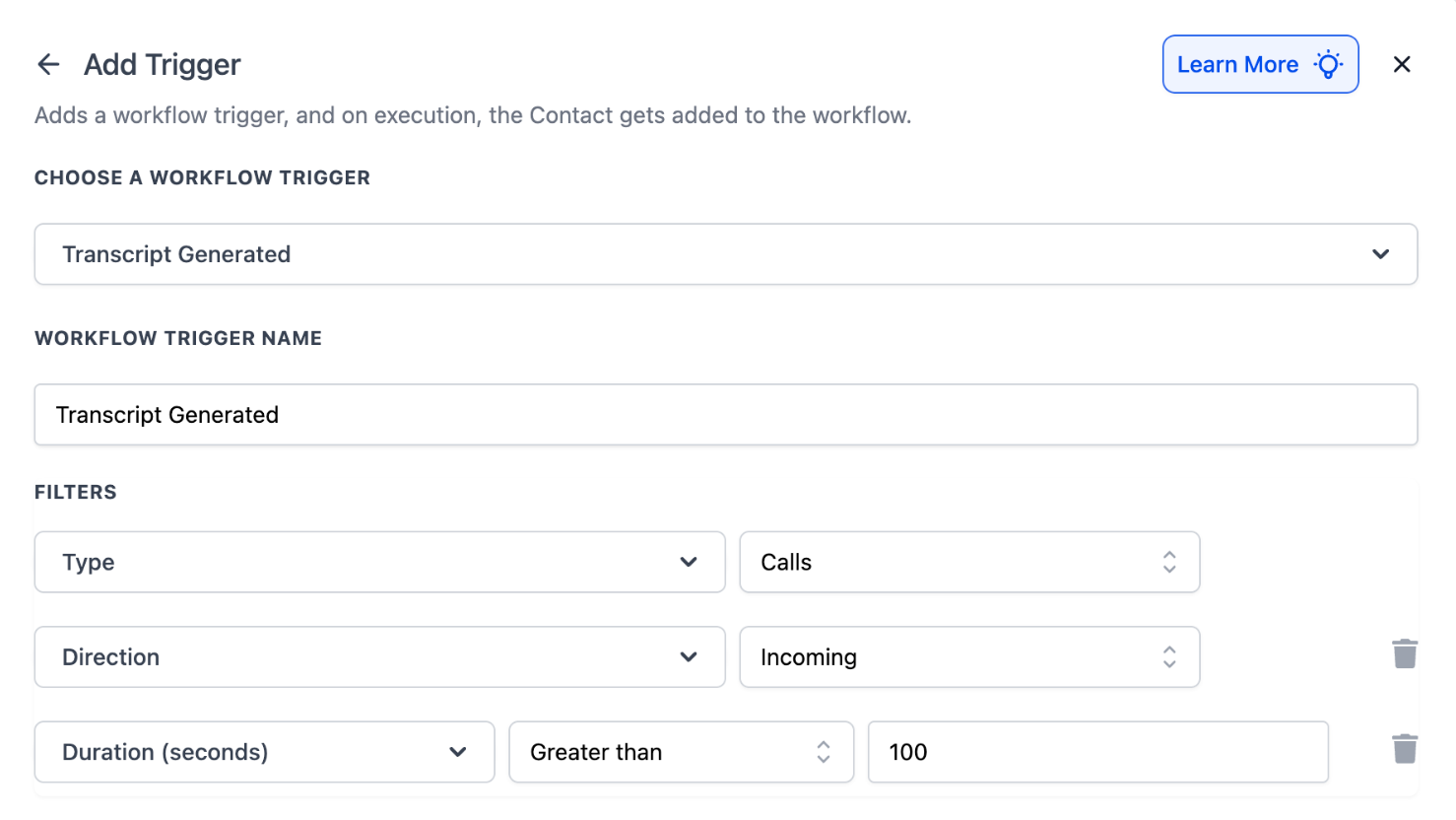
Apply a call type filter.
Call Direction & Call Duration are optional and can be used for greater control.
Step 4: Use Transcript Data
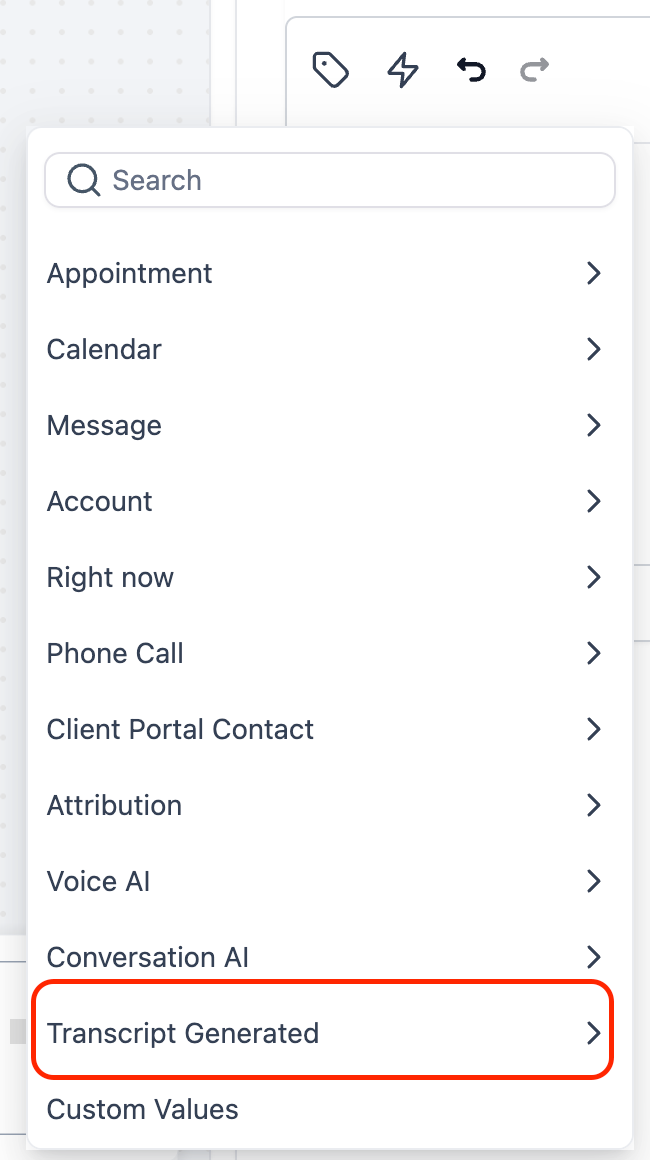
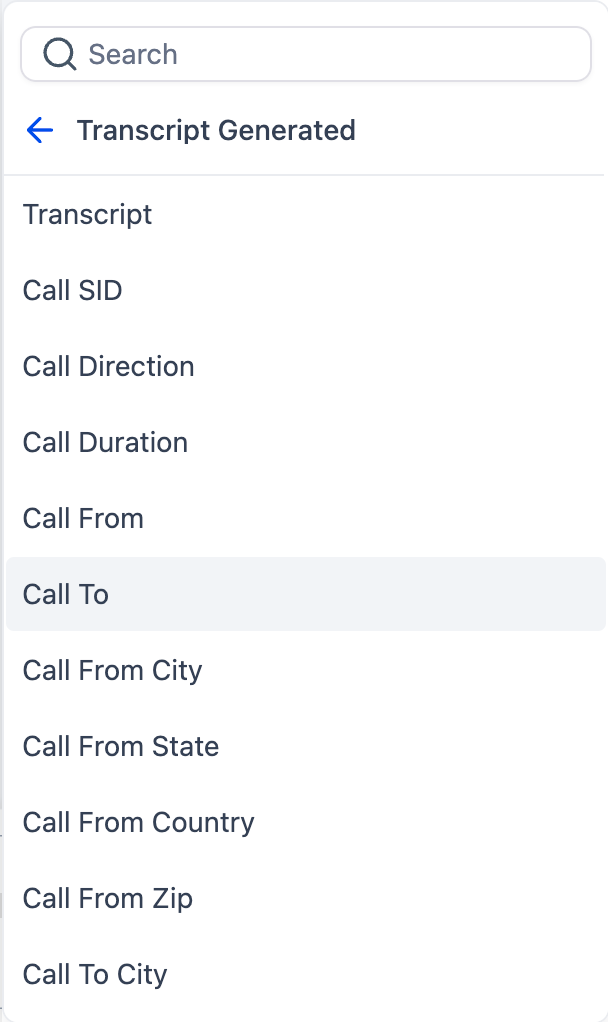
Access call data via the Custom Value Picker or If/Else conditions, including:
- Full Transcript
- Call Duration, Direction & Status
- Caller Location
- User Details & Timestamps
✅ Auto-email call transcripts
✅ Route leads based on keywords
✅ Update contacts with call insights
✅ Create tasks based on outcomes
✅ Send personalised follow-ups
