
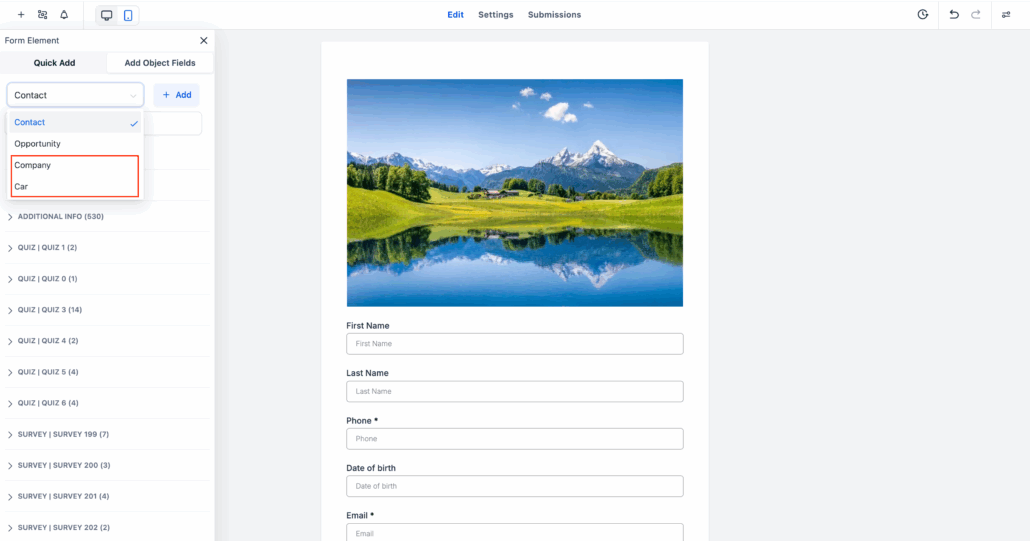
Native Form Support for Custom Object & Company Object Fields 🎉
We’ve made significant strides in enhancing your CRM! You can now capture Custom Object and Company Object data directly within Forms, Surveys, and Quizzes — no workarounds or manual linking required. This update seamlessly integrates your CRM with data collection tools for a fully connected experience.
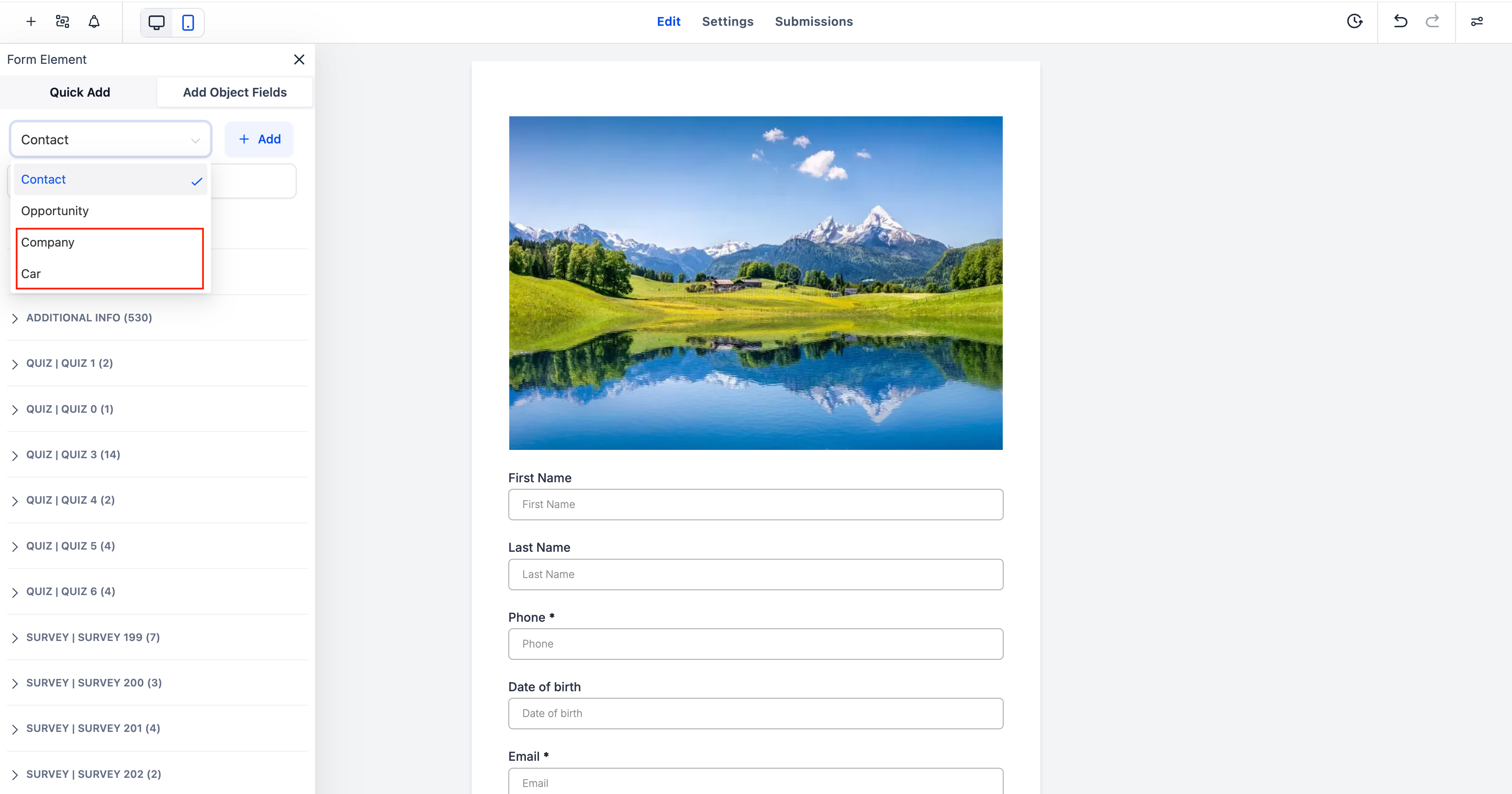
Native Integration:
Add fields from Custom Objects and the Company Object directly inside Forms, Surveys, or Quizzes.
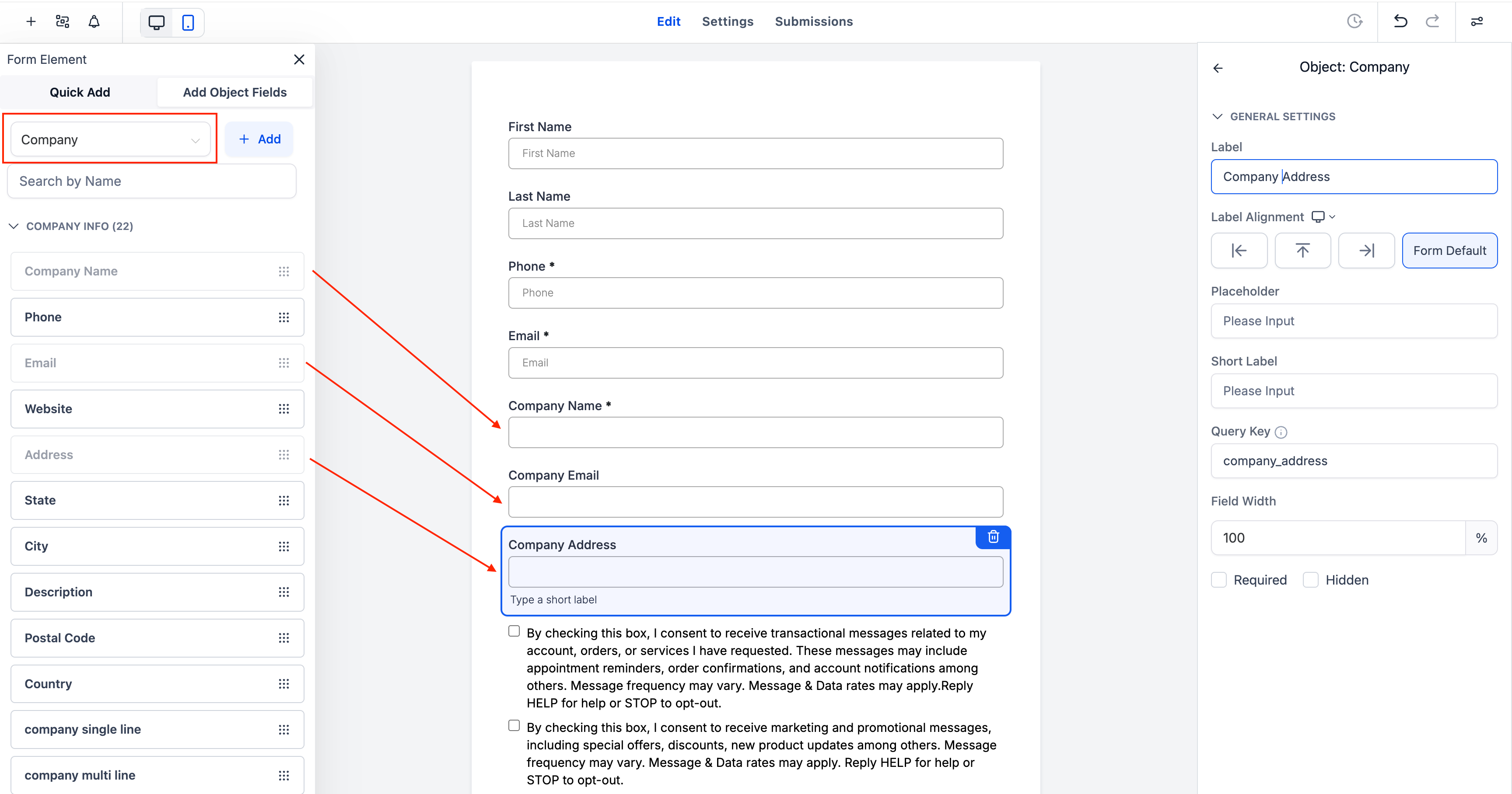
Association Setup:
Choose how each object connects to a contact — one-to-one, one-to-many, or many-to-many.
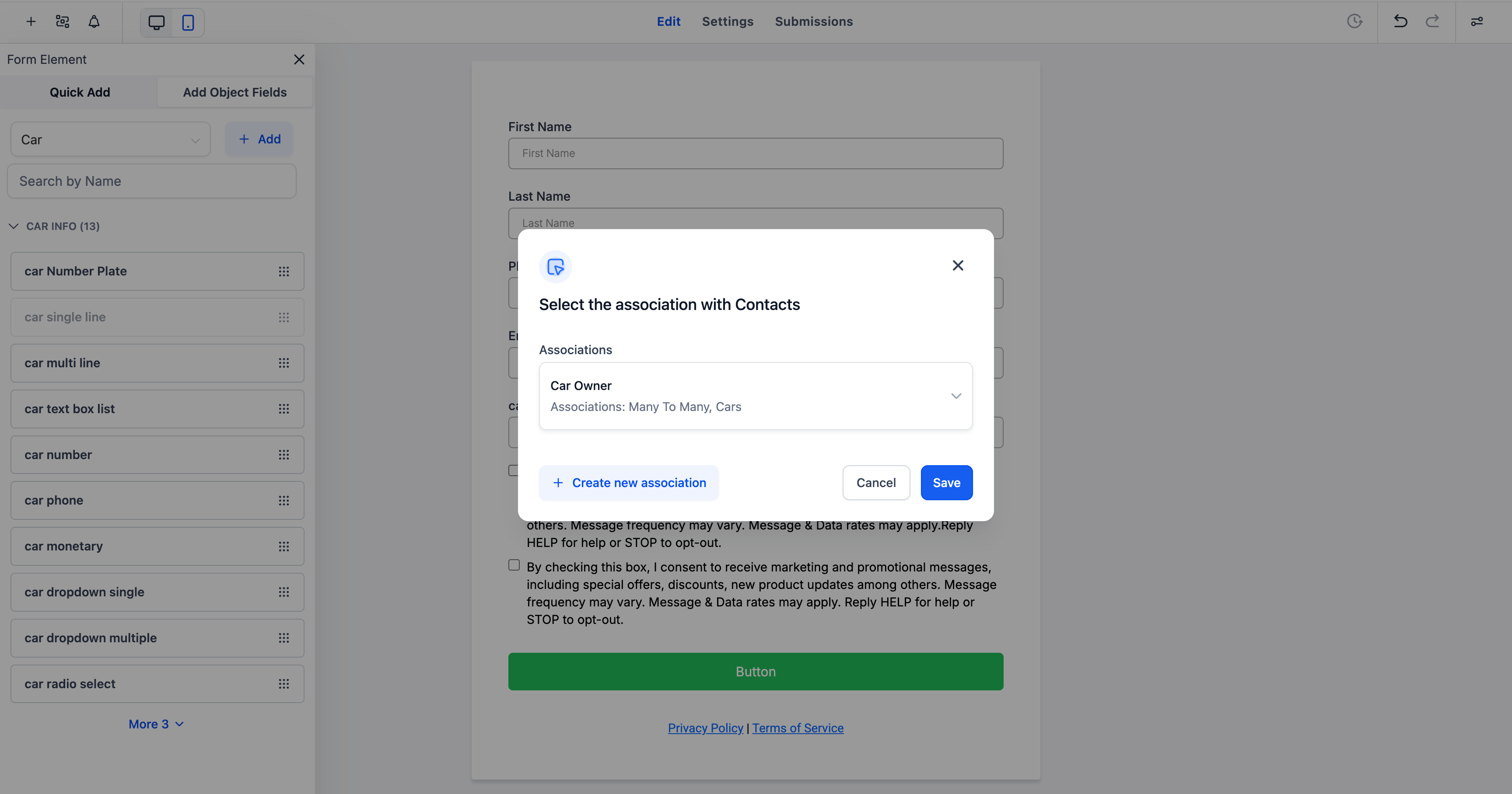
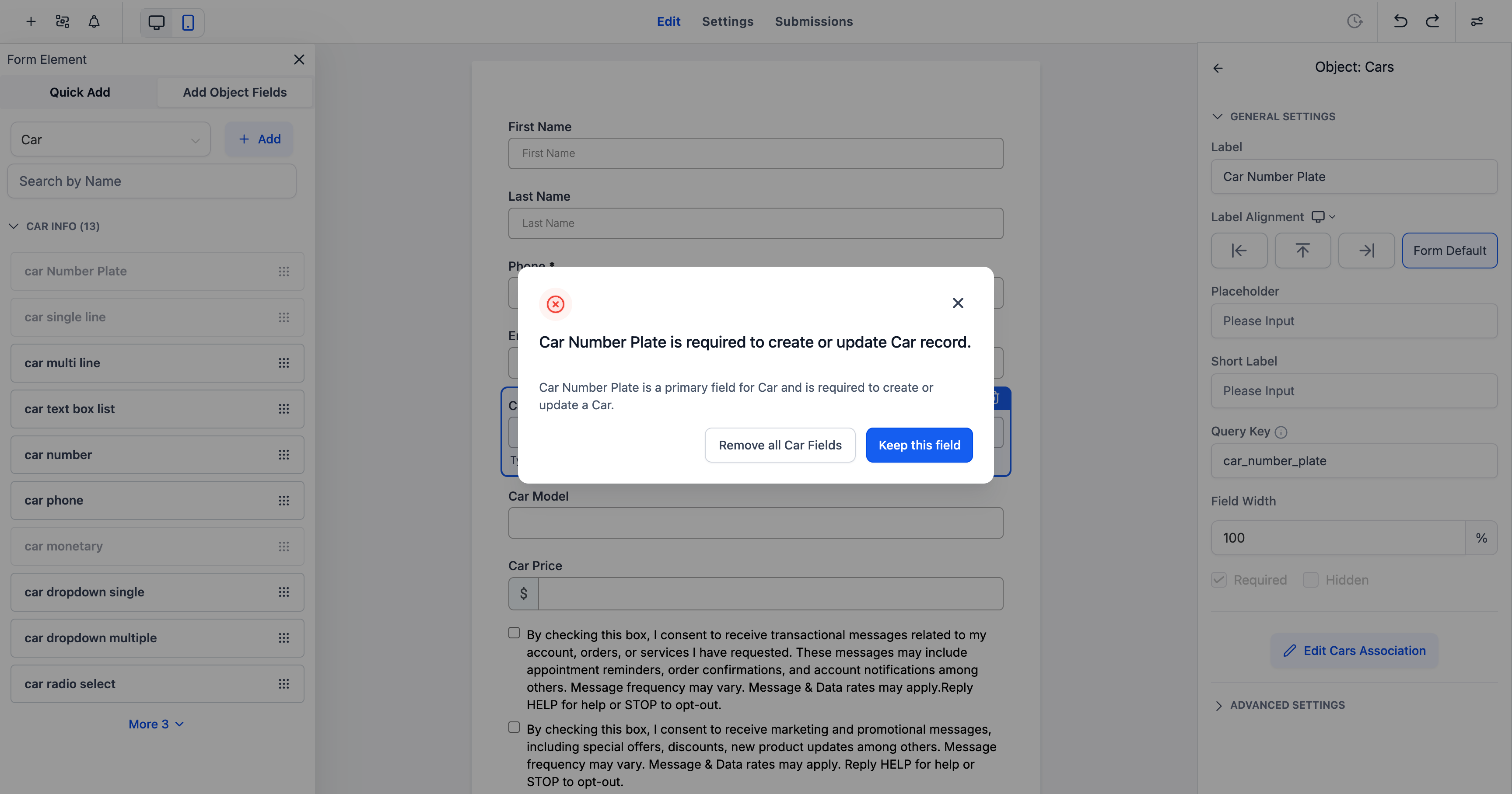
Primary Field Handling:
The system automatically identifies and protects required fields (e.g., Company Name, Car Number Plate) to ensure proper data creation.
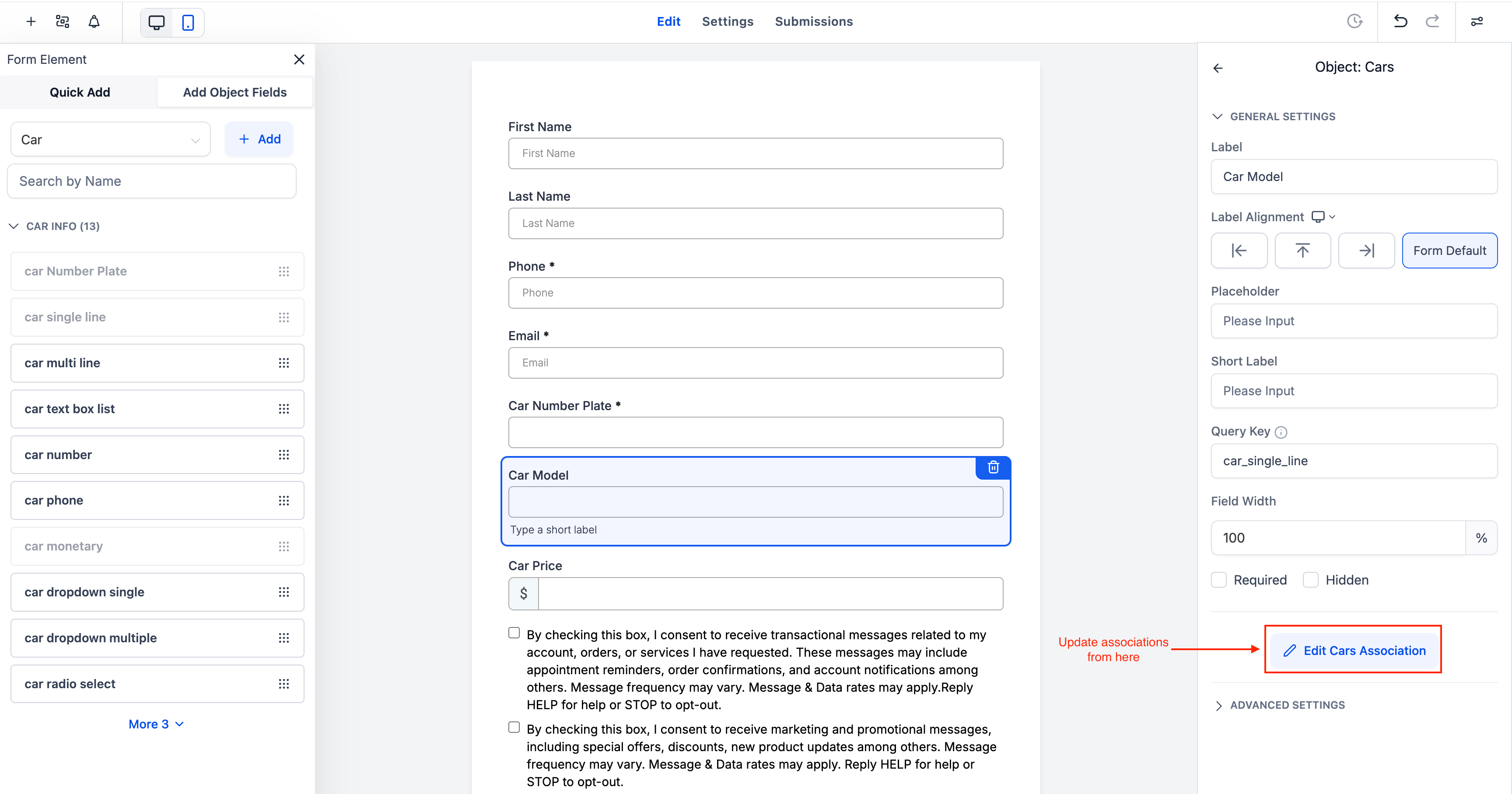
In-Builder Editing:
Configure associations or update object settings directly from the builder — there’s no need to leave the form editor!
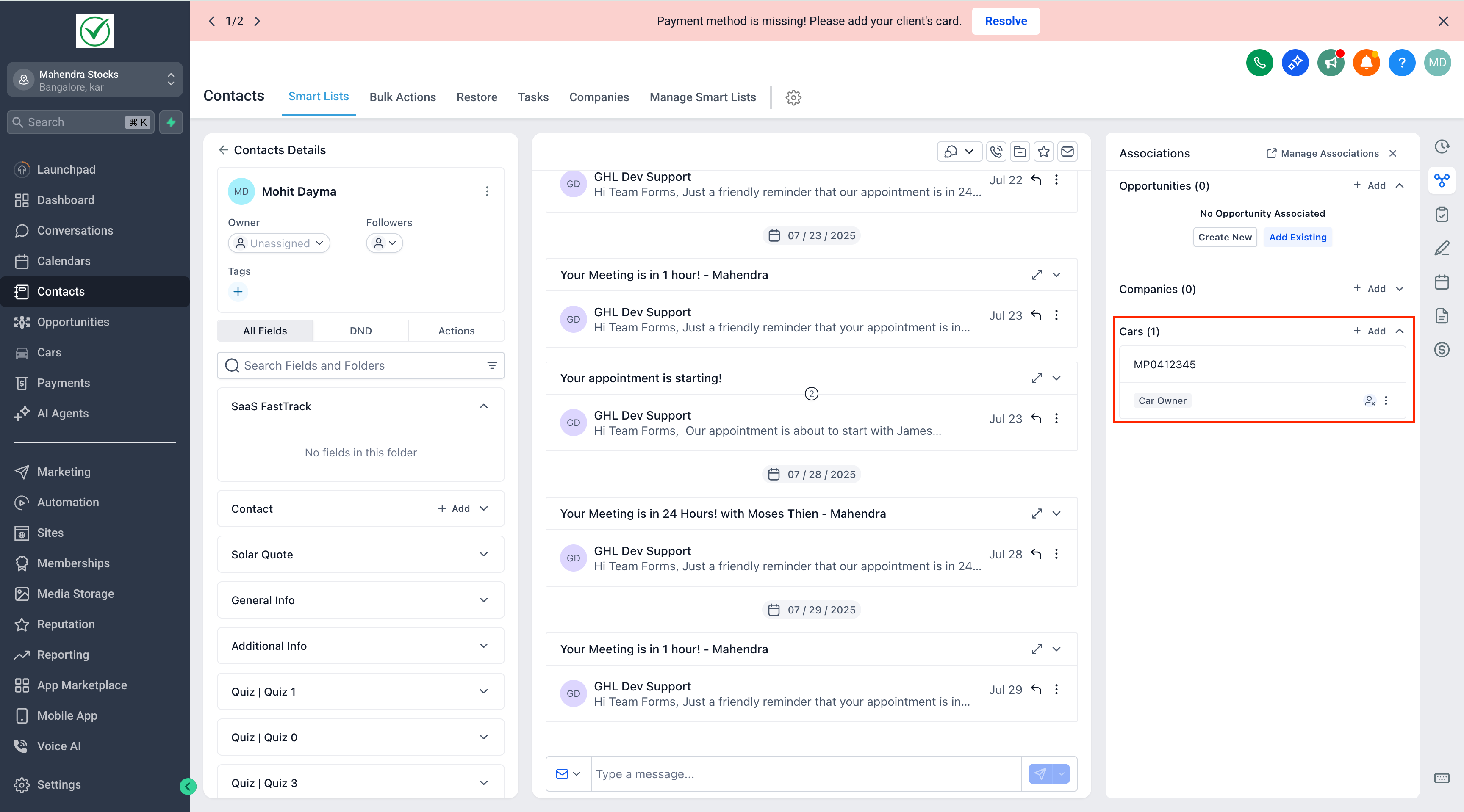
Automatic Sync:
Submissions instantly update both contact records and linked object records, ensuring your CRM data remains clean and synchronised.
🏢 Company Object Fields:
Add Company fields (such as Name, Email, Address) directly to your forms to gather business-level data.
⚙️ Custom Object Fields:
Utilise object-specific fields (e.g., Car Model, Pet Breed, Property Location) to capture industry-specific data.
🔗 Association Controls:
Define or edit associations, such as Car Owner, directly within the builder using the “Edit Association” option.
🧩 Dynamic Linking:
Submissions automatically associate related contacts and object records — for instance, linking a contact to a Car object as its owner.
🛡️ Primary Field Safeguard:
If a primary field is removed, the system will prompt you to keep or clear object fields to prevent data inconsistencies.
- Open any Form, Survey, or Quiz Builder.
- From the Quick Add menu, select your desired object — Contact, Opportunity, Company, or a Custom Object (such as Car).
- Add object fields and configure their association with the contact.
- Define relationships (e.g., Many-to-Many for Cars, One-to-One for Company).
- Save and publish — submissions now automatically create or update linked object records!
- Add Company Object fields like Company Name, Email, and Address to collect organisation details alongside contact information.
- Add Custom Object fields like Car Model and Car Number Plate to track assets for each contact.
- Associations will appear directly within both the Contact and Object records in the CRM.
🧠 Extended Object Usage
- Custom Objects can be used either standalone (to collect independent data records) or linked to Contacts via associations.
- Company Object fields can also be used with Contacts or standalone, but cannot be combined with Custom Objects within the same form, survey, or quiz.
- Currently, scenarios that mix Company Object, Opportunity, and Custom Object fields in one builder are not supported.
- B2B setups — collect company-level information directly from forms.
- Industry-specific tracking — store structured data such as cars, pets, or properties.
- Automated linking — establish complete CRM relationships in a single submission.
This release connects your Custom Objects and Company Objects directly to your CRM’s data collection tools, turning every form submission into a structured, meaningful record. 🚀💡
