
Multiple Watermarks in Social Planner🌟
Managing Multiple Brands Made Easy!
You can now upload and assign different watermarks for each social account, ensuring every post reflects the appropriate brand identity automatically.
- Upload multiple watermarks (one for each social account) directly from Social Planner Settings.
- Name and preview your watermarks before saving.
- Apply to all social accounts at once using “Select All” or set unique watermarks for individual accounts.
- Edit or delete watermarks at any time (with confirmation if they’re in use).
⭐ Why This Matters
- Save time by eliminating the need to re-upload logos for every post.
- Maintain consistent brand identity across all platforms.
- Ideal for agencies managing multiple brands in one location.
🛠 How to Use
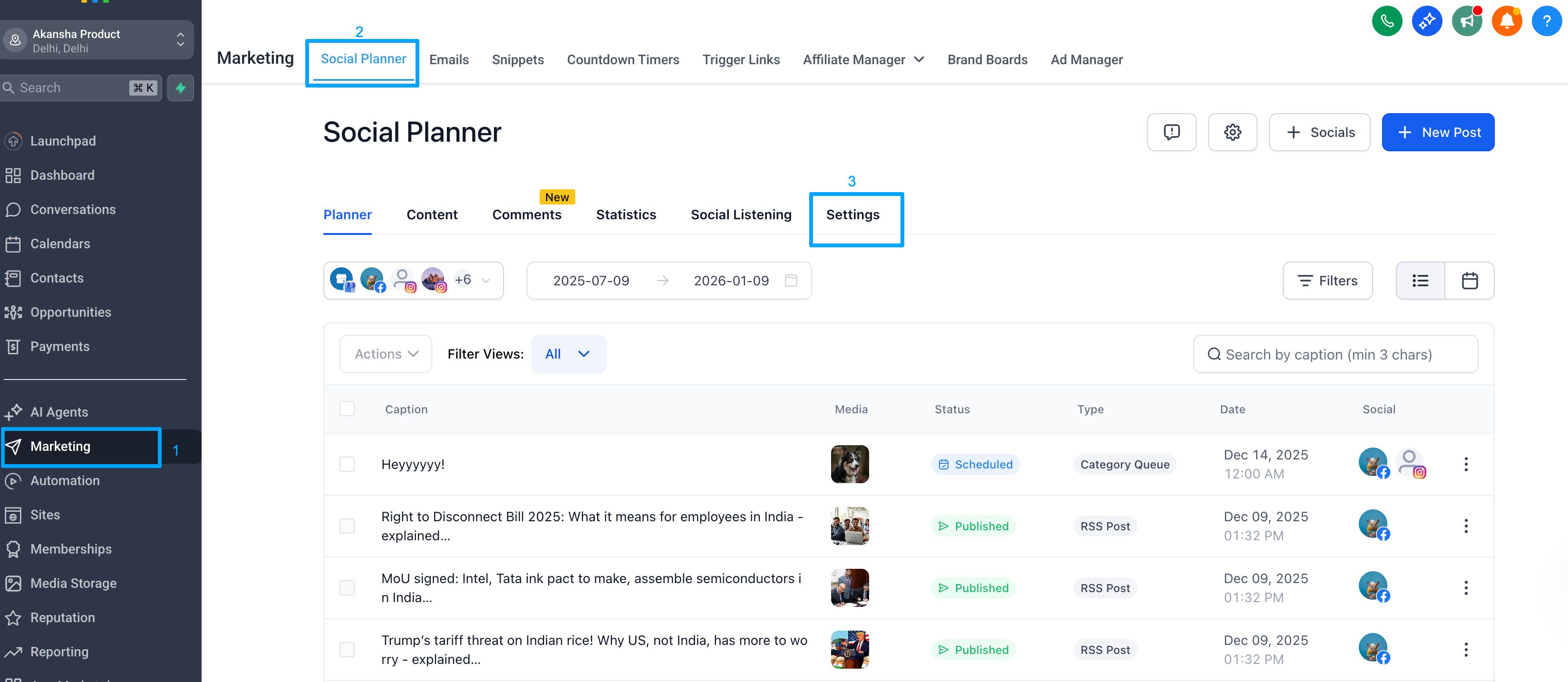
- Navigate to Marketing → Social Planner → Settings → Watermark
- Click “Add Watermark” to upload and name your watermark (PNG, max 5MB).
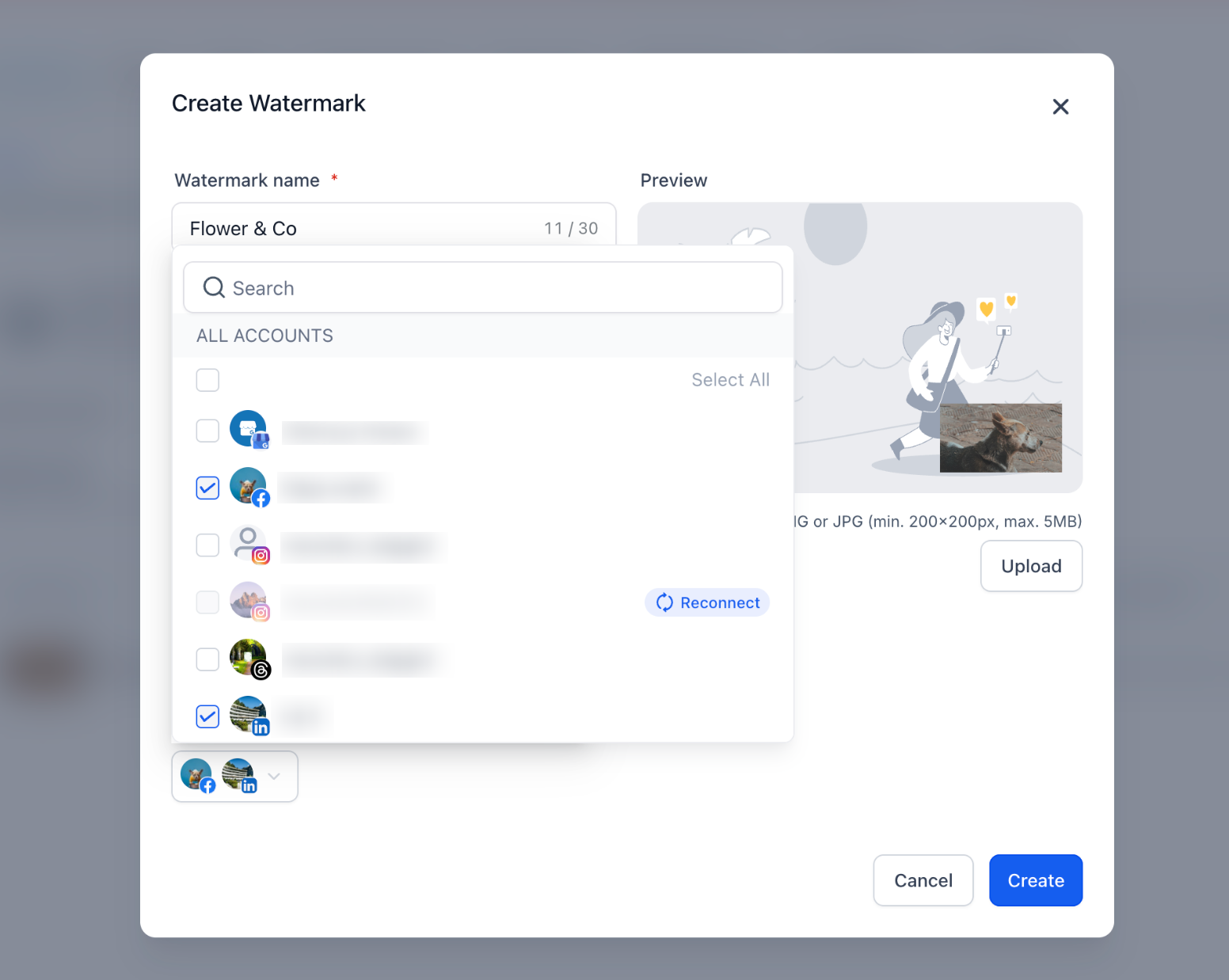
- Use the “Select All” option to apply to all socials, or assign them individually.
- Manage, edit, or delete any watermark from your list at any time.
Note: If you haven’t added a watermark yet, you’ll see an “Add Watermark” prompt encouraging you to create one. If you already have a watermark assigned, your existing watermark will automatically appear in the list view as “All Socials.” You can choose to edit this setup and assign specific watermarks to each account later.
